

 DavidXanatos
Internal Error Downloading Updates
I've got a particular system that I'm having problems getting Windows Update to work correctly on (win10x64 pro) and your tool was recommended. It looks like a great option, but when I try to run it, I get the following:
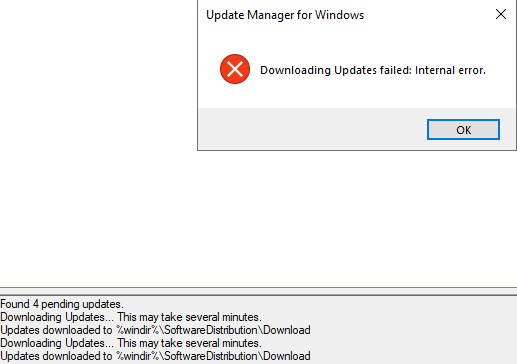
Any idea how to resolve this issue? The error message doesn't seem to provide much information?

I guess you've tried to search for update packages. It will work if "Block Access to WU Servers" isn't selected. Otherwise it will show up your error. One thing I've figured out is that if you unblock access to WU Servers, the Windows will start downloading and then installing updates automatically, which makes no sense!


Block Access to WU Servers is deselected, but also getting "Internal error"


Im also seeing this error. If I click manual download it will either just sit there doing nothing or get part-way on the first download in the que, and then again just sit there.

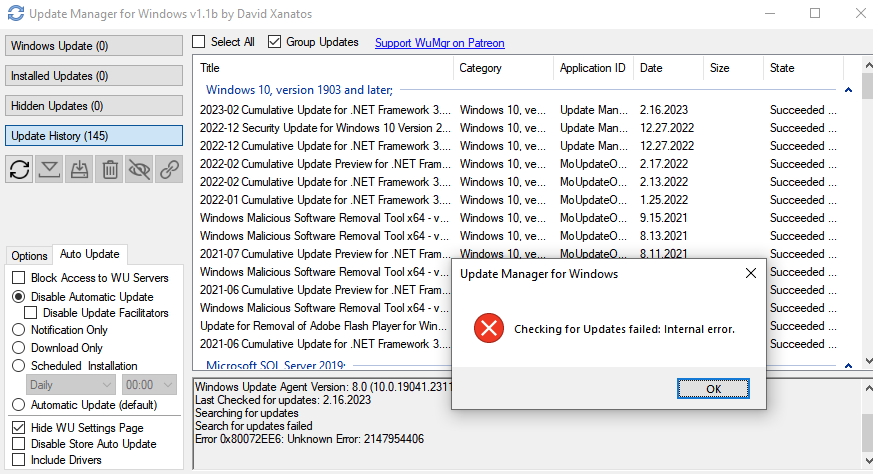
This error suddenly appeared in the middle of the update, and now its there all the time and I can't use WuMgr any more:
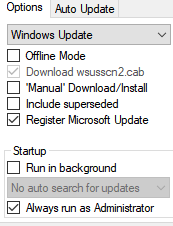
Working Directory: C:\tools\WuMgr
Windows Update Agent Version: 8.0 (10.0.19041.2311)
Last Checked for updates: 2.16.2023
Searching for updates
Search for updates failed
Error 0x80072EE6: Unknown Error: 2147954406

Same as @majkinetor ; I'm going to try the old standby of turning it off, and turning it back on again. Ahaha, I really wish I could've just stayed on Windows 8.1...

That doesnt work. I switched to PSWindowsUpdate and I use this tool just to block auto updates
@majkinetor Oh, I knew it wasn't going to work. Nothing ever does. c:
And frankly, I'm way too dumb to use PSWindowsUpdate.
So, I'm just kinda screwed, aha, so it goes. That's life.
Still, wanted to mention that I was having a similar problem at least.
