

 DataDog
No traces on IIS with msi tracer 1.30+ but works with 1.26.1
Describe the bug We recently installed APM on our VM hosts. We use Windows server 2019 and IIS10. The tracer was installed and is running but shows no traces. Manual requests via powershell are picked up so the connection is working. Now I did some digging in this repo and saw that you switched to dynamically loading http modules and that got me suspicious. I installed v1.26.1 and the .NET Framework apps started working. .NET Core apps are still not working. I'm wondering if maybe you are not expecting them via IIS since they could be selfhosted in kestrel - which we do not do.
To Reproduce Steps to reproduce the behavior:
- Install MSI package 1.30.x (i tried 1.30 and 1.30.1) on our VM conatining a mix of .net framework and .net core apps hosted on IIS in individual app pools (all integrated).
- Set the appropriate system env vars on the machine and restart IIS via the commands specified in the documentation.
- Tracer and agent are running but no traces are registered. The server is under load.
- Then uninstall the tracer and install v1.26.1 and voila the traces appear. But only for the .NET Framework apps. .NET Core is not picked up.
Expected behavior All 14 IIS apps register their traces to DD APM
Runtime environment (please complete the following information):
- Instrumentation mode: automatic with msi installer
- Tracer version: 1.30.1, 1.30.0
- OS: Windows Server 2019
- CLR: .NET Framework 4.7.2, .NET Core 3.1.11
Additional context Under "%ProgramData%\Datadog .NET Tracer\logs" no logs are found with v1.30.x, but once we installed 1.26.1 we have logs. Makes sense since we started having traces as well.


Thanks for reporting this issue @Markus-Trachsel-Scout24. Could you please create a support ticket by contacting [email protected] and referencing this GitHub issue. Thank you!

Update: Version 1.26.1 works. Starting version 1.26.3 it does not. I also tried version 1.29 and it also does not work there.
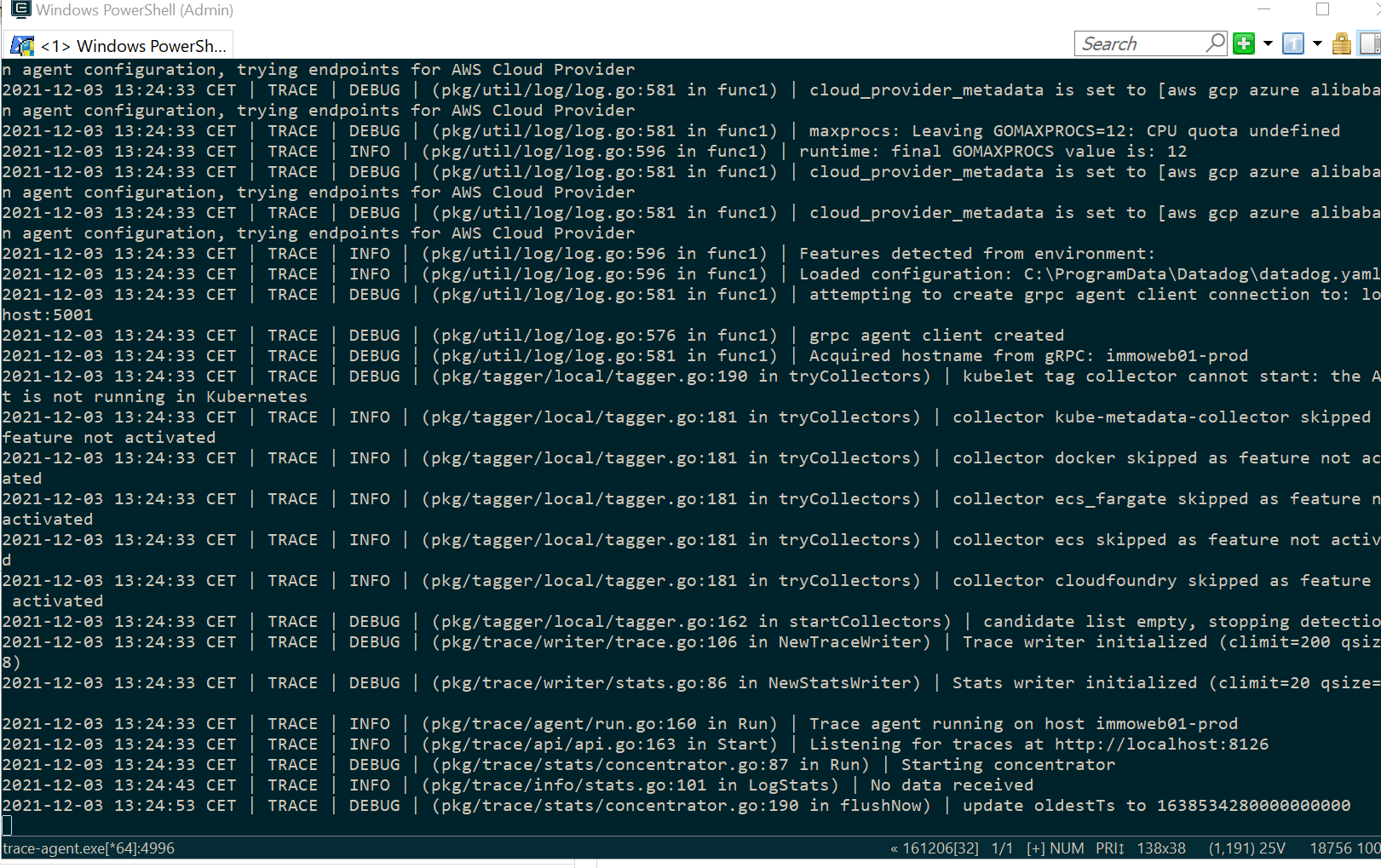
Below you see the tracer output with version 1.26.3:
Closing this ticket since we haven't supported tracer releases 1.x for a few months. We recommend using the latest tracer release instead. If you encounter any problems, please create a support ticket by contacting [email protected]. Thanks!
