
dfhack
 dfhack copied to clipboard
 DFHack
Update Windows build docs for VS2022
Specifically, our build scripts work with VS2015, but VS2017-19 require different generator names and architecture flags passed to CMake. See https://github.com/DFHack/dfhack/issues/1518#issuecomment-753334092 and https://github.com/DFHack/dfhack/issues/1715#issuecomment-735369867 for more details.

Disclaimer
This info pertains to VS2015 build tools and not VS2017-19, but I think it can help save time and frustration for new people trying to build dfhack\build\win64 on Windows. I have marked my suggestions as bullet points.
VS2015 Build Tool Error
The VS2015 build docs contains this link to download VS2015 build tools without downloading the full Visual Studio IDE. When I tried downloading and installing just the Microsoft Build Tools 2015 Update 3, the installation wizard said there was an error due to missing dependencies but did not specify what the dependencies were.
It is possible that the dependencies error could have been prevented by first installing the Microsoft Visual C++ 2015 Redistributable Update 3 from that same link before installing the build tools.
- I have not tried this approach but I can do it if you think it would be helpful.
My Solution
Instead, I logged into my Windows account and used this link which allows you to download different version of Visual Studio and its toolchain. I downloaded Visual C++ Build Tools for Visual Studio 2015 with Update 3 by clicking on the Download button and then the DVD dropdown option.
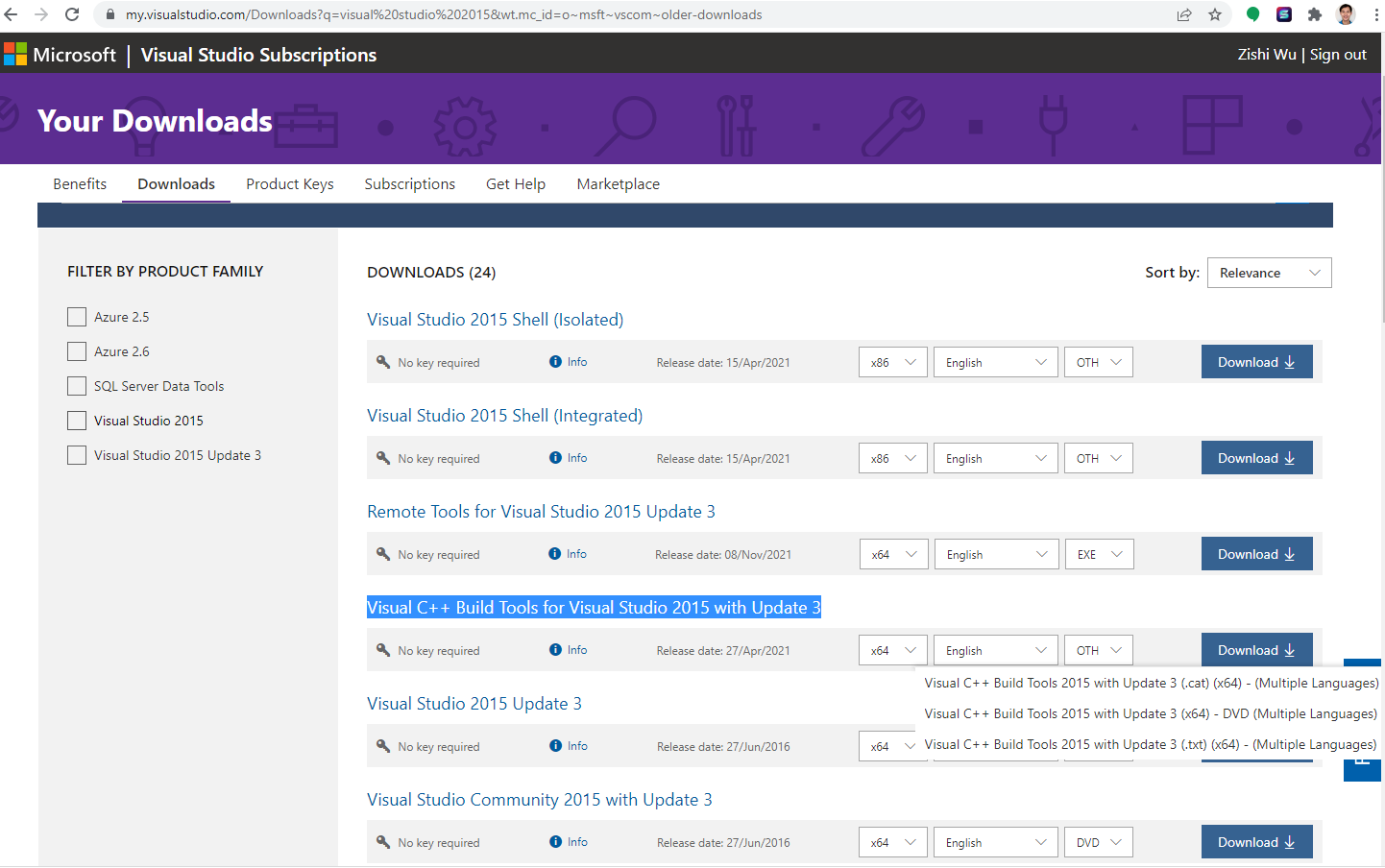
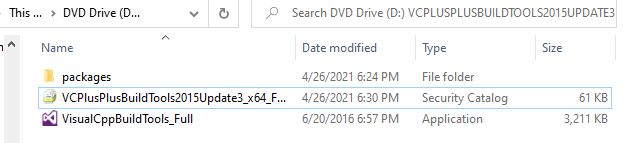
This put an ISO file in my Downloads folder. I clicked the ISO file, it opened up a folder that contained a VisualCppBuildTools_Full installer, a security catalog file, and a packages folder which contained all the dependencies. I had no errors installing the VS2015 build tools by clicking the installer and using the default options.
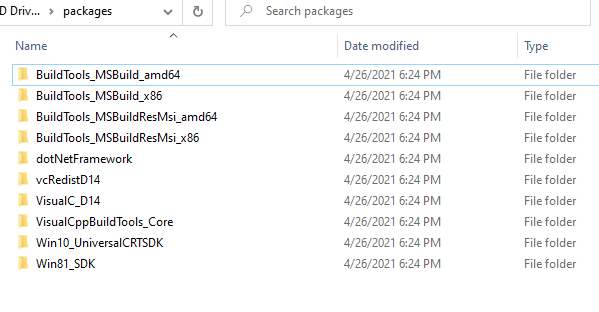
Here's the contents of the packages folder in case anyone is interested about what dependencies MSBuild v14.0 requires. These include:
- Microsoft .NET Framework 4.6.1 Developer Pack
- Microsoft Visual C++ 2015 Redistributable (x64) - 14.0.24210
- Windows 10 Universal SDK - 10.0.10240
- Windows 8.1 SDK
At the end, MSBuild was installed in C:\Program Files (x86)\MSBuild\14.0\Bin. I added this path as an environment variable. Then I followed the instructions for Windows and successfully built dfhack with no warnings/errors in 8 minutes on my machine.
> cd ~\dfhack\build\win64
set_df_path.vbs
generate-MSVC-minimum.bat
..\build-debug.bat  # from ~\dfhack\build\win64\VS2015
- I suggest we add these instructions for people who want to build dfhack on Windows with only the VC++ 2015 build tools but don't want to install the full Visual Studio 2017 Community Edition IDE.
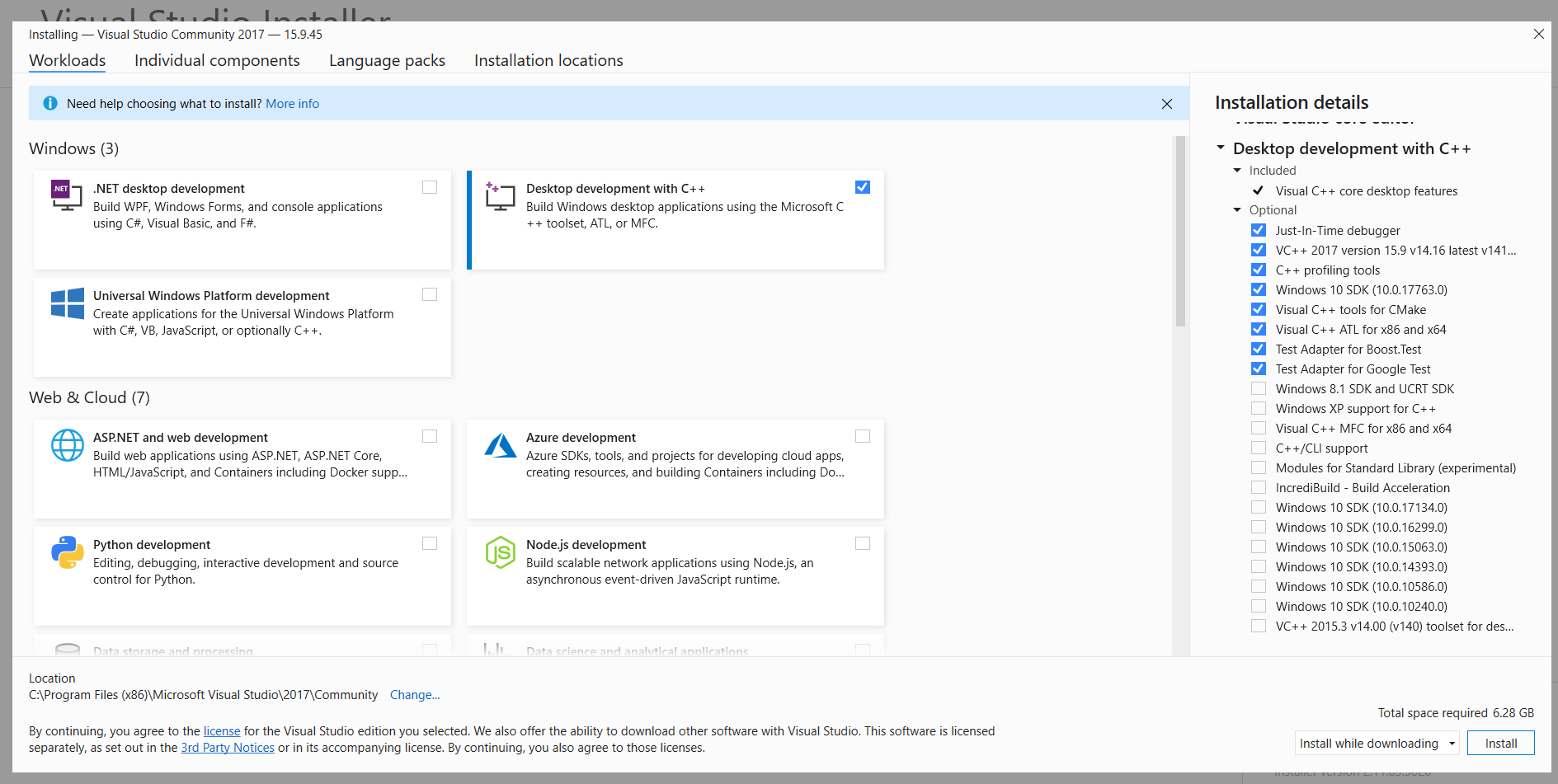
- Even the people who want to install the build tools along with the IDE can benefit from these instructions because they will be able to see what components they need to install while using the Visual Studio Installer wizard. Checking the option
Desktop Development with C++for the Visual Studio Community 2017 IDE is not enough as it is missing the Windows 8.1 SDK and the VC++ 2015.3 v14.0 tools.
Checklist for Visual Studio 2017 Installer

This looks very useful. Would it be possible for you to create a pull request to integrate this information into the docs? That way other devs who use windows can comment on the changes.
I believe the source location you'd modify is https://github.com/DFHack/dfhack/blob/develop/docs/Compile.rst#windows

Thanks for the encouragement. I will make that PR within the next day or two.
Note that most people will be using either 2019 or 2022 at this point.
VS2019 worked for me out of the box, but I already had VS2015 installed. Reportedly, in VS2019 it's just a matter of installing the V14 build tools. 2017 made it hellishly painful, which MSFT mostly addressed in 2019 and (hopefully) 2022.
