

 CycloneDX
Troubles with path
Hi. Please, asking for some help.
Have problem with launching via docker. Trying to cmd command, as in instructions and got this:
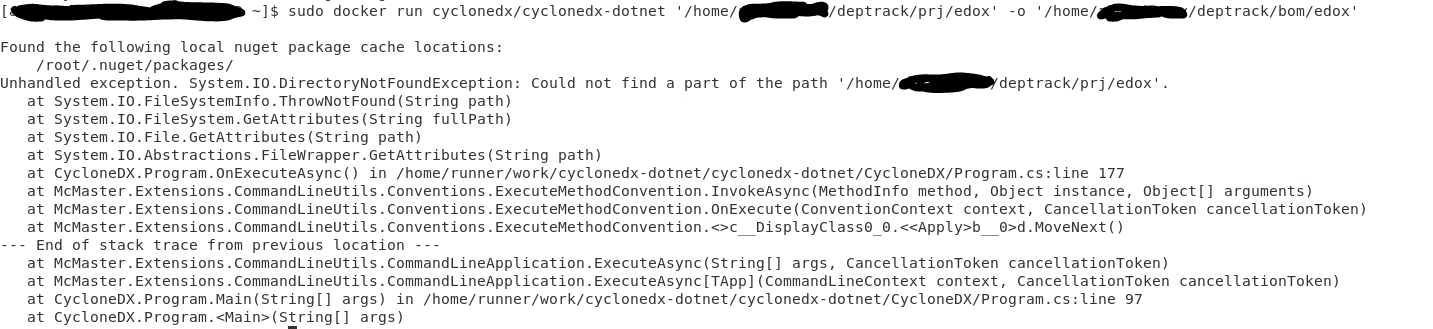

Hi @xXGeserXx, you need to mount /home/xxx/deptrack/prj/edox into the container first.
This should work:
$ sudo docker run --rm -v '/home/xxx/deptrack/prj/edox:/tmp/edox' cyclonedx/cyclonedx-dotnet -o /tmp/edox /tmp/edox

Hi @xXGeserXx, you need to mount
/home/xxx/deptrack/prj/edoxinto the container first.This should work:
$ sudo docker run --rm -v '/home/xxx/deptrack/prj/edox:/tmp/edox' cyclonedx/cyclonedx-dotnet -o /tmp/edox /tmp/edox
Hi, thank you very much for your help, but i solved this problem:) But, i have new problem. Maybe, you know about:

Hi @xXGeserXx can you share a minimal reproduction of this? Can probably just get away with just a sanitised version of your csproj file.

Hi @xXGeserXx can you share a minimal reproduction of this? Can probably just get away with just a sanitised version of your csproj file.
Hi, well, first of all, i install clone dx through dotnet on CentOS 7. Then, i enter command dotnet CloneDX 'path to project folder' -o 'path to output folder'. Clone working sometime and then crash on this place. Everytime in this place.
Ah, that probably isn't the option you want. If you provide the project folder the tool looks for .NET full framework packages.config files. For .NET core and .NET 5+ specify a solution or project file.