
game-compatibility
 game-compatibility copied to clipboard
 Cxbx-Reloaded
Crimson Skies [Crimson Skies: High Road to Revenge] [MS-033] [1.01]
Description
Game crashes on boot
---------------------------
Cxbx-Reloaded
---------------------------
Received Exception Code 0xC0000005 @ EIP := 0x678ED5F0

  Press "OK" to terminate emulation.
  Press "Cancel" to debug.
---------------------------
OK   Cancel
---------------------------
Dumps
Status
Previous behavior:
None reported
Current behavior:
Game crashes on boot
Screenshots

Additional Information
Tested on Version edae7898 (Nov 30 2017)

Now displays loading screen, but on Intel graphics only the audio of the intro videos will play (no video is rendered); on nvidia they display fine.... Then it proceeds to crash with an error. However, this crash must be quite a recent regression actually, because Crimson Skies used to be able to reach menus fine the last time I tried about a week or two ago... (and before somebody asks for me to sift through the builds and find where it regresses, sorry but I don't have time right now)
---------------------------
Cxbx-Reloaded
---------------------------
Received Exception Code 0xC0000005 @ EIP := 0x0406233C(=XID_fCloseDevice+0x3dd83ec)

  Press "OK" to terminate emulation.
  Press "Cancel" to debug.
---------------------------
OK   Cancel
---------------------------


I've been able to get into menus recently, I'll have a retest once I'm at my main PC. (which reminds me... I need to update other issues post-merge of LukeUsher's branch..)
I've done a bisect and the regression appears to be caused by https://github.com/Cxbx-Reloaded/Cxbx-Reloaded/commit/7a84ece451f48357d3a88c0adffb5939c8487ddb. I also encountered a similar regression in Zapper (#167).
This is no longer regressed as of https://github.com/Cxbx-Reloaded/Cxbx-Reloaded/commit/0bd18b50de101b5fe63478b4af65cb738556b8b1. The game now goes into menus, going into singleplayer you can hear the first cutscene playing way too fast. If you wait or skip it the game's memory usage will spike to near maximum (around 3.1GB), then crash. You cannot enter multiplayer as only the first controller is available. The game demos screen boots, but becomes unresponsive almost immediately.
Crash after first cutscene (after making/selecting singleplayer profile)

Gets in-game with badly corrupted graphics and a halting framerate.
- Cxbx-Reloaded Xbox Emulator - Crimson Skies: High Road to Revenge Ingame! (4ed8bce1) (John GodGames Emus. Published on Feb 28, 2018.)

As of 23/11/2018 with the latest development build, with HLE the game is somewhat playable. FPS is fine when the camera does not have any islands or zeppelins in view. In the Pandora intermission, shaders are...horrible. While in flight, textures do load, although some shaders are broken. LLE is extremely laggy and unplayable, although all shaders appear to load correctly. Using hardware video means the game will not progress past the loading screen: it will load infinitely. Audio is fine.

The game loads fine, but the animation for the flag waving in the background of the start screen is broken. Also, the game experiences HEAVY image corruption in both the menus and actual gameplay. The cut scenes display properly and have correct audio, but when the game itself is being rendered the textures are mostly black or not loaded at all.

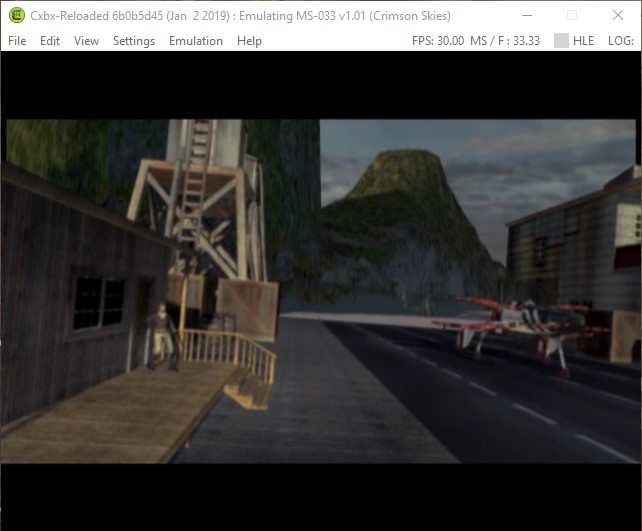

If anyone wants me to log anything specific, please let me know.

(Originally wrote this as it's own post, but someone told me to reply here instead.)
Description
Menus work fine besides the background of the main menu, which has the "hall of mirrors" effect. Black loading screen with visible spinning loader after loading a game. In-game, only the HUD and Skybox are visible, no models or environment is rendered. FMV's work correctly. Framerate hovers around 4-5 fps in-game on Ryzen 5 1600/16gb ram/1080ti, but changing process affinity for cxbx to realtime bumps it up to 7. "Looking" up increases the framerate drastically. It would freeze occasionally, though this seems to be triggered by switching windows on my computer, so possibly an emulator issue. Game seems to work fine otherwise, including sound.
Dumps
Status
Previous behavior: Game crashes with an error message. (Issue 452, not my submission.)
Current behavior: Game does not render any models or environments, only menu/hud elements and the skybox. Main menu background and loading screens (Other than the pre-main menu loading screen) does not render.
Screenshots
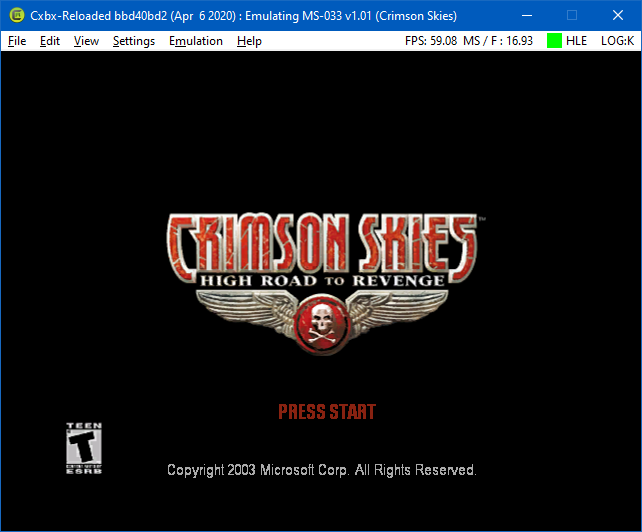
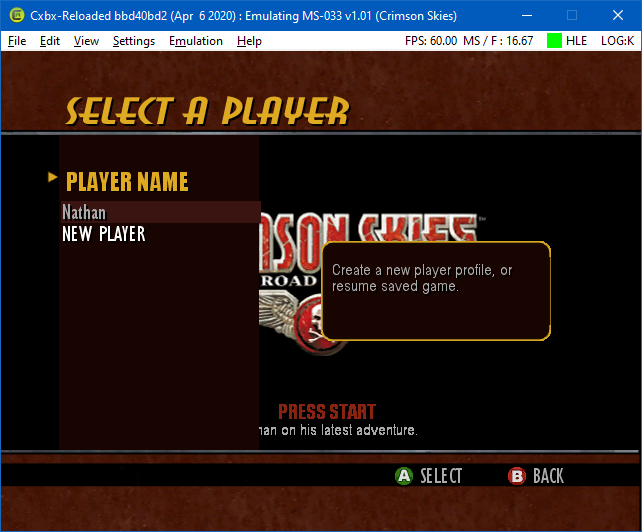


Additional Information
Version bbd40bd2 (Apr 6 2020)
Use all cores, Disable pixel shaders, and Skip RDTSC patching are enabled, however this only seems to unlock the game speed. Without it, the game behaves exactly the same except at normal speed (not framerate)

The screenshots from two different users' posts above give the matching title ID of MS-033 v1.01.
Edit (May 9, 2020): Testers, please retest game here as you will see better results ingame due to a recently merged PR, that implemented support for Xbox MSAA (Less chance of squashed viewport on screen. And some graphics in some games are better aligned together.). You may see the water surface, background environments and strange, multiple silhouetted images of a plane(s).
The screenshots from two different users' posts above give the matching title ID of MS-033 v1.01.
Edit (May 9, 2020): Testers, please retest game here as you will see better results ingame due to a recently merged PR, that implemented support for Xbox MSAA (Less chance of squashed viewport on screen. And some graphics in some games are better aligned together.). You may see the water surface, background environments and strange, multiple silhouetted images of a plane(s).
I just tested again, and I had the same result as the result from April 6th.

System AMD Ryzen Threadripper 1900x 4GHz Amd Radeon RX 580 32gb 3600 Ram Windows 10 20H1 Cxbx-Reloaded Version ee6a61c
Description
Menu and Videos are working and the Game is playable. but on Default Settings the Emulator just renders the left half of the Screan (player arcraft is being cut in 2, left half is showing right half is not renered) after testing i have found out that all resolutions below 2x of the wide of render resolution: will be rendered wrong. all resolutions higher will have no Problem
How to Fix
you nead to have 2x the Display Resolution: of your Render Resolution:
use render resolution: 1x native (640x480) and Display Resolution: 1280 x yyyy
ore
use render resolution: 1x native (1280x960) and Display Resolution: 2560 x yyyy
Status
Previous behavior: Game does not render any models or environments, only menu/hud elements and the skybox. Main menu background and loading screens (Other than the pre-main menu loading screen) does not render.
Current behavior: Game is Playable with low fps betwen 1 to 10 fps. smoke of the afterburner is renderet on the right side of the airplain.
Screenshots
Picture of ingame with good graphic
 if Render Resulution and Display are the same


 showcase of 1x Render Resolution with 1280x480 working
 Bug if you use the Afterburner of your Airplane


This PR # 1996 ("SetViewport & Clear improvements"), dated October 17, 2020, was tested and stated by an user to fix the half-screen rendering issue in this game. Please retest.
One user's comments:
Crimson Skies has improve to whole screen being render properly than only right half side had overflow rendered from previous frame.
Using build 8087b15:
- Title screen renders properly, including all text
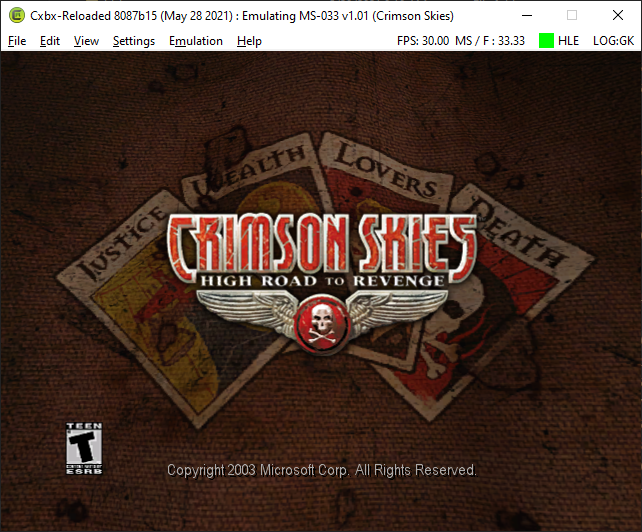
- Menus all seem to function properly
- FMVs render all video and audio properly
- In-game graphics seem to be rendering properly in general
- The same stunt/afterburner problem is still around from the previous post

Notable messages:
[0x36E8] INFO : D3D8    Please report that Crimson Skies shows the following message:
LOG_TEST_CASE: Unknown texture stage!
In GetHostResourceKey (D:\a\Cxbx-Reloaded\Cxbx-Reloaded\src\core\hle\D3D8\Direct3D9\Direct3D9.cpp line 979)
[0x36E8] INFO : D3D8    Please report that Crimson Skies shows the following message:
LOG_TEST_CASE: pViewport = null
In CxbxImpl_SetViewport (D:\a\Cxbx-Reloaded\Cxbx-Reloaded\src\core\hle\D3D8\Direct3D9\Direct3D9.cpp line 4332)
Kernel Debug: KrnlDebug.txt
