

 Cvolton
Issue with downloadGJLevel.php
Everything else works perfectly on my GDPS (recent tab loading, feature loading, leaderboards, etc...), however for some reason every time I try to load up a level, the game says "Level download failed, please try again later."
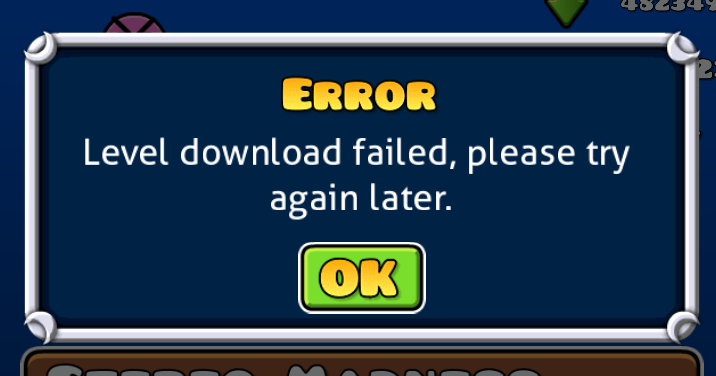
I have a good internet connection, and my server is running just fine. This is the only issue I can't seem to find a solution for.

do you have some files at data/levels? if not, set chmod 777 to this folder

do you have some files at data/levels? if not, set chmod 777 to this folder
I only have a folder under levels titled "deleted", and the inside contains "filler.txt". What exactly is chmod 777? I'm on Windows 10, and I'm using FileZilla for server file management.
I only have a folder under levels titled "deleted", and the inside contains "filler.txt".
thats why you cant download levels
What exactly is chmod 777? I'm on Windows 10, and I'm using FileZilla for server file management.
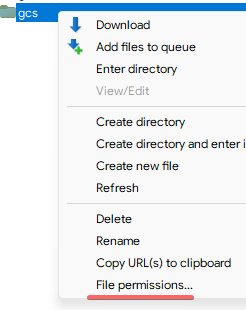
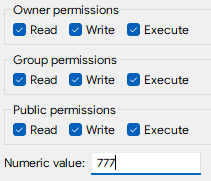
set 777 permissions to "data" folder
I only have a folder under levels titled "deleted", and the inside contains "filler.txt".
thats why you cant download levels
What exactly is chmod 777? I'm on Windows 10, and I'm using FileZilla for server file management.
set 777 permissions to "data" folder
I changed the permissions to 777, but the game still won't download levels.
I only have a folder under levels titled "deleted", and the inside contains "filler.txt".
thats why you cant download levels
What exactly is chmod 777? I'm on Windows 10, and I'm using FileZilla for server file management.
set 777 permissions to "data" folder
I changed the permissions to 777, but the game still won't download levels.
upload new level
I only have a folder under levels titled "deleted", and the inside contains "filler.txt".
thats why you cant download levels
What exactly is chmod 777? I'm on Windows 10, and I'm using FileZilla for server file management.
set 777 permissions to "data" folder
I changed the permissions to 777, but the game still won't download levels.
upload new level
It's working now, thanks! I'm surprised I couldn't find this fix elsewhere, but then again there aren't very many comprehensive tutorials on private server maintenance.
