

 CubeCoders
AMP 2.4.0.10 No such user (Controller/Target)
Bug Report
System Information
- Operating System Debian 11
- AMP version and build date v2.4.0.4, built 10/09/2022 16:30
- Which AMP release stream you're using (Mainline, Nightly or FastTrack) Mainline
I confirm:
- [x] that I have searched for an existing bug report for this issue.
- [x] that I am using the latest available version of AMP.
- [x] that my operating system is up-to-date.
Symptoms
- What are you trying to do? A new user tries the first-time login and needs to set up 2fa and change password on login.
- What are you expecting to happen? The user is able to set up 2fa and change the password
- What is actually happening? ('Nothing' is not an acceptable answer!) The error message "No such user" is presented most of the time. Sometimes it works.
Reproduction
Tested on Controller/Target setup.
- Create a new user on the controller.
- Set a password for the new user and save.
- Give the user "normal" user role.
- Only active setting for the new user should be "Require Password Change" and save the changes.
- On the controller the setting for 2fa is required.
- Try to login with the newly created user.
- The user is prompted to set up 2fa, but on next step following is presented most of the time (sometimes the expected screen shows)
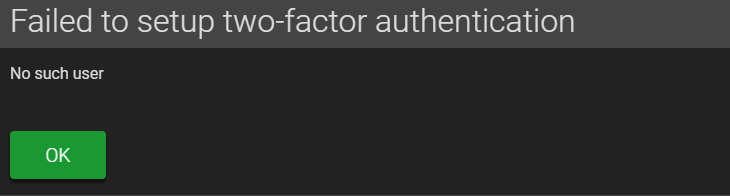
I told my user to try it several times, but it hasn't worked for him. So I changed 2fa to optional. After that, the user got the following message.
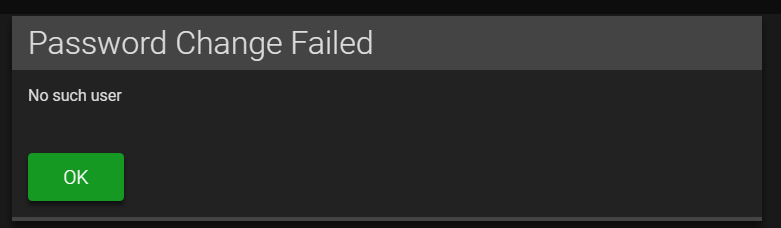
Luckily, it worked the second time for him.
On previous versions, there was never such a problem. It's properly related to the async changes.

As you found, the workaround for this right now is to disable 2FA until the user signs in the first time.

Also disable required password change for the user as workaround if they have trouble with first login. I don't know if the problem occurs in other situations. Also I don't know if the problem exists also for standalone instances, but should be the same 🤔
Or just try it multiple times until it works 😸
Accidentally tested on AMP v2.4.0.10 :D Wanted to change my 2FA Device. I disabled 2FA, logged out and on login I was presented with "No such user" (: Even if I got the prompt for 2FA setup with the QR code, after entering the 2FA code from my device, I got again "No such user". Well... I will keep 2FA as optional for now..
If someone else needs to change 2FA from required to optional without WebGUI access, follow these steps:
- Stop your ADS instance
ampinstmgr stop ADS01 - Change inside file
AMPConfig.confthe lineSecurity.TwoFactorMode=RequiredtoSecurity.TwoFactorMode=Optional(WARNING: You have to edit this file as your amp user!) - Start your ADS instance
ampinstmgr start ADS01