

 CubeCoders
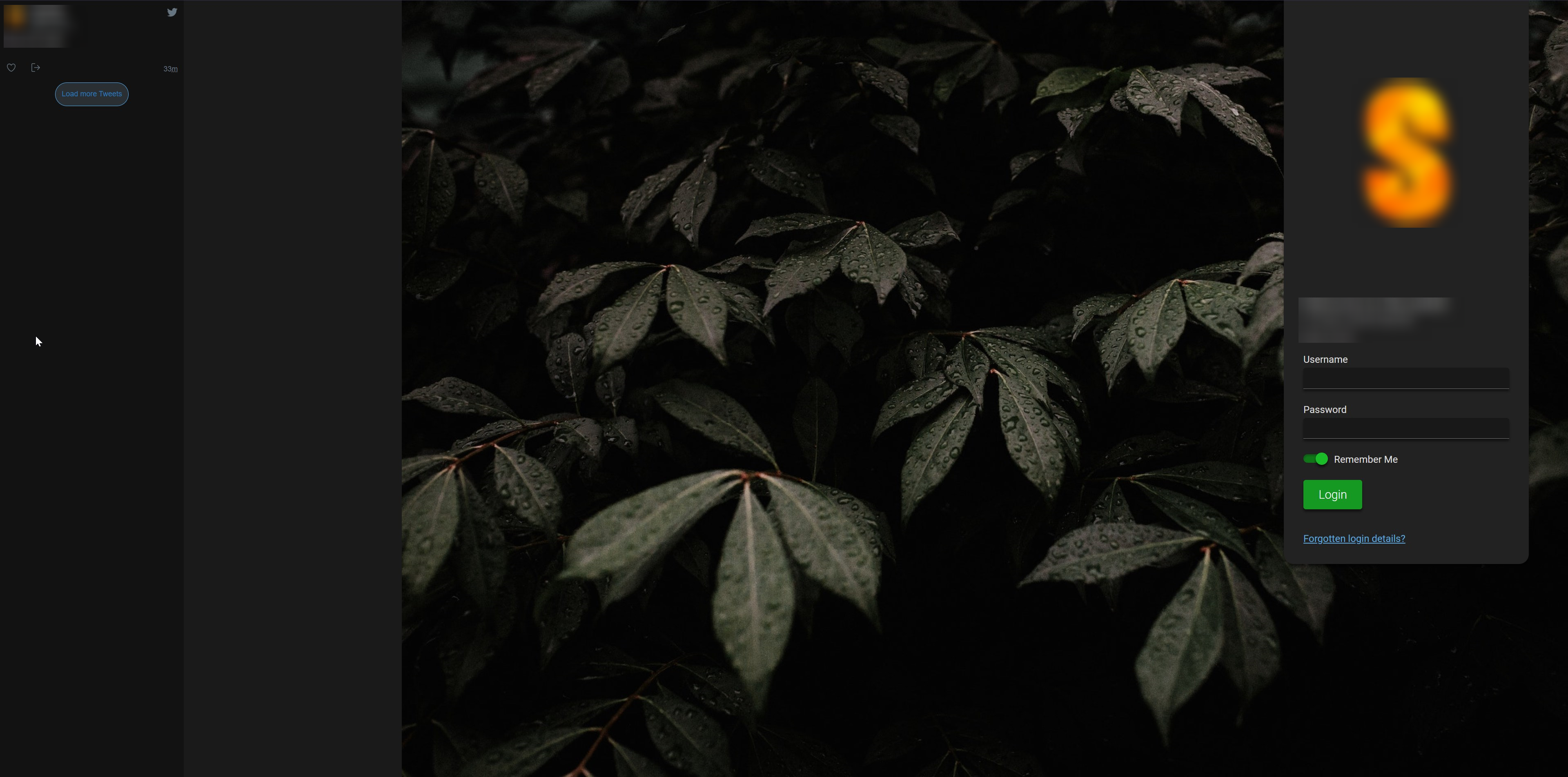
Branding background image displaying incorrectly with large gap.
Bug Report
System Information
- Ubuntu 20.04.4 LTS (GNU/Linux 5.4.0-122-generic x86_64)
- v20220813.1, built 13/08/2022 03:00
- Nightly builds
I confirm:
- [x] that I have searched for an existing bug report for this issue.
- [x] that I am using the latest available version of AMP.
- [x] that my operating system is up-to-date.
Symptoms
- What are you trying to do? Set a background image URL via the web panel under branding configuration.
- What are you expecting to happen? For the entire image to display properly.
- What is actually happening? A quarter of the screen is just blank space, the image is not covering the whole screen. I tried with a brand new ADS and untouched webroot, and the issue persists.
Reproduction
On the AMP ADS controller node, set a background URL. On the login screen, you will notice that the image is not covering the whole screen. Probably just a small HTML / CSS issue that needs to be adjusted.
Also worth noting that the login panel has a solid background, I'm pretty sure it used to be somewhat transparent like the LTT screenshot is here: https://github.com/CubeCoders/AMP/issues/462#issuecomment-846365629
https://i.imgur.com/EnoG5Ev.jpg
Thanks for your help.


I have tried many different images and resolutions, is there a recommended image or resolution I can try? Cheers
Closing as 'behaving as intended' - if different behaviour is desired then hosts have the option of using a customised theme.