

 CrackyStudio
Cannot join server
Hey there, I love the tool you created but it doesn't seem to quite work for me. The server stays on "Starting" for the entire time but I can't join, despite what some people experience and it doesn't switch to "Online". I have not done anything to the server besides what you can see in the attached screenshots. Hope you can help! Thanks


Hello!
The server setup seems good. Did you allowed 'ShooterGameServer.exe' in your firewall / AV ?

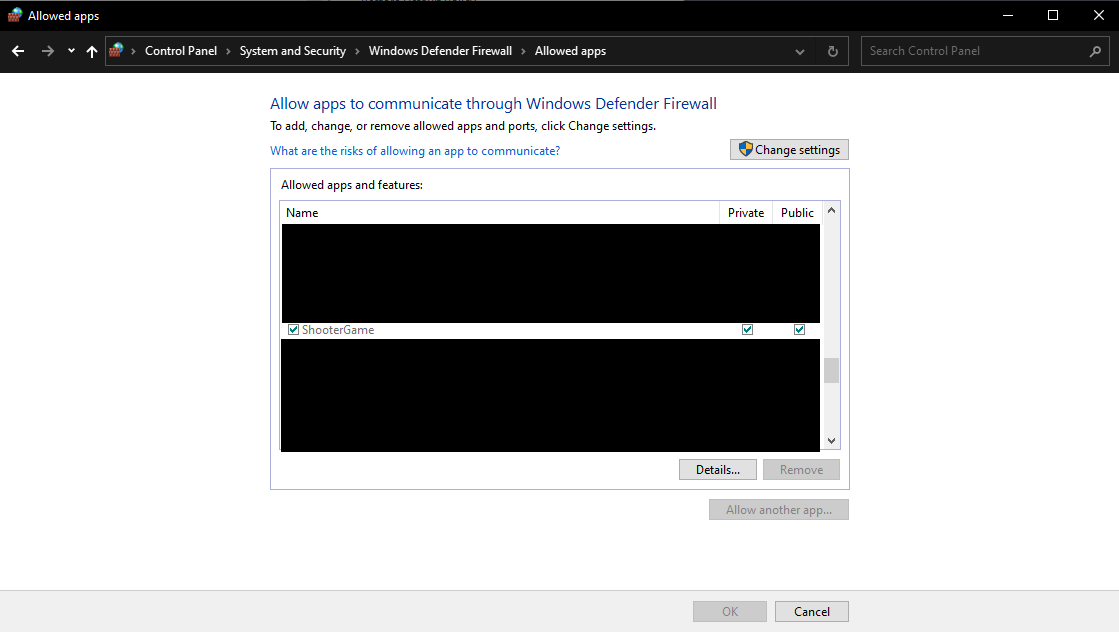
I just checked and it seems like I did. When I try to add allow it, it says 'ShooterGame' is already on the list. Are these two the same?
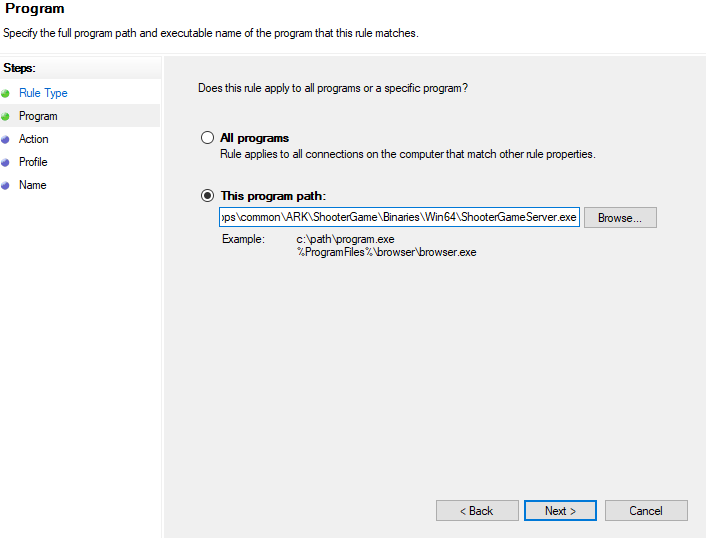
I was actually in the wrong menu but I went to the right one and it does not work still. May there be anything weird in the console?
The console said that the server started fine. It's something with right access, so something with firewall I think.
Would there be any way to reinstall the application without having the options be saved? I tried reinstalling but it kept the options as I left it. And the console says 'SteamSocketsOpenSource: gethostname failed ()' and 'gethostbyname failed ()', might that be the issue?
Edit: I have currently opened the following ports, is that sufficient? 7777 - 7778
27015 - 27016
27020
Yes it should. I recently changed my ISP, wiped my PC and bring back anything from 0, and I've exactly the same problem. I really don't know how to fix it.
7777-7778 TCP/UDP opened. (Router + PC) 27015-27016 TCP/UDP opened. (Router + PC) SteamCMD.exe and ShooterGameServer.exe allowed in firewall. (I have no AV).
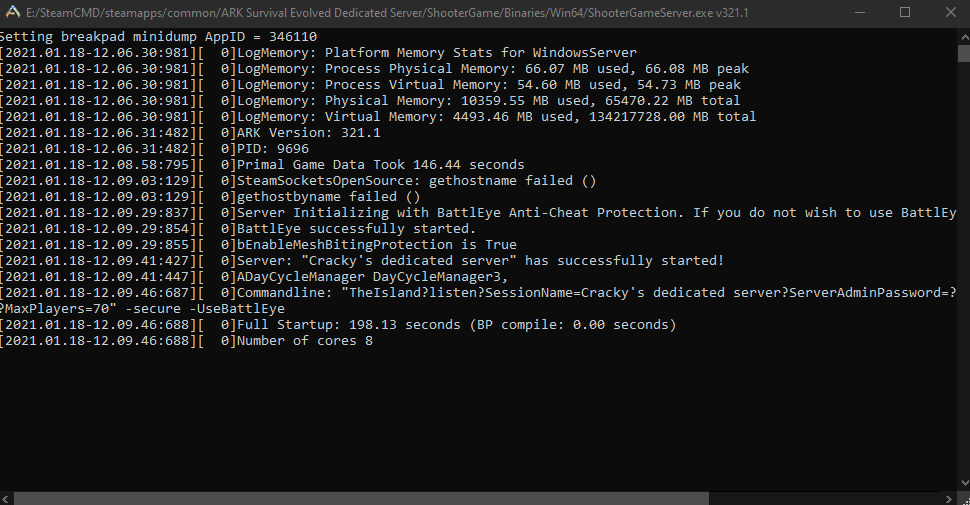
Console seems to say the server is running fine. BUT in steam server window the server isn't showing up in LAN or FAVORITES tab.
If the server is not visible in LAN, it should be a PC side problem. But where ? Something with SteamCMD has changed? I don't know :/
I don't know why, but this setting for query port works (LAN + ONLINE added to favorites) :

To add it in favorites, use 27015 as port.
(yes ARKSO window is still bugged but the server is on)

Try it, and give feedback please!
It does actually work now. But it doesn't appear in my favorite, only in LAN. Could my friends still join? Btw, thank you so much for the programm!
Edit: My friend who uses Epic Games doesn't seem to be able to join, that might be due to the game itself though. :/
Ok, nice!
If it appears only in LAN, it means that SteamCMD and ARKSO config is now good and the problem is now in port forwarding / firewall configuration.
Allow ShooterGame in both mode (Private/Public) here:
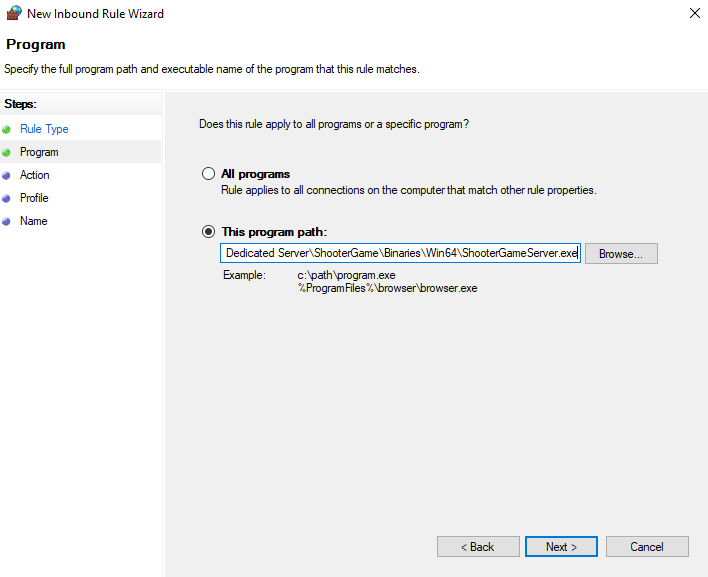
Allow ShooterGameServer in Inboud Rules of firewall:
Forward ports like this in your rooter:
| Internal Port | External Port | Protocol | IP |
|---|---|---|---|
| 7777 | 7778 | TCP/UDP | yourserverip |
| 27015 | 27015 | TCP/UDP | yourserverip |
Add then add you server in "Favorites":
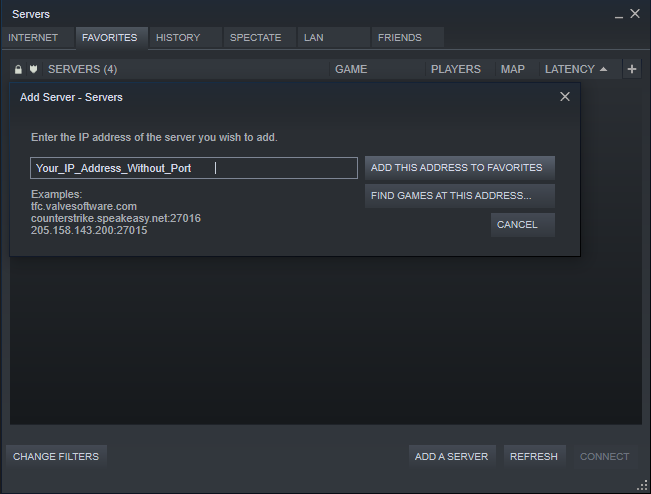
Then it should works!
If your friend uses Epic Games, add this in ARKSO:
 (I never tested it, but it should works)
Thanks for your feedback and your message, I really appreciate it!
Last question: Does he also need to open his ports and all that? Thank you so much for taking your time and helping!!
No, he doesn't need :)
I hope I solved all your problems and you can play!