

 CodeHubApp
Cannot login github account
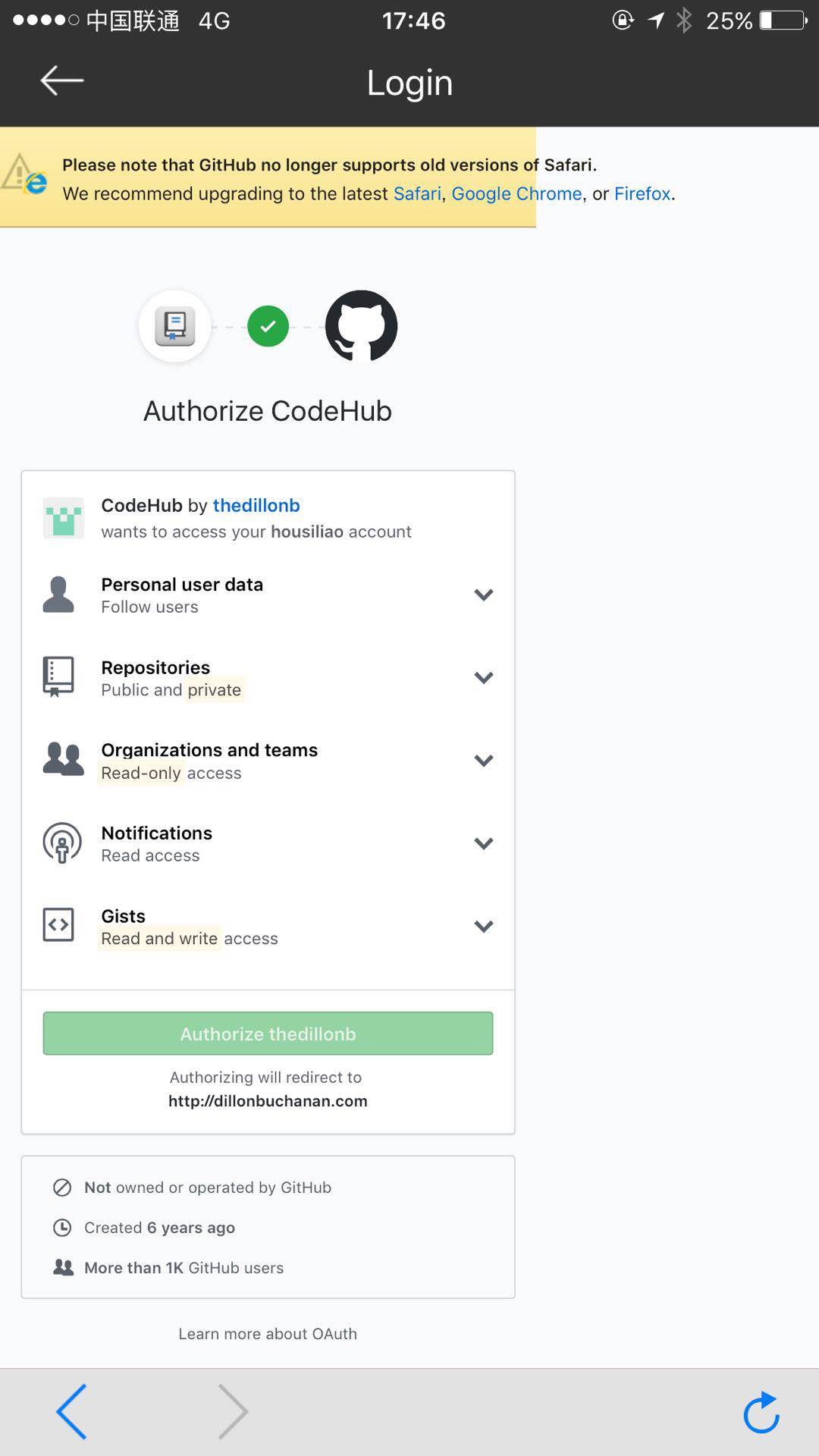 Authorize button is disabled.

@housiliao that Authorize button actually belongs to GitHub. CodeHub simply forwards you to their OAuth portal for authentication. The fact you cannot press the button may suggest that their site does not support your browser - what version of iOS are you on?



I've read 2 things about the auth button being greyed out, one from stack overflow.
Says it's a javascript error, so it might just be an error with old iOS.
@housiliao, what version of iOS are you on? @jydcb003 mentioned he was also having trouble with 10.1.1 - I wonder if you also have the same version?
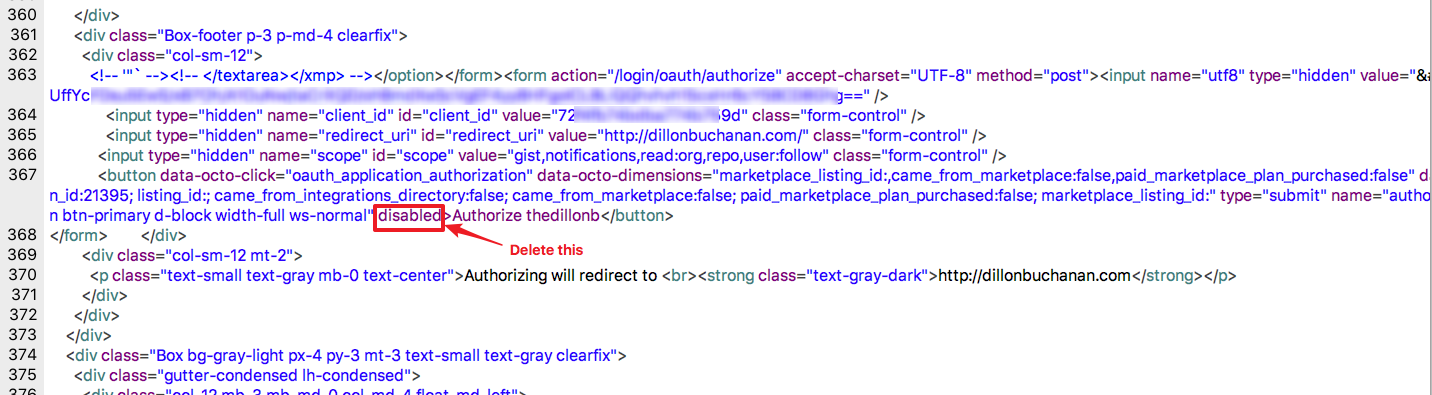
For old iOS version, you can use HTTP debug proxy tool (such as Charles or Fiddler) to capture the HTTP packet, then set break point for the authorize response and remove the disabled attribute for the button (See picture), then you can click the Authorize button on your iPhone.

I had the same problem when I tried to log in using another app, GitPoint; the same auth. dialog appears with the greyed-out Authorize button. However, I was able to authorize GitPoint — evidently for any device — by logging in from my Mac at a URL provided in this discussion. It's something like https://github.com/login/oauth/authorize?response_type=token&client_id=.... I think if we can obtain the client_id for CodeHub we could all do the same. @thedillonb ?
GitPoint didn't suffice for my needs to browse code in any branch, so I'd love to get CodeHub running on my 2012 iPad Mini, whose OS cannot be upgraded beyond iOS 9.3.5.

@tylerperkins that's a great point. You should be able to authenticate the application with your GitHub user account just by visiting the following link in your browser:
https://github.com/login/oauth/authorize?client_id=72f4fb74bdba774b759d&redirect_uri=http%3A%2F%2Fdillonbuchanan.com%2F&scope=user%3Afollow%2Crepo%2Cnotifications%2Cgist%2Cread%3Aorg
Authenticating with it will redirect you to my personal site with a code, but you can ignore that since the code for the browser is worthless. However, you should then be able to go into the CodeHub app, try and authenticate with your username and it should just accept you - since you already granted it permissions via the browser trick we did above
Thanks sooo much, @thedillonb! That's exactly what I had in mind. It worked great and I'm now able to use the app. This work-around should perhaps be published in the README.md or the project's webpage. I'm sure there are many users of old iOS devices like me, but Github appears to have no interest in debugging their code for them.

Thanks @thedillonb, your work around supplied above worked really well! marvellous. I have an old iPhone stuck on iOS 9, so can't upgrade to the latest iOS.

