

 CodeEditApp
🐞 Divider below tabs and breadcrumbs shows background underneath
Description
The dividers in the toolbar show through to the editor background and does not inherit the background of the toolbar.
Xcode
| Dark | Darker | Light |
|---|---|---|
 |
 |
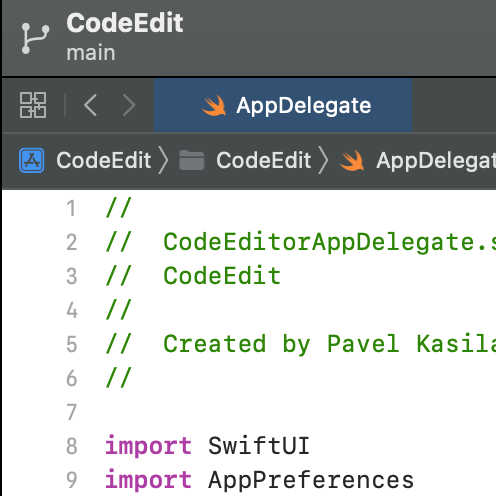 |
CodeEdit
| Dark | Darker | Light |
|---|---|---|
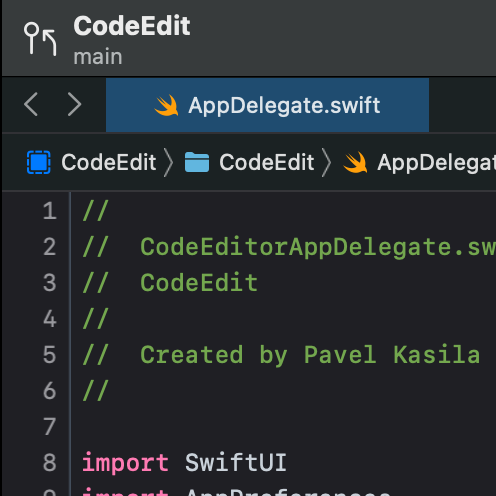 |
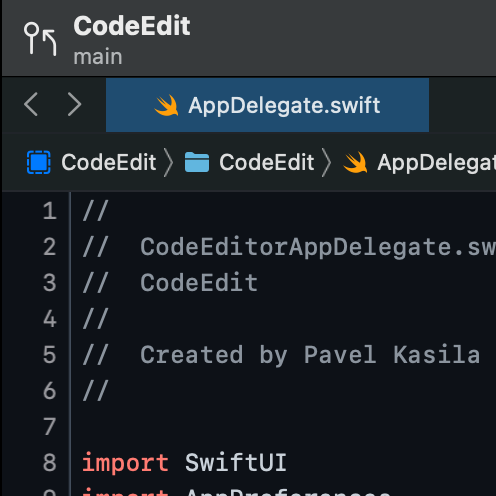 |
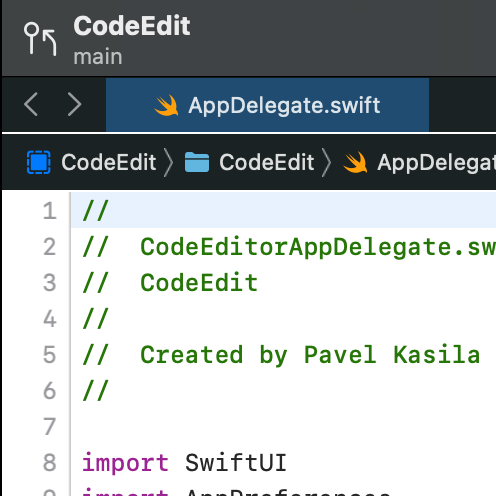 |
To Reproduce
- Change the theme.
- Observe the dividers in the toolbar.
Expected behavior
The dividers should not show through to the background but instead inherit the background of the toolbar.
Version information
CodeEdit: 1.0 Hash: bb373d99ddd7c91e31d6fd5a75d96db4fdbb9b3a MacOS: 12.5 (21G72) Xcode: 13.4.1 (13F100)

@austincondiff I would like to work on this issue. Could you assign this to me?

@sk409 Sure. I looked at this and one thing I found is that the editor view does not scroll underneath the tabs breadcrumbs and toolbar. So the editor background color does not influence the tabs/breadcrumbs/toolbar background as in Xcode.
Right now the tabs has a background, the divider is transparent which shows through to the window background, then the breadcrumbs has a background separate from the tabs.
The tab/breadcrumb area needs to have the background that wraps the two instead of each having a background separately. This way the divider is over the background as well. Then we need to set the tabs and breadcrumbs to have a transparent background so it shows through to the wrapper background.
Let me know if this needs clarification.
@austincondiff Thank you for assigning and for your detailed explanation. I submitted a PR. This is my first PR for this project so please point mistakes out if I'm wrong.