

 CodeEditApp
✨ Enhance commands palette with shortcuts
Is your feature request related to a problem? Please describe.
No response
Describe the solution you'd like
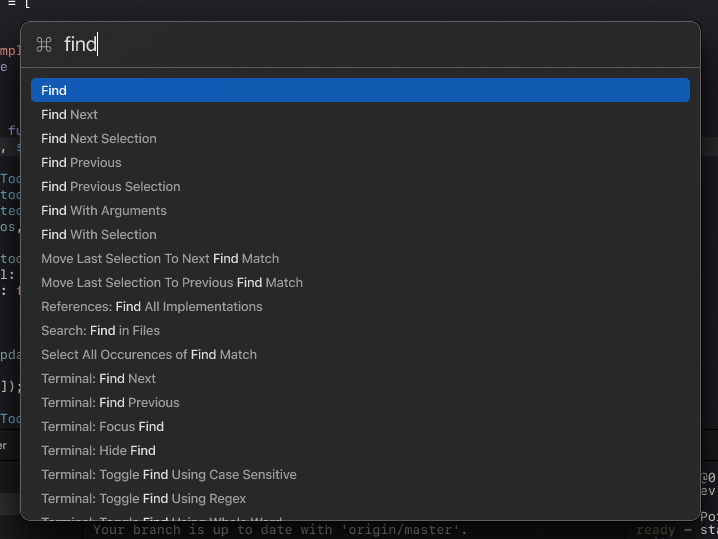
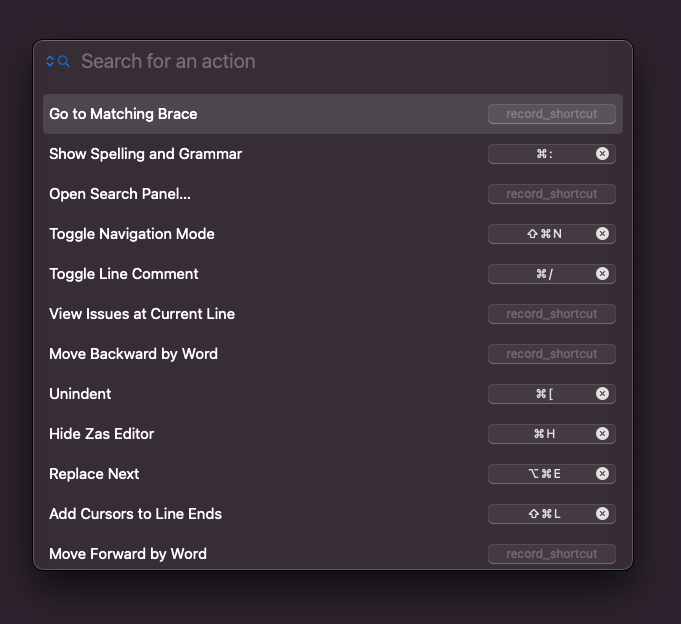
Current command palette(the one in figma) allows only search by command. The palette itself very useful, but I think it'd be nice to have a shortcuts next to each command, so that it'd be easier to learn shortcuts and use them instead of popping up commands palette and search needed command
Describe alternatives you've considered
No alternatives since this is enhancement.
Additional context
Screenshot 1 from figma
Screenshot 2 from Zas editor, which has implementation

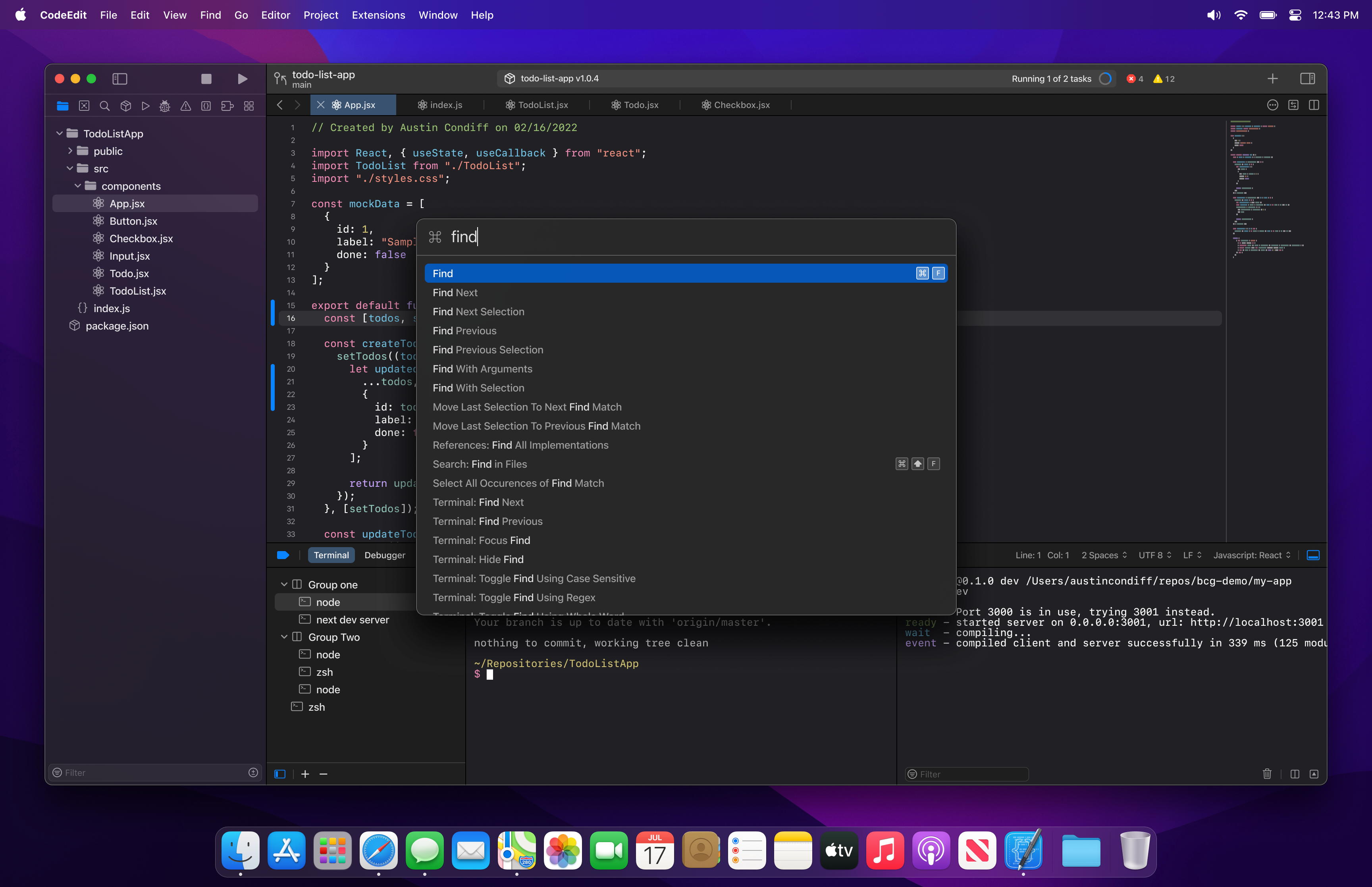

@austincondiff That indeed looks awesome. Once we done with implementing global keybinding system, I will add available shortcut for every command
What do you think about adding something like the cmd+K menu that raycast uses to add new shortcut bindings?
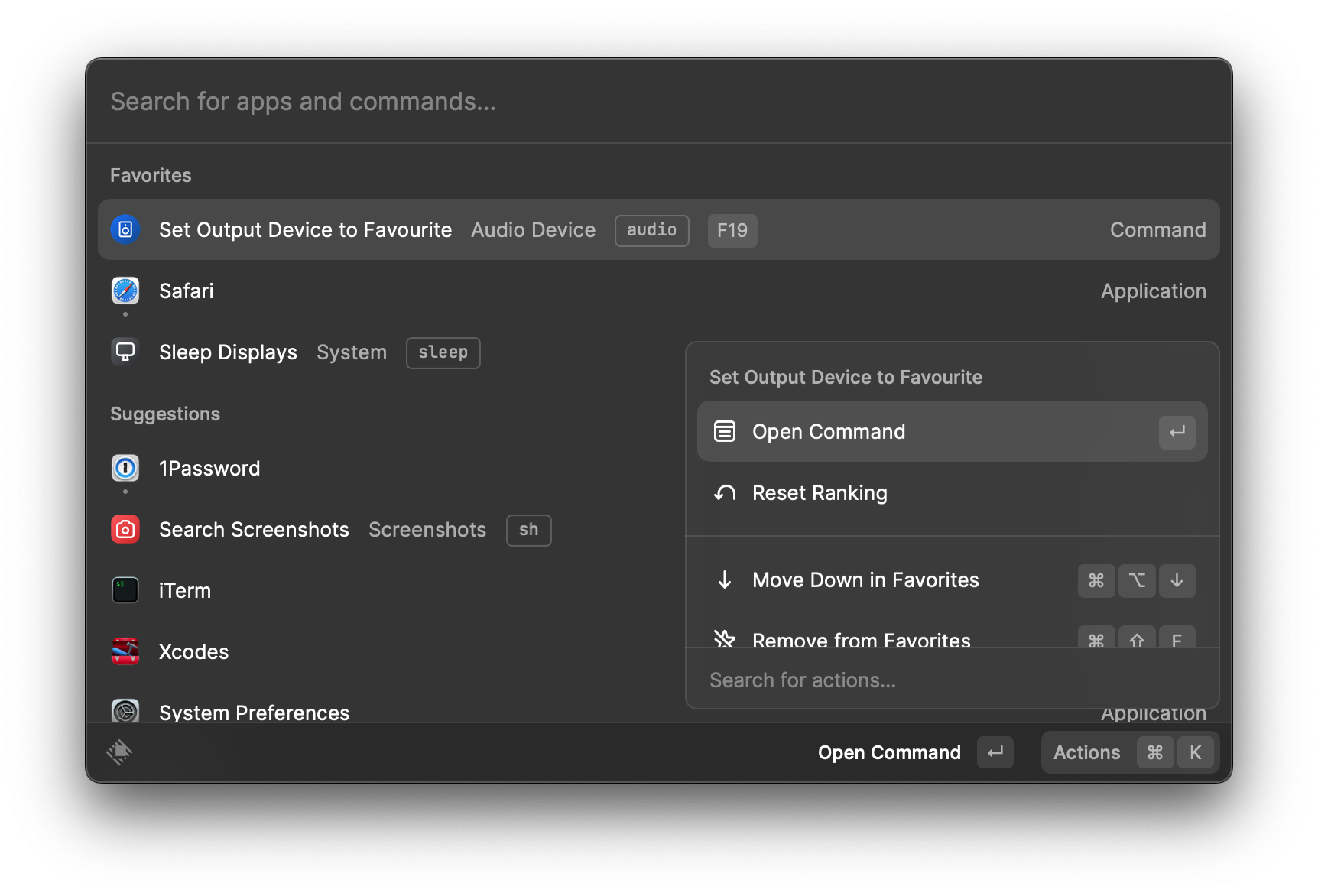

It definitely looks awesome. We probably could implement something like this for empty state(when nothing typed in), like display a set of latest actions
