BungeeTabListPlus
 BungeeTabListPlus copied to clipboard
 CodeCrafter47
Empty column after 41 players
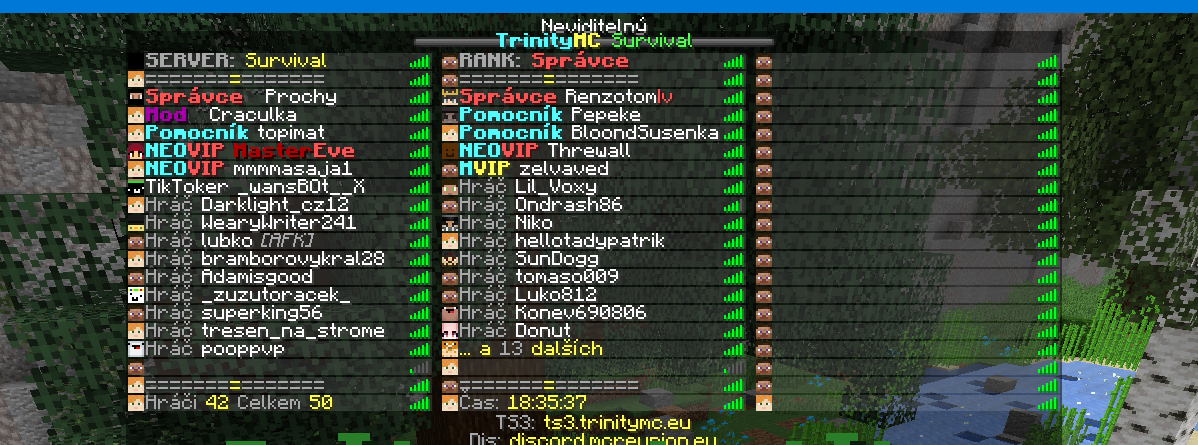
Hi, somewhere after 41 players there's appearing empty column (40 players is ok):
 https://paste.helpch.at/saduqakure.http Here's my file
Version: https://ci.codecrafter47.de/job/BungeeTabListPlus/1090/

To avoid this, you need to configure the tab list such that all players on the server can be displayed.

To avoid this, you need to configure the tab list such that all players on the server can be displayed.
They do.
They use currentserver which is ${player server} == ${viewer server} and therefore should list all players on the server (Unless you mean the network that is)

That is correct. But the size is set to 40 slots, so no more that 40 players can be displayed with this config. You need to make that tab list larger to accommodate that many players.
@CodeCrafter47 and just question, why when I have 2 columns instead of 40 slots, why the 2 columns don't clip to the third one when there are fullfilled?
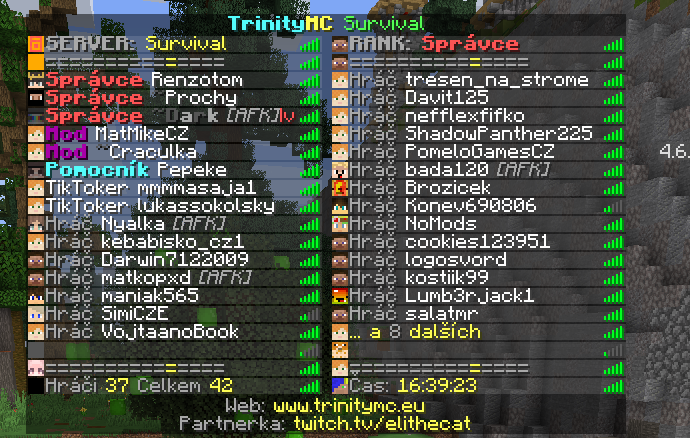
https://paste.helpch.at/wupejudaqe.http
And just wanna report that even with new config (2 columns) instead of 40 players... it's still broken
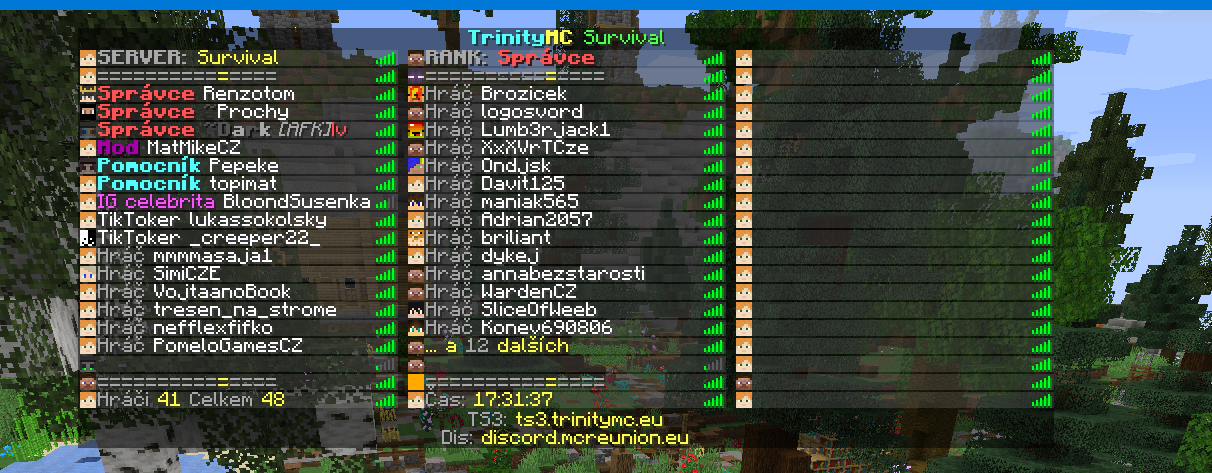
Its the number of players on the spigot server, not the total number of players on the network that causes this.
Yeah, there were 41 players on spigot server, but this is bug, isn't it? This empty row....
And also when there's 8 more players on this server and it won't create third column, this is also bug, or?
May I could create support ticket on discord for faster communication
If I'm interpreting the numbers on your tab list correctly, in the picture with 8 more, there are only 37 players on the spigot server, which fit into 40 slots.
It is debatable whether this is a bug. I choose not to see it as a bug, since it is nothing I can change. This is a limitation of minecraft. All players on the spigot server need to be displayed on the tab list. You configured your tab list to have only 40 slots. When there are more players the plugin adds a third column, and displays the heads of those players there. This behavior is very obvious in the very first image you shared.
I suggest you modify your config to use 60 or 80 slots, so that all your players fit on the tab list.
and where do I have 40 slots set? Do you mean columns: 2? Should I change it to columns 3? But then it will be always columns 3 instead of columns 2 that will change to columns 3 when full columns 2 would be reached.
That is correct, it will always have 3 columns then. The alternative is to use the dynamic size tab list type, however it does not allow for custom slots.
mhm, and with 2 columns... shouldn't it show just for ex. ... and next XX players instead of third column? Or so it couldn't be anyhow solved than using more columns?
And just wanna report that even with new config (2 columns) instead of 40 players... it's still broken
I'm afraid that is not possible. This is a limitation of the Minecraft client itself, there is nothing a server side plugin such as BungeeTabListPlus can do about it.
So what do you suggest me? Increase column size or let it be? And could you still try to look if there isn't any solution? Maybe that when the specific player amount is on server that config could change (to increase columns), so it will show then 3 instead of 2 and one empty.
I suggest you either increase the number of columns, or use the dynamic size tab list type. The information you currently display in the custom text slots at the top and bottom can be easily moved to the header and footer when using the dynamic size tab list type.
What's the point of the column option then? According to the wiki should it increase when more players are online than displayable on the server. Like this behaviour of the tab seems completely against what this option is meant to be: A hybrid between fixed size (custom slots) and dynamic size (Tab increasing)
The point of the column option is that it allows the plugin to adjust the number of rows depending on how many players are online.