

 Cloud-CV
Installed on Docker Desktop, getting login screen but cannot go further
Login doesn't work.
After deploying Eval AI via docker compose everything seems fine. However when I attempt to log in or sign up nothing happens at all. It seems like api error. May be I'm missing some configuration, because Im deploying on remote server with its own open ip. Please, help me out.

@artnuke
Try to replace localhost on your IP: https://github.com/Cloud-CV/EvalAI/blob/09202ad46e31bd721c3cbb0c2fa31e740cd6d19e/frontend/src/js/config.json#L4
If it doesn't help, do the same here: https://github.com/Cloud-CV/EvalAI/blob/09202ad46e31bd721c3cbb0c2fa31e740cd6d19e/docker/dev/docker.env#L11
Then deploy one more time. Don't forget to rebuild the Docker images.

Hi @Ilyushin, I'm facing the same issue on my end, I'm using a Windows 11 computer and have already instealled Docker Desktop on it. I'm following the documentation and by executing docker-compose up --build, an error raised as following:
evalai_statsd-exporter_1 is up-to-date
evalai_db_1 is up-to-date
evalai_nodejs_1 is up-to-date
evalai_sqs_1 is up-to-date
Recreating evalai_django_1 ... done
Recreating evalai_worker_py3_8_1 ... done
Recreating evalai_worker_1       ... done
Attaching to evalai_statsd-exporter_1, evalai_db_1, evalai_nodejs_1, evalai_sqs_1, evalai_django_1, evalai_worker_1, evalai_worker_py3_8_1
django_1           | /usr/bin/env: ‘bash\r’: No such file or directory
also, I checked the Docker Desktop, the status of evalai_django_1, evalai_worker_1 and evalai_worker_py3_8_1 are all "Exited" due to the error /usr/bin/env: ‘bash\r’: No such file or directory:
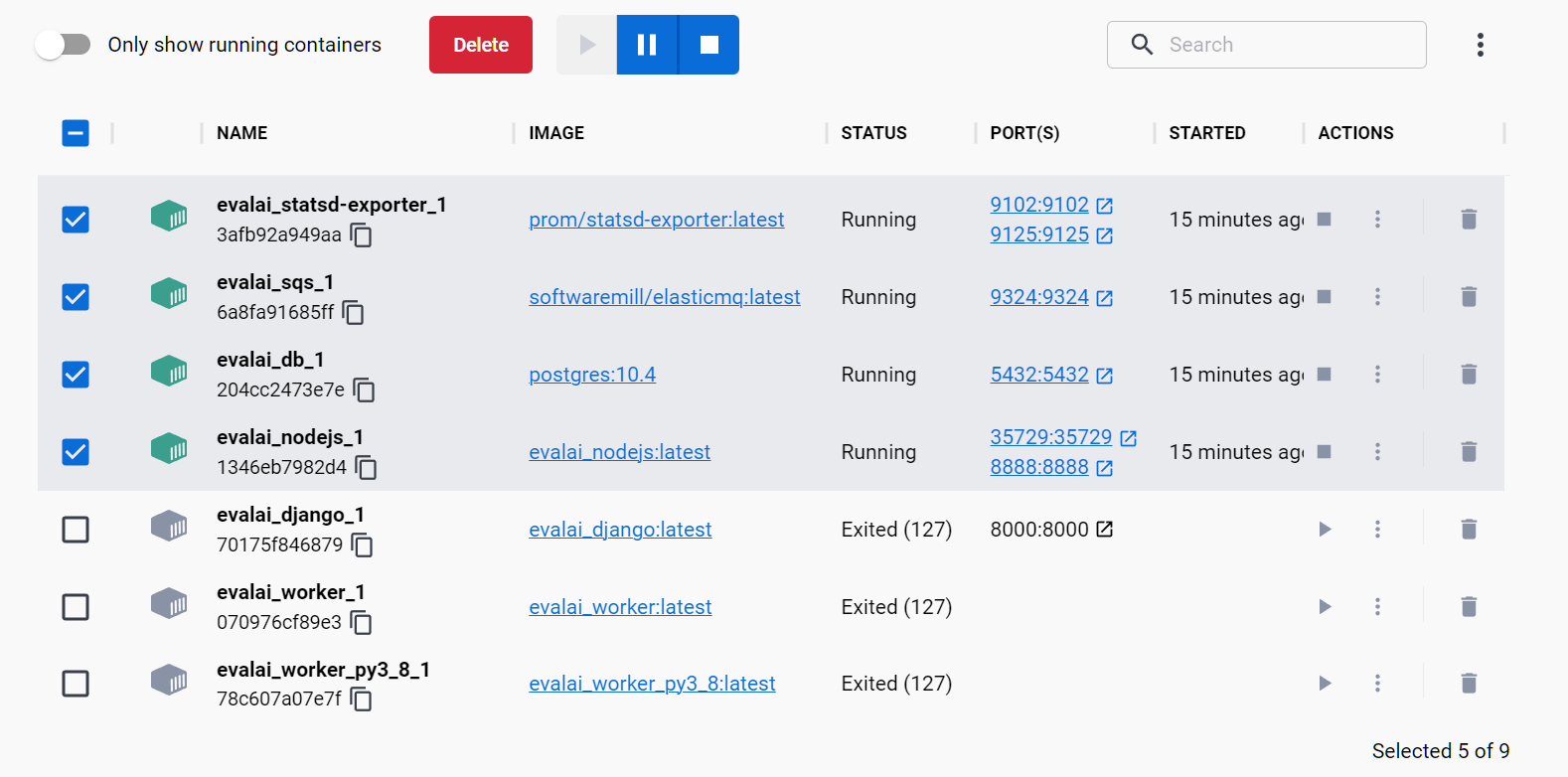
I was wondering if this is due to the Windows OS or something else? Unfortunately I dont have a linux machine to test this.
Looking forward to your help! Thank you so much!

I experienced this problem, and guessed it to be a problem with the encoding of line endings. To experiment I deleted the Git repo, executed git config --global core.autocrlf true then cloned the repo again and it then worked okay.

Hi I've tried using git config --global core.autocrlf true and re cloning the repo, still have the same error as above " /usr/bin/env: ‘bash\r’: No such file or directory" Could anyone give me some guidance on this issue? I've tried it on windows and on my linux wsl.
