

 ChrisAnd1998
I tried to add a TaskbarX tray icon but my taskbar freaks out over it. (Dup. of Issue 747, Asked To Re-Open)
(This issue was closed before due to the amount of requests and issues. The submitter of Issue 747 has been instructed to open a new issue, should it persist. I am not that user, but am experiencing the same issue on Ver.: TaskbarX_1.7.6.0_x64)
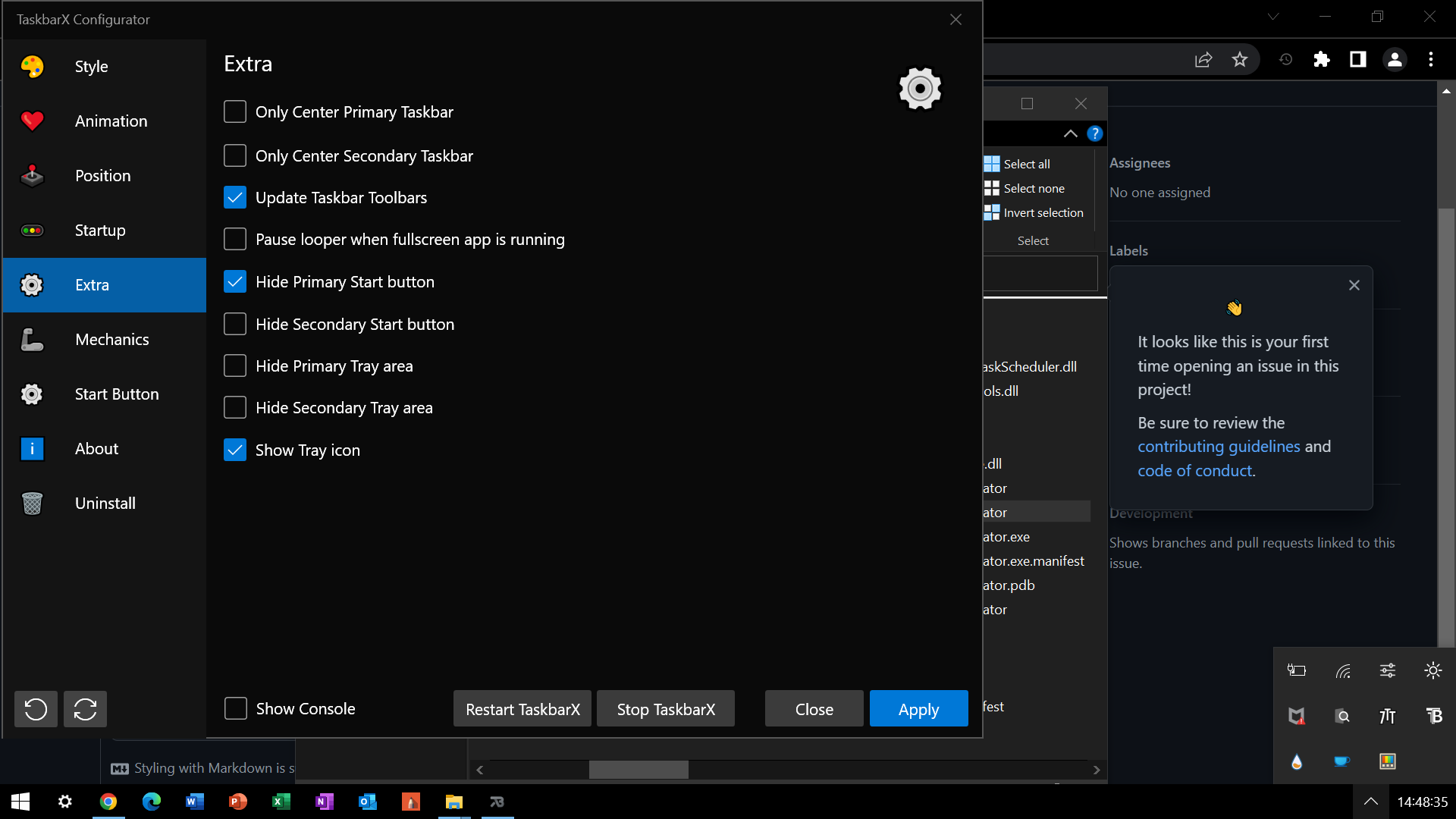
Bug: When attempting to add a tray icon for TaskbarX_1.7.6.0_x64, settings that were enabled will become unenabled. Furthermore, TaskbarX will return to normal after un-enabling, and restarting or applying (searching and opening does not always work, so I used the folder most of the time to reenact my issue).
Steps to reproduce the behavior:
- Go to 'TaskbarX_1.7.6.0_x64'
- Click on 'Extra'
- Enable 'Show Tray Icon'
- See error
Expected behavior: I expected to simply have TaskbarX_1.7.6.0_x64 load a tray icon into my overflow, or one I may place into overflow, and have a way to close and restart TaskbarX_1.7.6.0_x64 from my icons without the settings disabling.
Screenshots:

Desktop:
- OS: Windows 10
- Version: 21H2
- TaskbarX Ver.: TaskbarX_1.7.6.0_x64
Additional context: (This issue may or may not be affecting other versions. If required, I will try to provide more information)
Best regards!
