

 CesiumGS
Improve label quality on transparent background
The use case here is having a CesiumJS app on a transparent background (forum thread where it came up). There seems to be some artifacts on the text labels. I've turned off the globe just to make this easier to see:

This was actually vastly improved with the SDF text rendering. Here it is in 1.59:
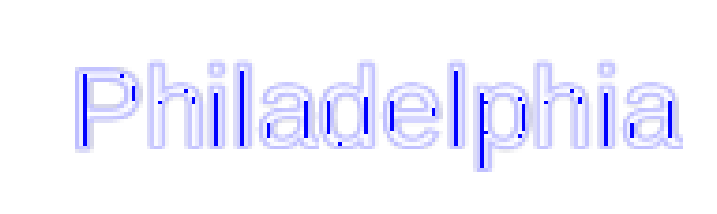
I'm just not sure where the remaining artifacts are coming from and what can be done to mitigate this here.

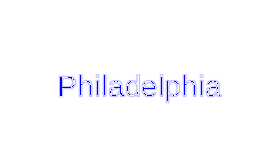

I think this may be multiple issues, but that test case had a lot of noise/useless settings. HEre is a reduced test case that shows the problem.
var viewer = new Cesium.Viewer('cesiumContainer', {
  skyBox: false,
  globe: false,
  contextOptions: {
    webgl: {
      alpha: true
    }
  }
});

viewer.scene.backgroundColor = Cesium.Color.TRANSPARENT;

viewer.entities.add({
    position : Cesium.Cartesian3.fromDegrees(-75.1641667, 39.9522222),
    label : {
        text : 'Philadelphia',
        font : '64px Helvetica',
        fillColor : Cesium.Color.SKYBLUE,
        outlineColor : Cesium.Color.BLACK,
        outlineWidth : 2,
        style : Cesium.LabelStyle.FILL_AND_OUTLINE
    }
});
If you remove the glove: false line you get some interesting results, text in front of the globe is fine but text off the globe has weird blending:

My guess is that this is not the label rendering itself (though maybe @jasonbeverage has some ideas) but perhaps a deeper billboard related issue?
Hey @mramato , I think it's the mutisampling code I added to the SDF shader to attempt to get around the aliasing Sean and I were seeing: https://github.com/AnalyticalGraphicsInc/cesium/blob/master/Source/Shaders/BillboardCollectionFS.glsl#L102-L118
If you replace the #ifdef GL_OES_standard_derivatives with #if 0 so it goes down the second path and just does a single sample it looks much better. Whatever was done in the most recent cesium release to get rid of the full screen antialiasing makes the single sample path look much better to me than it did before so the multisampling might not be needed at all anymore, and it should be faster to boot. Maybe do some testing on your end and see if you think the multisampling is needed at all anymore.


@jony89 unfortunately not yet, but you can try the workaround @jasonbeverage suggested in https://github.com/CesiumGS/cesium/issues/8155#issuecomment-531246958 and see if that helps.
Copying in context from #9681 —
This issue comes from this forum post using this sandcastle. In summary, a user is trying to position a label on top of a translucent billboard, but no matter what eyeOffset is attributed to the label, this results in z-fighting.
- https://community.cesium.com/t/billboard-label-entity-transparency-ordering-issue/39456
- https://community.cesium.com/t/when-we-add-a-label-to-polygon-with-extrudedheight-set-the-labels-style-will-be-affected/26868/2
No further updates yet. Especially given the comment about multisampling above, I think the next steps would be to resolve some known issues with texture coordinate precision in the billboard shaders, see #13050. With that out of the way, it should be easier to debug multisampling and/or issues the multisampling was intended to solve.
