

 CatimaLoyalty
Allow choosing widget style
Custom images have a big chance of not looking all that great in the round shortcut. It would be good to give users an option to instead use a square style. I am imagining this as such a workflow:
- User goes to Android widgets and chooses a Catima card
- User picks card
- User gets shown both shortcut icon styles and to choose which they want
For comparison:
Square style (like Stocard):

Catima style:


No, it's a custom card image. You can set it by going to a card, clicking Edit and then clicking the coloured letter in the top left. You can then choose either "Take a photo" or "Select image from gallery".

Sure! It would be really awesome if a preview image for each possible styles could be shown after selecting a card through the widget flow, so users won't have to go through the widget flow several times to try to figure out which option gives them what they want.
Hello, @TheLastProject :) Just want to update that I'm still working on this, a little bit short on free time. I hope I'll get it done by the end of this week.
Also wanted to clarify: is "Catima style" is just a rounded icon or is there something more to it? And "square style" is just a small card image, am I right?
Thanks for the heads up and sure that's fine all good :)
Also wanted to clarify: is "Catima style" is just a rounded icon or is there something more to it? And "square style" is just a small card image, am I right?
It pretty much is yeah. If the card has an image set, it will use that image and fill the rest with a background colour to fill the circle but that's as complex as it gets:
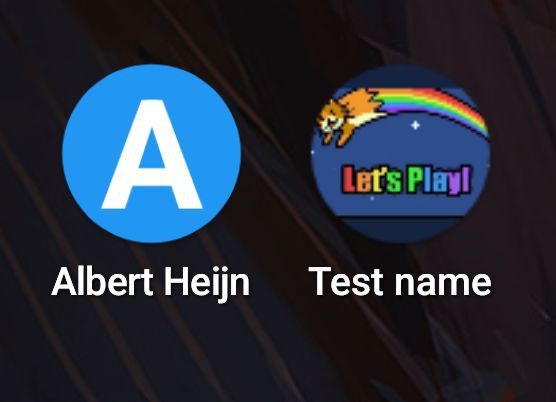
I think I need a little help on this one. How do you make an icon square-shaped? I've managed to pin-point place of creating icons here protect.card_locker.ShortcutHelper#createShortcutBuilder, I tried replacing createWithAdaptiveBitmap with createWithBitmap but either way I get a rounded icon
That's a very good question and sadly I don't know. I wouldn't be surprised if Stocard ends up just creating the widgets using a deprecated method as round icons are fairly new-ish. I wish I could give you any guidance here but I really can't and don't have the time to look deeper into it myself with all the PRs here currently (they're awesome but take a lot of time to review and I'm starting to lose sleep over them :sweat_smile:)
Hello, @TheLastProject ! After doing some research, I think that this is not possible, or at least it is not possible to implement using shortcuts, because icon style depends on user's launcher and its style. Maybe it can be done via widget but I haven't tried it because it seems a bit hacky. What do you think? For reference: https://developer.android.com/develop/ui/views/launch/icon_design_adaptive
The home screen does NOT display the themed app icon—and instead displays the adaptive or standard app icon—in any of the following scenarios:
- If the user hasn't enabled themed app icons
- If your app doesn't provide a monochromatic app icon
- If the launcher doesn't support themed app icons
Oops, another issue where I confused shortcut with widget, sorry again x.x