
mobile-sdk
 mobile-sdk copied to clipboard
 CartoDB
text-min-distance combined with text-feature-id
I am trying to combine text-min-distance with text-feature-id but i am not sure it is possible.
The style is this
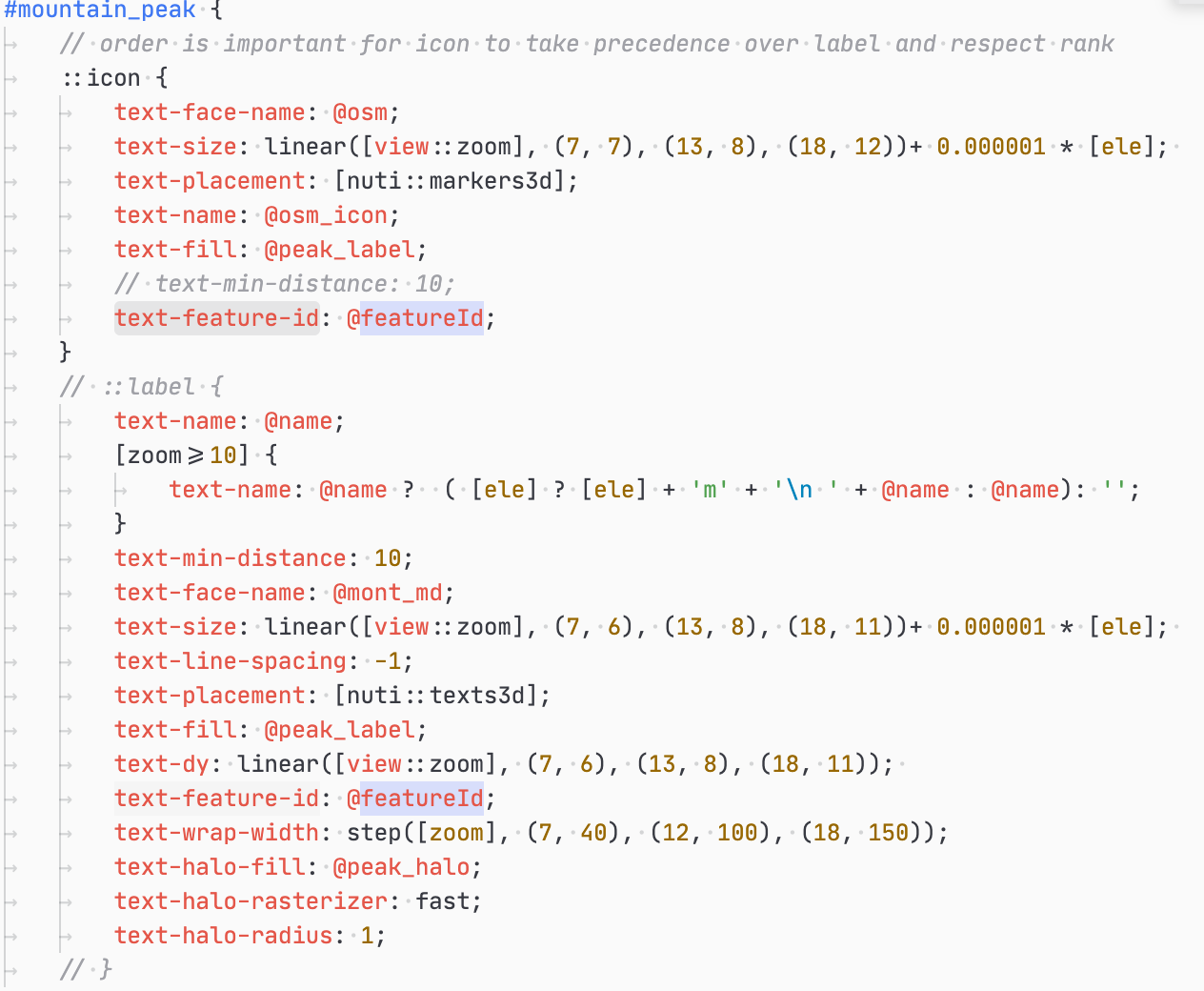 As you can see i dont use a shield but 2 labels. The idea is to be able to show an
 icon without the text in some cases (overlapping texts).
Now it creates an issue in those cases where 2 are very close like here. In this case i would always want Mont Blanc to appear first with its label. In the first image you can see it shows the second (less elevated) summit.
The second image appears at a little lower zoom when only one icon can appear.
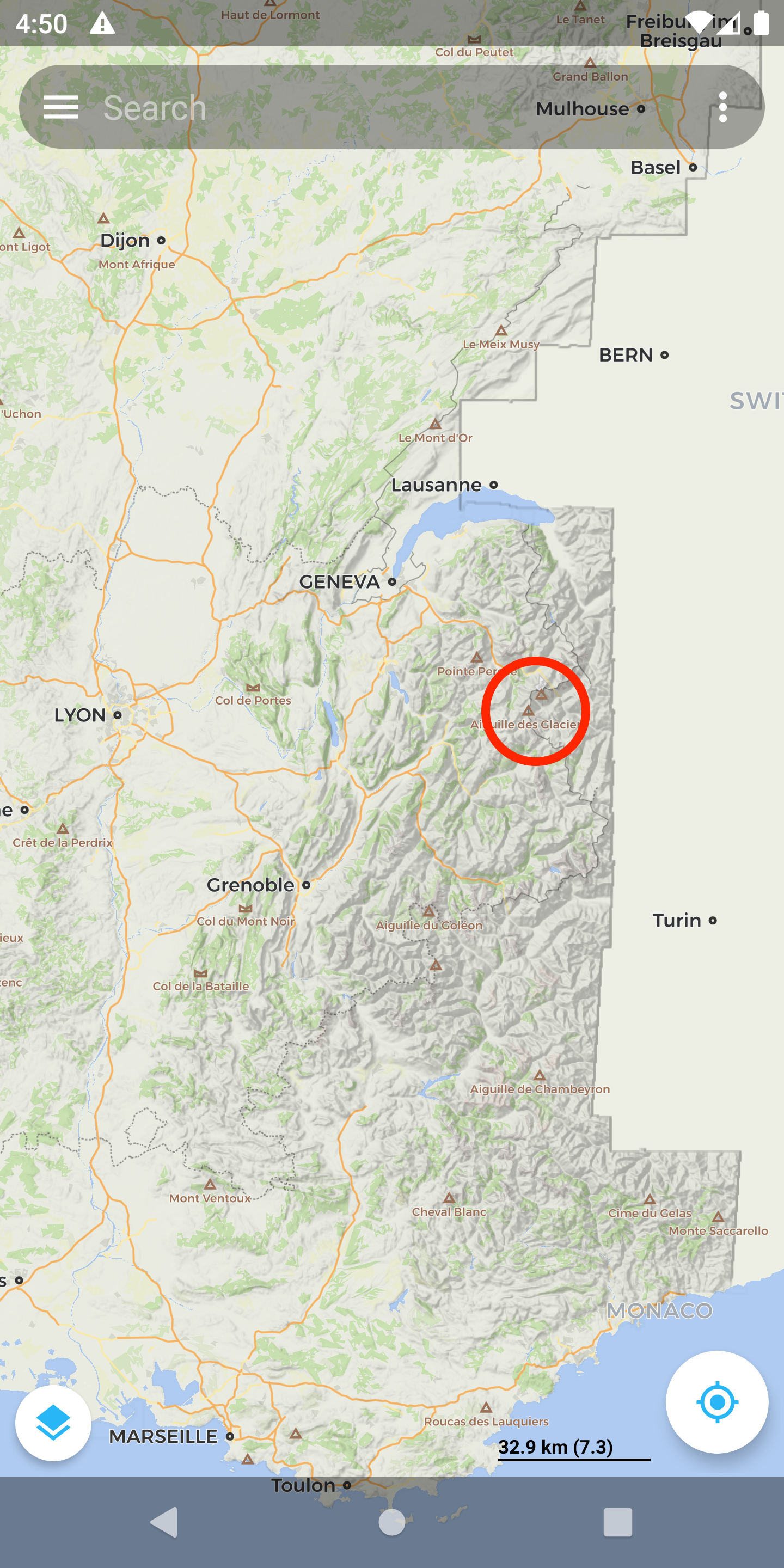
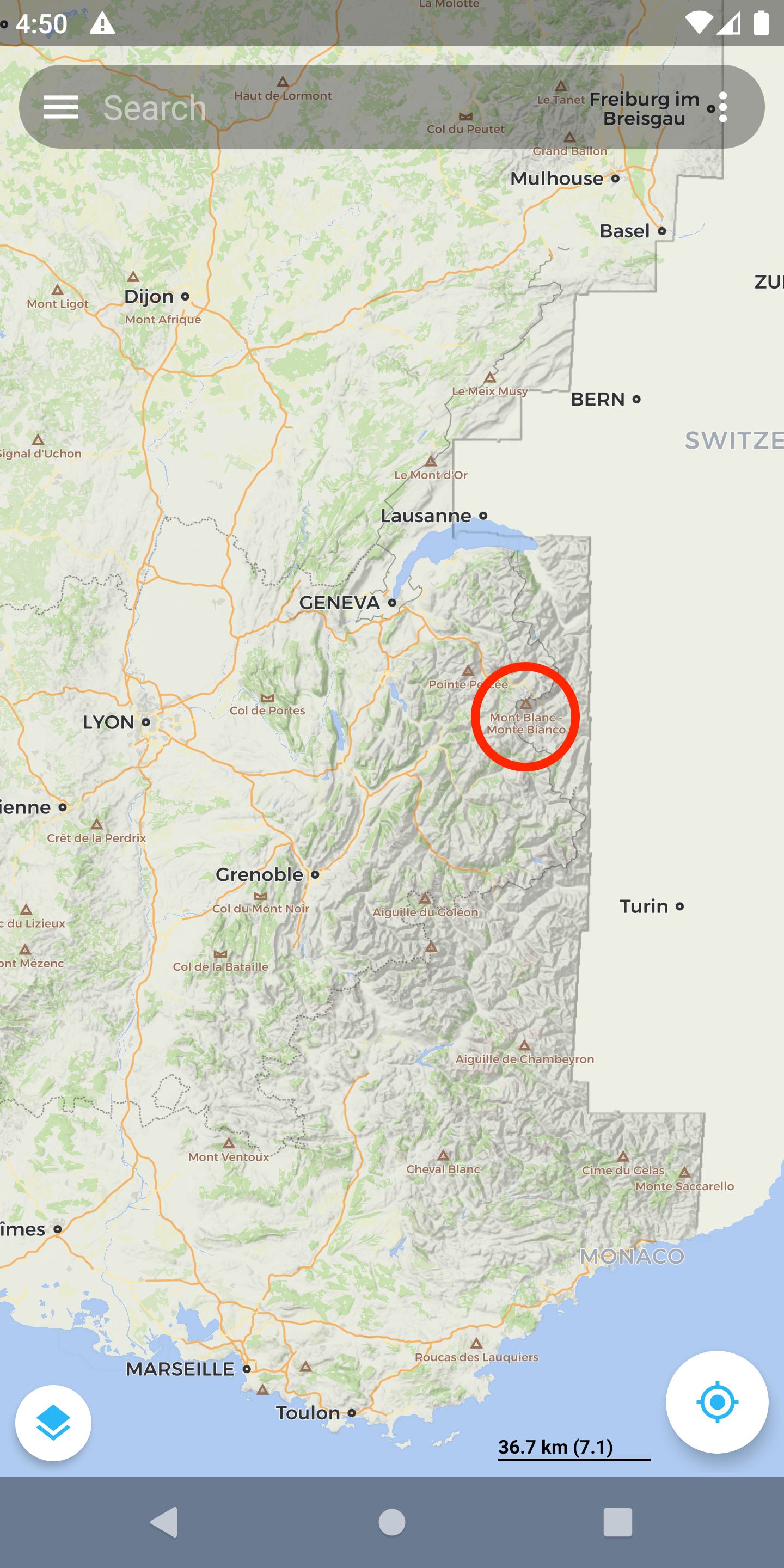 What i am looking for is always to have `Mont Blanc` text appear first.
The only way i see to do that is to force a min distance. However it does seem to work with `text-feature-id`. In min distance computation i would expect both icon and label (as they share the same `text-feature-id`) to be taken into account. But they appear to be treated separately
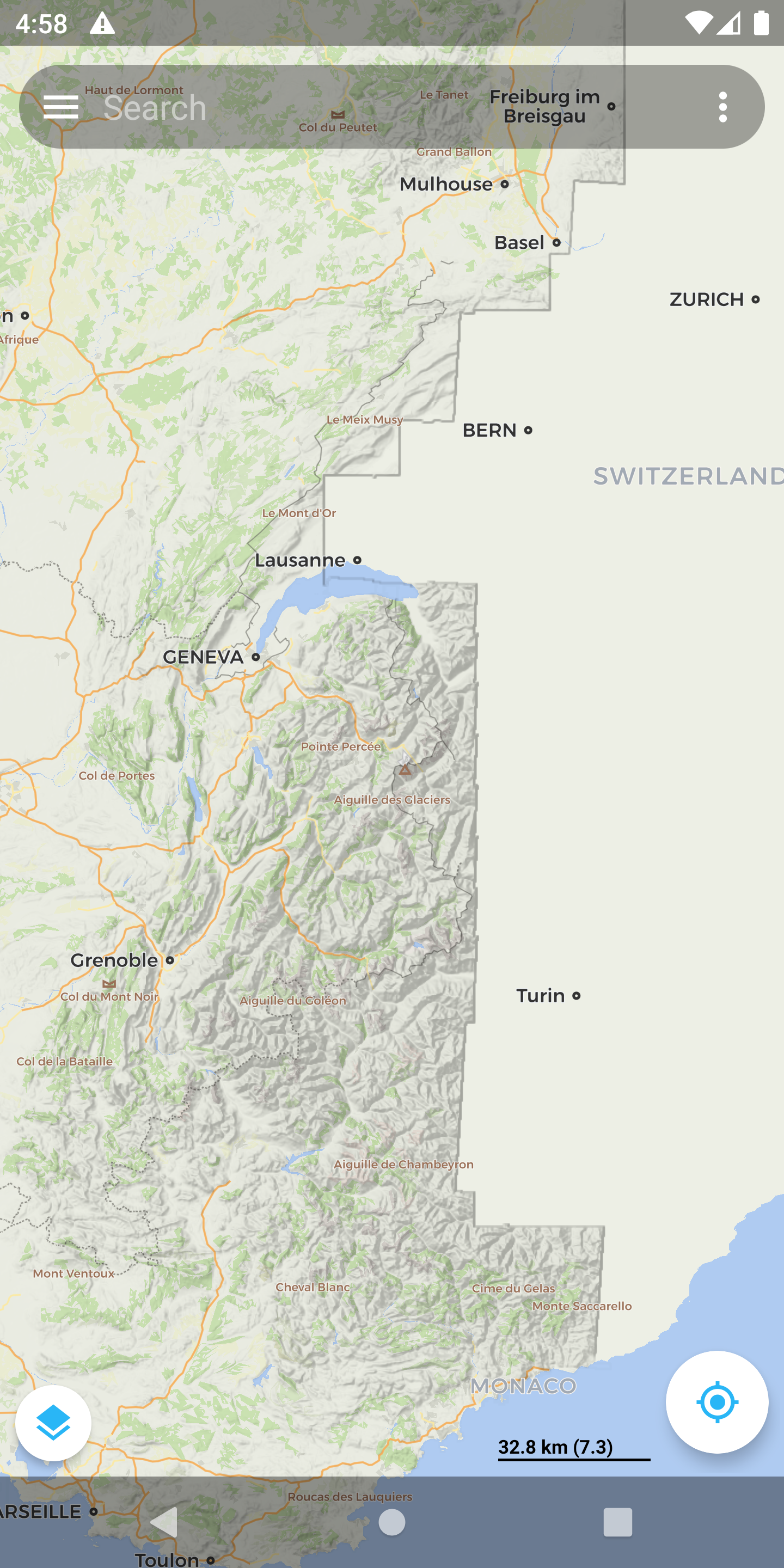
And so i end up with this: icon from Mont Blanc but text from the other one. Do you think this is solvable?
What i am looking for is always to have `Mont Blanc` text appear first.
The only way i see to do that is to force a min distance. However it does seem to work with `text-feature-id`. In min distance computation i would expect both icon and label (as they share the same `text-feature-id`) to be taken into account. But they appear to be treated separately
And so i end up with this: icon from Mont Blanc but text from the other one. Do you think this is solvable?

It seems like a valid case and I can not think of a workaround for this currently. I think it makes sense to add a new property for texts, markers, shields called 'placement-priority'. If defined, it would take precedence over layer index and feature size. It would also help to get rid of the 0.00001 * [ele] hacks. So you could style like this:
text-size: linear([view::zoom], (6,7), (7, 8));
text-placement-priority: [ele];

@mtehver i like the idea ! And yes getting rid of the font size trick would be best. Does that mean it would take precedence over layer ordering? I mean if 'place' is set to be "over" 'mountain_peak' would that break it?
@farfromrefug Yes, text-placement-priority would take precedence over layer ordering. So the sorting order would be:
- placement-priority
- layer order
- size
@mtehver could we use a factor 10000 or something for layer order? I think it would loose users if placement-priority (which would have to be over 10000) would take over layer order
@farfromrefug No factor is needed, nothing will break when placement-priority is not used. By default its value would be 0, so it has no effect when it is not used.
@mtehver i know my issue is when i use it ! I dont want to "overload" layers order. The idea is mostly to control z-order within a layer. That s why i am asking for such a factor (which wont change anything to the default behavior). Layers and items order being on a different "scale" makes it easier to use while still allowing you to override both.
@mtehver i keep on coming back on this one. It creates a lot of issues for me.
another case is the way i draw "shield" in the new theme. I use ::label and ::icon with text to do it. The reason is that i can use font icons which i cant do with shield. Another reason is that with shield i cant decide to hide the text (and not the icon) in certain cases.
Here is a test case:
- if rank = 1 show text and icon and hide all necessary neighbours.
- if same rank as neighbours show only icon
I tried to get that to work with the 0.00001 * [ele] trick but it wont work. I just realized because the icon font size is bigger than the text font size, icons will always hide texts.
It would really help to have a property or something which would be used instead of the font size to define "priority". as i explained before placement-priority cant be it as it will overload placement globally in all layers.
Tell me if i am wrong but this is not the way it is done with font size? the font size priority trick only applies to items in the same layer?
If so could we have a new prop to "replace" it?
@farfromrefug If placement-priority would only work within a layer, would that solve the issue?
@mtehver yes i think it could. One question though. Would that be exactly the same behavior as the "trick" with font size? i think it would but i prefer to ask. thanks again for answering so fast
@mtehver Sorry to bump this but i keep on hitting this.
I actually found a , what i think is related, issue with the new theme https://github.com/farfromrefug/new_carto_theme.
At zoom 15 when path starts to appear we can see that minor roads label disappear and are replaced by path labels.
this happens whatever the order of rules and does not change even if i make minor roads labels bigger than path
I think placement-priority (in layer) would fix that
@farfromrefug I made a change to handling placement-priority, having a high priority label within a layer will not hide labels from higher layers. This change is currently in 'develop' branch. Does this fix the issue?
@mtehver i tried latest but it does seem to be doing something for me. quick question if i have :
::label {
}
::icon {
}
are they seen as part of the same layer for text-placement-priority ? I wish and i would expect they would. But i am not sure that s possible.
@farfromrefug In you example ::label and ::icon are different layers. Thus you are not able to reorder labels between them with the change I pushed to develop. But the original version allowed that.
@mtehver this is a tricky thing :D. BTW i also tried text-placement-priority with roads labels (same layer) and it did not work.I still have the issue that footway "override" all other roads labels once they appear at zoom 15.
About the initial issue here i think we would need to go back to the drawing board in the sense of what we would want to achieve and see if and how we could achieve it. Can i create a new issue for that?
@farfromrefug I agree, creating a new issue makes sense. The thread has become quite long and I am not sure anymore what is solved/what is not. Also I think it makes sense to simplify the cases as much as possible, debugging complex styles is really time consuming.