

 CCI-Tools
Progress indicator and cancelling no longer working when downloading datasets to local
Expected behavior
@forman When downloading a dataset to local, expect to see download progress and be able to cancel if needed (as before)
Actual behavior
Dataset is still downloaded, but progress bar doesn't get filled in.
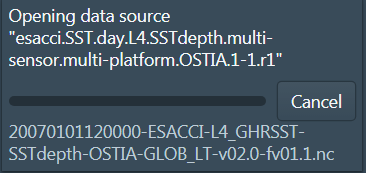
When a second dataset is downloaded, no cancel button is visible

Steps to reproduce the problem
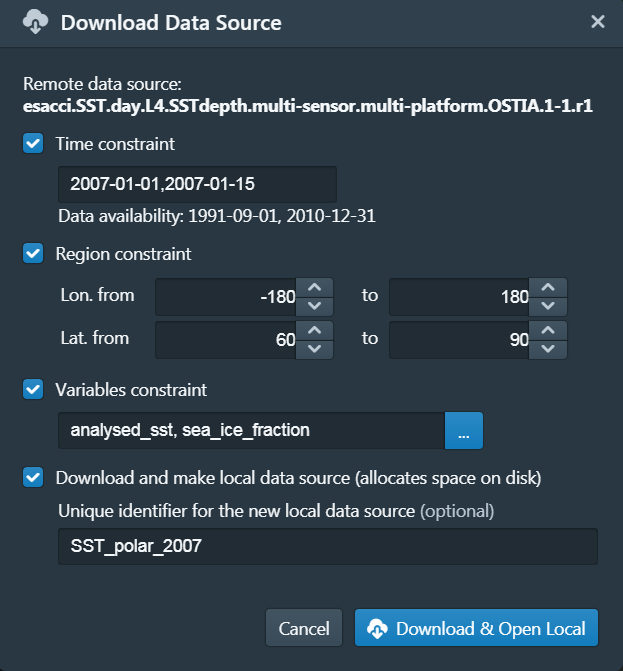
- Start to download a dataset to local. Example is given below.
-
Look at Tasks panel, see that download progress is not shown
-
Look in local datastore folder, see that files are being downloaded.
-
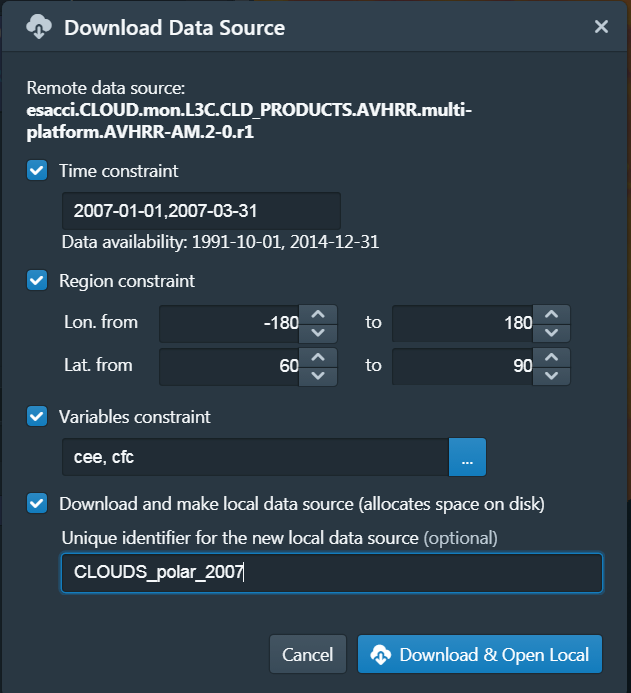
Wait for download to complete, then download a new dataset, e.g.:
Specifications
cate-2.0.0-dev.7 Windows 7 Professional

@forman This is no longer happening with cate-2.0.0-dev.9 This can be closed.
@forman @hans-permana, @papesci This one's re-appeared in cate-2.0.0-dev.15. Seen with both Windows and Mac machine.
hi all @papesci @forman @hans-permana This one's still happening with dev.19, please move it back from "Done" to the "To-Do" list, thanks.
thanks @forman ! @forman @papesci @hans-permana here's some more info : with cate-2.0.0-dev19 the issue only happens when you are downloading with a regional constraint applied. When you don't have any regional constraint, the progress displays correctly and you can cancel.
@HelenClifton thanks for point this out. This makes be believe that it is an issue in the data access component, with incorrect usage of the progress monitor. I'll assign therefore to @papesci

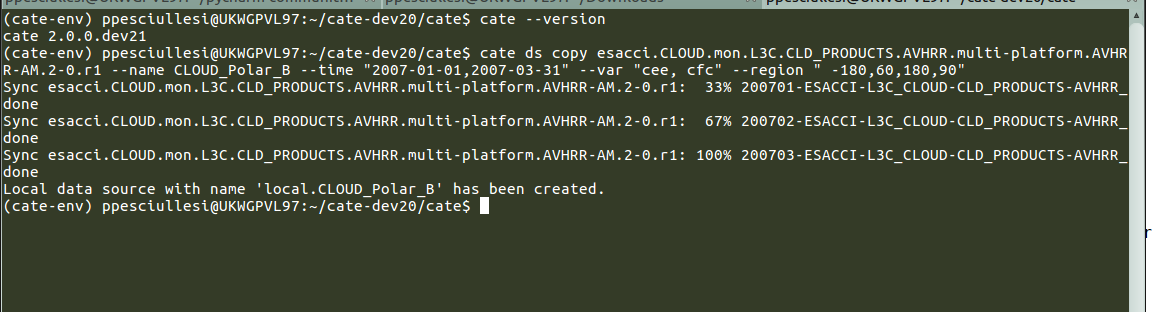
@forman @HelenClifton @hans-permana Hi Normam the progress bar looks good when execution the copy from the CLI. To test it I have forced to print out each progress increment just to count the number of time it is called

@forman With cate-2.0.0-dev.20 the issue sometimes seen when there is no regional constraint applied.
Issue resolved in cate 2.0.0-dev 22
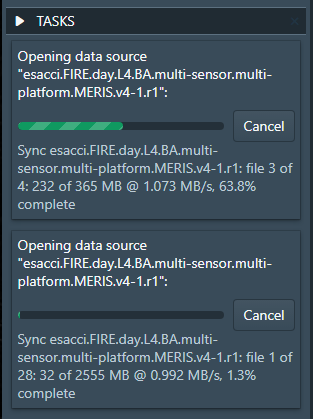
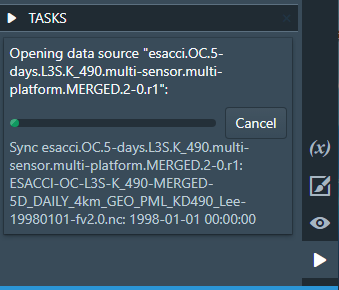
But progress bar doesn't get filled in for ocean colour dat


progress bar now get filled in for ocean data as well
Specifications
cate-2.0.0-dev-23 Windows 10
Thanks @papesci @forman @Evadzi . I've tested this with 2.0.0-dev.23 using SST, Cloud and aerosol datasets and confirm it is fixed. Closing it.
@papesci @HelenClifton @Evadzi At least I have not changed any code. It must be the sequence of steps that causes this problem randomly. I'll reopen it until we found out what's the root cause.