

 C7-Game
Create a development VM
Set up a virtual environment with minimal setup for development, including all essential dependencies and tools, and host it for new contributors.
Waiting for Godot 3.5 #262

https://github.com/C7-Game/Prototype/wiki/C7-Development-VM I need someone to verify they can download and set up the environment as described in the wiki, and note any snags or other steps that I missed. C7 built and started up without issue in 3.5, so I didn't bother holding this up any longer for source changes. It should be a seamless update, but there may be minor issues. See #262
tl;dr: Some notes on how to set up shared folders would be good, and for some reason GPU (?) performance seems quite slow, but generally things went as expected.
Trying it out after downloading it a few weeks ago. Notes, indexed by step number, following the readme on the machine. I tried to add lots of detail on what might discourage a newcomer.
Background, I've used Linux intermittently since 2007 but never moved off of Windows for my main setup. Mostly KDE, but in 2020-2021 my work project was using XFCE in Xubuntu, so that's what I have the most experience in recently. I can never remember the terminal commands for things I don't do frequently (e.g. setting up SSH keys), but was indoctrinated in vim when using Solaris in the late 2000s so terminal + vim + Firefox is how I default to figuring things out. Haven't used regular-Ubuntu with any frequency since the GNOME 2 days, though I have lightly used a Bionic VM with Unity (or is it GNOME 3?) for C7 testing. Generally I like to complain about how things aren't exactly how they were in Manjaro in 2008 or PCLinuxOS MiniMe 2009.2 a year later - i.e. how KDE 3.5 isn't the default anymore - but I can usually figure things out if I have motivation.
[Good] = Step makes sense, success in a short time! [Could use more detail] = what it sounds like [Note] = Good, but a note [Issue] = There's an issue!
- [Good?] I ignored this step because it seems unnecessary. If it's really important, maybe it should say why.
- [Good, I think] I think this means "open ~/workspace/Prototype in GitKraken." I used GitKraken even though I haven't used it before because it sounded easier than remembering how to set up an SSH key on Linux, which I haven't done in two years. It mostly worked, but I had to start the login-with-Github-from-Gitkraken step twice because it send me to https://www.gitkraken.com/error?error=1003 after logging in the first time. The second attempt worked though.
- [Could use more detail] To share a folder, go to Player -> Manage -> Virtual Machine Settings -> Options tab -> Shared folders. Choose "Always enabled", and then follow the "Add..." wizard. I shared my host
D:\Civilization IIIfolder asCivilization_III. But where does it go? Through a blog post I figured out that it was mounted to/mnt/hgfs/Civilization_III. I thought to check /mnt, but didn't guess that /hgfs was important. I avoided spaces in the path name, but am not sure if that is required. - [Note] It might be worth noting an available editor here. I tried to fire up
vim, but it seems we have ananoVM (emacsisn't installed, either, maybe Ubuntu was trying to avoid religious wars). It looks likegeditis installed, too. At least it's easier to exitnanothanvimoremacs. - [Good] I like how VSCode opens right to the project. Skipping setting up debugging for now to see if the rest of it works.
- [Good] It defaulted to
dotnet cli. - [Issue] I fired it up, but got the "Select Civ3 Home Folder" on startup. Went to the terminal did an
echo $CIV3_HOME, and got nothing. Tried it again after asource ~/.profile, and it printed out the right directory. My guess is we need to reboot/relogin after step 4 to make this show up globally. Confirmed: Logging out and logging back in fixes this. - [Good] Taking a screenshot!
Other random notes:
- I like the default jellyfish background. Seems appropriate somehow.
- Performance is acceptable (except for Godot, see below), especially since I'm running the VM from a hard drive (low on space on the SSD, and had my CPU and GPU running hot while loading things up. Even so, it was a lot faster than my Bionic VM in VirtualBox. Not as fast as native, but tolerable for sure.
- Corollary, it actually took 15 seconds to Quick Start a game, even when I turned off everything pegging my CPU and GPU and made sure I had spare memory. AI turn times are fine, but animations are a bit choppy and Task Manager reports CPU use (quad-core 2500k) spiking from 10-15% with the VM up and Godot's editor up to about 90% when C7 is running, and right back down once it closes. My guess is the graphics acceleration is really slow, although it's still better than in Bionic where I had to set a command-line flag to tell it to use the CPU.
- I appreciate the Floppy Disk shortcut on the left panel by default, but it doesn't seem to work? I made sure to put an actual floppy in my floppy drive and verify it works on the host OS. Is this a default Ubuntu feature?
- Okay, occasionally things do start slowly. Once the Terminal started slowly, giving a message about a snap update, once GEdit started slowly for no obvious reason. I miss the days before flatpacks and snaps existed, things ran quickly back then.

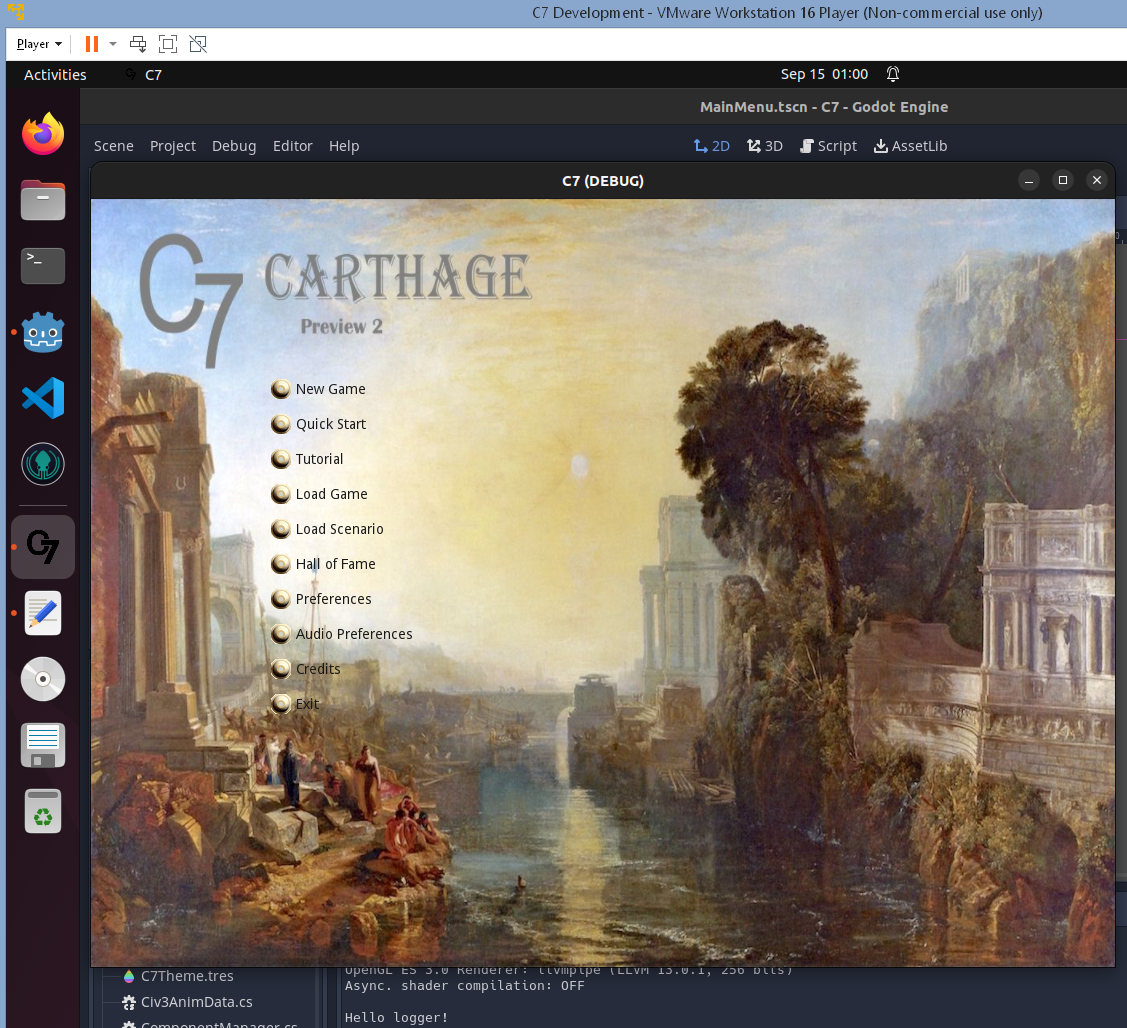
Confirmed that the floppy disk reader is having some issues; although it correctly detected that I only have 42.5 KB of space available on the floppy (with decimal notation), for some reason it can't display the contents as the host OS is able to.
Thankfully, that is not likely to negatively impact C7 development.
Weirdly, after I restarted the VM and enabled 3D acceleration, it no longer has the Civ III shared folder at ~/mnt/hgfs/. But it's still enabled in the settings, and it's definitely still there on the host as I'm running C7 off of it from the host. It did remember CIV3_HOME, but where it points to now might as well be /dev/null
Not sure why, but it stymies testing if 3D acceleration helps. I'll try to remember to look at it again before another fortnight goes by.
Excellent, thanks for the feedback! I'll address the rest but I've found that the shared folder does not remount automatically despite the VM settings. That could be scripted on login. Are you using VMware Player or something else?
VMWare Workstation 16 Player (Non-Commercial Use Only). Is that Player or Workstation or both? Not really sure!
Yeah, I'll probably just install the Steam version or copy it locally. Shared folders are nice since they use less space and updates such as new scenarios "sync" automatically, but it's not really necessary.
Sort of odd... it seems like .NET uninstalled itself from my VM somehow:
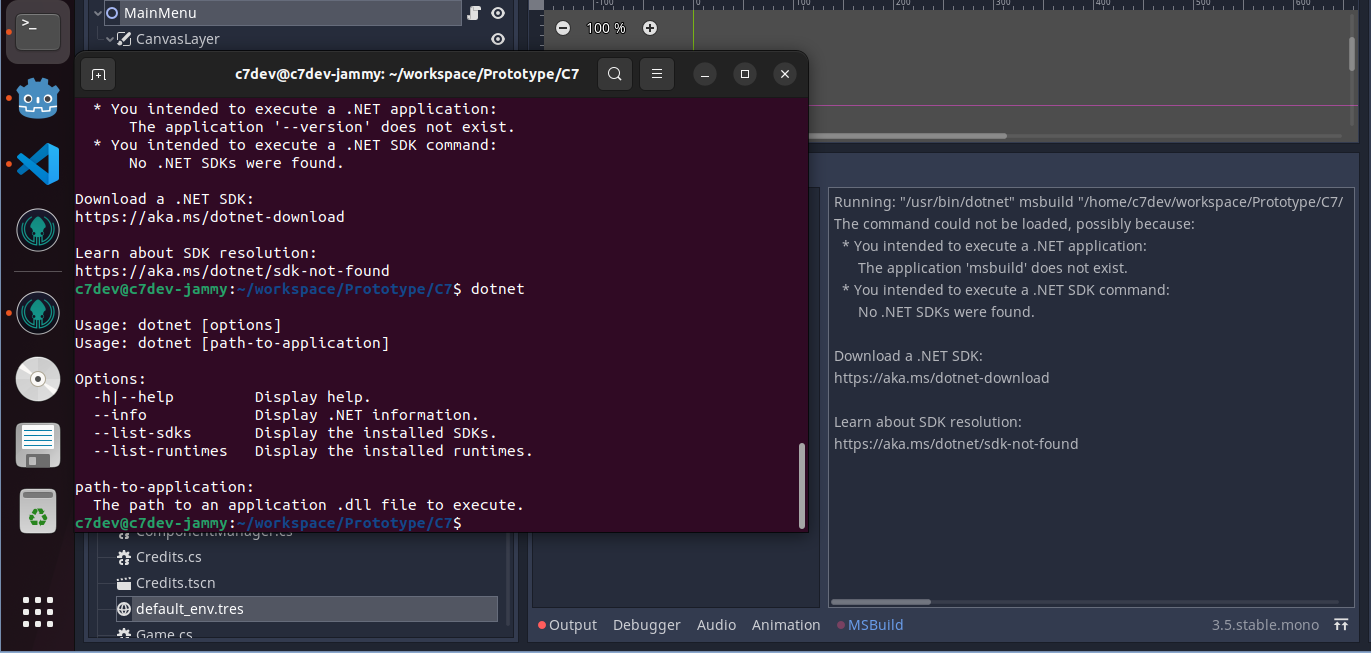
It was definitely working the other day, but now it's like .NET disappeared? I am wondering if some updates installed and decided to remove .NET for some reason?
I was going to make use of the Dev VM to help verify #153, but I think I'll just see if my changes work on Windows + GitHub Actions rather than try to fix .NET on the VM right now... I am curious though if you've seen this.
Yes! I ran into this but forgot to mention it here. Just after I uploaded the VM, Ubuntu added .NET to their official repos which for some reason results in the old ones being purged in the next update. Here's the solution: https://stackoverflow.com/questions/73312785/dotnet-sdk-is-installed-but-not-recognized-linux-ubuntu-popos-22-04
I will make a new image to fix this and the other issues though, so you probably don't want to spend much more time on this one.
Okay, whew! I was wondering if I was losing it for a minute, tech isn't always the most reliable but I'm not used to my dev tooling disappearing, especially outside of corporate environments! Good to know I'm not the only one and that there's a specific event that corresponds to it!
The good news is #153 worked well in GitHub Actions and I didn't need to manually test anything on Linux, so that one's reviewable now.
https://github.com/C7-Game/Prototype/wiki/C7-Development-VM
Updated the image to v2:
- Replaced dotnet packages with the new official ones, and all other pending apt updates
- Replaced Godot 3.5 with 3.5.1
- Removed the CD & floppy devices
- Updated the README per your notes
Tested this today. There seem to be some .net issues again, perhaps due to updates.
When I try to build it in Godot, I get this message:
Running: "/usr/bin/dotnet" msbuild "/home/c7dev/workspace/Prototype/C7/C7.sln" /restore /t:Build "/p:Configuration=Debug" /v:normal "/l:GodotTools.BuildLogger.GodotBuildLogger,/home/c7dev/godot/Godot_v3.5.1-stable_mono_x11_64/GodotSharp/Tools/GodotTools.BuildLogger.dll;/home/c7dev/.local/share/godot/mono/build_logs/f41e4d6c49babadcdca59bdf70e38667_Debug" /p:GodotTargetPlatform=x11

A fatal error occurred. The folder [/usr/lib/dotnet/dotnet6-6.0.109/host/fxr] does not exist
I can get a similar error on the command line:

There is an update to the DotNET Host Command Line (from 6.0.109 to 6.0.113) pending, so that might fix it.
Confirmed that updating .NET (as part of installing all pending updates) fixed the above issue.
There had been a pop-up about updates after I started the VM and went away to make breakfast, so I think it may have partially-installed an update? Not sure, but the takeaway is updates should be installed and then it ought to work.
Okay, got things all up and running. Seems to be smoother in the VM than it was last go-round but that's probably because I'm running it on a significantly more powerful computer than I was last time.
I updated the Wiki (https://github.com/C7-Game/Prototype/wiki/C7-Development-VM) to note installing updates being a required step. I also added instructions for accessing network shares (specifically with Windows as a host, it's probably easier with Linux as a host) since that seems to be a more reliable way of accessing shares than the VMWare Shared Drive option.
I think we can probably moved this to Done. It could be re-built with the latest .NET patches but it might be a continual-update sort of thing so "install the updates" in the instructions might be the better solution.
Quick note, if this is rebuilt, expanding the hard drive to 25 GB might be nice. I got Civ3 copied over and Steam installed but have 97% of the 20 GB in use. I think I can do this manually but if it's designed as a ready-to-go system it would be nice to start out with a bit of free space.
By now I'm not worried about the VM until after the 4.0 update, but I'll keep those points in mind. And I may get around to learning Vagrant this time to avoid the huge file transfer.