

 BusKill
Font size is silly small on MacOS after upgrade to v0.5.0
Describe the bug
For some reason, the font size on MacOS after upgrading the BusKill app to v0.5.0 is really small
To Reproduce Steps to reproduce the behavior:
- Download the BusKill app v0.5.0
- Open the BusKill app
- Struggle to read font
Expected behavior
The font size should be reasonably large and easy-to-read. If needed, the user should be able to increase the font size, as needed.
Screenshots
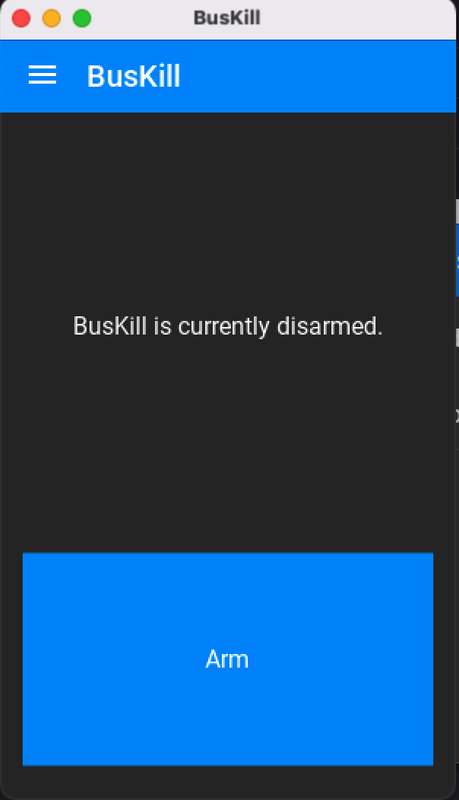
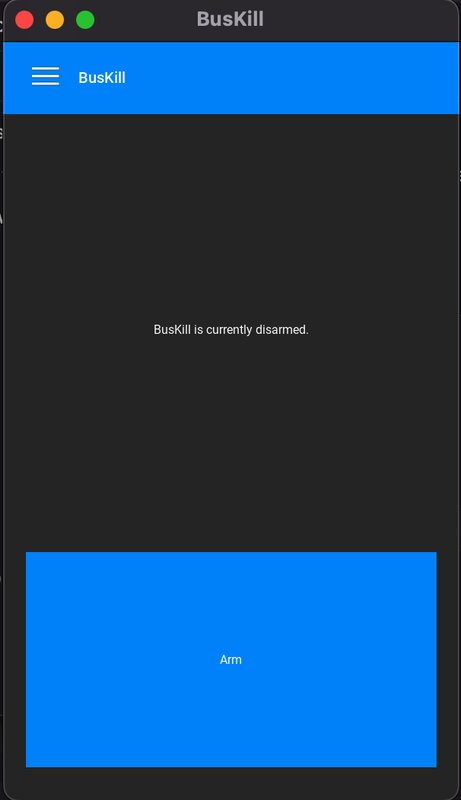

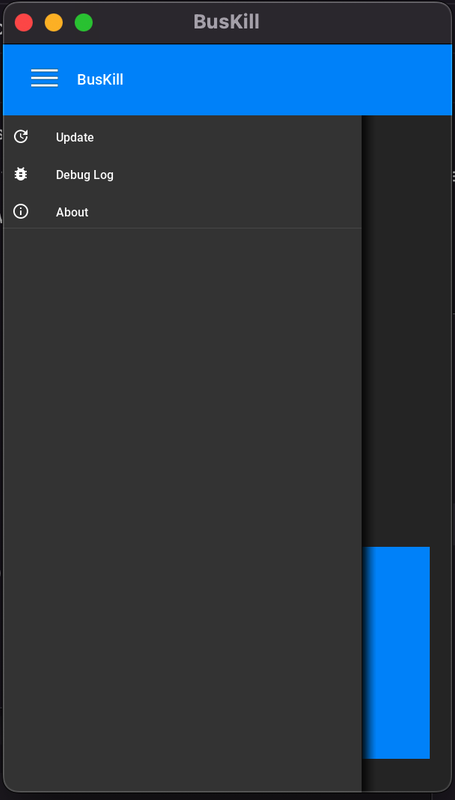
Versions (please complete the following information):
- OS: MacOS running Monterey (12.6) (MacBook Pro)
- BusKill: v0.5.0
Additional context Add any other context about the problem here.

Until we implement #16 and add an option to the GUI for the user to be able to modify the font size of the app as a more-permanent workaround to this bug and the problem more generally (also good for accessibility), it appears that the user might be able to modify the font size used by kivy by manually editing the kivy config file's font options:
- https://github.com/BusKill/buskill-app/issues/39#issuecomment-1312534373
I noticed on Sam's recent video drafts that these fonts are silly small:
- The text in the Action Bar =
SettingsorTrigger - The text on the
ArmandDisarmbuttons (and the text above it)
While these fonts are sized as-desired:
- The contents of the settings screen
- The ActionBar overflow (eg
Reseton the Settings window)
TODO: Look for differences in the above widgets to see why some of the text is smaller that the others
It looks like my newer settings window options use font RobotoMedium size 18
Whereas the older things like the contents of the Arm button are Roboto size 16
I've also seen use of RobotMeidum size 20 (dialog confirmation title) and RobotoMedium size 16 (in the Navigation Drawer) and RobotoMono size dp(12).
Actually, I wonder if the last one caused the issue.
https://github.com/BusKill/buskill-app/blob/53f631d7cf45bcafc752a520625099d0fcca9ede/src/buskill.kv#L249-L254
The above line was committed on 2022-06-11.
- v0.4.0 was tagged 2020-10-16
- v0.5.0 was tagged 2022-12-27
Therefore, if this bug was introduced in v0.5.0, I think the addition of this dp() sized font is the culprit! Perhaps kivy changes the way fonts are registered once you include a font with dp() values?
I just stumbled on this python module that auto-sizes text font sizes as the window size increases
- https://github.com/yglazner/kivyoav