

 BookStackApp
Line numbering options in code block
Currently code blocks have simple line numbering, which, while adequate in most cases, might be undesirable. Proposal is to have an option to disable numbering or, if possible, to start it from an arbitrary number.
Use case: article with instructions on editing some config file, i.e. „change this text on line N“. If I use code block with snippet from that file as illustration, I'd like to have numbering show line number N. I can add it as text, but then existing numbering starting from 1 adds confusion.

I don't know if it helps or if you can use it but this might help in this instance :)
Blockquotes removes the numbering
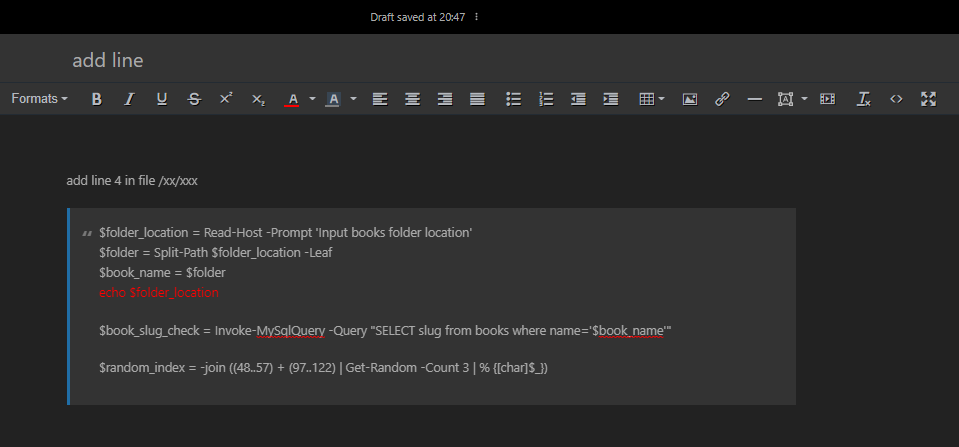

That might do in a pinch, but blockquote doesn't have monospaced font.
Maybe this could help you. You design your own code block in a p tag:
<p
   style="border: 1px solid #ddd; font-family: 'monospace'; background: #f7f7f7; color: #000; font-size: 12px; padding: 4.5px;">
    <span style="margin-left: 30px;">$npm init -y</span>
</p>
You add it in the Source code option

View:


I too would like to see a way to change the numbering. It would be nice to have a code clock with a section of code and be able to add some notes about that section. Then continue with another code block with the rest of the code starting with the higher number to indicate that the second block is a continuation of the one above. Just wanted to add my vote for this feature.

I am for adding the ability to adjust the line number start value for a code block.
The benefit would be for books that cover installation steps when you edit config files.
You would be able to roughly/exactly say where the edit occurs within the file.
For example, near or at line number 135.
Then the line numbering in the code block would reflect the line number in the config file.
