

 BlueWallet
BlueWallet can't connect to LndHub on Raspberry Pi, accessible over all other means
LndHub from the community version https://mynodebtc.com/ installed manually on Raspberry Pi.
As the conversation below shows, it's accessible from the LAN and from the phone and returning the proper response, but the wallet screen says invalid.
fiatjaf Aug 14, 2019 4:34:45 PM in your shell, type netstat -tulpn or sudo netstat -tulpn and look for lndhub there
Hamish MacEwan Aug 14, 2019 4:46:17 PM Hmm, no sign, the screenshot above comes from http://192.168.1.141:3000/ but the only output that matches is:
tcp6 0 0 :::3000 :::* LISTEN 6448/node
fiatjaf Aug 14, 2019 5:00:06 PM in bluewallet's lightning settings type http://192.168.1.141:3000
Hamish MacEwan Aug 14, 2019 5:06:21 PM
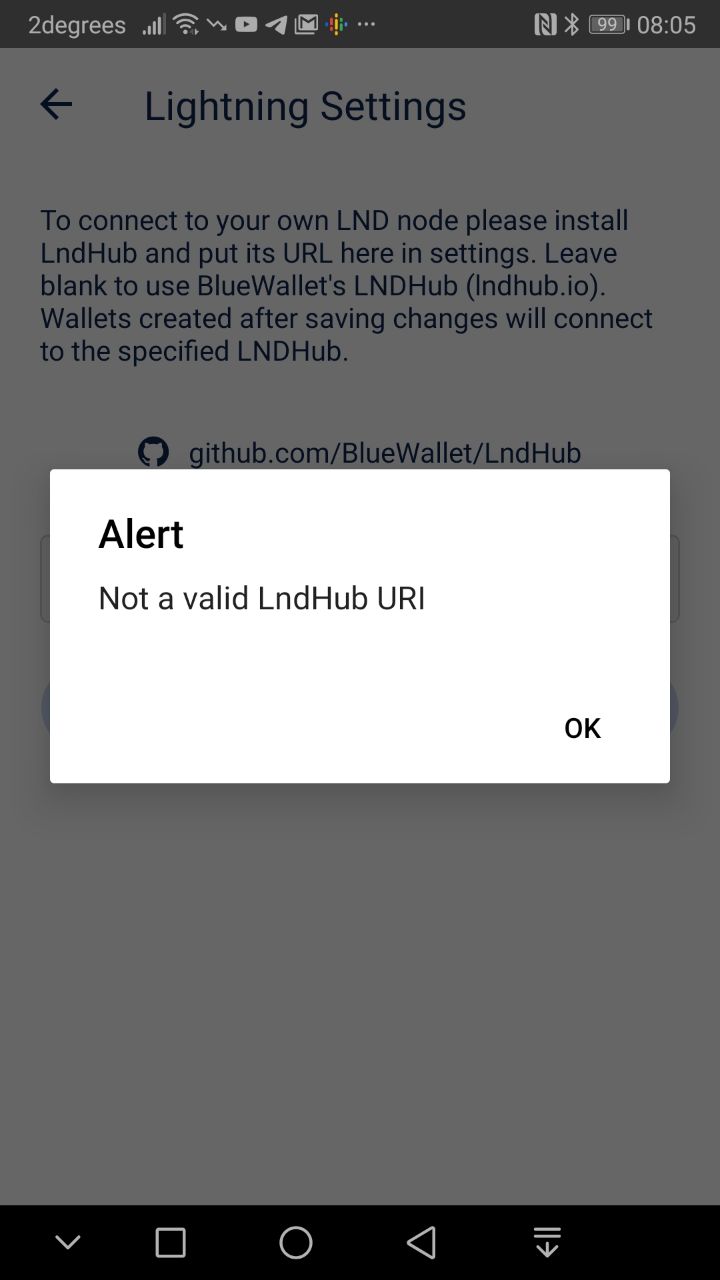 http://192.168.1.141:3000
fiatjaf Aug 14, 2019 5:11:12 PM
try curl http://192.168.1.141:3000/getinfo from the device and also from your normal computer
Hamish MacEwan Aug 14, 2019 6:43:37 PM
admin@myNode:~ $ curl http://192.168.1.141:3000/getinfo
{"error":true,"code":1,"message":"bad auth"}

Desktop:~$ curl http://192.168.1.141:3000/getinfo
{"error":true,"code":1,"message":"bad auth"}
fiatjaf Aug 14, 2019 6:53:15 PM is your phone connected to the same LAN? does it have an IP like 192.168.1.x? can you open 192.168.1.141:3000 from your phone's browser?
Hamish MacEwan Aug 14, 2019 6:54:59 PM
Yes
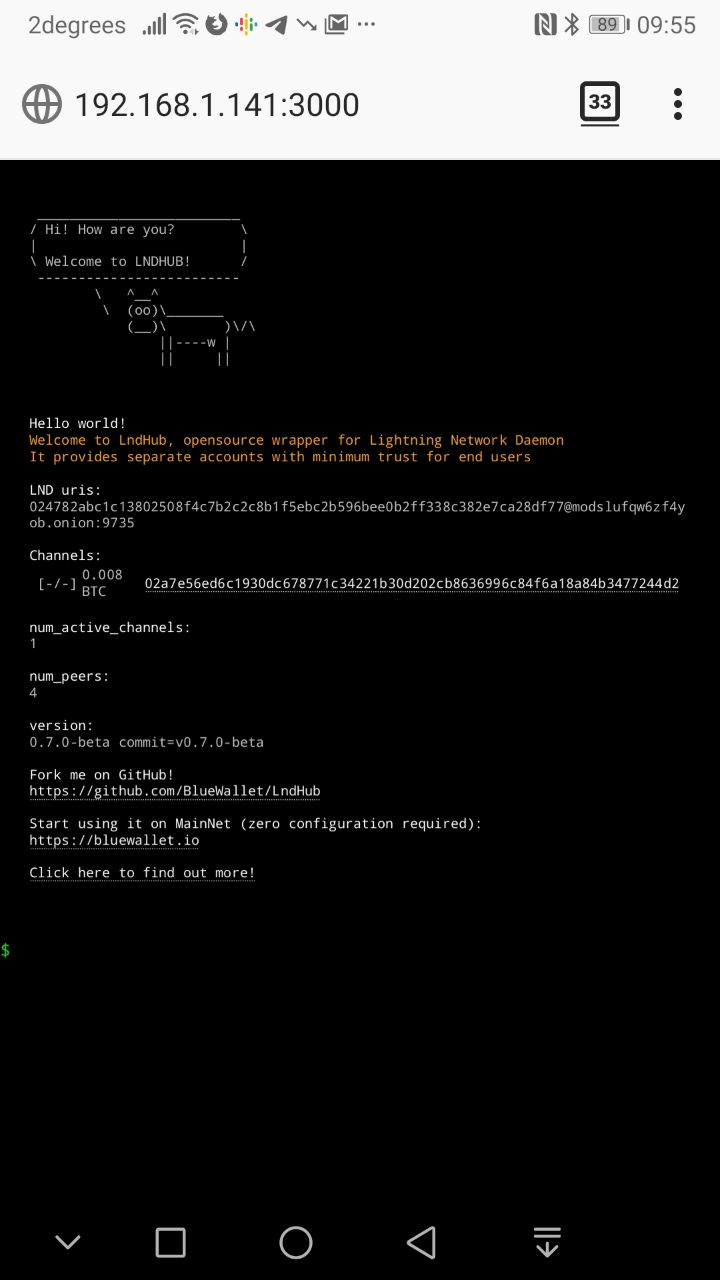

I'm seeing the same issue as well. LndHub appears to be running fine via the web GUI, but cannot connect with Blue Wallet. Any ideas?
This was working 1-2 months ago.

Hi. I have just tested it, and latest store build seems to be working fine with non-defaut lndhubs. Can you try following:
- try connecting to
http://lndhub-staging.herokuapp.comits the same as production, just different link - expose your lndhub to internet. Youll need to setup some sort of a tunnel, https://ngrok.com will do. share your lndhub with us

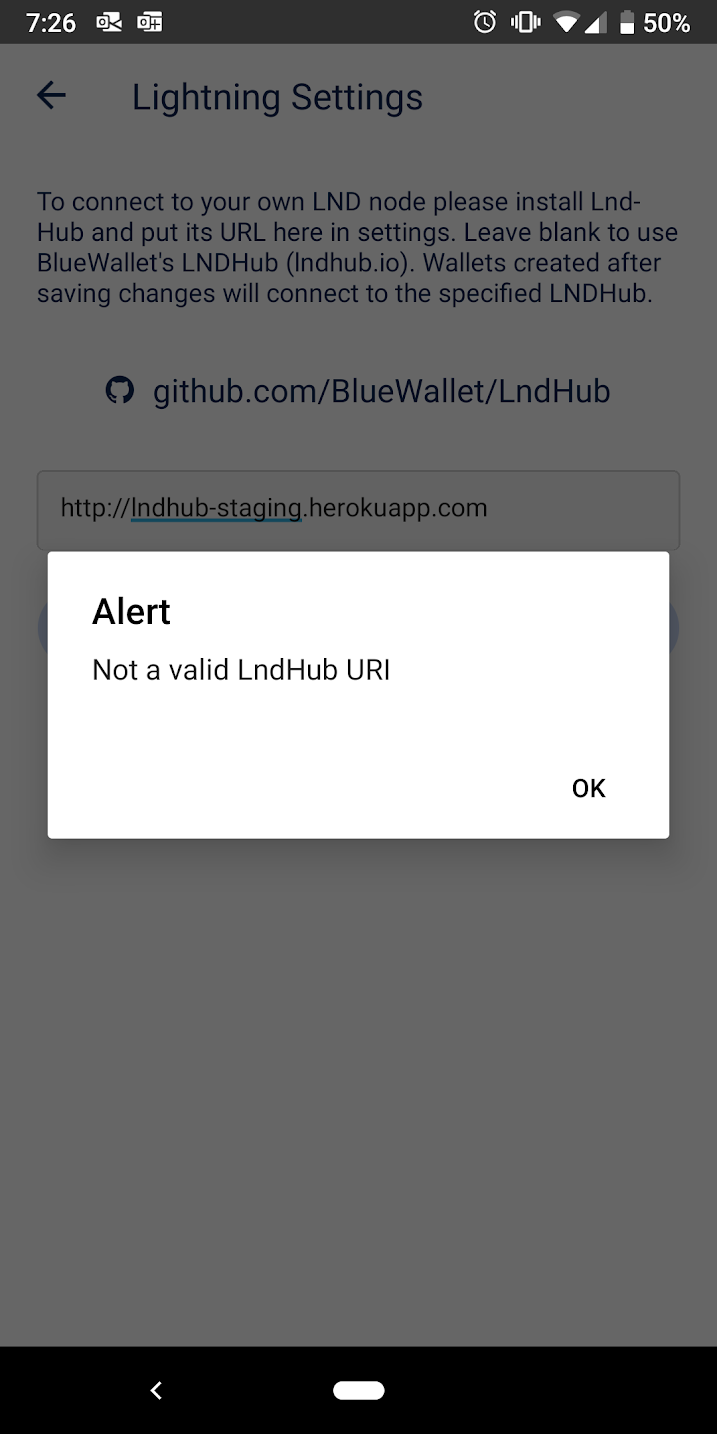
Staging url is missing S in https. Ill test again when I get home
On Tue, Aug 27, 2019 at 01:29 Taylor Helsper [email protected] wrote:
Connecting to the staging URL does not appear to work either.
[image: image] https://user-images.githubusercontent.com/5722611/63732009-bc55b200-c837-11e9-824b-79e7c2fae759.png
— You are receiving this because you commented.
Reply to this email directly, view it on GitHub https://github.com/BlueWallet/LndHub/issues/38?email_source=notifications&email_token=AAOTD6IM5WGRML2AKXF4OR3QGRYMZA5CNFSM4IMQNEN2YY3PNVWWK3TUL52HS4DFVREXG43VMVBW63LNMVXHJKTDN5WW2ZLOORPWSZGOD5GCR3A#issuecomment-525084908, or mute the thread https://github.com/notifications/unsubscribe-auth/AAOTD6N7JIBBUSHX2WNJW43QGRYMZANCNFSM4IMQNENQ .
I tried it again with the "s" and it worked with the staging URL. I updated Blue Wallet to the latest version and still get the same error with my own LndHub instance.
As others have said, the LndHub page does load successfully and obviously can query lnd info.
My guess is that youre trying to connect unencrypted endpoint. OS forbids that. Can you expose your lndhub to interwebz for couple of days? So I can look into that? Via ngrok or similar
On Fri, 30 Aug 2019 at 01:35, Taylor Helsper [email protected] wrote:
I tried it again with the "s" and it worked with the staging URL. I updated Blue Wallet to the latest version and still get the same error with my own LndHub instance.
As others have said, the LndHub page does load successfully and obviously can query lnd info.
— You are receiving this because you commented. Reply to this email directly, view it on GitHub https://github.com/BlueWallet/LndHub/issues/38?email_source=notifications&email_token=AAOTD6IDXJWC6ERMOUMFKRTQHBTMZA5CNFSM4IMQNEN2YY3PNVWWK3TUL52HS4DFVREXG43VMVBW63LNMVXHJKTDN5WW2ZLOORPWSZGOD5QGAZY#issuecomment-526409831, or mute the thread https://github.com/notifications/unsubscribe-auth/AAOTD6NT5YL3NWSBZMXAGZTQHBTMZANCNFSM4IMQNENQ .
I was trying to connect to an unencrypted endpoint. When was that restriction added? All the raspi guides use HTTP and when I initially set this up a couple months everything worked fine.
For example: https://github.com/dangeross/guides/blob/master/raspibolt/raspibolt_6B_lndhub.md
It's even linked from the main LND Hub Github.
Anyway, I then set up hitch to proxy everything over HTTPS and it still doesn't work. I can access LNDHub in Chrome via HTTPS now, but not via BlueWallet. I'm guessing this is because it's a self-signed cert. I setup ngrok and tried using the secure URL they provide and BlueWallet connected.
Can you re-allow HTTP or at least self-signed HTTPS certs? Maybe with an additional security checkbox or toggle?
This looks like my bad, yes. After refactoring android code we probably just forgot to allow unsecure http conncetions.. Will re-enable it on ios and android, probably in next build.
On Sun, 8 Sep 2019 at 02:47, Taylor Helsper [email protected] wrote:
I was trying to connect to an unencrypted endpoint. When was that restriction added? All the raspi guides use HTTP and when I initially set this up a couple months everything worked fine.
For example:
https://github.com/dangeross/guides/blob/master/raspibolt/raspibolt_6B_lndhub.md
It's even linked from the main LND Hub Github.
Anyway, I then set up hitch to proxy everything over HTTPS and it still doesn't work. I can access LNDHub in Chrome via HTTPS now, but not via BlueWallet. I'm guessing this is because it's a self-signed cert. I setup ngrok and tried using the secure URL they provide and BlueWallet connected.
Can you re-allow HTTP or at least self-signed HTTPS certs? Maybe with an additional security checkbox or toggle?
— You are receiving this because you commented. Reply to this email directly, view it on GitHub https://github.com/BlueWallet/LndHub/issues/38?email_source=notifications&email_token=AAOTD6L6AV5WJQJMRA3WHPDQIRKTTA5CNFSM4IMQNEN2YY3PNVWWK3TUL52HS4DFVREXG43VMVBW63LNMVXHJKTDN5WW2ZLOORPWSZGOD6FFZBQ#issuecomment-529161350, or mute the thread https://github.com/notifications/unsubscribe-auth/AAOTD6JYEV2Y63IVEH3TZD3QIRKTTANCNFSM4IMQNENQ .