
star_book

star_book copied to clipboard
 Blocship
Add action sheet
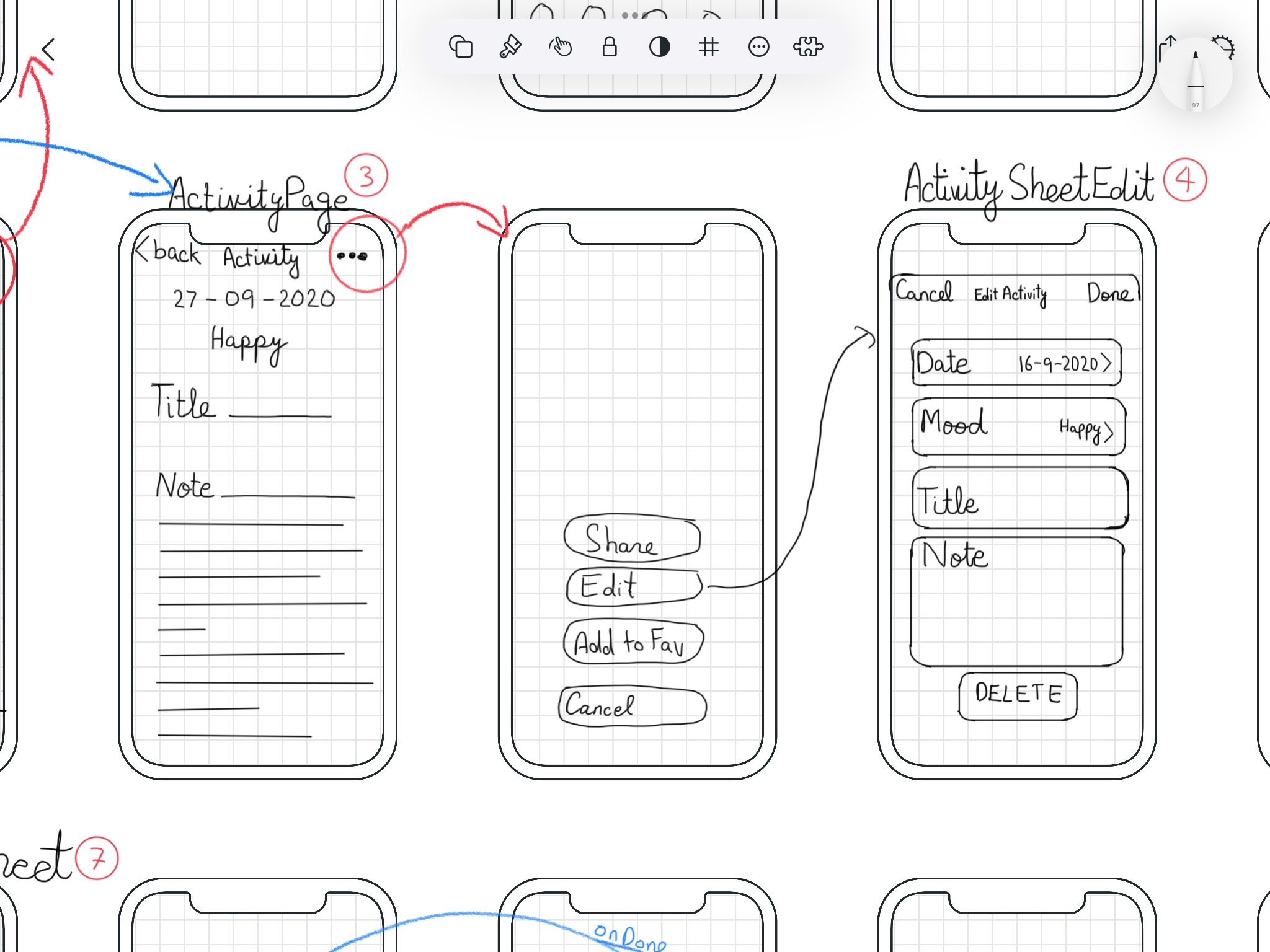
Task:
- [ ] In
ActivityPageadd a "vertical 3 dot icon" on the top right corner of the screen. - [ ] On tap to this icon, open
CupertinoActionSheetwith following tiles: - [ ] #244
- [ ] "Edit" on tap -> Navigate to ActivityEditSheet (just more the functionality that was on the top right corner previously)
- [ ] #245
- [ ] "Cancel" ontap -> navigator.pop (as explained in CupertinoActionSheet docs
ref links:
- https://api.flutter.dev/flutter/cupertino/CupertinoActionSheet-class.html
- https://youtu.be/U-ao8p4A82k

