
Claude-React-Jumpstart
 Claude-React-Jumpstart copied to clipboard
 Bklieger
📖 A step-by-step guide for beginners to running Claude-generated React code locally.

Claude React Artifact Tutorial
Claude recently released Artifacts, which can compile code in a dedicated window. This tutorial helps beginners set up a React app to any React run code generated by Claude's Artifacts feature.
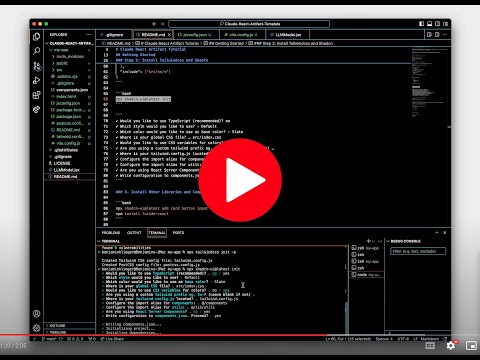
Claude-React-Jumpstart: A step-by-step guide to running Claude-generated React code locally.
Getting Started
You can use the example provided to learn the process. Before beginning the following steps, remove the my-app folder so you can recreate it.
Step 1: Create new React app with Vite
npm create vite@latest my-app
✔ Select a framework: › React
✔ Select a variant: › JavaScript
cd my-app
npm install
Step 2: Install Tailwindcss and Shadcn
From instructions: https://ui.shadcn.com/docs/installation/vite
npm install -D tailwindcss postcss autoprefixer
npx tailwindcss init -p
Update vite.config.js:
import { defineConfig } from 'vite'
import react from '@vitejs/plugin-react'
import path from 'path'

export default defineConfig({
  plugins: [react()],
  resolve: {
    alias: {
      '@': path.resolve(__dirname, './src'),
    },
  },
})
Create jsconfig.json:
{
  "compilerOptions": {
    "baseUrl": ".",
    "paths": {
      "@/*": ["src/*"]
    }
  },
  "include": ["src/**/*"]
}
npx shadcn-ui@latest init
✔ Would you like to use TypeScript (recommended)? no
✔ Which style would you like to use? › Default
✔ Which color would you like to use as base color? › Slate
✔ Where is your global CSS file? … src/index.css
✔ Would you like to use CSS variables for colors? … yes
✔ Are you using a custom tailwind prefix eg. tw-? (Leave blank if not) …
✔ Where is your tailwind.config.js located? … tailwind.config.js
✔ Configure the import alias for components: … @/components
✔ Configure the import alias for utils: … @/lib/utils
✔ Are you using React Server Components? … no
✔ Write configuration to components.json. Proceed? … yes
3. Install Other Libraries and Components
Choose your list of required components and libraries to download based upon the imports in your react file.
npx shadcn-ui@latest add card button input
npm install lucide-react
4. Add Your Artifact Code
LLMModel.jsx is an included artifact example. You can move the file to src/components/LLMModel.jsx.
Then add it to your app by updating App.jsx:
import './App.css'
import LLMModel from './components/LLMModel'

function App() {
  return (
    <>
      <LLMModel/>
    </>
  )
}

export default App
5. Run the App
npm run dev
 Example App with LLMModel.jsx Online
 Bklieger