
BiglyBT
 BiglyBT copied to clipboard
 BiglySoftware
Super enlarged column spacing in windows all of a sudden
My client froze up for a few seconds, then all of a sudden, the column's spacing in the text area got super big! I have a laptop, and do not use a mouse. My hand was not on the touchpad and I was just watching it do it on it's own as it unfroze. I tried using the "enlarging and shrinking" hand gestures on the touchpad, I tried plugging a mouse in and using the mouse wheel, I tried with the Control + -/+ as well, and I tried right clicking and looking for options under Organize/Column Setup, but nothing will shrink it back down to normal sized spacing again and I can't really scroll down with this huge spacing effectively at all.
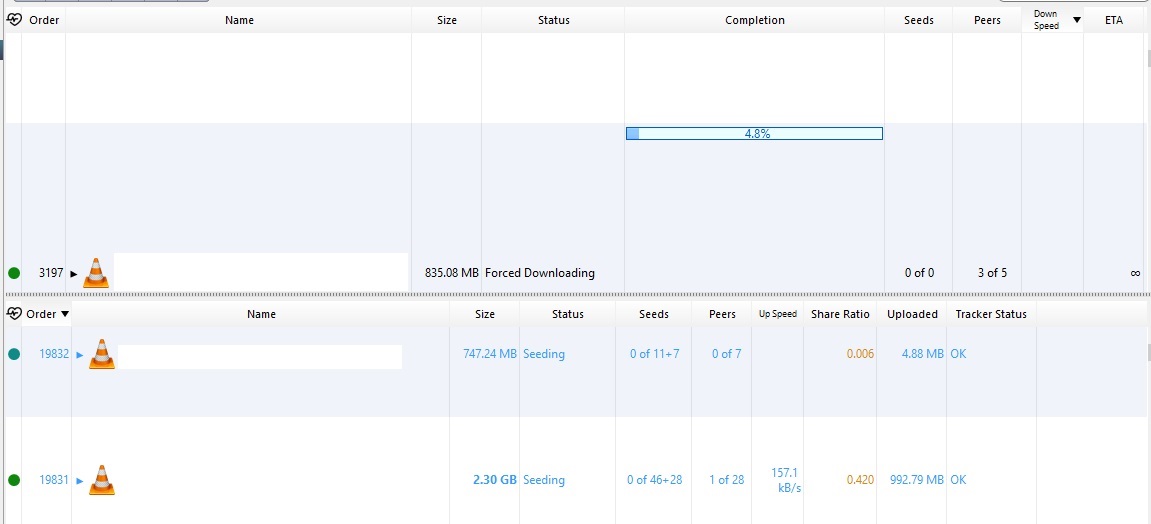

right-click on a table column header (e.g. the 'Order' label) and select "set row height".
ctrl+mouse-wheel can also be used to change the row height
