

 Belphemur
I want to open the device properties window from the SoundSwitch settings screen.
Is your feature request related to a problem? Please describe. Please add the function to open the device properties window from the Playback and Recording tabs of the SoundSwitch settings screen. Currently, in order to open the device properties window, I need to right-click on the SoundSwitch taskbar icon, select Playback Devices, and then open the device properties window from the Windows Playback Devices list window. This is a lot of steps and time consuming.
Describe the solution you'd like
Please add the function to double-click on a device or open the properties window from the right-click menu in the Playback and Recording tabs of the SoundSwitch settings screen.
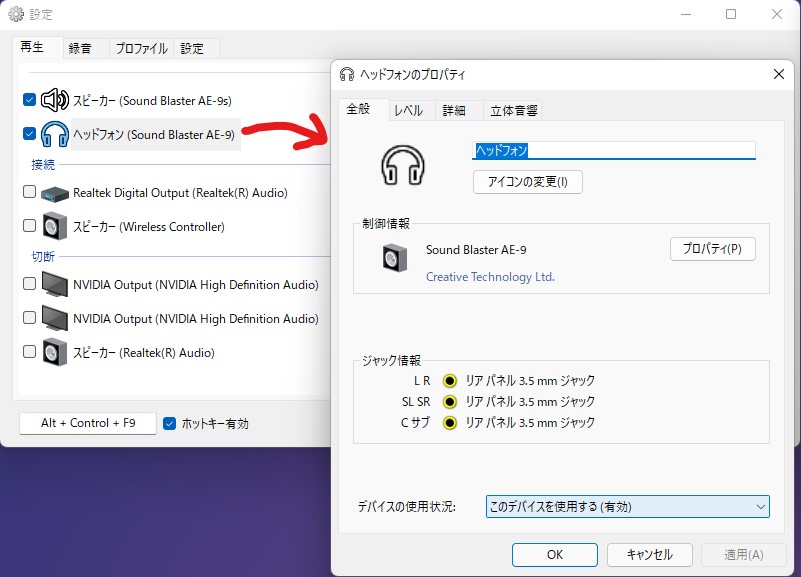
Describe alternatives you've considered None.
Additional context None.
