

 Bee-Mar
BUG: Not all Installed modules are in local packages
Describe the Bug
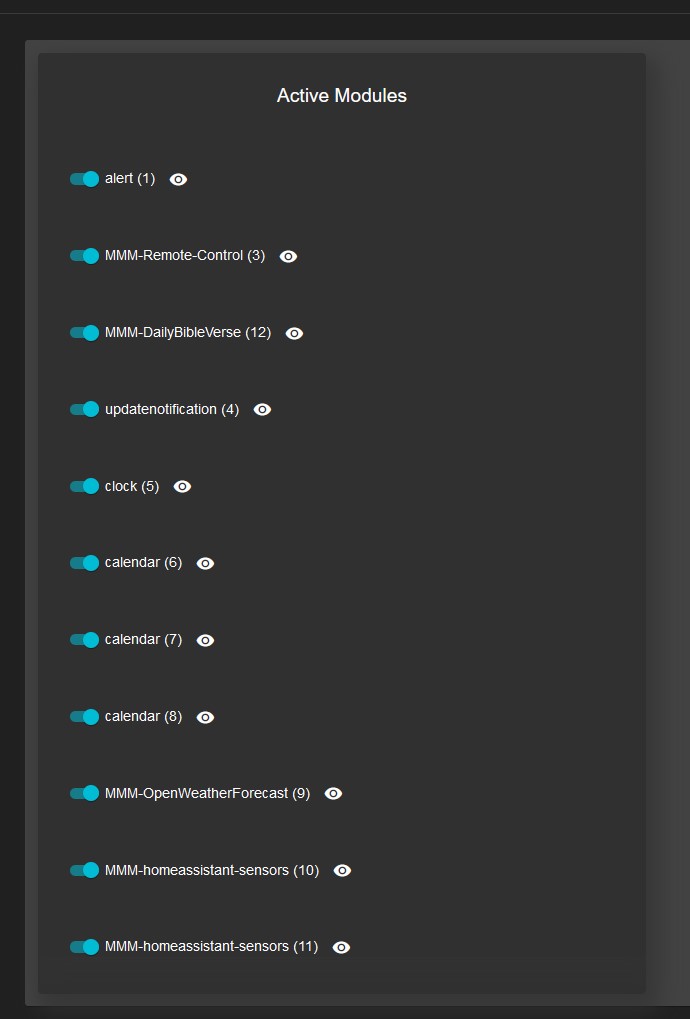
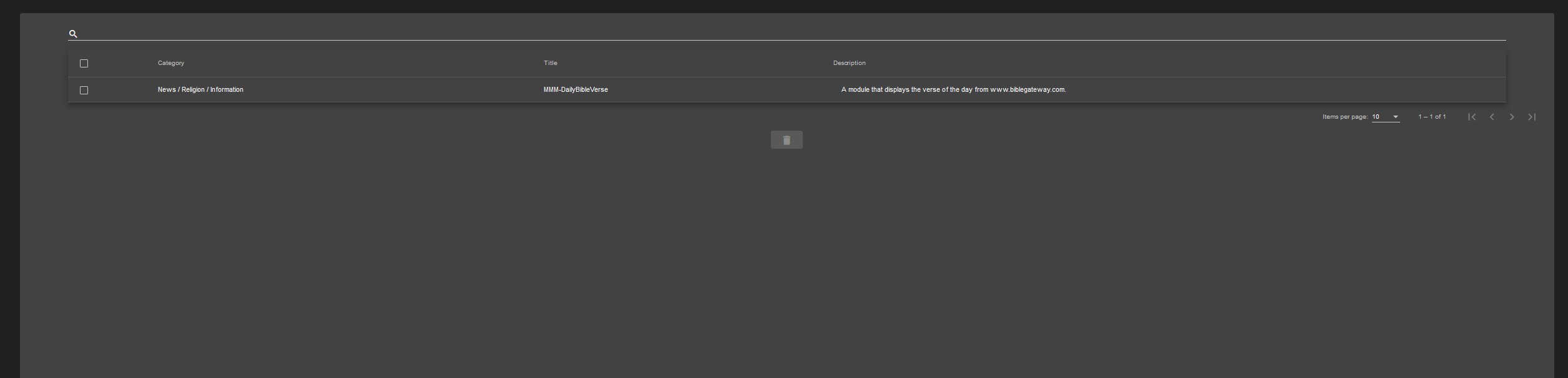
I have installed 5 modules (excluding MMPM) using git clone and all of them work perfectly fine in the Magic Mirror frontend. However in MMPM only one of these modules are found in "local packages" and therefore MMPM watches for updates.
There seems to be a wiki page regarding this but it states that the issue was fixed in version 2.02. I have here a very fresh install - no upgrade or the like, running the latest version 2.14 but the issue is still present.
The modules are discovered fine in the "Active Modules" part of the control center.
Am I missing something?
Screenshots
Operating System, Python3 Version, and Web Browser\
PRETTY_NAME="Raspbian GNU/Linux 11 (bullseye)"
NAME="Raspbian GNU/Linux"
VERSION_ID="11"
VERSION="11 (bullseye)"
VERSION_CODENAME=bullseye
ID=raspbian
ID_LIKE=debian
HOME_URL="http://www.raspbian.org/"
SUPPORT_URL="http://www.raspbian.org/RaspbianForums"
BUG_REPORT_URL="http://www.raspbian.org/RaspbianBugs"
Python 3.9.2
MMPM Environment Settings
{
  "MMPM_MAGICMIRROR_ROOT": "/home/steve/MagicMirror",
  "MMPM_MAGICMIRROR_URI": "http://192.168.100.71:8080",
  "MMPM_MAGICMIRROR_PM2_PROCESS_NAME": "mm",
  "MMPM_MAGICMIRROR_DOCKER_COMPOSE_FILE": ".",
  "MMPM_IS_DOCKER_IMAGE": false
}

@Schnabulation The issue may be related to with what the name of the module is and the name of the directory. When you ran git clone to install the local packages, does the name of each module in your config.js match the name of the directory the module was cloned into?

Thank you for your help. I have just compared the directories to my config.js and can say: yes, the folder names match the name of the module referenced in the config.
Interestingly though all new installed modules show up correctly under Local Packages but the ones that were already installed when installing MMPM do not show up. Do I have to manually index them somehow?
There is no mechanism to manually index them. Also, I didn't clearly explain my previous question. When you cloned each of the repos, did you clone them into an alias directory? Or did you just run "git clone" followed by only the URL?
For example:
git clone https://github.com/bee-mar/mmpm.git
Or did you run something like:
git clone https://github.com/bee-mar/mmpm.git ~/some-alternative-name
Also, it would be best for you to reinstall the modules using the "mmpm" CLI. The way some modules are named doesn't quite match with the repo URL and I have to parse the name from the URL. So MMPM may be looking for a different name than you expect.
When you cloned each of the repos, did you clone them into an alias directory?
I just run the normal git clone [repo-url] command without any alias name. But I did install these modules before I installed mmpm. I was of the impression that mmpm would index them.
If I reinstall the repos will my adjustments be overwritten? I have adjusted some CSS files.
@Schnabulation unfortunately yes they would be. Are the CSS files part of a package that compiles a web application? If they aren't compiled then you can copy them elsewhere, reinstall using mmpm install then copy the files back into the right location. This has been a weird issue that's persisted up to this point but I'm going to try and get it resolve this week.