
gdnative_cpp_example
 gdnative_cpp_example copied to clipboard
 BastiaanOlij
fatal error C1083: Cannot open the include file: 'Godot.hpp': No such file or directory
When I try the plugin compile scons platform=windows generate_bindings=yes x64=yes into gdnative_cpp_example of the GDNative Tutorial it gives me this error:
scons: Reading SConscript files ... scons: done reading SConscript files. scons: Building targets ... cl /Fosrc\gdexample.obj /c src\gdexample.cpp /TP /nologo -DWIN32 -D_WIN32 -D_WINDOWS -W3 -GR -D_CRT_SECURE_NO_WARNINGS -EHsc -D_DEBUG -MDd /I. /Igodot-cpp\godot-headers /Igodot-cpp\include /Igodot-cpp\include\core /Igodot-cpp\include\gen /Isrc gdexample.cpp C:\Users\Antonio\gdnative_cpp_example\src\gdexample.h(4): fatal error C1083: No se puede abrir el archivo incluir: 'Godot.hpp': No such file or directory scons: *** [src\gdexample.obj] Error 2 scons: building terminated because of errors.
This is my SConstruct file:
#!python
import os, subprocess
opts = Variables([], ARGUMENTS)
Gets the standard flags CC, CCX, etc.
env = DefaultEnvironment()
Define our options
opts.Add(EnumVariable('target', "Compilation target", 'debug', ['d', 'debug', 'r', 'release']))
opts.Add(EnumVariable('platform', "Compilation platform", '', ['', 'windows', 'x11', 'linux', 'osx']))
opts.Add(EnumVariable('p', "Compilation target, alias for 'platform'", '', ['', 'windows', 'x11', 'linux', 'osx']))
opts.Add(BoolVariable('use_llvm', "Use the LLVM / Clang compiler", 'no'))
opts.Add(PathVariable('target_path', 'The path where the lib is installed.', 'demo/bin/',PathVariable.PathAccept))
opts.Add(PathVariable('target_name', 'The library name.', 'libgdexample', PathVariable.PathAccept))
Local dependency paths, adapt them to your setup
godot_headers_path = "godot-cpp/godot-headers/"
cpp_bindings_path = "godot-cpp/"
cpp_library = "libgodot-cpp"
only support 64 at this time.. bits = 64
Updates the environment with the option variables. opts.Update(env)
Process some arguments if env['use_llvm']: env['CC'] = 'clang' env['CXX'] = 'clang++'
if env['p'] != '': env['platform'] = env['p']
if env['platform'] == '': print("No valid target platform selected.") quit();
Check our platform specifics if env['platform'] == "osx": env['target_path'] += 'osx/' cpp_library += '.osx' if env['target'] in ('debug', 'd'): env.Append(CCFLAGS = ['-g','-O2', '-arch', 'x86_64', '-std=c++17']) env.Append(LINKFLAGS = ['-arch', 'x86_64']) else: env.Append(CCFLAGS = ['-g','-O3', '-arch', 'x86_64', '-std=c++17']) env.Append(LINKFLAGS = ['-arch', 'x86_64'])
elif env['platform'] in ('x11', 'linux'): env['target_path'] += 'x11/' cpp_library += '.linux' if env['target'] in ('debug', 'd'): env.Append(CCFLAGS = ['-fPIC', '-g3','-Og', '-std=c++17']) else: env.Append(CCFLAGS = ['-fPIC', '-g','-O3', '-std=c++17'])
elif env['platform'] == "windows": env['target_path'] += 'win64/' cpp_library += '.windows' This makes sure to keep the session environment variables on windows, that way you can run scons in a vs 2017 prompt and it will find all the required tools env.Append(ENV = os.environ)
env.Append(CCFLAGS = ['-DWIN32', '-D_WIN32', '-D_WINDOWS', '-W3', '-GR', '-D_CRT_SECURE_NO_WARNINGS'])
if env['target'] in ('debug', 'd'):
    env.Append(CCFLAGS = ['-EHsc', '-D_DEBUG', '-MDd'])
else:
    env.Append(CCFLAGS = ['-O2', '-EHsc', '-DNDEBUG', '-MD'])
if env['target'] in ('debug', 'd'): cpp_library += '.debug' else: cpp_library += '.release'
cpp_library += '.' + str(bits)
make sure our binding library is properly includes env.Append(CPPPATH=['.', godot_headers_path, cpp_bindings_path + 'include/', cpp_bindings_path + 'include/core/', cpp_bindings_path + 'include/gen/']) env.Append(LIBPATH=[cpp_bindings_path + 'bin/']) env.Append(LIBS=[cpp_library])
tweak this if you want to use different folders, or more folders, to store your source code in. env.Append(CPPPATH=['src/']) sources = Glob('src/*.cpp')
library = env.SharedLibrary(target=env['target_path'] + env['target_name'] , source=sources)
Default(library)
Generates help for the -h scons option. Help(opts.GenerateHelpText(env))`
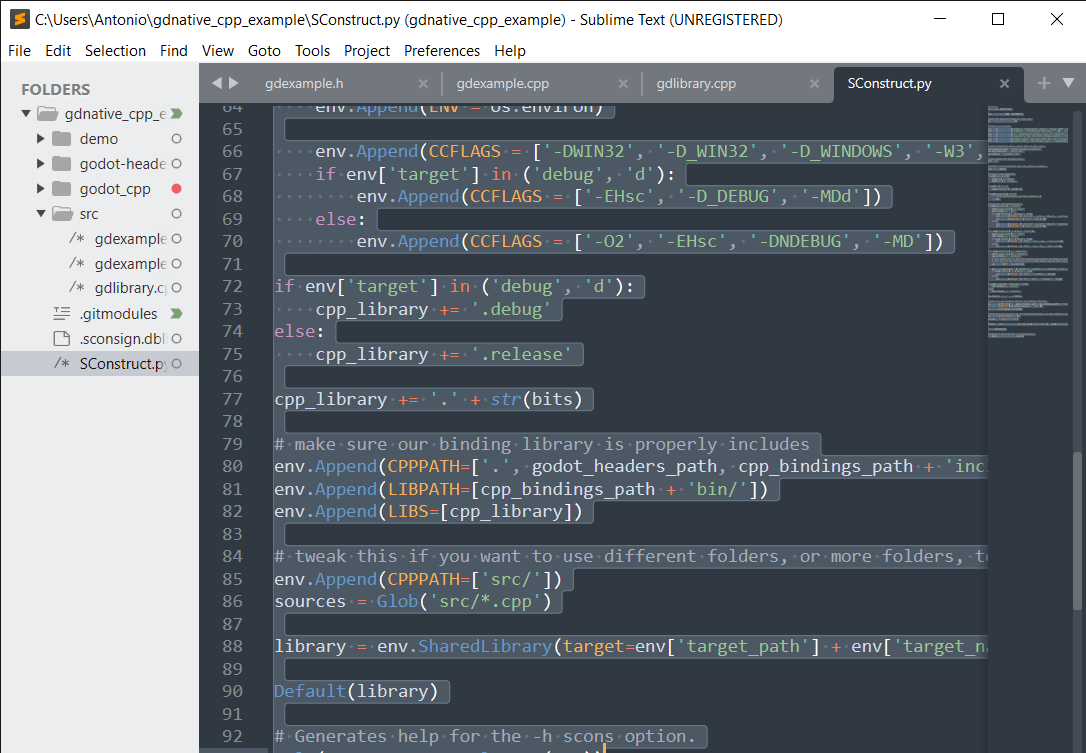
I dont have any Godot.hpp file or something ended with .hpp

Make sure godot-cpp and godot-headers folders are not empty. Also you should download Godot-cpp branch 3.x not master.

Thanks @eugeneBecker , note that godot-cpp is always evolving so it is always good to check the readme on the godot-cpp repo, it tells you about the different branches.
Also this example is in support of the official documentation, you will find instructions for selecting the branch and making sure you pull in the dependencies there.
