BashSupport

BashSupport copied to clipboard
 BashSupport
Bash editor color coding parser gets confused and out of whack
I reported this to PHPStorm, but apparently this is your issue, not theirs... https://youtrack.jetbrains.com/issue/WI-42680
While editing this bash script, by having this function, your parser gets confused and goes all whacky on me...
function timer() {
    hrs="$((($FINISH - $START)/3600)) hrs"
    min="$(((($FINISH - $START)/60)%60)) min"
    sec="$((($FINISH - $START)%60)) sec"

    if [[ $(($FINISH - $START)) -gt 3600 ]]; then echo "$hrs, $min, $sec"
        elif [[ $(($FINISH - $START)) -gt 60 ]]; then echo "$min, $sec"
        else echo "$sec"
    fi
}
Sublime Text does not get confused by this code.
Commenting out the function also un-confuses PHPStorm.

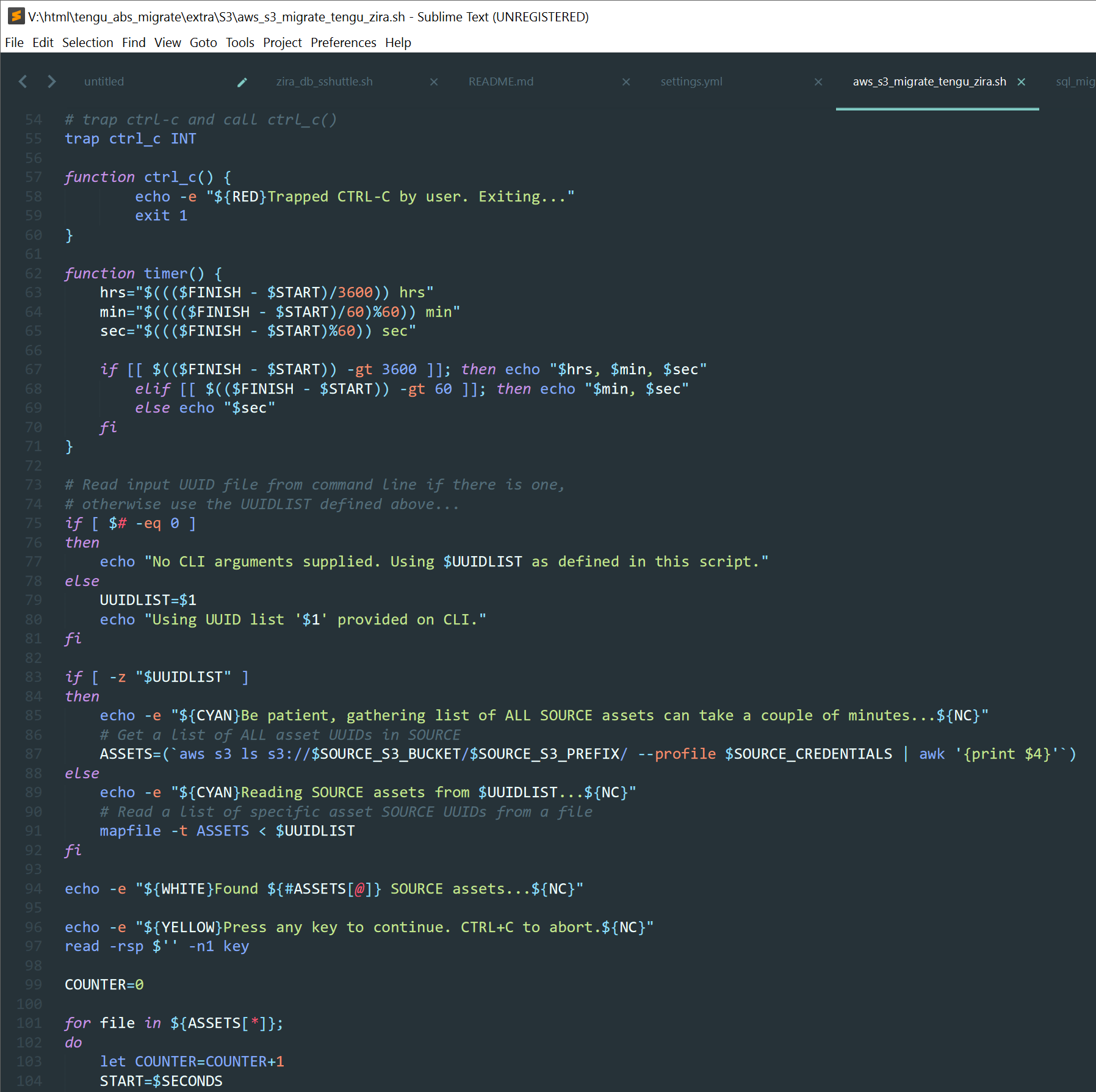
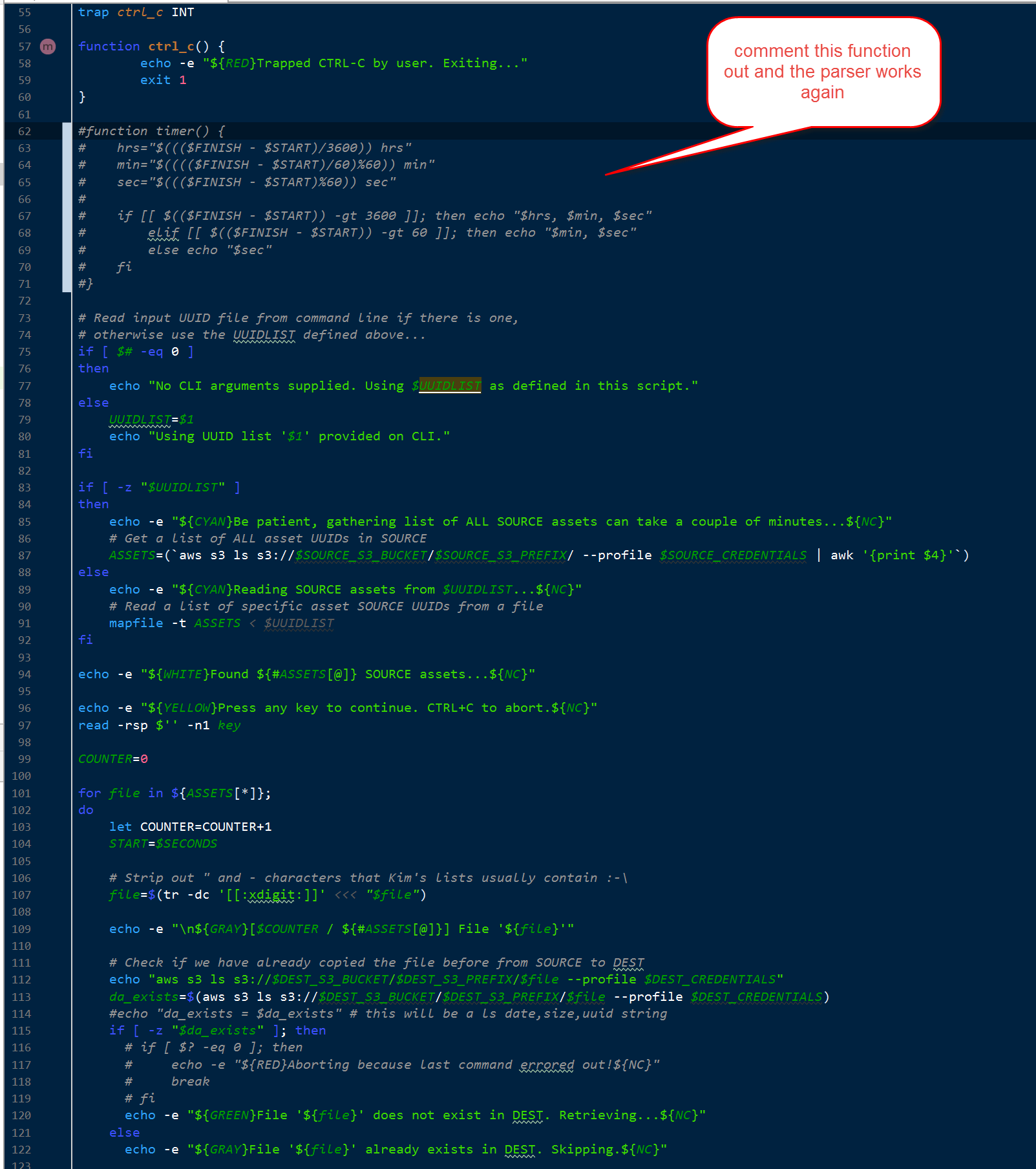
#!/usr/bin/env bash
#######################################################################################################
# S3 bucket, no trailing slash
# Credentials as found in ~/.aws/credentials
# Leave UUIDLIST empty to copy ALL assets from SOURCE to DEST


#######################################################################################################
SECONDS=0

RED='\033[0;31m'
YELLOW='\033[1;33m'
GRAY='\033[0;37m'
WHITE='\033[1;37m'
CYAN='\033[0;36m'
GREEN='\033[0;32m'
NC='\033[0m' # No Color

#set -x

SAVEDIR=./migration_assets
[[ -d $SAVEDIR ]] || mkdir -p $SAVEDIR

# trap ctrl-c and call ctrl_c()
trap ctrl_c INT

function ctrl_c() {
        echo -e "${RED}Trapped CTRL-C by user. Exiting..."
        exit 1
}

function timer() {
    hrs="$((($FINISH - $START)/3600)) hrs"
    min="$(((($FINISH - $START)/60)%60)) min"
    sec="$((($FINISH - $START)%60)) sec"

    if [[ $(($FINISH - $START)) -gt 3600 ]]; then echo "$hrs, $min, $sec"
        elif [[ $(($FINISH - $START)) -gt 60 ]]; then echo "$min, $sec"
        else echo "$sec"
    fi
}

# Read input UUID file from command line if there is one,
# otherwise use the UUIDLIST defined above...
if [ $# -eq 0 ]
then
    echo "No CLI arguments supplied. Using $UUIDLIST as defined in this script."
else
    UUIDLIST=$1
    echo "Using UUID list '$1' provided on CLI."
fi

if [ -z "$UUIDLIST" ]
then
    echo -e "${CYAN}Be patient, gathering list of ALL SOURCE assets can take a couple of minutes...${NC}"
    # Get a list of ALL asset UUIDs in SOURCE
    ASSETS=(`aws s3 ls s3://$SOURCE_S3_BUCKET/$SOURCE_S3_PREFIX/ --profile $SOURCE_CREDENTIALS | awk '{print $4}'`)
else
    echo -e "${CYAN}Reading SOURCE assets from $UUIDLIST...${NC}"
    # Read a list of specific asset SOURCE UUIDs from a file
    mapfile -t ASSETS < $UUIDLIST
fi

echo -e "${WHITE}Found ${#ASSETS[@]} SOURCE assets...${NC}"

echo -e "${YELLOW}Press any key to continue. CTRL+C to abort.${NC}"
read -rsp $'' -n1 key

COUNTER=0

for file in ${ASSETS[*]};
do
    let COUNTER=COUNTER+1
    START=$SECONDS

    # Strip out " and - characters that Kim's lists usually contain :-\
    file=$(tr -dc '[[:xdigit:]]' <<< "$file")

    echo -e "\n${GRAY}[$COUNTER / ${#ASSETS[@]}] File '${file}'"

    # Check if we have already copied the file before from SOURCE to DEST
    echo "aws s3 ls s3://$DEST_S3_BUCKET/$DEST_S3_PREFIX/$file --profile $DEST_CREDENTIALS"
    da_exists=$(aws s3 ls s3://$DEST_S3_BUCKET/$DEST_S3_PREFIX/$file --profile $DEST_CREDENTIALS)
    #echo "da_exists = $da_exists" # this will be a ls date,size,uuid string
    if [ -z "$da_exists" ]; then
      # if [ $? -eq 0 ]; then
      #     echo -e "${RED}Aborting because last command errored out!${NC}"
      #     break
      # fi
      echo -e "${GREEN}File '${file}' does not exist in DEST. Retrieving...${NC}"
    else
      echo -e "${GRAY}File '${file}' already exists in DEST. Skipping.${NC}"

      # This was ONLY to fix up previously downloaded and broken assets, this stuff happens below when we get them normally...
      #echo -e "${GREEN}File '${file}' already exists in DEST. FIXING ACL.${NC}"
      #aws s3api put-object-acl --bucket $DEST_S3_BUCKET --key $DEST_S3_PREFIX/$file --acl public-read --profile $DEST_CREDENTIALS

      #CONTENTTYPE=(`aws s3api head-object --bucket $SOURCE_S3_BUCKET --key $SOURCE_S3_PREFIX/$file --profile $SOURCE_CREDENTIALS | jq '.ContentType' | tr -d '"'`)
      #echo $CONTENTTYPE
      #aws s3 cp --content-type $CONTENTTYPE --acl public-read s3://$DEST_S3_BUCKET/$DEST_S3_PREFIX/$file s3://$DEST_S3_BUCKET/$DEST_S3_PREFIX/$file --profile $DEST_CREDENTIALS --metadata-directive REPLACE
      #aws s3api head-object --bucket $DEST_S3_BUCKET --key $DEST_S3_PREFIX/$file --profile $DEST_CREDENTIALS

      continue
    fi

    # Check if the file exists in SOURCE before we copy it locally
    echo "aws s3 ls s3://$SOURCE_S3_BUCKET/$SOURCE_S3_PREFIX/$file --profile $SOURCE_CREDENTIALS"
    sa_exists=$(aws s3 ls s3://$SOURCE_S3_BUCKET/$SOURCE_S3_PREFIX/$file --profile $SOURCE_CREDENTIALS)
    #echo "sa_exists = $sa_exists" # this will be a ls date,size,uuid string
    if [ -z "$sa_exists" ]; then
       echo -e "${RED}File '${file}' was not found in SOURCE. Can not copy!${NC}"
       continue
    else
       echo -ne "${GREEN}"
       aws s3 cp s3://$SOURCE_S3_BUCKET/$SOURCE_S3_PREFIX/$file $SAVEDIR/$file --profile $SOURCE_CREDENTIALS --metadata-directive REPLACE
       if [ $? -eq 0 ]; then
           CONTENTTYPE=(`aws s3api head-object --bucket $SOURCE_S3_BUCKET --key $SOURCE_S3_PREFIX/$file --profile $SOURCE_CREDENTIALS | jq '.ContentType' | tr -d '"'`)
           echo $CONTENTTYPE

           aws s3 cp --content-type $CONTENTTYPE --acl public-read $SAVEDIR/$file s3://$DEST_S3_BUCKET/$DEST_S3_PREFIX/$file --profile $DEST_CREDENTIALS --metadata-directive REPLACE
           #aws s3api put-object-acl --bucket $DEST_S3_BUCKET --key $DEST_S3_PREFIX/$file --acl public-read --profile $DEST_CREDENTIALS
           aws s3api head-object --bucket $DEST_S3_BUCKET --key $DEST_S3_PREFIX/$file --profile $DEST_CREDENTIALS

           echo -ne "${NC}"
           FINISH=$SECONDS
           echo -n "Asset timer: "; timer
       else
           echo -e "${RED}Aborting because last command errored out!${NC}"
           break
       fi
    fi

    rm -f $SAVEDIR/$file
    echo -e "${NC}"
done

echo -e "${CYAN}"
if (( $SECONDS > 3600 )) ; then
    let "hours=SECONDS/3600"
    let "minutes=(SECONDS%3600)/60"
    let "seconds=(SECONDS%3600)%60"
    echo "Completed in $hours hour(s), $minutes minute(s) and $seconds second(s)"
elif (( $SECONDS > 60 )) ; then
    let "minutes=(SECONDS%3600)/60"
    let "seconds=(SECONDS%3600)%60"
    echo "Completed in $minutes minute(s) and $seconds second(s)"
else
    echo "Completed in $SECONDS seconds"
fi
date +%T -d "1/1 + $SECONDS sec"
echo -e "${NC}"

echo -e "${RED}Would you like to remove all the files in $SAVEDIR ?"
read -p "[yN]" -n 1 -r
echo    # (optional) move to a new line
if [[ $REPLY =~ ^[Yy]$ ]]
then
    echo -e "${RED}Purging all the files in $SAVEDIR ...${NC}"
    rm -rf $SAVEDIR
fi

echo "Zipping up log files..."
cd ../../logs/
find . -name '*.log' -not -name '*.zip' -exec zip {}.zip {} \;

@daevidvincent A workaround is to add a space after $(( as it's ambiguous, see https://github.com/mvdan/sh/issues/30 for details.
BashSupport isn't able to parse this atm.