

 Badgerati
Passing variables into another component
Hello,
I hope that you all are ok.
I want to pass variables from a form to another component. In summary, I want a user to be able to query an Active Directory account and display the desired information.
example :
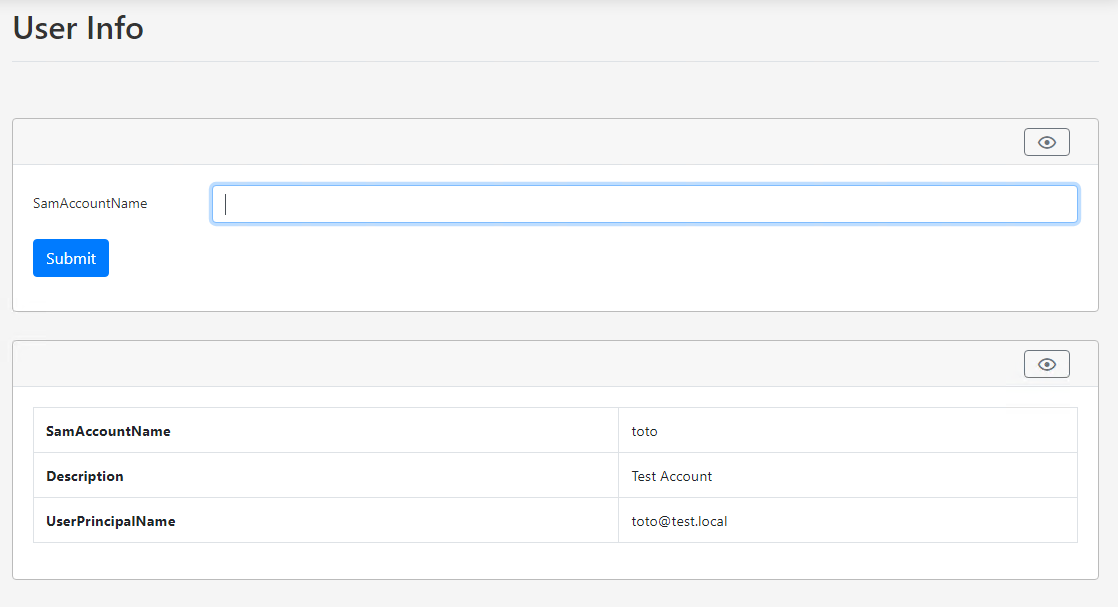
I don't know how to pass the form variables to another component...
My second component is a : New-PodeWebRaw. example :
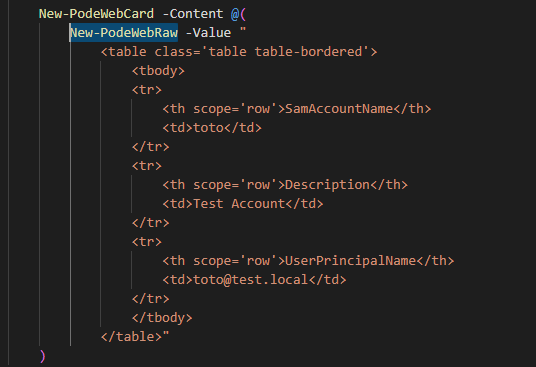
Do you know how can I do?
Thanks.
Cordially,
Thomas.

Hello,
After many tries, I succeeded by doing this:
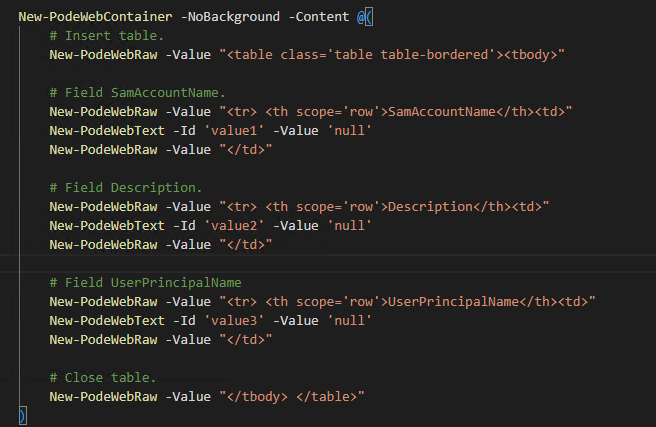
On the other hand, I find that ugly. A good idea would be to inject parameters to the 'New-PodeWebRaw' command and be able to update it.
Cordially,
Thomas.
Hi @ThomasPerezBlanco,
At the moment there isn't a way to update elements created by New-PodeWebRaw, but I might have an idea by adding a new output function that lets you update elements using a jQuery selector (or just by ID). Something like Update-PodeWebComponentValue [-Id] [-Selector] 🤔
On the table layout, I could look to add that layout as a possibility for tables - having the headers in the first row, rather than just the first column?

Hi @Badgerati,
First of all, thank you for your excellent work. Super idea the command Update-PodeWebComponentValue [-Id]. Yes, putting the header on the 1st column is very good for visualization on an object, it can be useful for many users.
Thank you.
Hi @ThomasPerezBlanco, here is how I do the table thing:
Add a little CSS to a file imported using Import-PodeWebStylesheet:
.noheadertable thead {
    display: none;
}
Then:
New-PodeWebTable -Name 'DetailsTable' -CssClass 'noheadertable' -CssStyle @{ width = 'auto' } -Compact -NoRefresh -NoExport -ScriptBlock {
    $Data = Fetch-SomeData

    # Optional, just to make some labels more user friendly
    $Translations = @{
        BatchTime = 'Migration time'
        ApplicationCustodian = 'Application custodian'
        InfrastructureCustodian = 'Infrastructure custodian'
        Datacenter = 'vSphere datacenter'
        Cluster = 'vSphere cluster'
        ProcessControl = 'Process control'
        OS = 'Operating system'
        CloudLocation = 'Cloud location'
    }

    # List of $Data properties to display
    @('Name', 'Datacenter', 'Cluster', 'Class', 'Category', 'Status', 'ApplicationCustodian','InfrastructureCustodian',
        'Escalation', 'Criticality', 'ProcessControl', 'Restricted', 'Production', 'Usage', 'OS', 'Group', 'Wave', 'Batch',
        'BatchTime', 'CloudLocation', 'Comment', 'Manager', 'Organization') | ForEach-Object {
        [Ordered]@{
            Key = $Translations[$_] ? $Translations[$_] : $_
            Value = $Data.$_
        }
    }

    # Optionally, add some extra properties that are formatted differently
    $Data.IP -split ',' | ForEach-Object {
        [Ordered]@{
            Key = 'IP address'
            Value = $_
        }
    }
    $Data.Portgroups | ForEach-Object {
        [Ordered]@{
            Key = 'Portgroup'
            Value = $_
        }
    }
} -Columns @(
    Initialize-PodeWebTableColumn -Key Value -Default ''
)
The Update-PodeWebComponentValue would indeed be very nice to have.
