

 BOINC
BOINC
Force working set size when project does not correctly set
Describe the problem
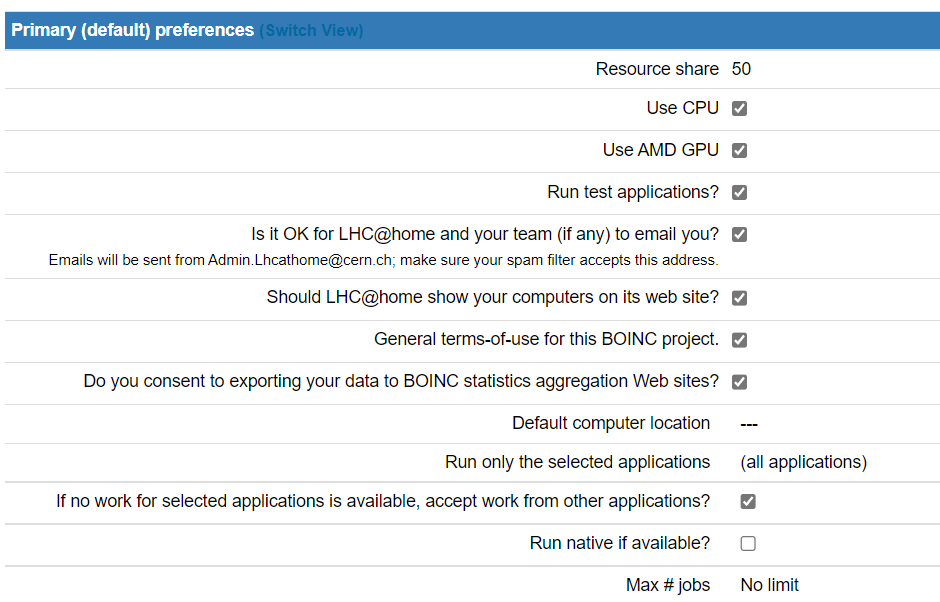 Since the max number of jobs is 8 and I have a 28 core machine it leaves the computer somewhat unloaded, if I don't set unlimited. As a work around I put 1TB of memory in my computer.
In the BOINC client this job is reported as needing 9.96 GB of memory even though it only uses ~2.5 GB


Describe the solution you'd like I could set the cmdline XML element to force a lower quantity of memory and this would be passed to the client?
e.g.
<app_version> <cmdline>--memory_size 2.5 GB</cmdline> </app_version>
but the client doesn't know about this.
There could be a new XML element for memory?
I could also write a script to edit the job file e.g.
foreach ($workunit in $ClientS.client_state.workunit){
If ($workunit.app_name -eq "ATLAS"){$workunit.rsc_memory_bound = (2.5gb).tostring() + ".000000"} }
but I would prefer that I could more readily set it via a config etc.


I added some pictures.
Maybe also there is some issues with Max # of jobs / Max # CPUs since only when both are set to unlimited does BOINC "store at least" n days of work.
The code (app.cpp) has if (atp->app_version->is_vm_app) { // the memory of virtual machine apps is not reported correctly, // at least on Windows. Use the VM size instead. // pi.working_set_size_smoothed = atp->wup->rsc_memory_bound; } else {
... which is the source of this problem.
So we need to figure out
- do OSs other than Windows report VM mem usage correctly?
- has the problem been fixed on Windows since this code was written?
A CMS task reports less
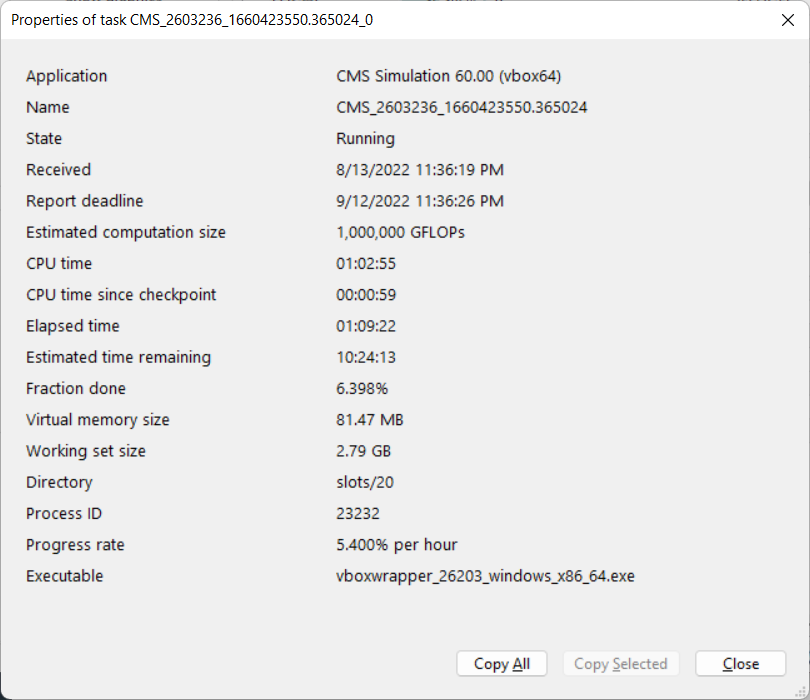
So it reflects the values in the client_state.xml
CMS = 3000000000 Theory = 700000000 ATLAS = 10695475200
If you force another number in appconfig then it doesn't override
I can check on linux
I changed my Max # CPUs to 1, so the working set in client state is 4089446400 but BOINC now has no work buffer, when one job/task is completed then it gets one.
waiting for Linux machine to get some new tasks
Here is default on Linux
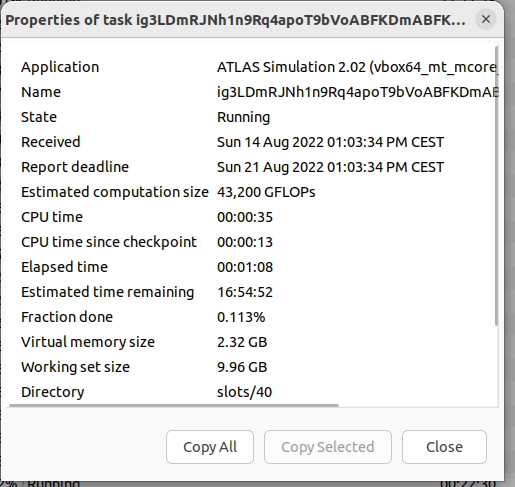 and with --memory_size_mb 3900
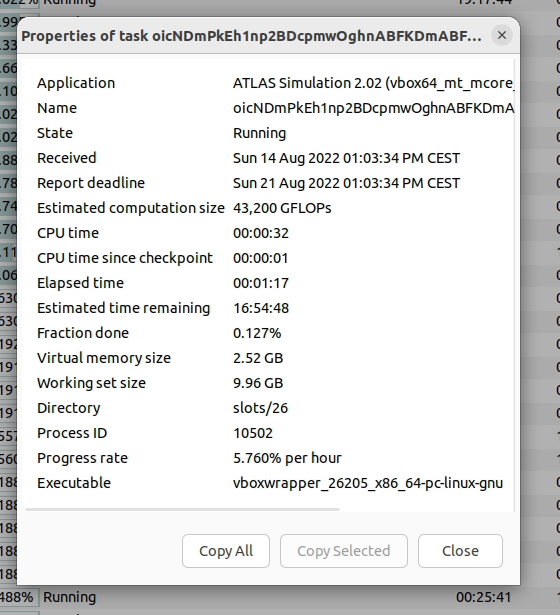
Since it seems that starting a new task is based on WS size then it won't start a new job since client thinks there is no free memory
On windows the VM size is wrong due to the way the kernel handles virtualization, the true ram usage is in private data not in the image size
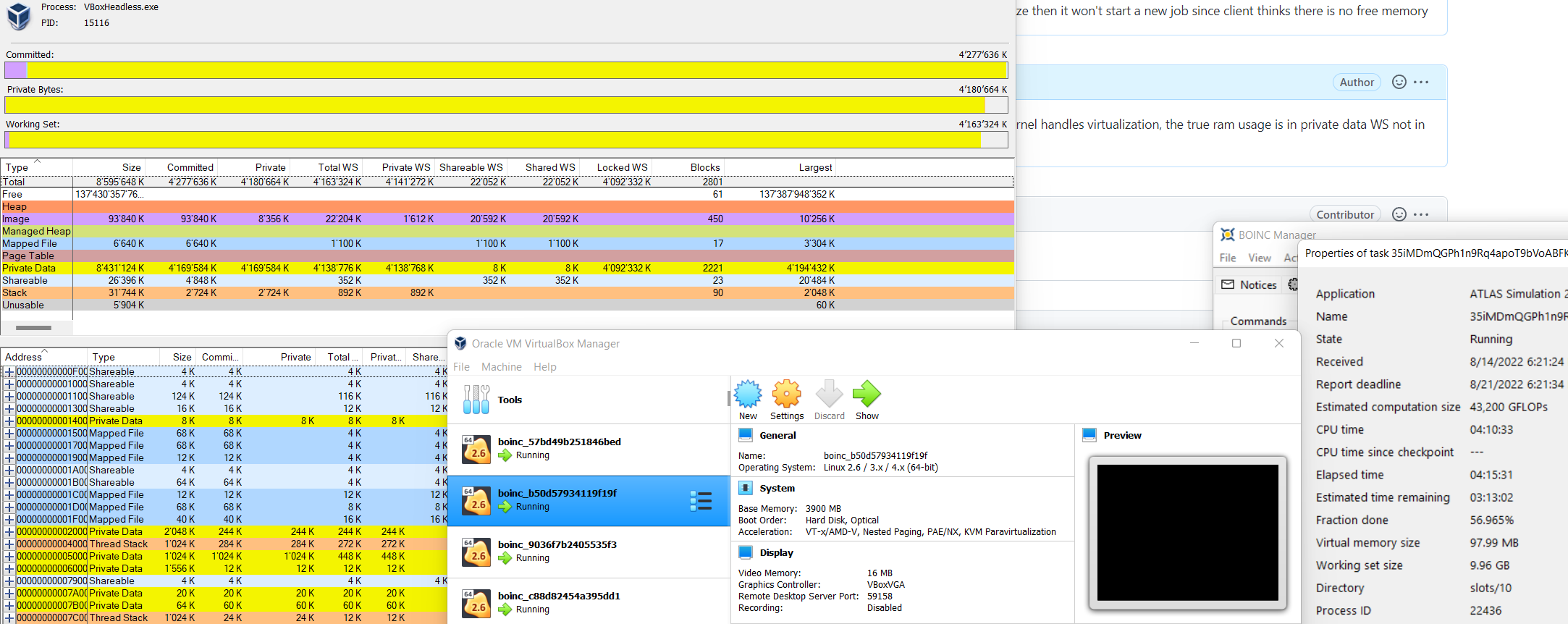

Something like this? https://www.codeproject.com/Articles/87529/Calculate-Memory-Working-Set-Private-Programmatica
https://stackoverflow.com/questions/866202/in-c-win32-app-how-can-i-determine-private-bytes-working-set-and-virtual-size
So if the VM size is fixed then it would start new work based on the delta of free memory vs VM size? now it seems to do based on WS size which is wrong from project