
microsoft-authentication-library-for-android
 microsoft-authentication-library-for-android copied to clipboard
 AzureAD
Unable to open BrowserTabActivity with an emulator on a PC connected to a VPN
Dear team,
Our app currently uses B2C library for login authentication. We would like to run this app on an Android emulator on a PC with a VPN setup. We have already configured the proxy settings to pass through the VPN in the emulator settings, so the app can launch. However, when we try to start B2C's BrowserTabActivity, we get the following error; "Unable to perform cloud discovery".
Environment;
- minSDK...28
- Android emulator...Pixel4 API28
- The proxy setting is configured from the emulator's wifi settings (the following photo on the left).
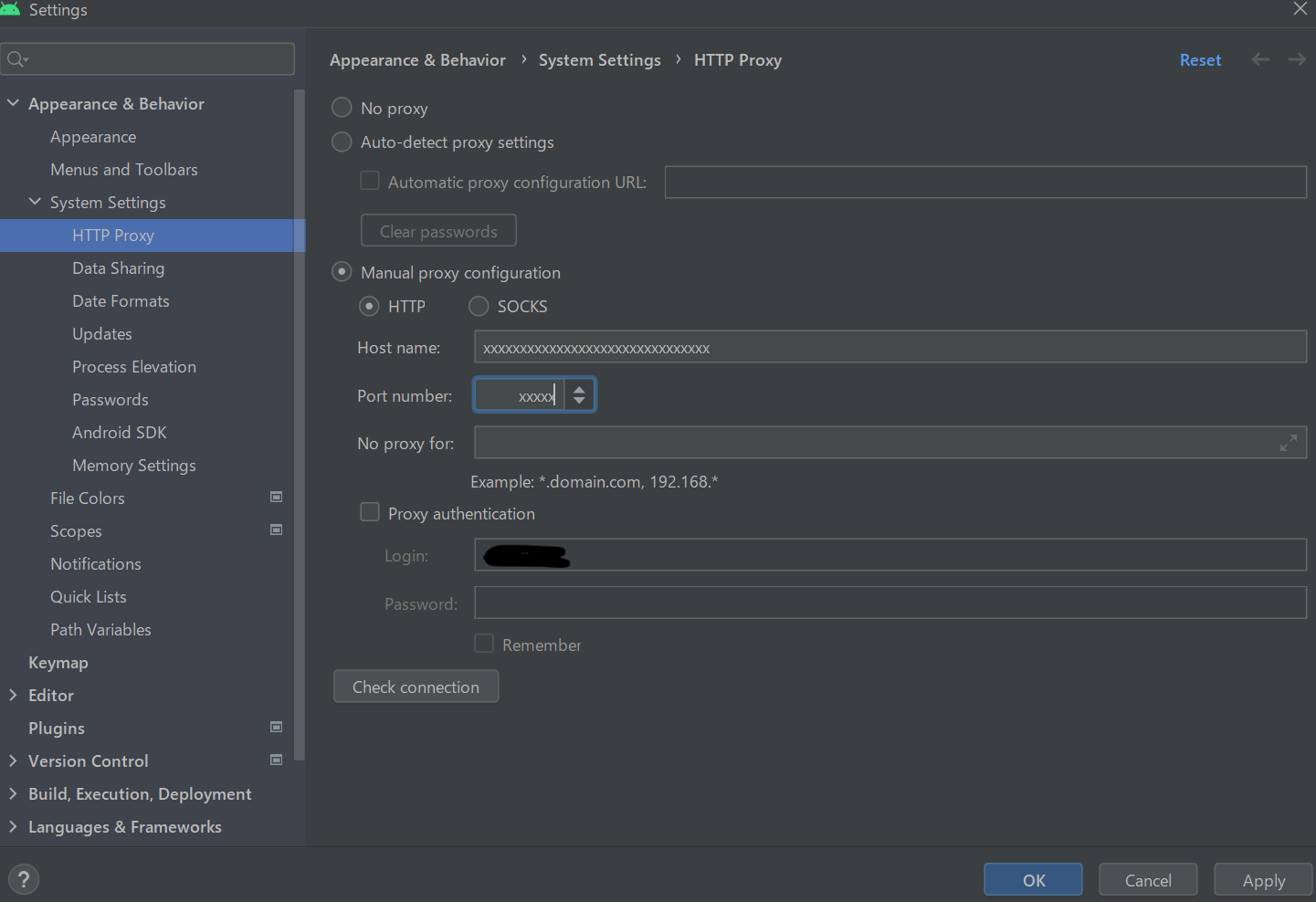
- AndroidStudio proxy setting is also configured (the following photo on the right).
- We have configured Android NetworkSecurityConfig.
As a side note, it works fine on a PC without VPN.
How can we make it work on the PC with the VPN? Is there anything else we need to do?
We would highly appreciate it if you could help us.
| emulator setting | AndroidStuido setting |
|---|---|
 |
 |

@negoe - Let's document the endpoints that must be reachable for the library and then have @saharami confirm that those endpoints are reachable via the VPN configuration.


@saharami Please let us know if you have any follow up questions? Closing due to no response.