

 Azure
Azure
[Feature]: Make Get-AzDiagnosticSettings work.
Make Get-AzDiagnosticSettings work.
Get-AzDiagnosticSettings produces unreliable results.
- Create any Azure resource, e.g. Key Vault
- Set the Diagnostic settings to stream export to more than one destination, e.g. Log Analytics + Storage Account
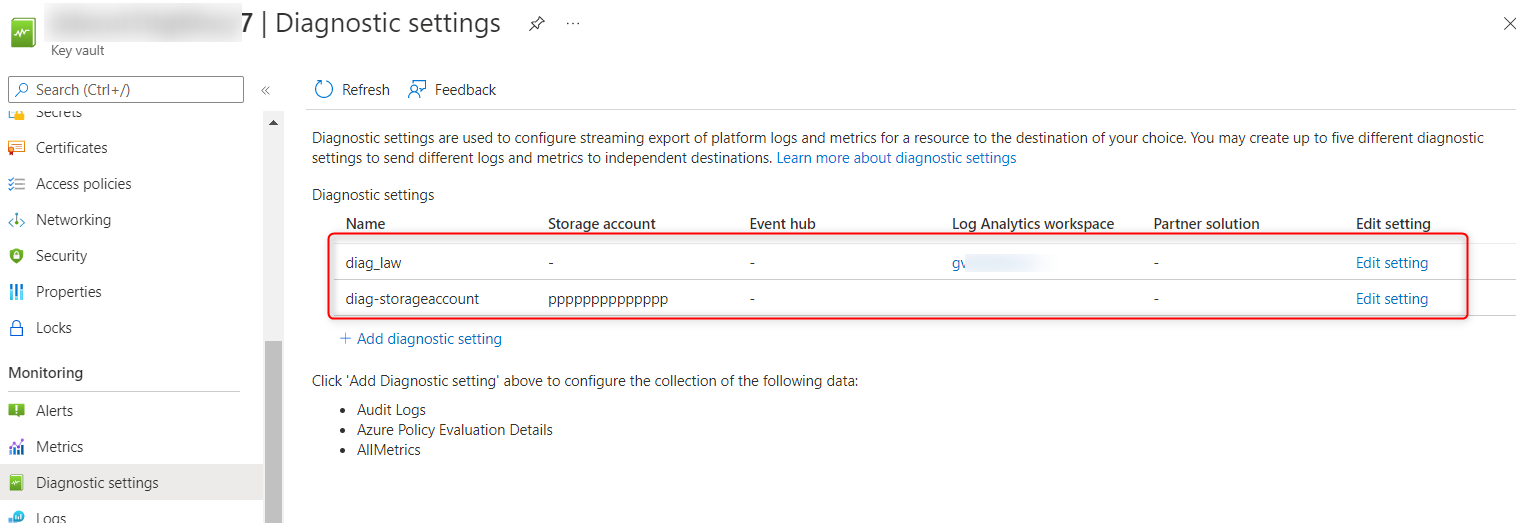
- Have each diagnostic setting export different logs/metrics, e.g. export to Log Analytics:
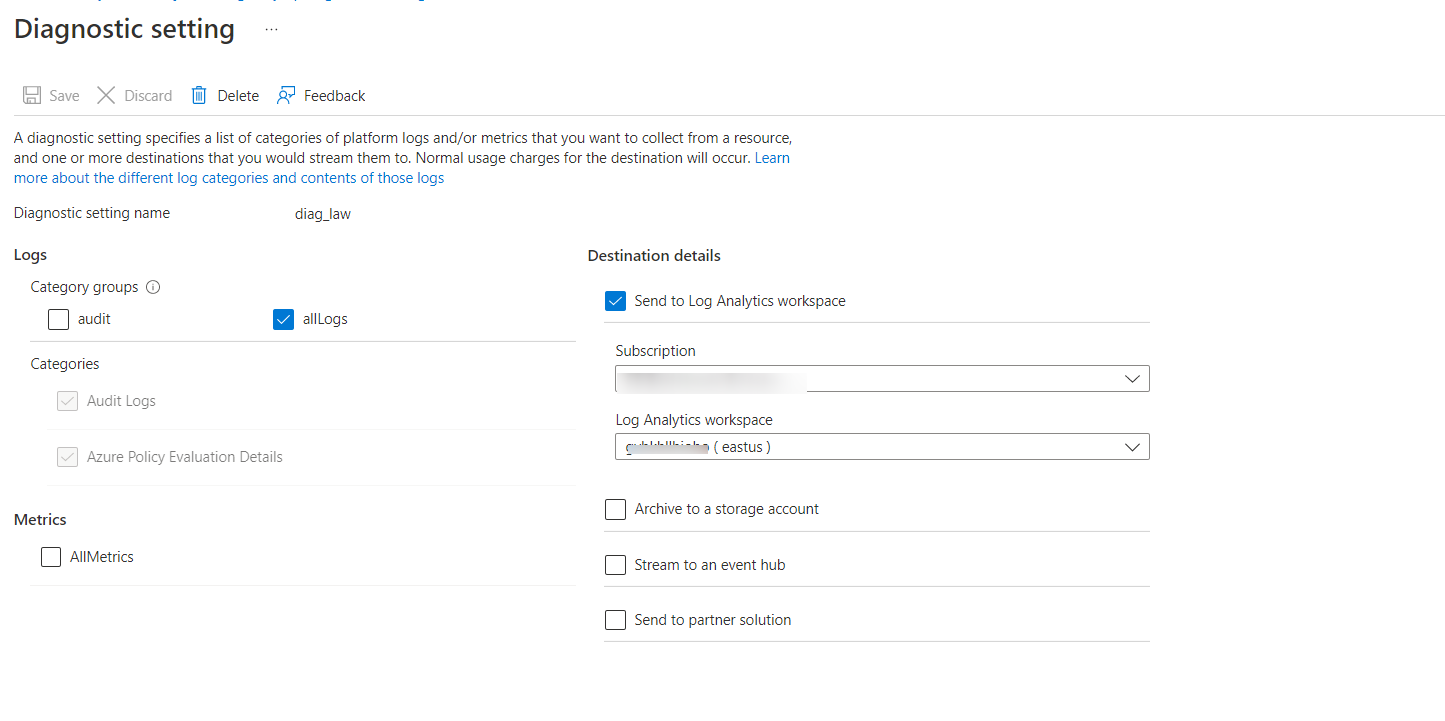
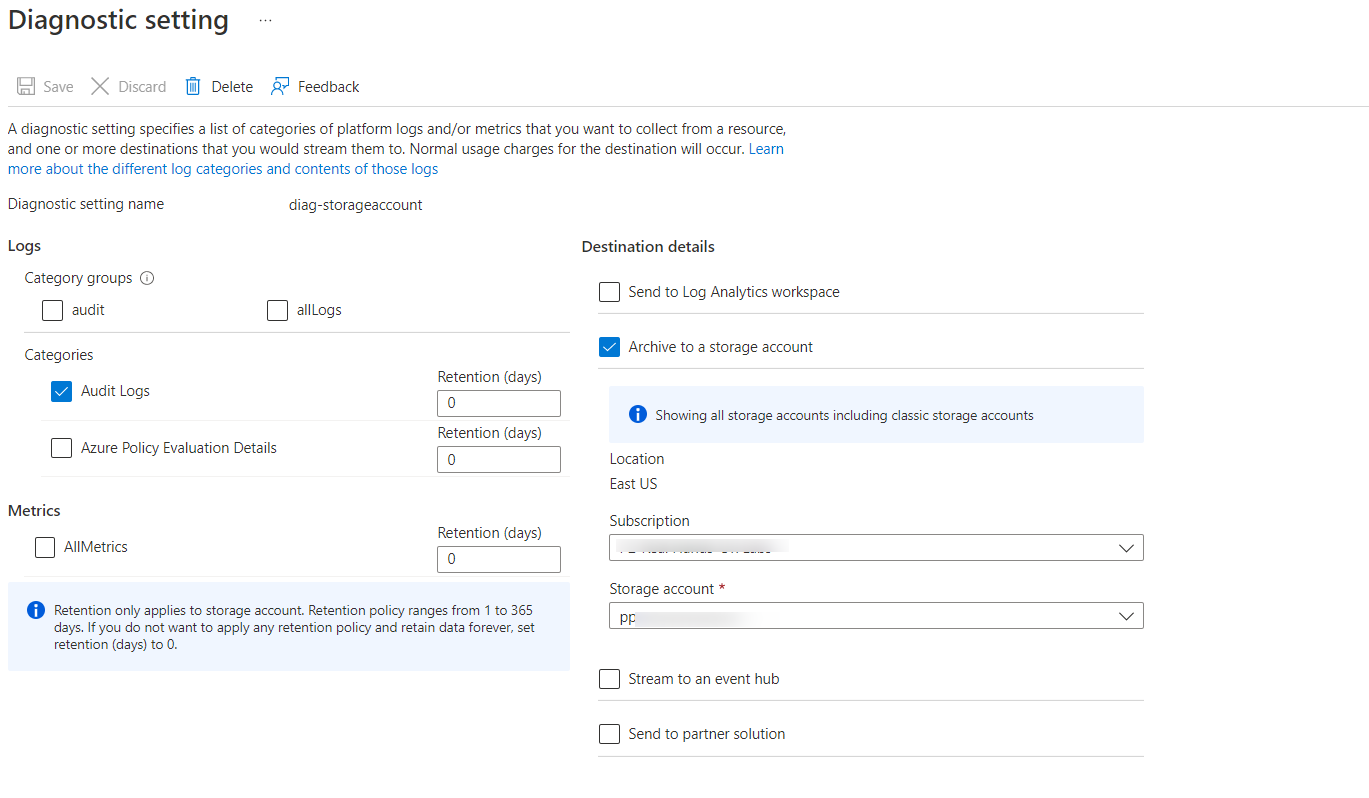
and export to Storage Account:
- Execute
Get-AzDiagnosticSetting -ResourceId "/subscriptions/foo/resourceGroups/1-28909b0d-playground-sandbox/providers/Microsoft.KeyVault/vaults/bar", returns:
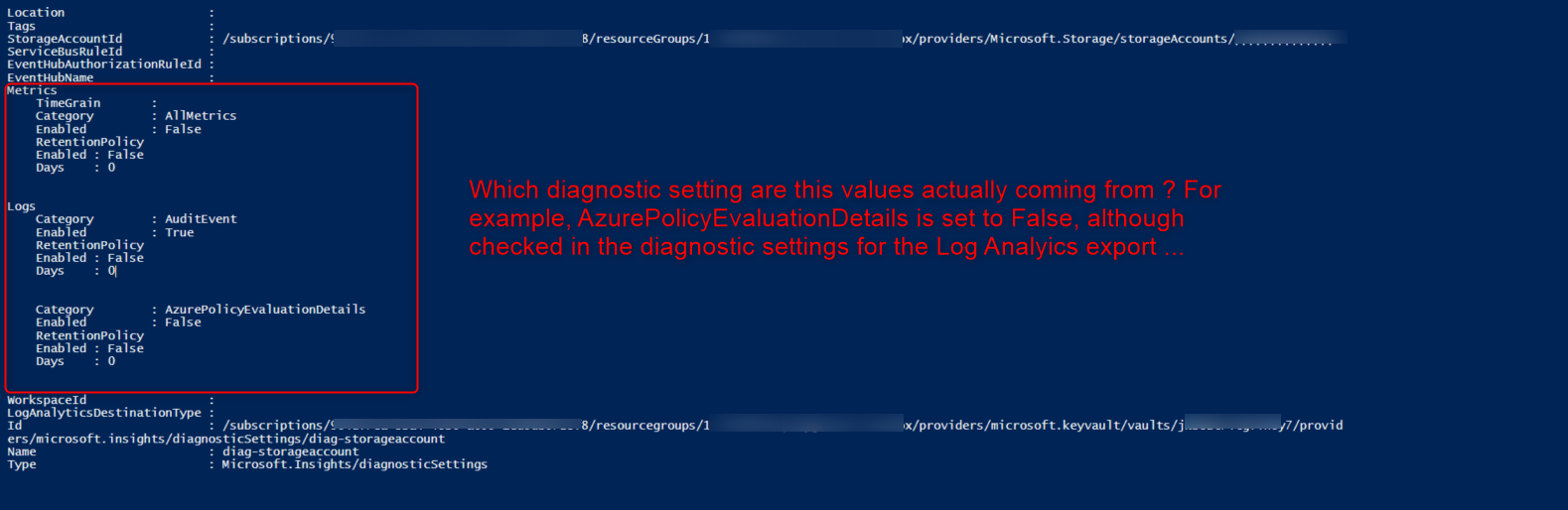
How am I supposed to interpret this results ?
Proposed implementation details (optional)
Have the cmdlet return the diagnostic settings for each export type.

@VeryEarly , could you try the new preview version of Az.Monitor and check whether it contains more information than current? If yes, please share information when module is published.

@mezzofix ,
the result of "Get-AzDiagnosticSetting -ResourceId "/subscriptions/foo/resourceGroups/1-28909b0d-playground-sandbox/providers/Microsoft.KeyVault/vaults/bar"" you executed should be an array, please try
$settings = Get-AzDiagnosticSetting -ResourceId "/subscriptions/foo/resourceGroups/1-28909b0d-playground-sandbox/providers/Microsoft.KeyVault/vaults/bar"
$settings[0]
$settings[1]
you can tell by the "Name" of each setting.
Also the Get-AzDiagnosticSetting return the setting itself, not the result, please try find the result in storage account or log analytics workspace
