Automattic
Plugin Management: replace old tables in plugin details with the new design in Calypso Blue
Proposed Changes
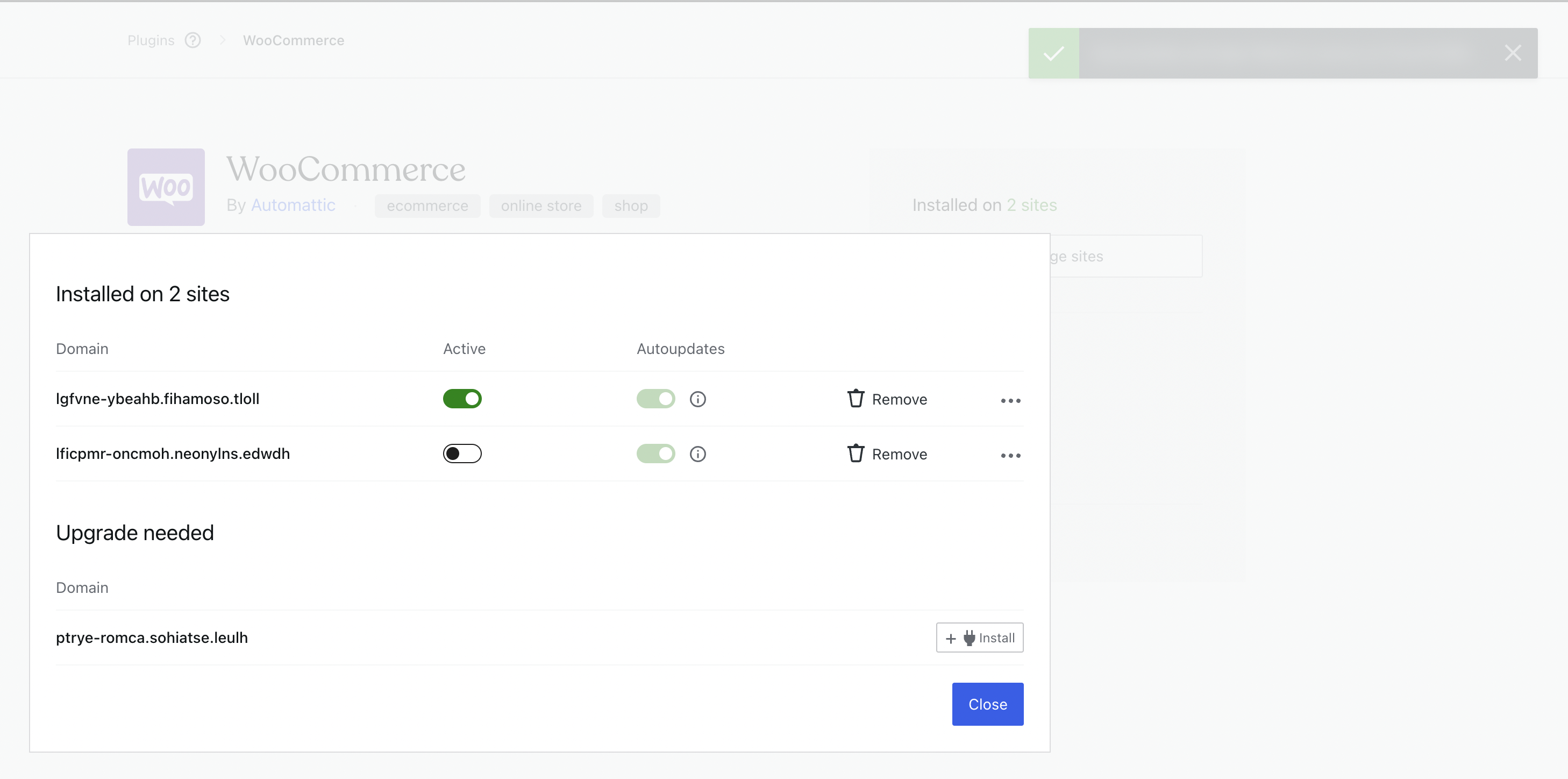
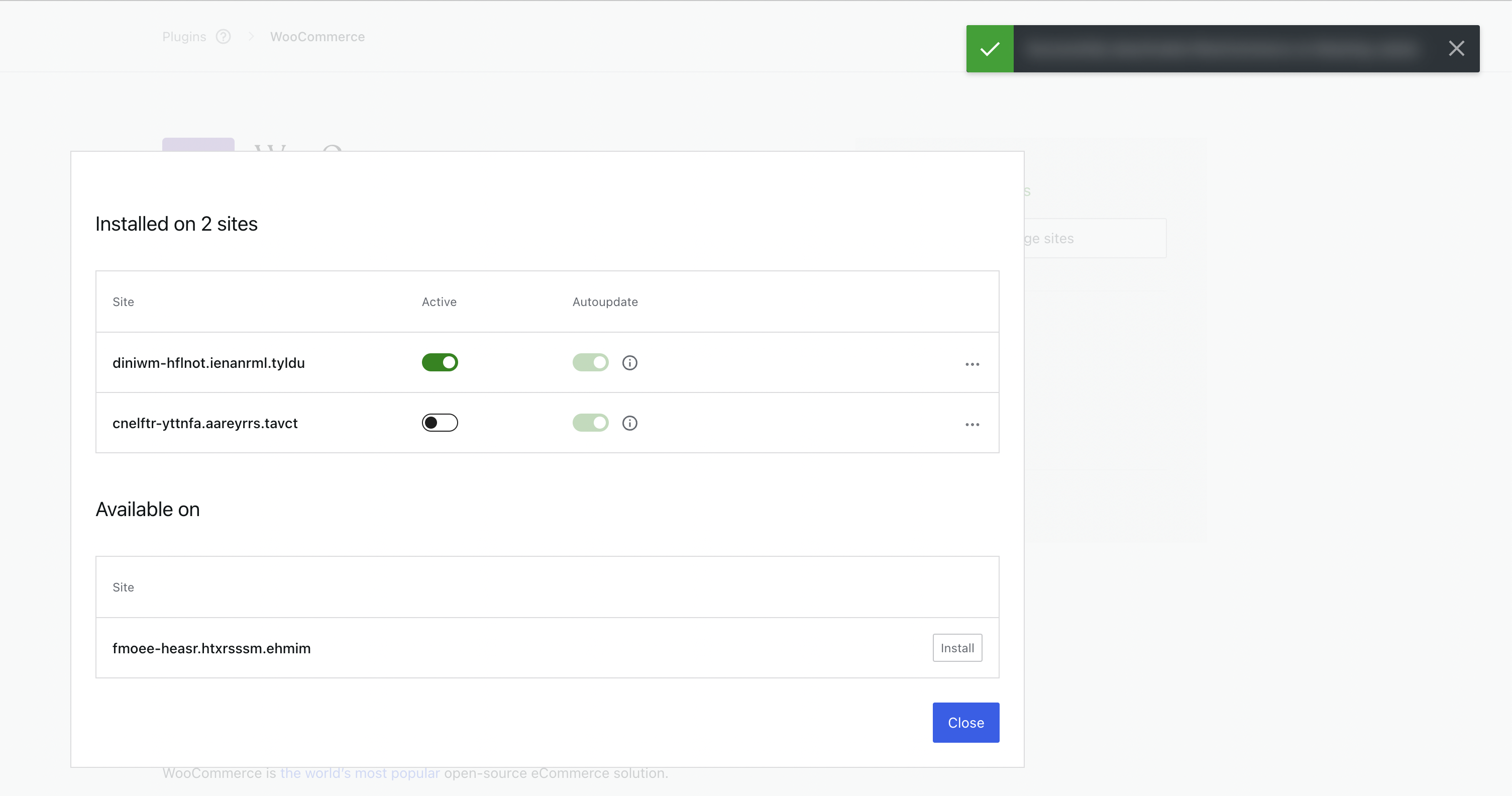
This PR replaces the old table design used in plugin details with the new design in Calypso Blue and also fixes an issue where the notification is shown below the modal, which was not visible clearly.
Testing Instructions
Instructions
- Run
git checkout update/plugin-details-table-on-calypso-blueandyarn start. - Visit
http://calypso.localhost:3000/plugins/manageand click on any plugin to visit the details page. - Click on
Manage Siteson the right column
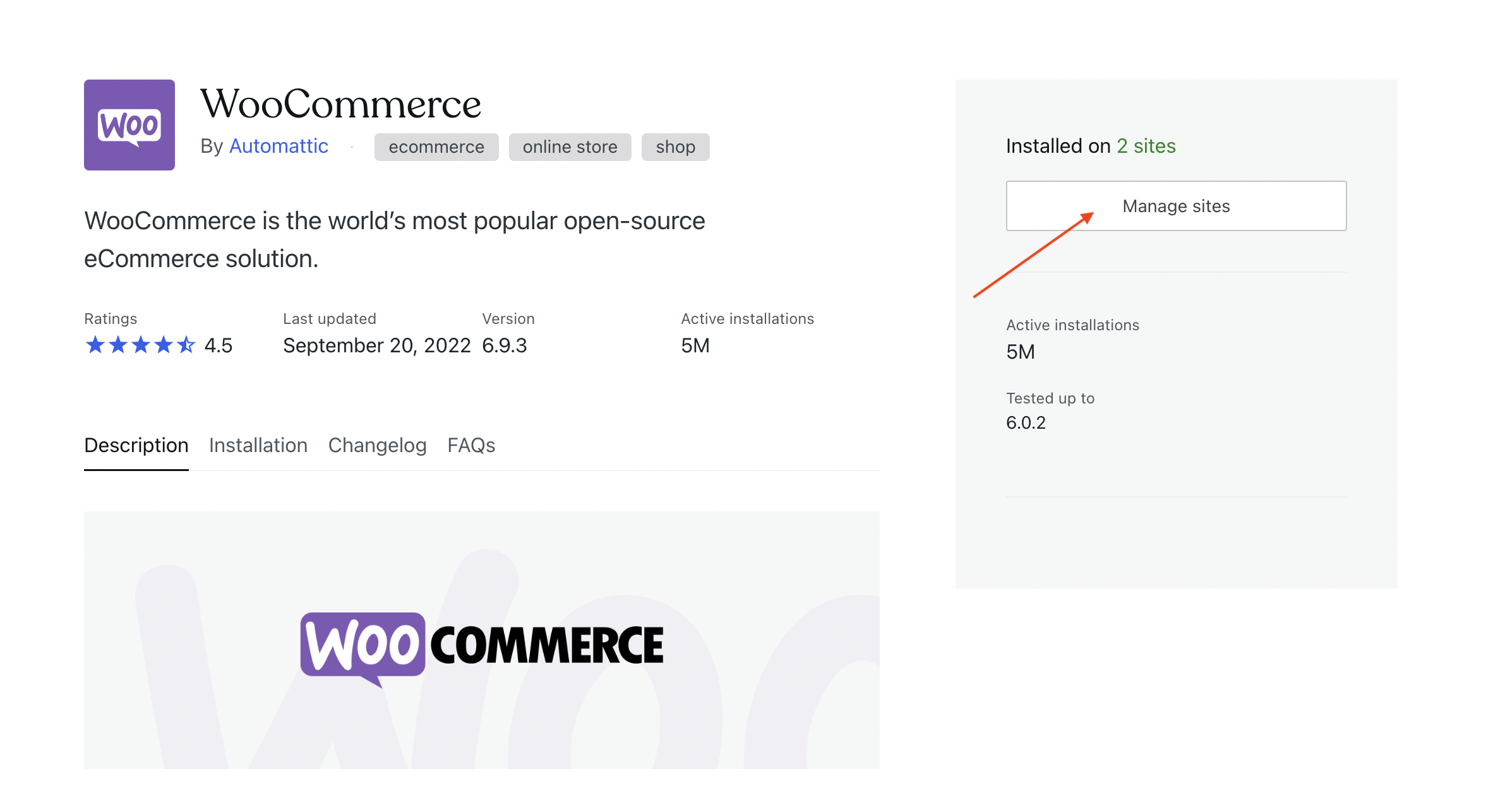
- Verify that the old plugin table is replaced with the new table design, and you can view the tooltip, open the actions menu, and notifications on the top of the modal.
| Before | After |
|---|---|
|
|
Pre-merge Checklist
Complete applicable items on this checklist before merging into the trunk. Inapplicable items can be left unchecked.
The PR author and reviewer are responsible for completing the checklist.
- [x] Have you written new tests for your changes? It will be added later - 1202518759611394-as-1202979359232065
- [x] ~~Have you tested the feature in Simple, Atomic, and self-hosted Jetpack sites?~~
- [x] Have you checked for TypeScript, React, or other console errors?
- [x] Are we memoizing when appropriate (for expensive computations)? More info in Our Approach to Data and Memoizing with create-selector and Using memoizing selectors
- [x] Have we sent any new strings for translation ASAP?
Related to 1202518759611394-as-1202993209552908

Jetpack Cloud live (direct link)
|
|
https://calypso.live?image=registry.a8c.com/calypso/app:build-44098&env=jetpack |
![github-actions[bot] avatar](https://avatars.githubusercontent.com/in/15368?v=4 "Published by a pub.dev verified publisher")
Here is how your PR affects size of JS and CSS bundles shipped to the user's browser:
Sections (~175 bytes added 📈 [gzipped])
name                             parsed_size           gzip_size
plugins                               +169 B  (+0.0%)     +175 B  (+0.1%)
jetpack-cloud-plugin-management       +169 B  (+0.0%)     +175 B  (+0.1%)
Sections contain code specific for a given set of routes. Is downloaded and parsed only when a particular route is navigated to.
Legend
What is parsed and gzip size?
Parsed Size: Uncompressed size of the JS and CSS files. This much code needs to be parsed and stored in memory. Gzip Size: Compressed size of the JS and CSS files. This much data needs to be downloaded over network.
Generated by performance advisor bot at iscalypsofastyet.com.

The 'Manage subscription' button is missing. Also, the 'Purchase + Activate' button should not break into two lines.
Thanks for testing this. I have fixed this now.