

 Automattic
[AT]Customizer: Colors & Backgrounds color bullets cut by the section below when selected
Quick summary
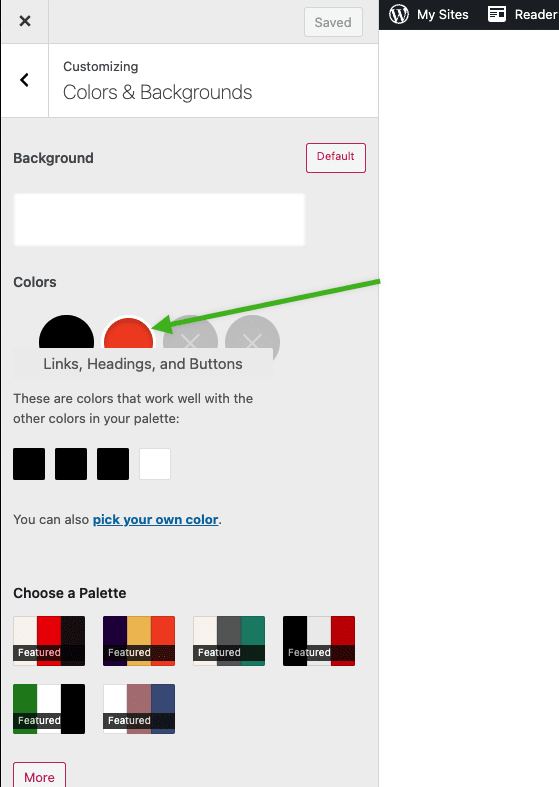
Steps to reproduce
- Activate a theme with Colors & Background in the Customizer(e.g. Apostrophe 2, Rebalance, Twenty Eleven)
- Click o one of the color bullets
What you expected to happen
To see the section below the bullets
What actually happened
The section underneath cover half the bullets.
Context
This is what causes the issue:
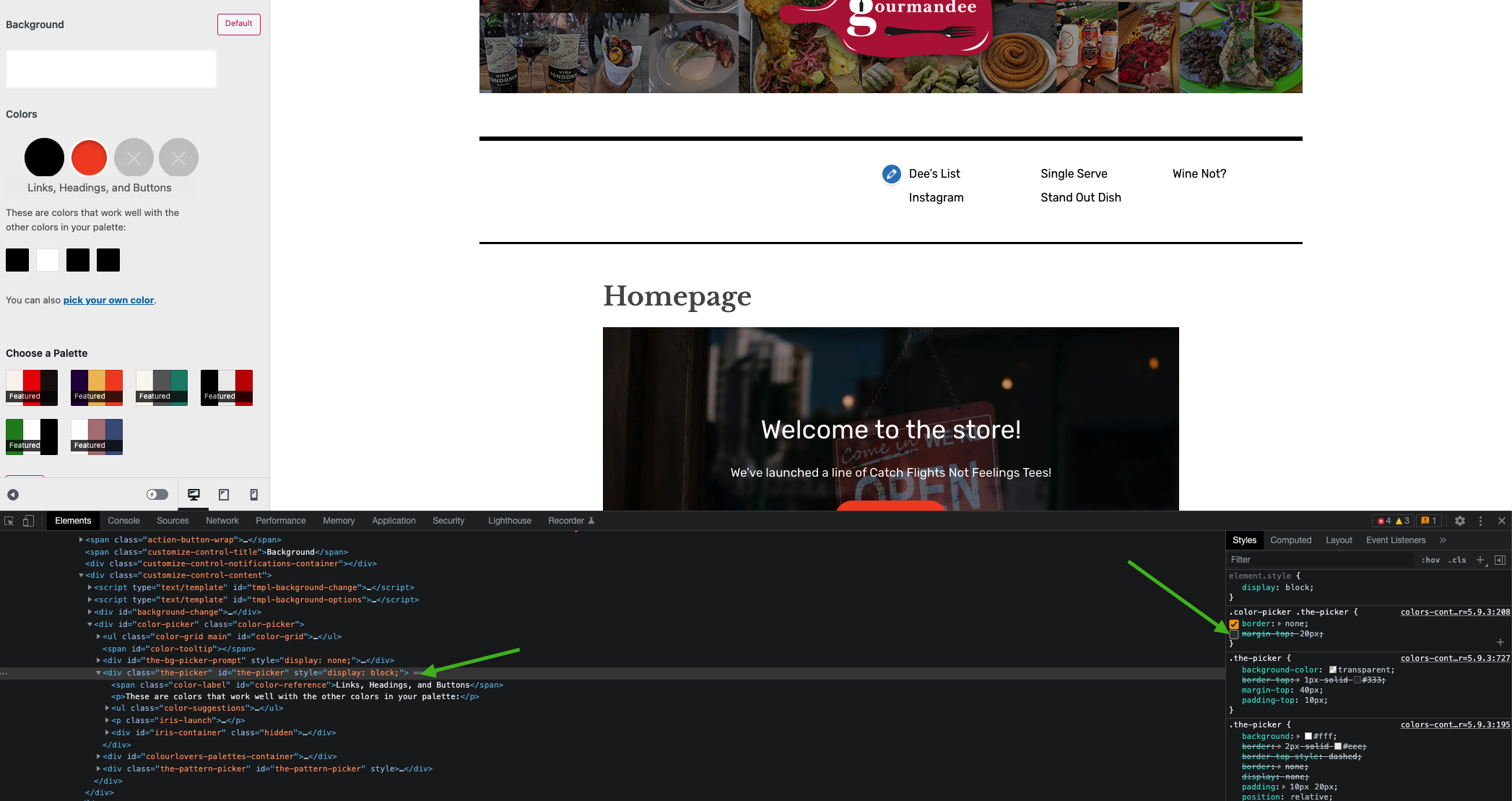
Path: wp-content/mu-plugins/wpcomsh/custom-colors/css/colors-control.css?ver=5.9.3
Slack: p1653131853268759-slack-C02FMH4G8
Simple, Atomic or both?
Atomic
Theme-specific issue?
No
Browser, operating system and other notes
No response
Reproducibility
Consistent
Severity
Some (< 50%)
Available workarounds?
No but the platform is still usable
Workaround details
No response

@jeffikus anything recently changed Themes where this feature is coming from? Could theme team have a look?

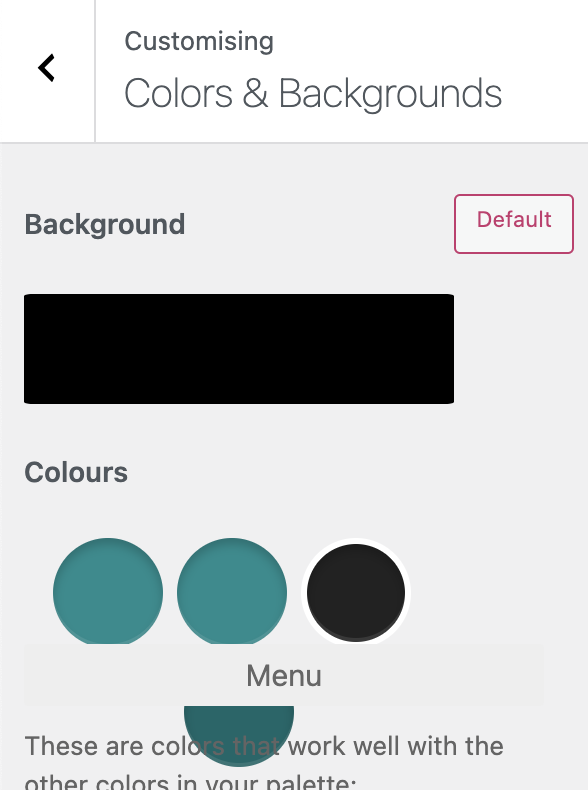
I am looking at this now. I was able to reproduce it using the steps above. Even after removing the margin-top: 20px there is still an issue with wrapping on smaller screens:

I've taken another look at this and identified a potential fix which allows for any number of colour under the Colours section without them being cut off or overflowing into the section below.
The main issue I can see is the use of a fixed height without any way to handle overflow e.g. overflow: auto. But it also looks like the margin-left and padding can be removed too:
Before
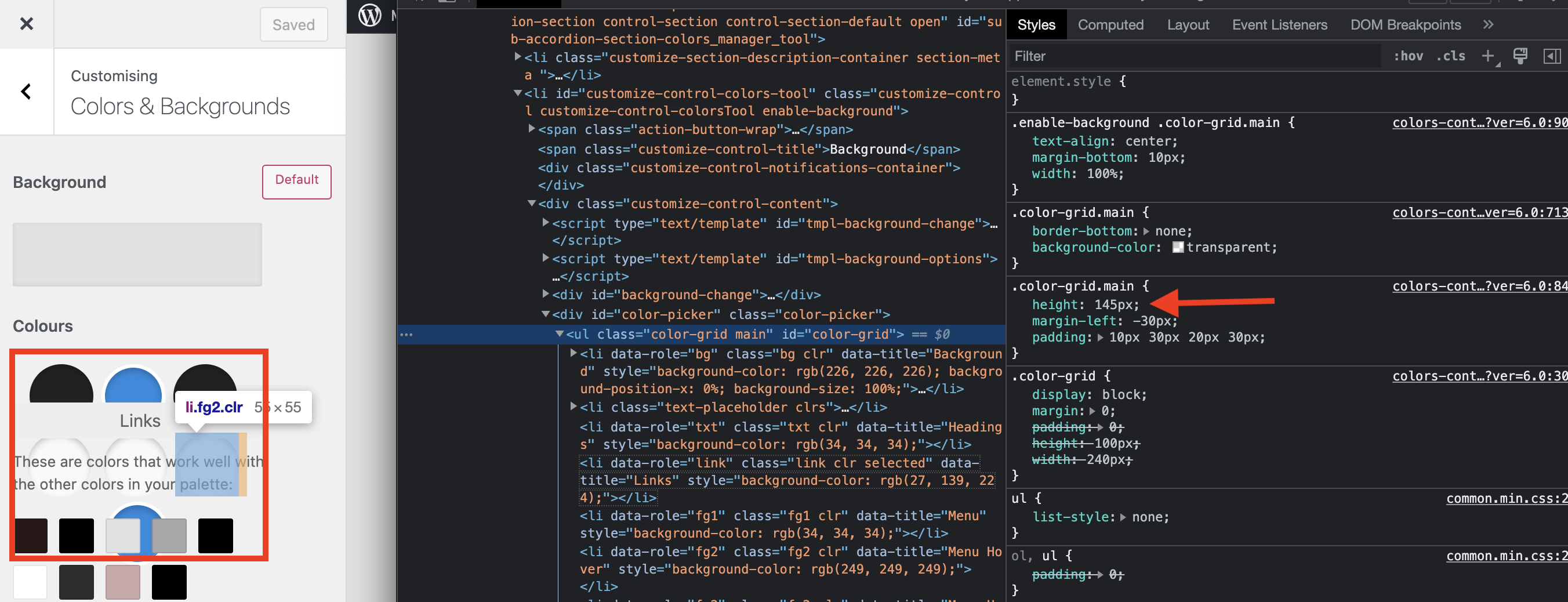
After
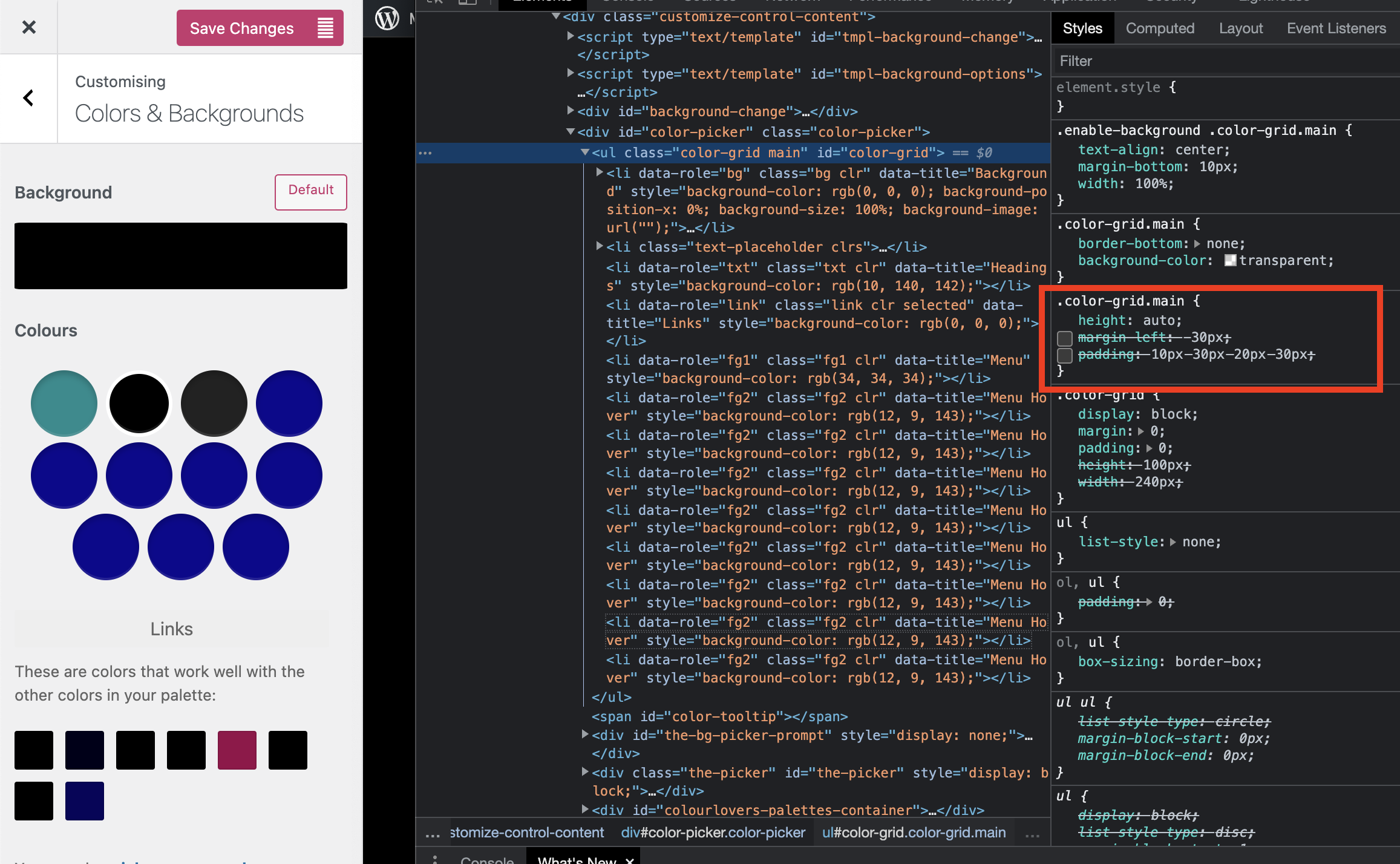
The class that would be changed is at /wp-content/mu-plugins/colors/css/colors-control.css (line 90).
The git log doesn't give me any clues as to why this became broken and before making a change I need to understand if anything else is impacted.
As per discussion with @creativecoder and @daledupreez, code exists separately for Simple and Atomic sites. The issue is reported and confirmed for Atomic sites, and I have also checked the Customizer for Simple sites. The spacing is a bit tight, but the colours overflow correctly. So I plan to fix this for Atomic sites.
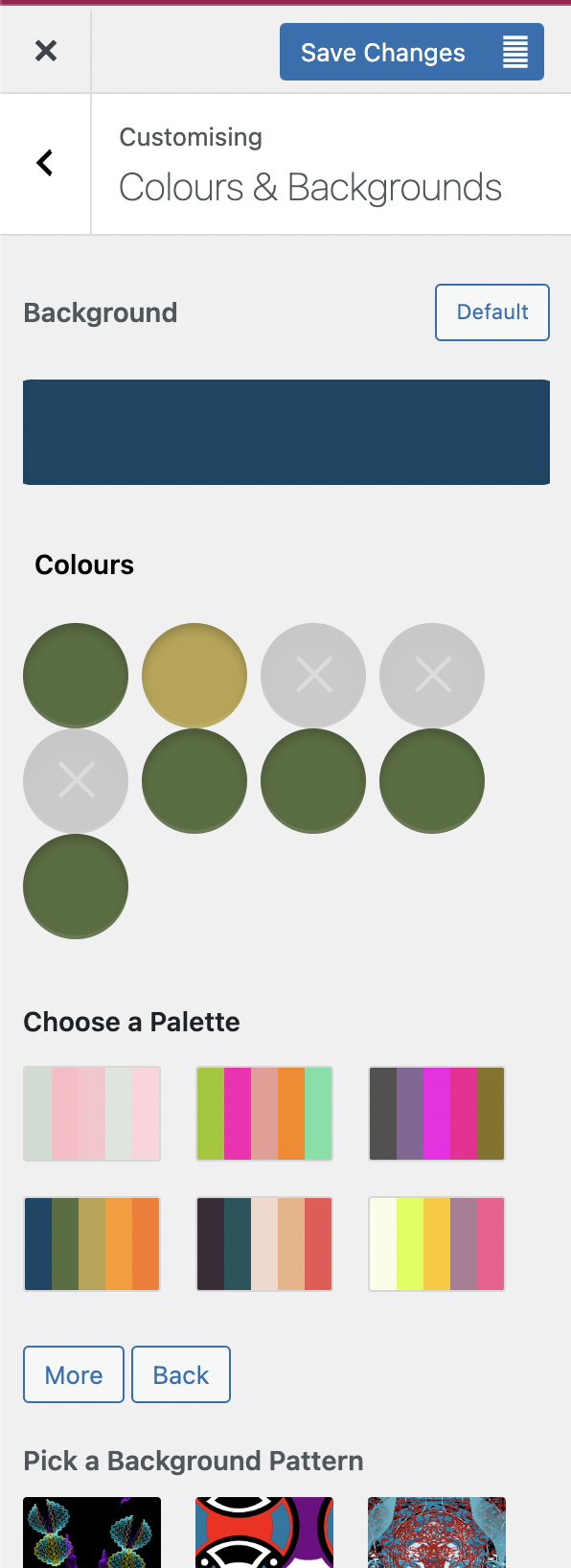
@mpkelly I'm still able to replicate this on my end. Here's one example with Spearhead/Seedlet:
Has this already been merged?
Hi @Robertght, this is on an Atomic site, right? If you go to /wp-admin/plugins.php can you see WordPress.com Site Helper listed? If so, what is the version number?
I will try and reproduce it at my end and confirm that this has been released to Atomic sites. I will provide another update today.
I have reproduced this on a WoA site using Twenty Eleven. The CSS looks like it did before I made the fix, so it looks like the change didn't get released, or the change has been lost in a later release. I am still investigating, @Robertght.
Thanks for reporting, @Robertght !
I've redeployed the fix for Atomic sites--so that should fix the issue (again). Can you please check and let me know what you're seeing now?

Thanks, @creativecoder for getting your PR out quickly!
I also did some testing and I found the following:
- Existing Atomic site: fixed
- WoA site created yesterday: still has old/broken CSS
- WoA site created today: fixed
So all good as far as I am concerned.
@Robertght, @creativecoder's PR also inlines the custom-colors module dependency, so regressions like this, where a later wpcomsh build mapped to an older version of custom-colors should not happen again in future.
Thank you!
It looks better now, however, I found this:
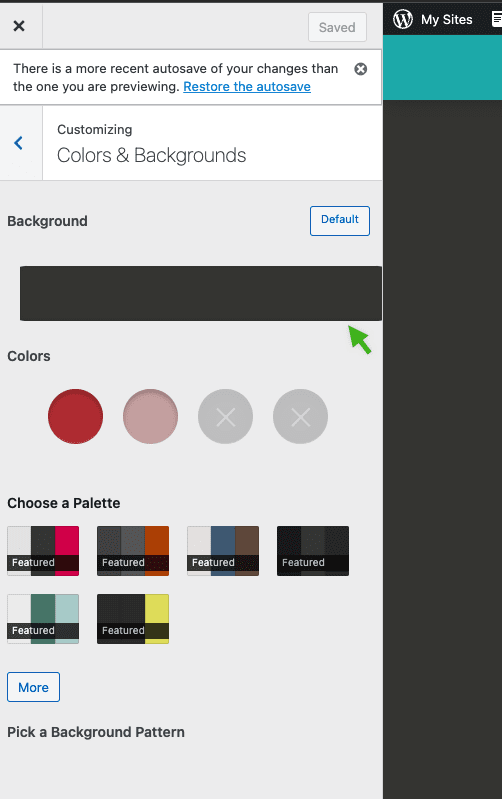
The background picker is wider than it should be until you pick a color. Then it fixes itself.
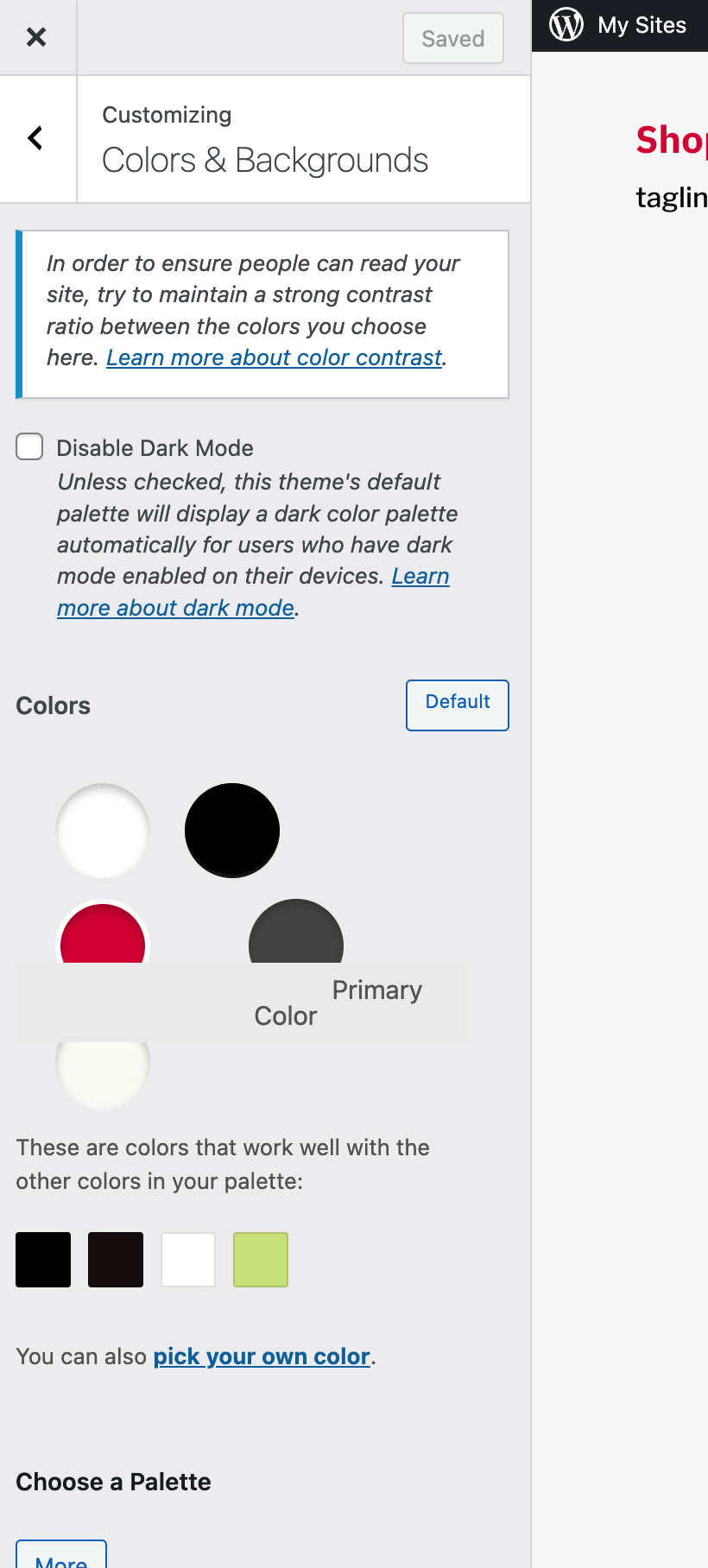
The color picker on some themes looks like this now:
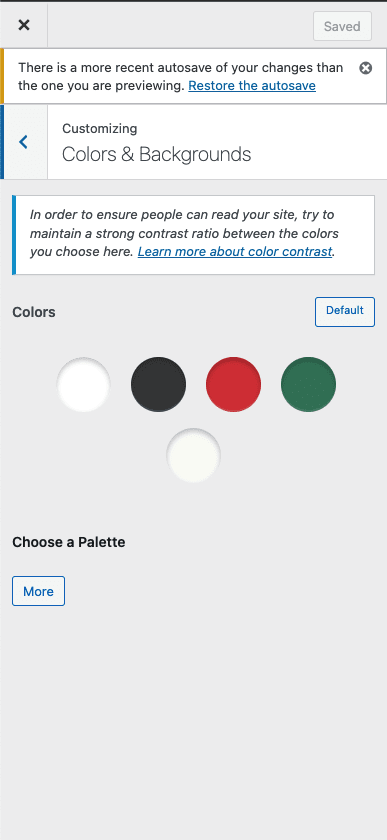
Initially, they were stacked 3 and 2 and were center aligned as far as I remember.
Hi @Robertght, the spacing change was intentional - see @creativecoder's comment here.
The issue with the background change was not though. My view would be to create a separate issue for that and close this one. What do you think?
(p.s. please tag me in replies because I get notifications when tagged - thanks!)
Sure @mpkelly ! Created one here: https://github.com/Automattic/wp-calypso/issues/66518
Thank you!
Sure @mpkelly ! Created one here: https://github.com/Automattic/wp-calypso/issues/66518
Thank you!
Thanks!