

 Automattic
Varia: Issues with button colors
Steps to replicate
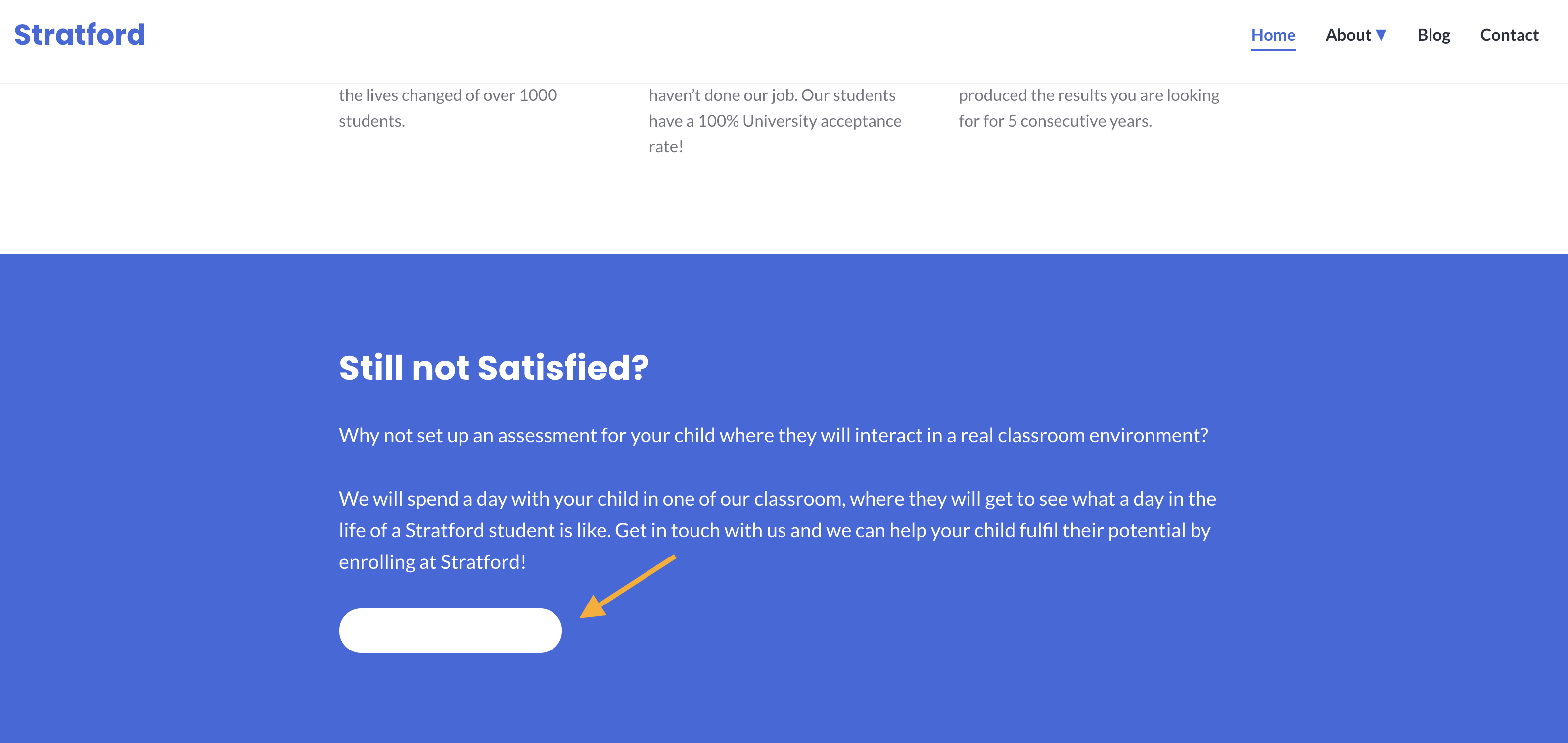
If you activate Stratford and choose to use the theme's homepage, the issue seen in the screenshot below will be replicated.
Some button colors aren't showing properly on Stratford. They look fine in the editor, but not on the live site.
This issue can be seen on our current Stratford theme demo: https://stratforddemo.wordpress.com/
As well, there seems to be an issue with different states. I couldn't replicate this but have seen this in multiple reports (listed below).
Normal state:

Active state:

Visited state:

Result
Button isn't reflecting editor, active/hover/visited states are set to colors that cause visibility issues.
Expected
That the active, hover, and visited should be visible or there should be an option to set those separately.
- User report: zd-3761048, hc-28020210

Another issue here #28023027-hc
Workaround given is to choose the Custom color option and change the shade slightly by one digit/ alphabet.

Edited title from 'Stratford' to 'Varia', as I saw this same issue on Rockfield hc-28098711
This doesn't appear to be breakage caused by #3251 (and related changes to other Varia children) which was my original guess as it is also happening prior to that change. It reproduces all the way back to last year so it doesn't appear to be a recent change (at least for Stratford).

Another report in 28140925-hc Theme: Barnsbury
Button in the editor:

Button on the site:

Color on the site seems to be coming from this:
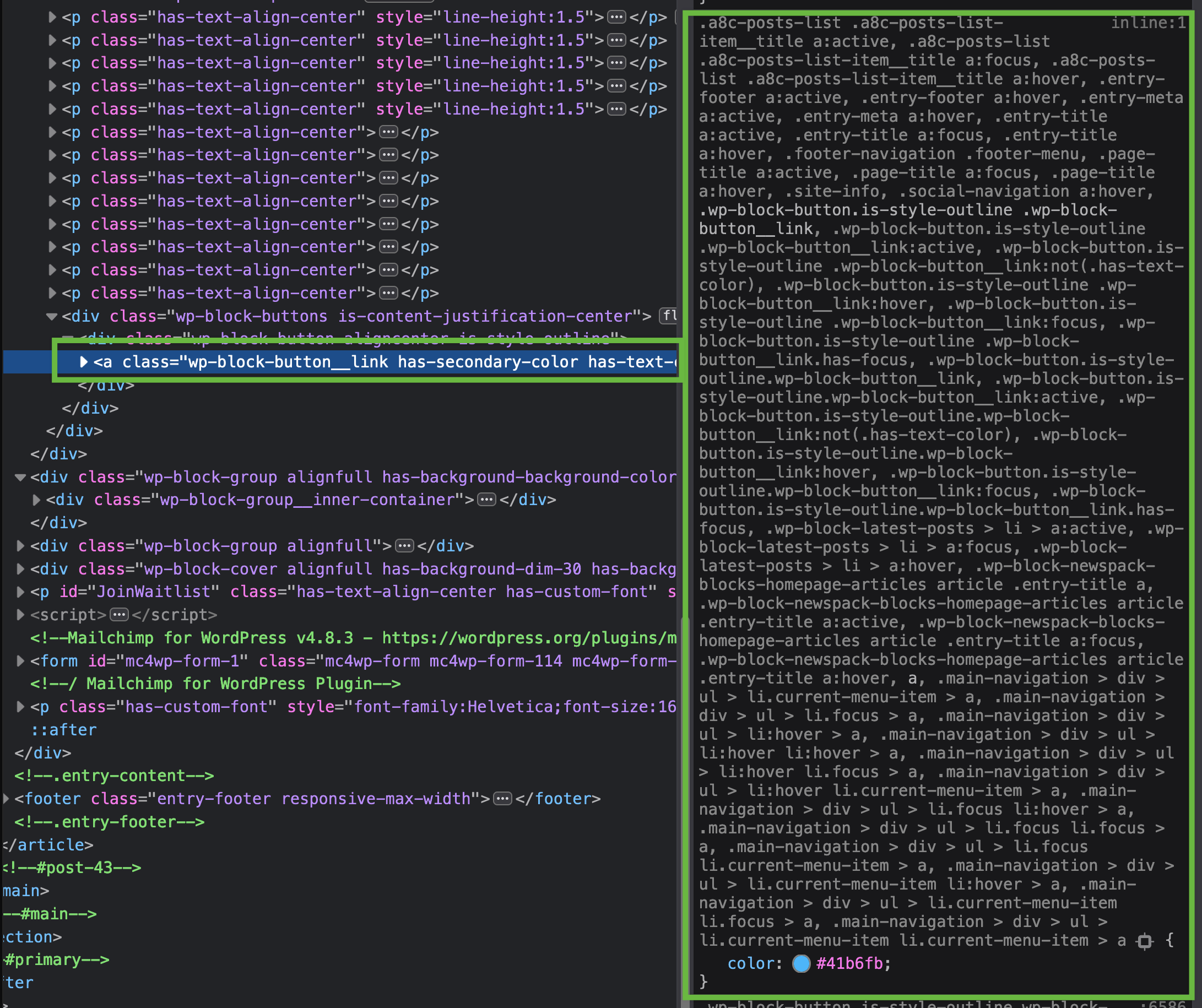

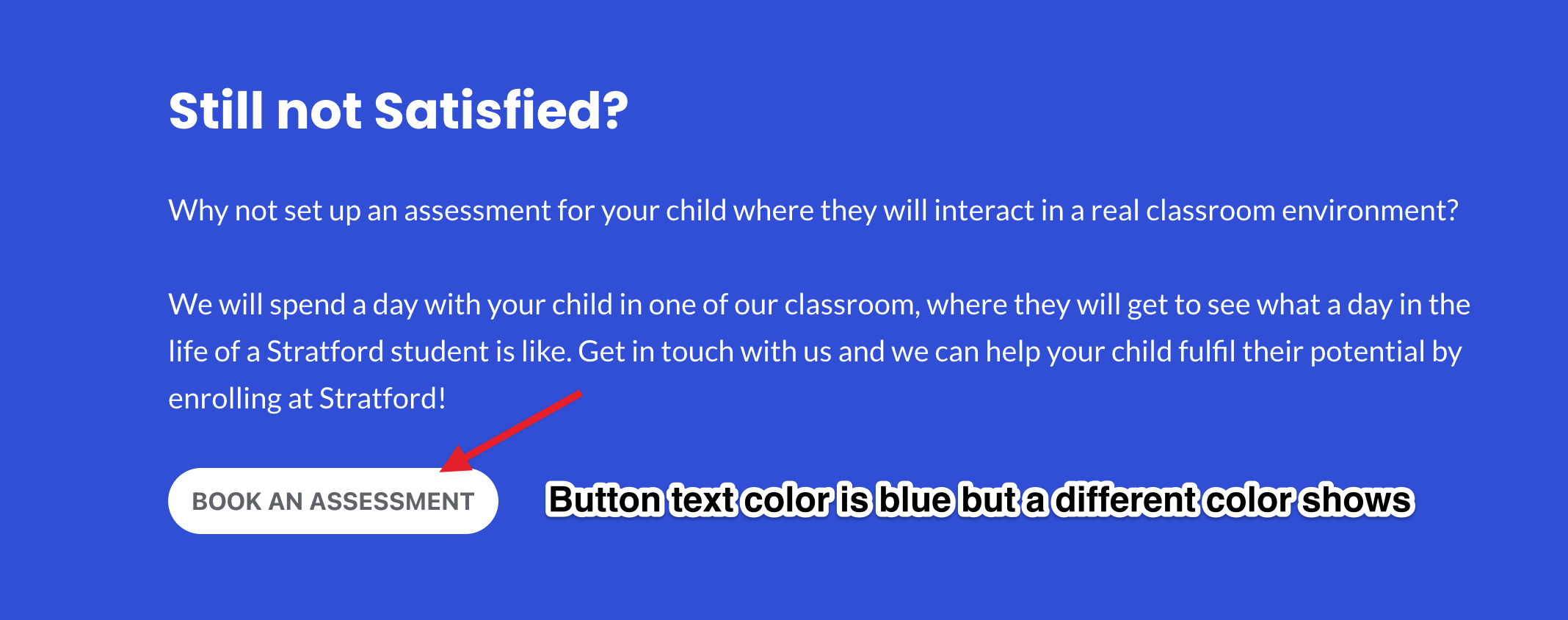
Another report: 29782261-hc Theme: Barnsbury having the same button color issue as reported earlier

Another case in 4156695-zen
The buttons become visible only on hover because the same color from the Customizer > Colors is being used to target the background of the same section: https://d.pr/i/J2hMaK

Another case - 4380483-zen.
The odd thing is that when I use my test site on the Business plan and set it up so it has the same theme and plugins as the person in that issue, then I copy the code from their site and try it on my page, it publishes properly. Screenshot in response to that customer.

another case here with Barnsbury: 4435312-zd-woothemes Seems also related this this issue which is marked closed?: https://github.com/Automattic/themes/issues/3250


I have a case here: https://wordpress.com/forums/topic/text-on-buttons-not-showing/

It seems to be this from _style.scss
	a.wp-block-file__button:active,
	a.wp-block-file__button:focus,
	a.wp-block-file__button:hover,
	a.wp-block-file__button:visited {
		color: #{map-deep-get($config-button, "color", "text-hover")};
		opacity: .85;
	}
combined with this from _config-child-theme-deep.scss
-- this is setting the text-hover to be the same color as the background.
/**
 * Button
 */
$config-button: (
	// Colors
	"color": (
		"text": map-deep-get($config-global, "color", "background", "default"),
		"text-hover": map-deep-get($config-global, "color", "background", "default"),
		"background": map-deep-get($config-global, "color", "primary", "default"),
		"background-hover": map-deep-get($config-global, "color", "primary", "hover"),
	),
I tested the Stratford theme and noticed two issues that are also present in the parent Varia theme.
- Button text color changes to white on hover
- If button background color = foreground color or background color and the user has selected custom text color, then custom text color does not show.
This is the homepage of the Stratford demo theme-
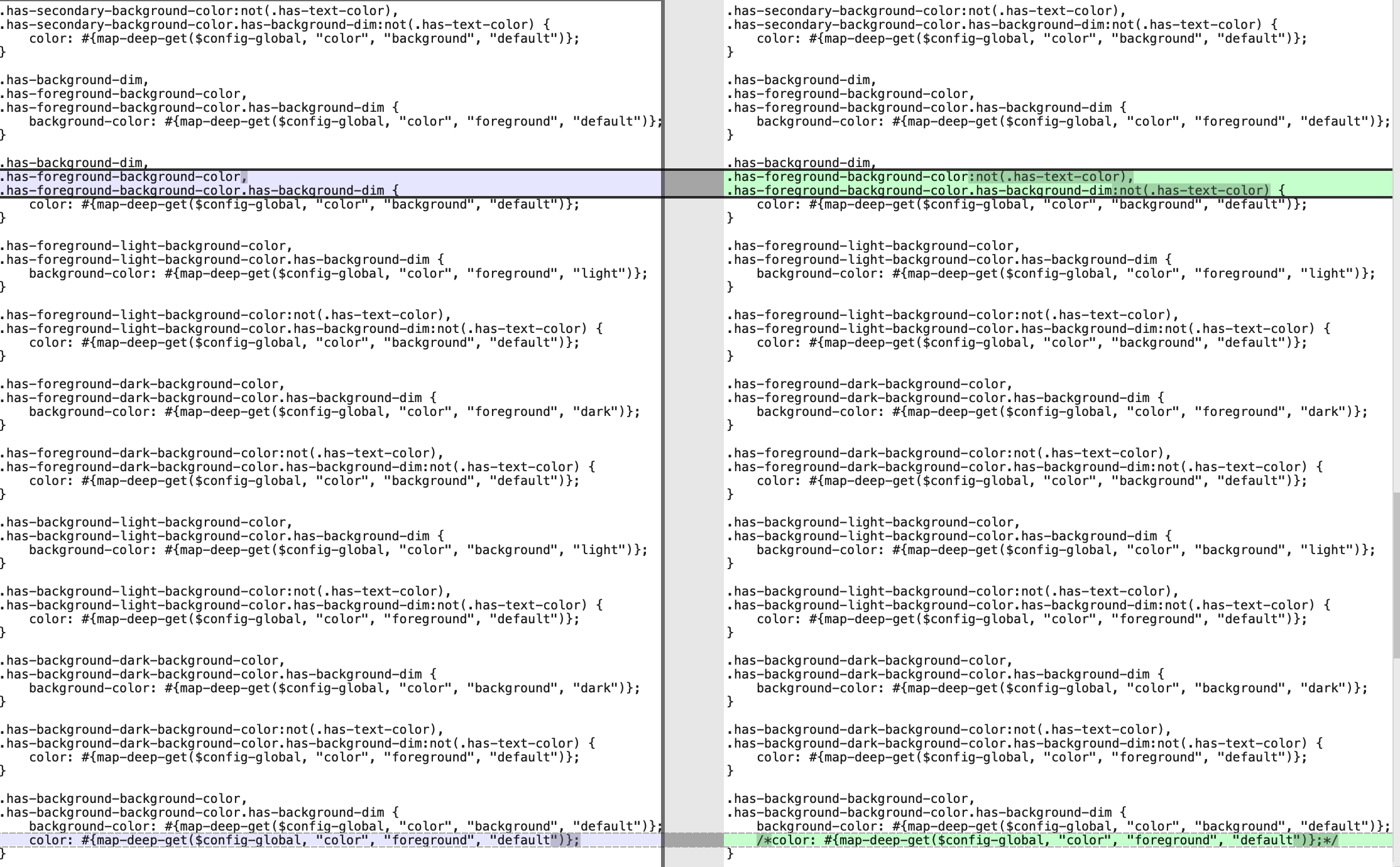
I modified the CSS in varia/sass/blocks/utilities/_style.scss file on my localhost to fix the 2nd issue.
This block of code is causing issues when the button's background color is set to the background color from the palette.
.has-background-background-color, .has-background-background-color.has-background-dim { background-color: #{map-deep-get($config-global, "color", "background", "default")}; color: #{map-deep-get($config-global, "color", "foreground", "default")}; }
I commented out the text color code as the text color is set by this CSS -
.has-background-background-color:not(.has-text-color), .has-background-background-color.has-background-dim:not(.has-text-color) { color: #{map-deep-get($config-global, "color", "foreground", "default")}; }
If the user selects a custom text color for the element, class .has-text-color is added to the element. If this class is added, we should not use the default color from the theme CSS.
This block of code is causing issues when the button's background color is set to the foreground color.
.has-background-dim, .has-foreground-background-color, .has-foreground-background-color.has-background-dim { color: #{map-deep-get($config-global, "color", "background", "default")}; }
Adding :not(.has-text-color) class fixes the issue.

@madhusudhand Can you please share feedback on my approach to solving this issue?
@yashitamittal11 Using :not(.has-text-color) looks like a good approach to me. I'd suggest opening up a PR with these changes 👍

Support References
This comment is automatically generated. Please do not edit it.
- [ ] 4156695-zen
- [ ] 4380483-zen
- [ ] 4435312-zen
- [ ] 4725327-zen
- [ ] 4881009-zen
- [ ] 4923221-zen
- [ ] 5202545-zen
![github-actions[bot] avatar](https://avatars.githubusercontent.com/in/15368?v=4 "Published by a pub.dev verified publisher")
I tested the Stratford theme and noticed two issues that are also present in the parent Varia theme.
- Button text color changes to white on hover
- If button background color = foreground color or background color and the user has selected custom text color, then custom text color does not show.
This PR fixes the 2nd problem in the Varia theme. I am reopening this issue as the first problem requires a fix.

