
themes
 themes copied to clipboard
 Automattic
Cubic: Large Images Cause Issues with Gallery/Slideshow Blocks
Steps to replicate
Add images to a Tiled Gallery or Slideshow block
Result
Images are displayed off-center when published:
Gallery
Slideshow
Expected
The images to look the way they do in the editor:
Gallery
Slideshow
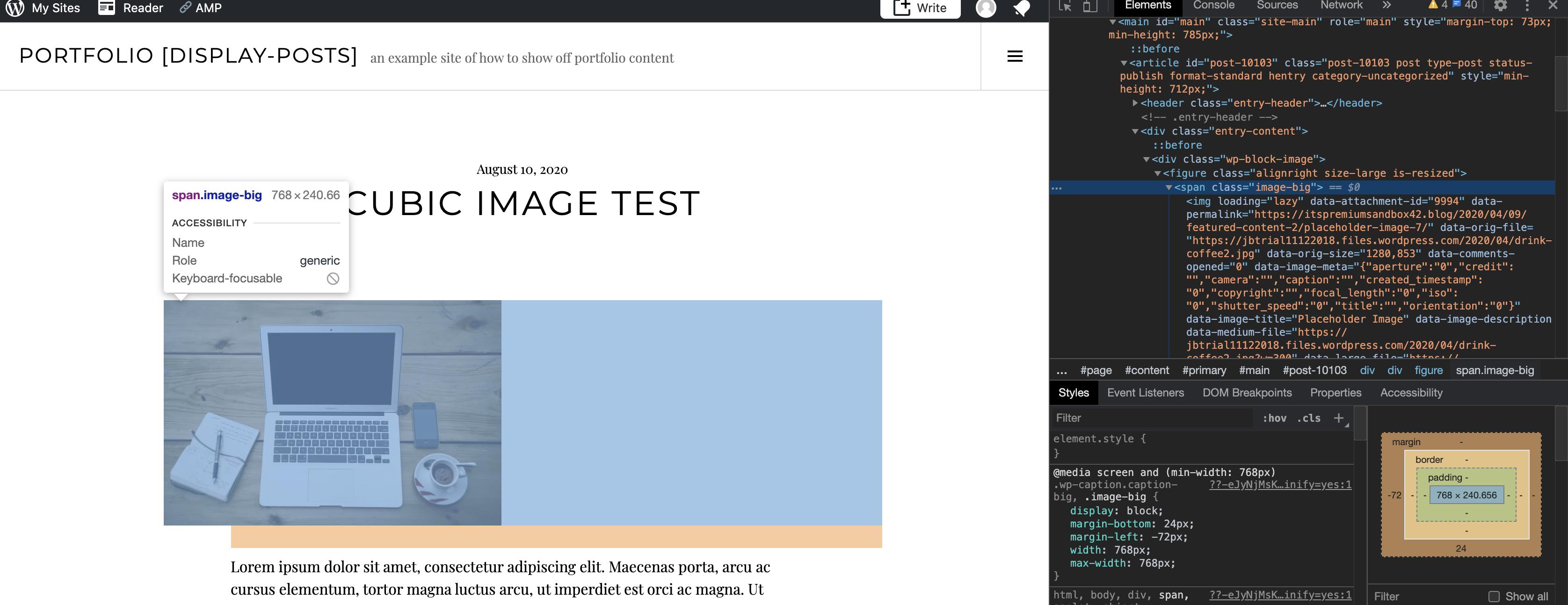
This appears to be due to the negative margin added to images that are larger than 767px, which the theme's JavaScript adds a .image-big class to -- the block handles the resizing of the images, but then the negative margin pulls the image to the left.
I used the following CSS to resolve the issue for the Gallery block
/* fix gallery image margins with cubic theme */
@media screen and (min-width: 768px) {
    .wp-block-jetpack-tiled-gallery .wp-caption.caption-big,
    .wp-block-jetpack-tiled-gallery .image-big {
        margin-left: 0;
    }
}
And the following CSS to resolve it for the Slideshow block:
/* fix gallery image margins with cubic theme */
@media screen and (min-width: 768px) {
    .wp-block-jetpack-slideshow .wp-caption.caption-big,
    .wp-block-jetpack-slideshow .image-big {
        margin-left: 0;
    }
}
This is likely the same cause of issues #1504, #1328, and #1290
- User report: #16219193-hc

I had an issue in #23195801-HC where the Large image setting caused an image not to wrap correctly with text. I was able to replicate the issue in my test site.
Here is how the settings look in the editor:

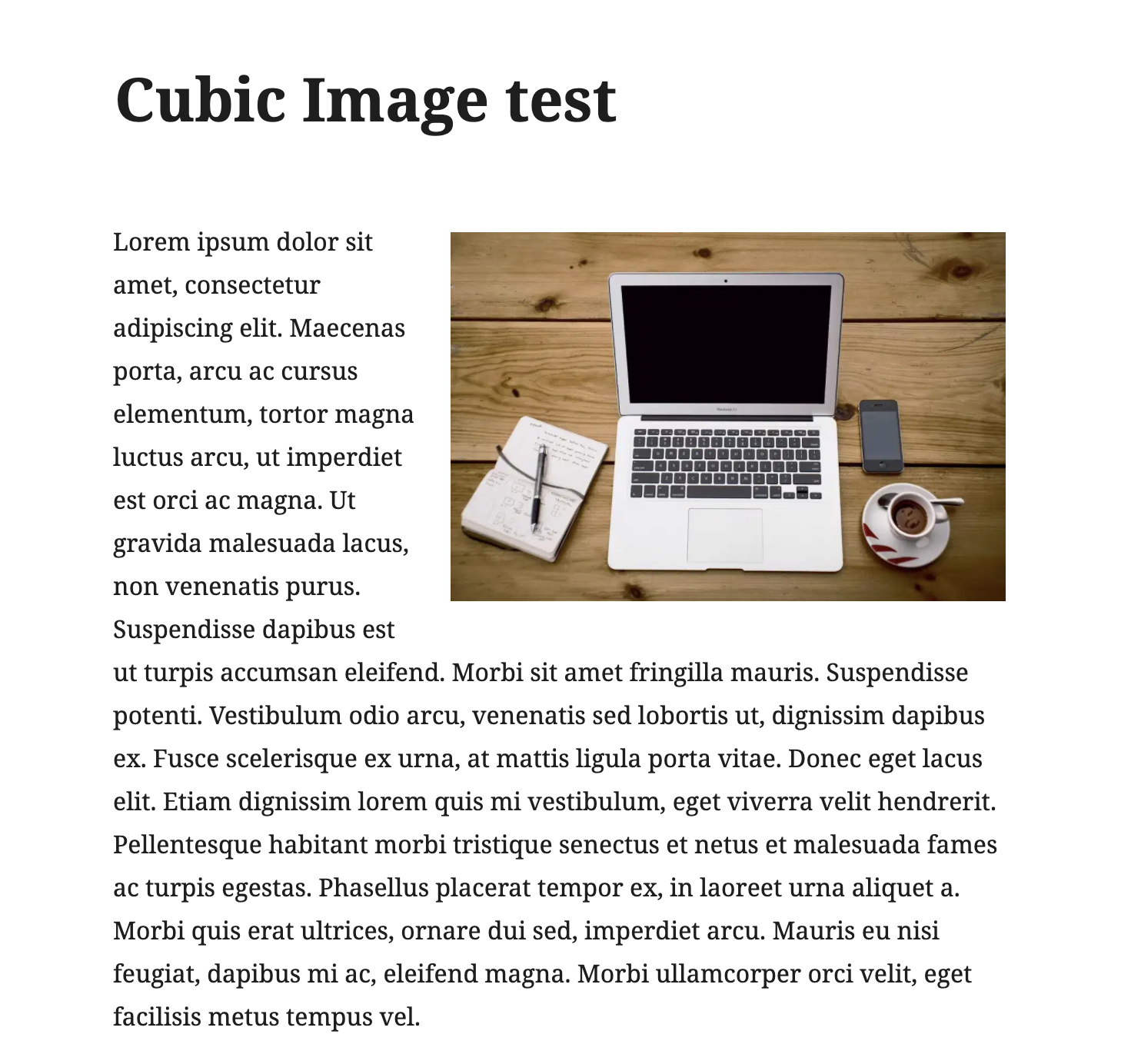
Here is what I expected to see (this is the Pena theme):
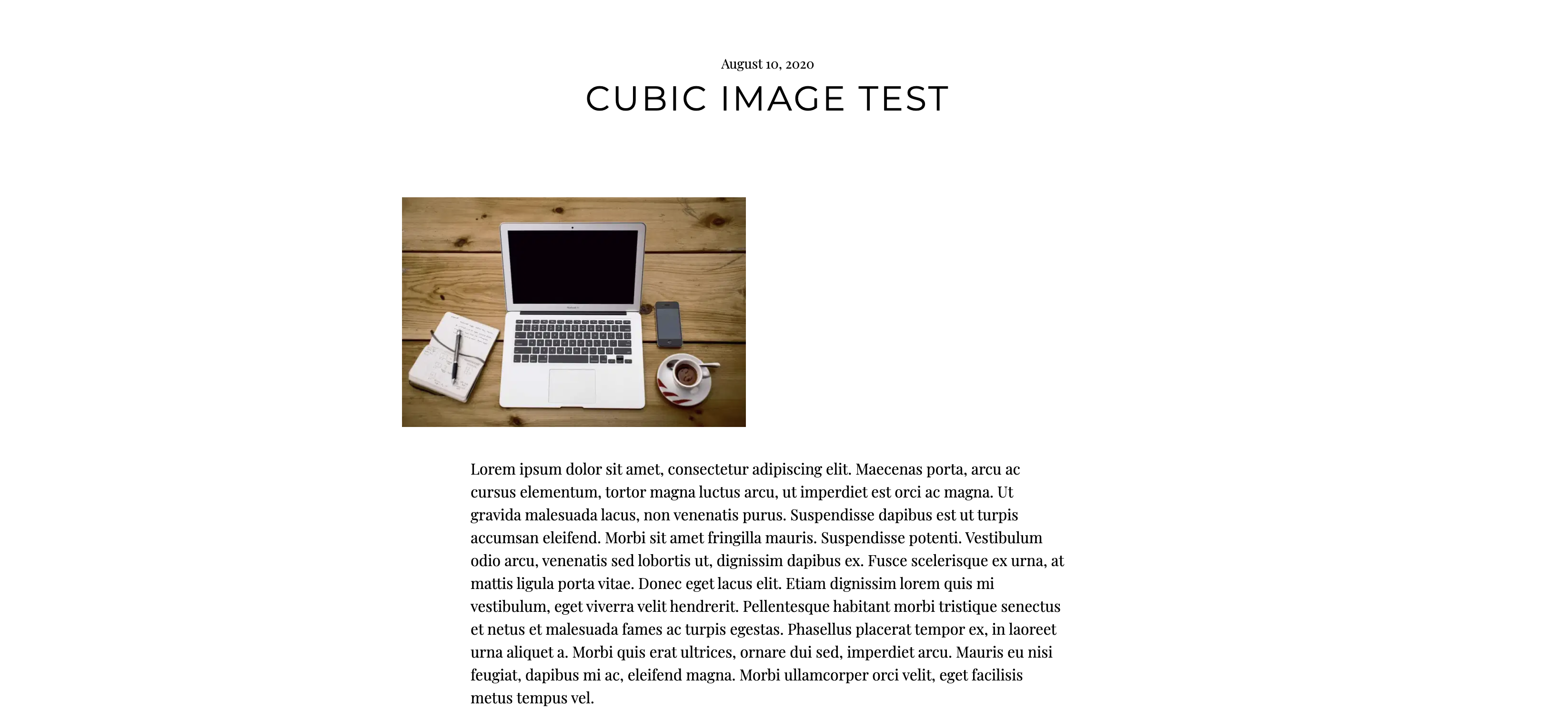
Here is what I got with the Cubic theme:
You can see here, there is a <span class="image-big"> that is surrounding the image that seems to be casuing the problem.

Another report of this - #26629085-hc and #3605758-zd
This customer is using the Tiled Mosaic block and the images are cropped strangely on desktop. It appears to be specific to the Cubic theme as when I switched to Twenty Twenty on my test site the images appeared as they did in the editor (not cropped).
The above CSS for the Tiled Gallery works as a fix.

Another user report here that's related to the Classic Editor Tiled Gallery set to a circular crop: 3941754-zd-woothemes.
I confirmed the clipping issue appears on both Classic and Block editor pages. The main content area has 72px padding to its left and right, which pushes the galleries to the right causing the clipping.
Clearing those paddings works but has unintended effects on smaller screens, so I provided some CSS to reduce the inline width and height of the Gallery elements and images to bring them into line on this site:
/* Set gallery width to actual content area minus left/right padding on >Tablet screen widths | 3941754-ZD */
@media screen and (min-width: 768px) {
  .tiled-gallery.type-circle .gallery-row,
  .tiled-gallery.type-circle .gallery-row .gallery-group,
  .tiled-gallery.type-circle .gallery-row .gallery-group .tiled-gallery-item {
    height: 624px!important;
    width: 624px!important;
  }
}

/* Images need to be slightly smaller to account for padding | 3941754-ZD */
.tiled-gallery.type-circle .gallery-row .gallery-group .tiled-gallery-item img {
    height: 622px!important;
    width: 622px!important;
}


Another in https://wordpress.com/forums/topic/pictures-do-not-display-completely/?view=all

Another in https://wordpress.com/forums/topic/wordpress-cubic-galleries-not-working/?view=all
This seems like a relatively high priority fix - Cubic is active on 1,475,553 sites.

Another report on 29214250-hc followed up on 4572463-zen. The user has used the Classic Editor Tiled Mosaic Gallery on a Personal plan so cannot share a CSS fix.
Update: Explained to this user that this could take some time. We should follow-up with the user when this issue is resolved.


Given how this is an old theme and we have a viable CSS workaround, I have changed priority to low.

Another in 7201325-zen
This customer was having the issue with their Tiled Gallery blocks. The above CSS for the Tiled Gallery worked.

Support References
This comment is automatically generated. Please do not edit it.
- [ ] 3605758-zen
- [ ] 3941754-zen
- [ ] 4572463-zen
- [ ] 7201325-zen
![github-actions[bot] avatar](https://avatars.githubusercontent.com/in/15368?v=4 "Published by a pub.dev verified publisher")