
sensei
 sensei copied to clipboard
 Automattic
Date Completed column is empty
There are 2 same table in Sensei LMS, which show you Date Started and Date Completed data of learners for a specific lesson. Somehow one doesn't show Date Completed data, only the other one does.
1st table which doesn't show Date Completed data:
- Sensei LMS
- Manage learners
- Click on a specific course name.
- Click Lessons link (the last one on the row) above the table (All Learners is the default).
- Click the Manage Learners button on a specific lesson's row
- Date Completed column doesn't contain any data:
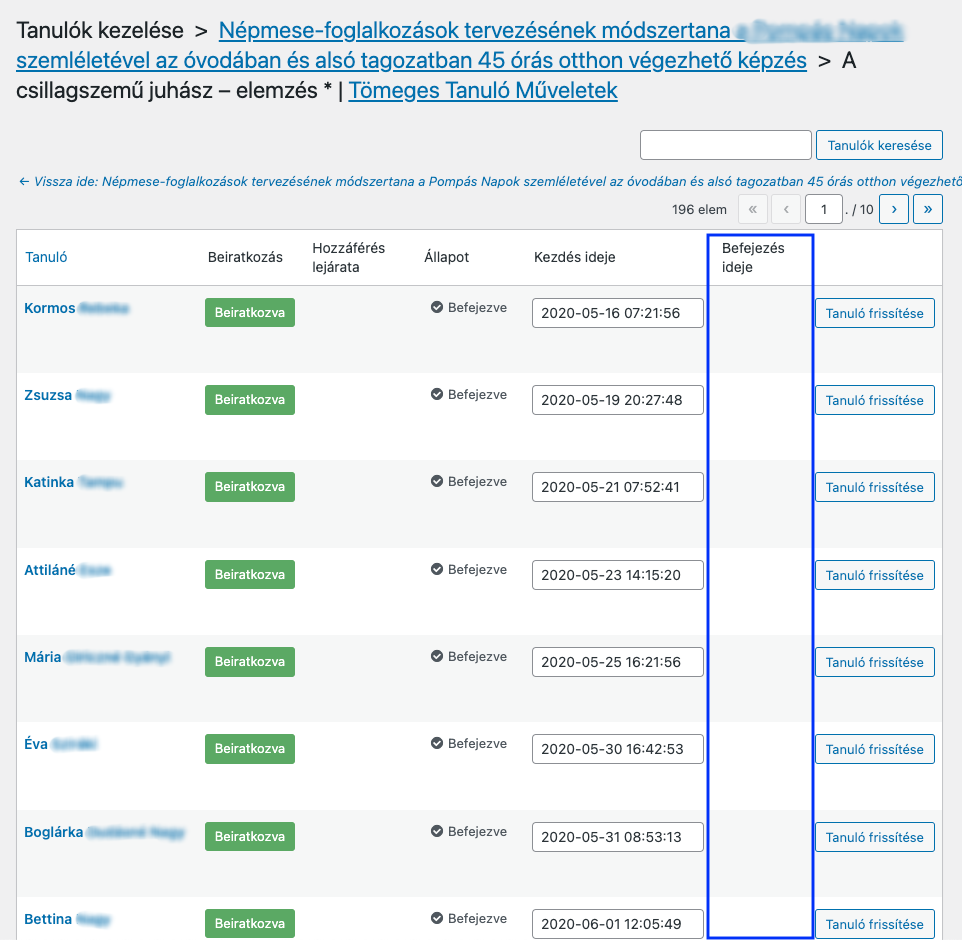
The link for this page: /wp-admin/admin.php?page=sensei_learners&lesson_id=48385&course_id=48328&view=learners
2nd table which shows Date Completed data properly:
- Sensei LMS
- Analysis
- Click on Courses link above the table (Learners is the default)
- Click on a specific course name
- Click on specific lesson name
- Date Completed column contains the appropriate data:
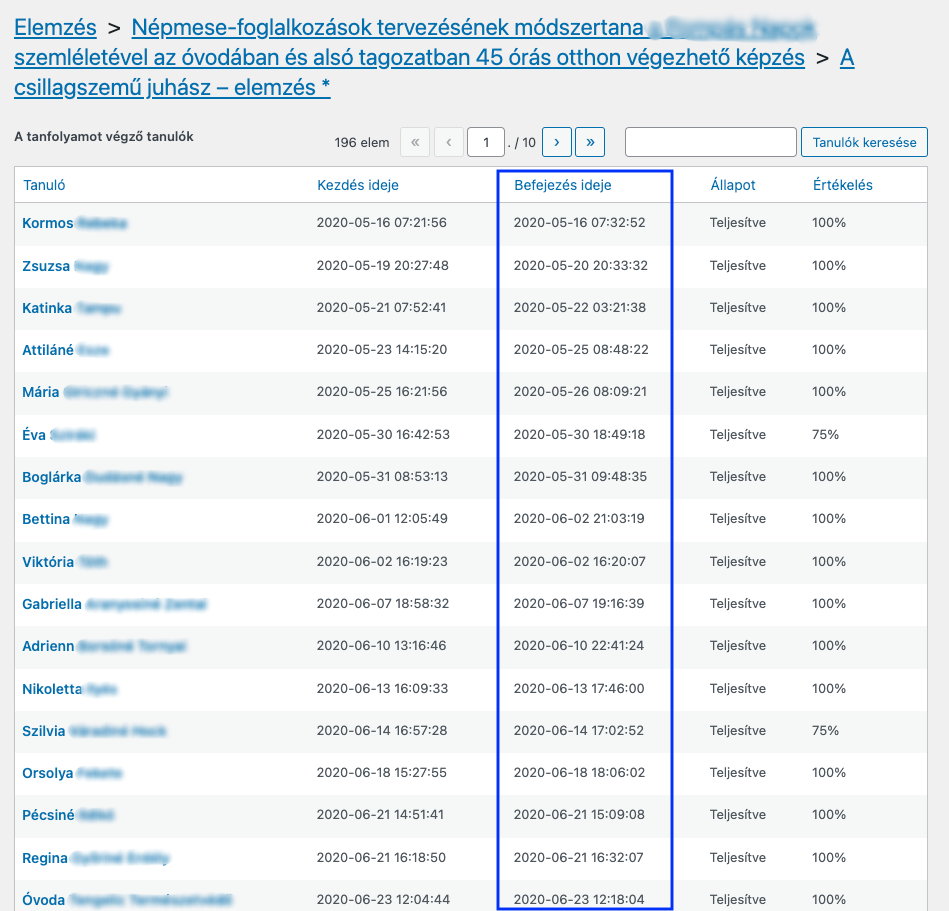
The link for this page: /wp-admin/admin.php?page=sensei_analysis&lesson_id=48385
(Screenshots were taken from the same lesson.)
PHP / WordPress / Sensei LMS version
PHP 7.3.33 Wordpress 5.8.2 Sensei LMS Version: 3.14.0 | WooCommerce Paid Courses Version: 2.6.2

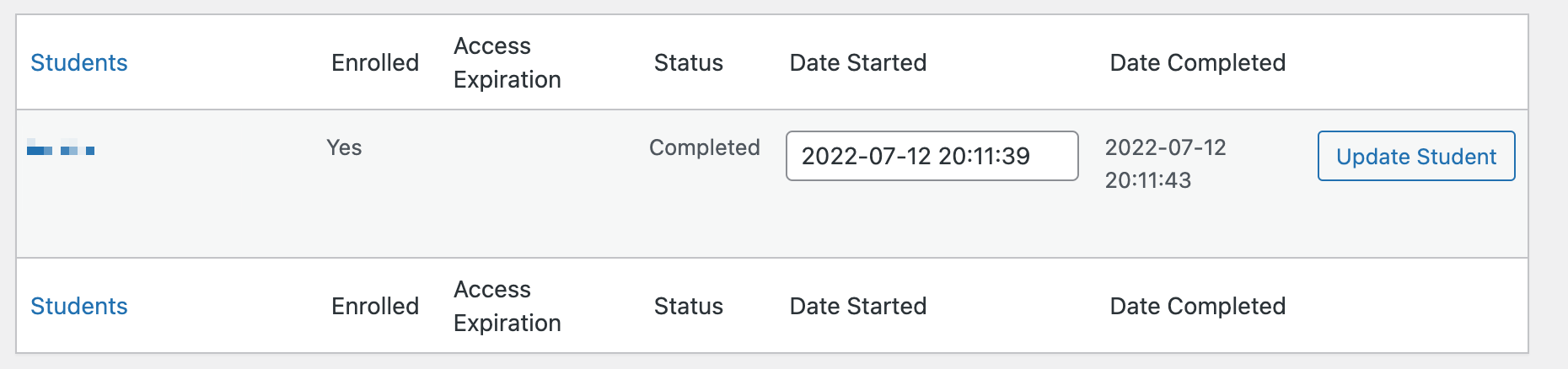
Hi @amroland - I just had a look and I can't reproduce this. Are you still having this issue?
Here's what I'm seeing:

Hi @mikeyarce, I can't check now because of updating to Sensei Pro, which doesn't have such a screen page.
