
pocket-casts-ios
 pocket-casts-ios copied to clipboard
 Automattic
Incorrect durations: discussion
We've gotten several reports of episodes that report an incorrect duration and stop playing before they should. I'd love to either:
- Find a way to patch this up on our end (so even MP3s with invalid headers/frames play for their intended duration); or
- Document how HEs can check if an episode has incorrect headers/frames, and create a predef that users can send to podcast hosts that helps the hosts fix the issue on their end
The common thread seems to be that when streaming, the episode has the correct duration, but when it gets downloaded the duration shortens. This makes the episode stop before it "should". @rustyshelf has mentioned this being a discrepancy between AVPlayer (used for streaming) and AVAudioEngine (used for downloaded files) based on incorrect metadata/headers in the MP3.
My research leads me to think that these episodes are reporting the wrong number of audio frames though they are reporting the correct audio size/bitrate. I don't know if this is something we can or should fix on our own, or how to help podcast hosts realize the problem is with their encoding.
Here's my research:
Example 1
Here's an example episode from Ruthless (hosted by Simplecast). The expected duration is 01:21:47 (4907 seconds) but after download the app shows 39:29 (2369 seconds).
Here's an MP3 I downloaded for that episode. This is what afinfo shows:
$ afinfo ruthless-5-4-22.mp3
File:           ruthless-5-4-22.mp3
File type ID:   MPG3
Num Tracks:     1
----
Data format:     2 ch,  44100 Hz, .mp3 (0x00000000) 0 bits/channel, 0 bytes/packet, 1152 frames/packet, 0 bytes/frame
                no channel layout.
estimated duration: 4907.206500 sec
audio bytes: 157030608
audio packets: 187854
bit rate: 256000 bits per second
packet size upper bound: 1052
maximum packet size: 836
audio data file offset: 630
optimized
audio 104464252 valid frames + 528 priming + 2036 remainder = 104466816
Loudness Info:
    sound check info                 :
        sc ave perceived power coeff     : "1441 1441 "
        sc max perceived power coeff     : "182074 182074 "
        sc peak amplitude msec           : "80195 80195 "
        sc max perceived power msec      : "1201293 1201293 "
        sc peak amplitude                : "32766 32766 "


sound check volume normalization gain: -2.00 dB
----
It reports estimated duration: 4907.206500 sec (the expected value) which I can also calculate based on reported audio bytes and bit rate:
157030608 bytes * 8 bits per byte / 256000 bits per second = 4907.2065 seconds
But if you calculate duration from the number of audio valid frames and sample rate you get a different duration:
104464252 valid frames / 44100 Hz (frames per second) = 2369 seconds
This matches the 39:29 duration we see after the episode ends. In our code in at least one place, this is how we calculate episode duration.
Example 2
The podcast Parenting Hell (hosted by Podbean) has come up a couple times. It seems to be a problem with their dynamic ads, which I get served from the UK but not from the US:
- Example episode downloaded from US — 3115 seconds
- Example episode downloaded from UK — 3225 seconds
Like Example 1, the afinfo shows the correct estimated duration, which can be calculated from audio bytes and bit rate. But interestingly, both episodes have the same number of audio valid frames. Since the UK version is longer, it should have more frames. And indeed, when this episode is downloaded in-app (from the UK) and played, it shows the duration 51:55 (3115 seconds), the same as the US episode.
So in this case, it seems the host is not adjusting the frame count when dynamic ads are inserted.
Related Slack threads:
- p1652210212805519-slack-C02A333D8LQ
- p1652181437367739-slack-C02A333D8LQ
- p1646435740232409-slack-C02A333D8LQ

Also reported in #5210023-zen for the Ruthless podcast.
- Logs
- Affected episode: The Lib Economy
From Russell:
Taking a look at this, we calculate the duration in EffectsPlayer like this:
    func duration() -> TimeInterval {
        ...
            return (Double(cachedFrameCount) / audioFile.fileFormat.sampleRate)
        ...
    }
The cachedFrameCount comes from AVAudioFile->length. We cache this because it's sometimes an expensive operation time wise. I had assumed that's because sometimes the framework needs to scan the file to determine a duration, but I might be wrong.
So for the episode above, the details are:
cachedFrameCount 104464252 audioFile.fileFormat.sampleRate 44100.0
eg: 2369 seconds as @mattwondra mentioned above
Unfortunately, apart from length there aren't really many other properties of an AVAudioFile I can see that would help us calculate a better duration, but I'll keep looking. For reference here's the length documentation:

Where AVAudioFramePosition is just an Int64
From Russell:
One thing I'll check is if we used AVURLAsset instead to load the duration would we:
- get a more accurate duration
- be able to use that with AVAudioEngine, or would it still fail if we tried to read beyond what it thought was the correct length
From Russell:
I tested question 1 above with the following code:
let options = [AVURLAssetPreferPreciseDurationAndTimingKey: true]
let asset = AVURLAsset(url: fileURL, options: options)
let assetDuration = CMTimeGetSeconds(asset.duration)
Which does indeed give you a more accurate duration:
AVAudioFile duration: 2368.8039002267574
Asset duration: 4907.206530612245
I tested question 2 by taking that more accurate duration and saving it as the cachedFrameCount:
cachedFrameCount would have been 104464252 but instead saved 216407808
That worked in that the duration in the player now looks accurate. Unfortunately attempting to seek past where AVAudioFile thinks the end is doesn't work, you just get an error:
Audio Read failed (Swift): The operation couldn’t be completed. (podcasts.PlaybackError error 1.)
playbackDidFail: Buffer read error occured
pausing playback
I expected this to be the case but it was worth testing as it was a fairly easy fix if possible.
From Russell:
This only really leaves 3 options I can think of:
- Continue asking the podcast authors and platforms to encode their files correctly
- Have some kind of detection for these kind of issues, then fall back to
DefaultPlayer. The main downside of this is if we do take this fallback option, Trim Silence wouldn't work. - File this as a bug with Apple and try to get them to fix it.
From Matt Wondra:
Have some kind of detection for these kind of issues... if we do take this fallback option, Trim Silence wouldn't work
Ughk. Hard to know what to do here without a sense of the scope of the issue. What kind of effort would be involved in tracking how often this occurs? Adding it to the debug log would be nice, but I'd also love a Sentry-like centralized log that lets us see which podcasts/episodes are causing problems.
Continue asking the podcast authors and platforms to encode their files correctly
Seems like this is a necessary step, since any kind of "fix" will likely take a while. I'll try to come up with language we can send to users and hosts/platforms.
File this as a bug with Apple and try to get them to fix it.
Is there any public repo of bugs filed? I'd be curious if anyone else has run into this kind of issue...
From Matt Wondra:
Predef: From Pocket Casts to a podcast host
Hello, this is [NAME] from Pocket Casts. Some of our iOS users have reported that episodes of [PODCAST NAME] are being cut short. We took a look and found that some of your MP3s aren't being correctly encoded. Is this something your technical team can look into?
From what we can tell, the MP3 seems to be reporting the wrong number of frames. When I use
afinfoin a Mac Terminal to inspect the MP3, theestimated durationwill not match the duration calculated from number ofvalid frames/sample rate.[IF POSSIBLE, GIVE A SPECIFIC EXAMPLE]
Like many iOS apps, we use Apple's most current audio framework (
AVAudioEngine) which isn't very forgiving of invalid MP3s. So the framework only plays the number of valid frames the file reports, and then cuts off before your listeners can hear the end of the episode.I'd love for this issue to be resolved, both for our users and for your listeners on all platforms. Let me know what I can do to help. Thank you!
Predef: From Pocket Casts to a user running into this problem
I'm sorry to hear you've been running into this issue. It looks like the host of that podcast is sending invalid MP3 files, which Apple's latest audio framework can't play correctly. We see this happen sometimes, especially when the host places dynamic ads in the MP3.
Unfortunately there's not much we can do on our end to fix this. The best next step is to get in touch with the podcast and let them know about this. For your convenience, here's some technical language you could forward on to describe the problem:
"I was listening to an episode of your podcast on Pocket Casts and it got cut off before it finished. Pocket Casts customer support told me your MP3s were being encoded with the wrong number of valid frames. This causes any iOS app using Apple's most current audio framework (AVAudioEngine) to stop playing before the episode is finished. Could you please take a look and see if you can fix this issue? You can also reach out to the Pocket Casts support team if you need more info or clarification from them."
Thank you for your patience, we'd also love to see this get fixed!
@rustyshelf Do you mind giving these a proofread for technical accuracy?

Looks like the same issue, although this one happens on the Android app instead:
Episode 4 from this feed (https://media.rss.com/transicionesyescenarios/feed.xml) has an itunes:duration of 2593 (seconds), equal to 43 minutes and 13 seconds. I've downloaded the MP3 file, and it shows as 43:37 on Windows Media Player.
However, when I queue it on Pocketcasts, it shows as lasting 1 hour and 42 minutes, and if I stop it, it restarts at a very different position. The same has happened with other episodes from this podcast.
5587331-zen
Also, instead of being shortened, when streaming, the episode has the correct duration, but when it gets downloaded the duration lengthens.
Slack: p1664298731186329-slack-C02A333D8LQ


#5840707-zen seems to be another example of this. On this one, streaming the episode plays the full 4.225 hours of the episode. However, the downloaded episode only lasts 2.983 hours.
Based on the afinfo, duration should be 15,210 ms or 4.225 hours. However, because of the wrong number of valid frames, the duration becomes 10739.5 ms or 2.983 hours (`473611950 valid frames / 44100 Hz).


@igotdes Can you please share the file referenced in 5840707-zen? I tried to reproduce this issue with some of the older links shared, but I could not (possibly due to DAI not being done for my region or the ad inventory being depleted for the old episodes).

@rviljoen Sure! I'm having trouble uploading the file here, but can you see if you're able to download it right from this source URL?
Sharing more info for the report mentioned in this comment:
I checked and once i redownloaded the podcast the correct time showed. I think it has something to do with the autodownload function because i had the issue recently with another podcast. The autodownload only had 14 minutes but after deleting and redownloading it showed the full length.
Autodownload duration is 14m

Duration changed to 1h 23m after redownload
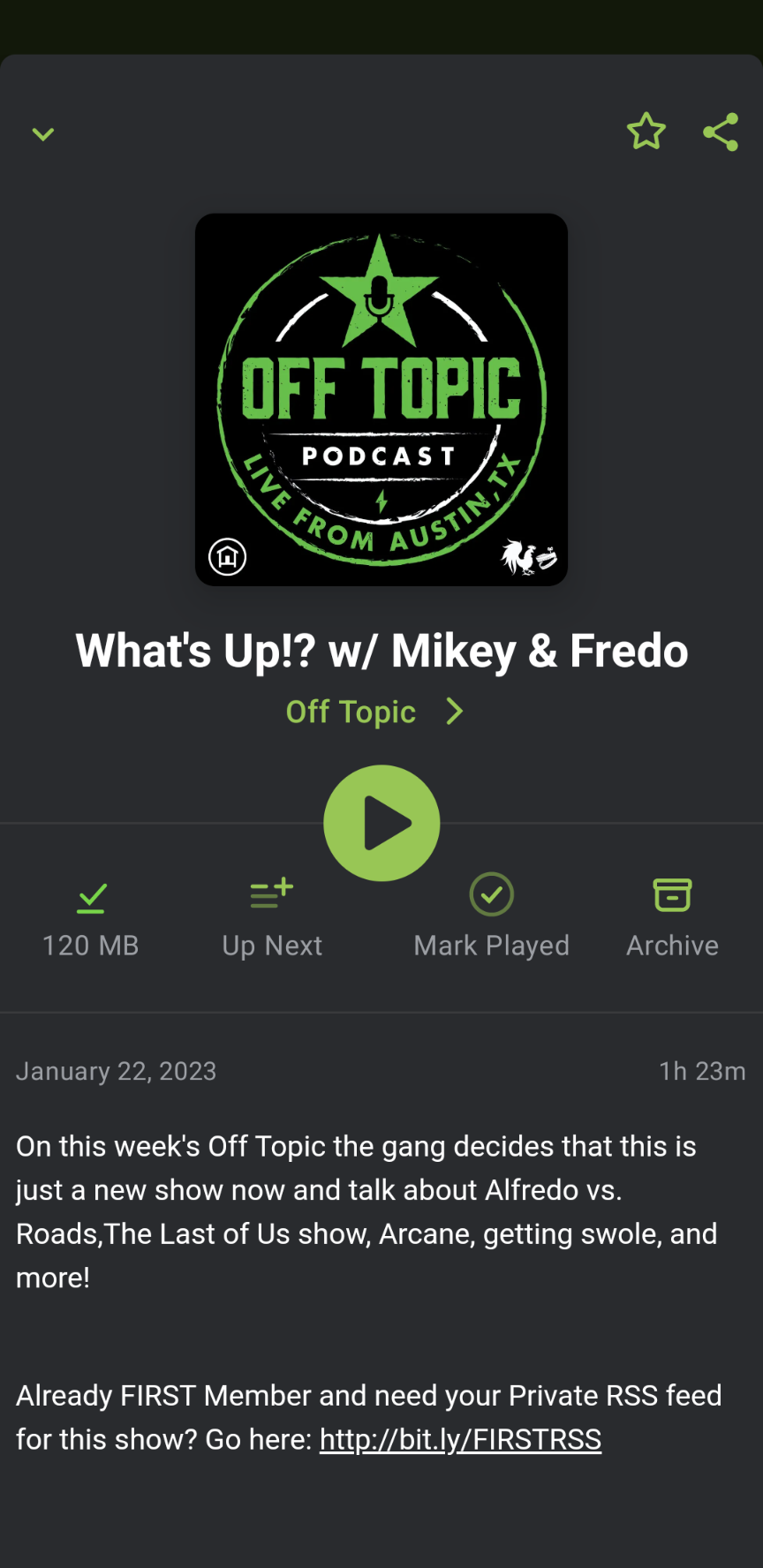

The user from this comment had the same error again
I had the same error occur this week for the following attached podcasts. The auto downloaded version was shorter than the manually downloaded version.
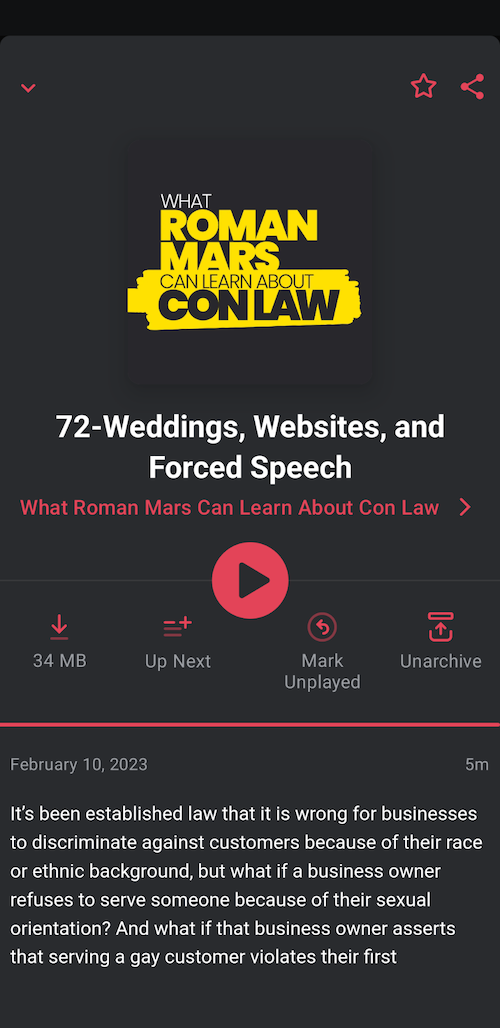
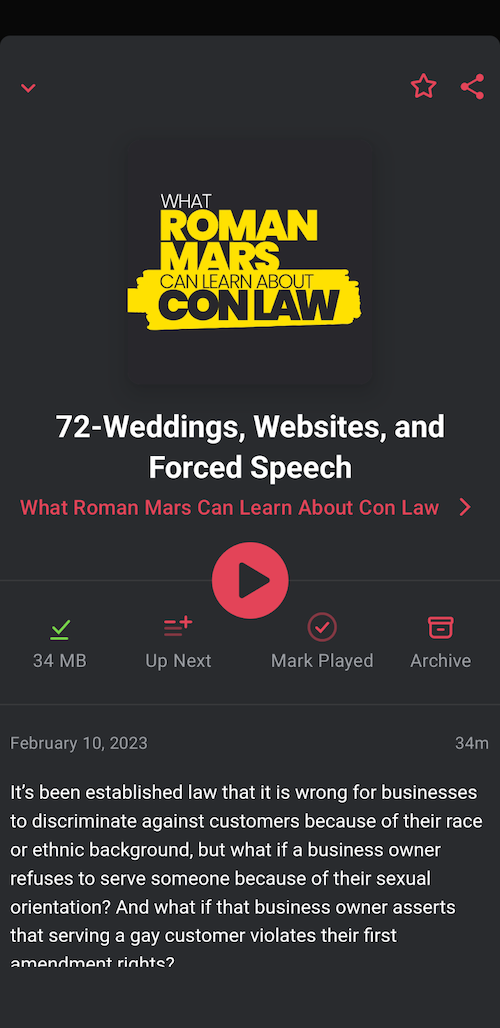
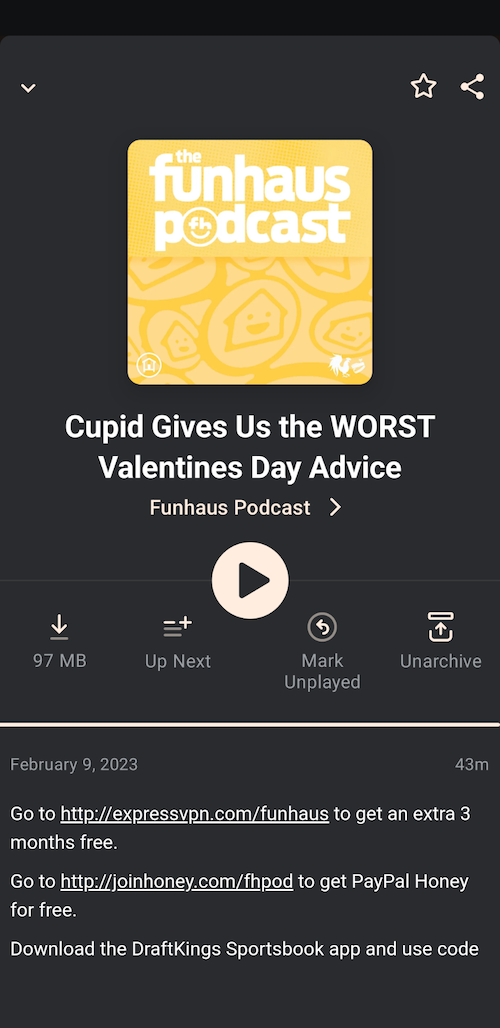


Another report in 6084571-zen
https://user-images.githubusercontent.com/35628116/228833077-722251b7-f69f-4b7b-b8e0-efe10767d14e.mp4
Another report in 6084571-zen
- Podcast UUID: 09de8650-a1d4-0135-9def-5bb073f92b78
- Episode title: What the Oil Companies Really Knew, Part 1
afinfoduration should be 841.456375 seconds- However, there are only 1593716 valid frames, so duration becomes 36.13868481 seconds (1593716 valid frames / 44100 Hz)
User was asking if their playback effects might be causing the issue. This is what they have:
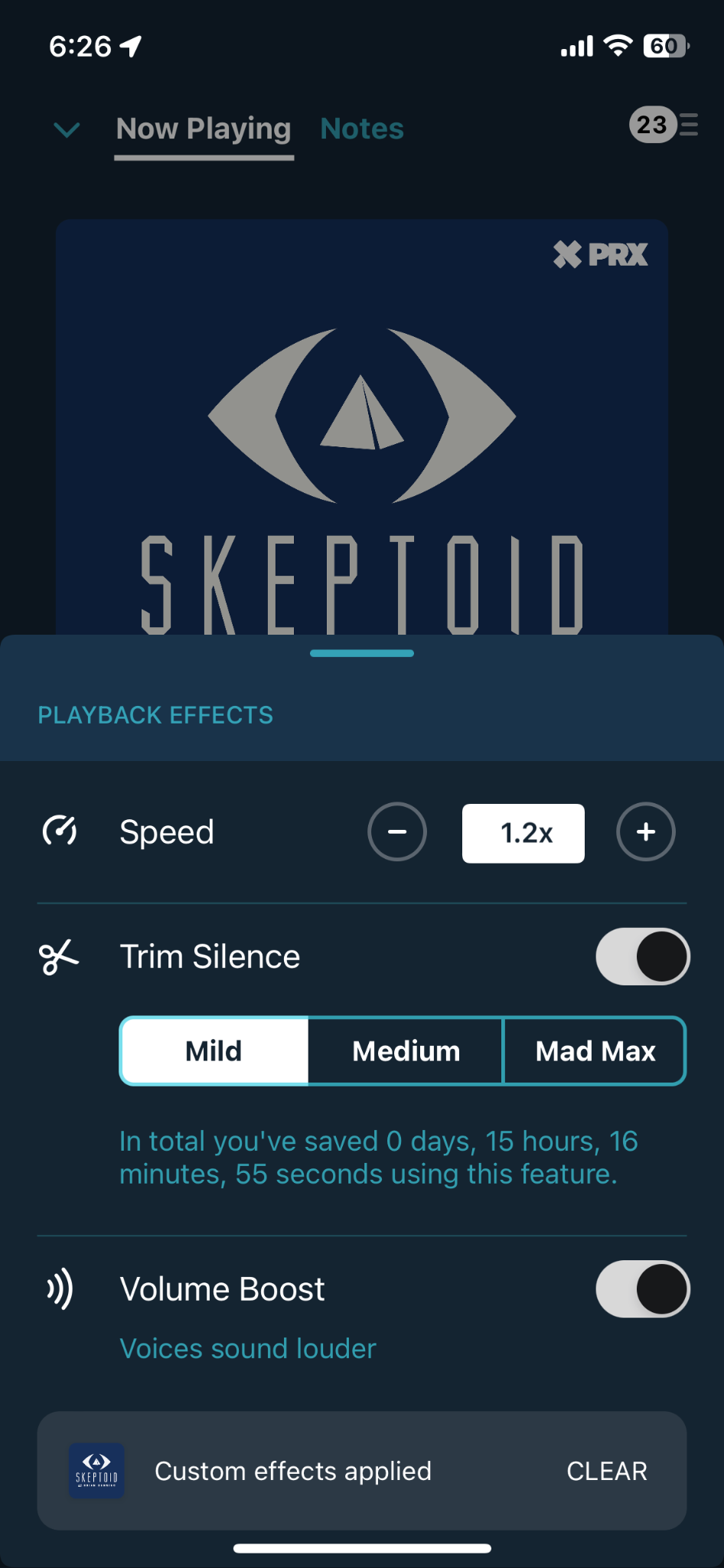
I copied that, and I was finally able to replicate the issue!
/Edit: I “conflict tested” the playback effects, and the issue seems to be from Trim Silence. With Trim Silence disabled, there is no issue with the episode duration. I've suggested the following to the user:
- Disable Trim Silence
- Mark the problem episode as "Played"
- Mark the episode as "Unplayed"
That does a sort of reset on the playback duration gathered by the app so the correct one is used, at least on my iPhone SE 2022.
The user from this comment said the workaround didn't work for them
I’d did the following with no improvement in Behavior
• Turned off trim silence for that podcast • Downloaded the episodes again (app reports correct length) • Played them • Length still truncated when playback commences Pausing playback and and marking as played on the playing screen gets rid of the episode so not good there. Toggling playback state in the podcasts list of episodes doesn’t seems to help either.
The user in this report shared more observations:
Version 7.35 looks like it did something, but not fixed. Not on my phone at least. I first tried on my iPad and there I got the correct episode length, but when I switched to my phone it was still wrong, and it seems to have synced that wrongness to the iPad, since it wa strong when I went back to it. After various re-downloading on both and not being able to make heads or tails of it, it uninstalled the iPad app. Reinstalled it, and re-downloaded the episodes, and it was fine. So I did the same thing on the phone and but it remained wrong on the phone after reinstalling, which then messed up the iPad again. Whatever is going on with sync is weird, aside from the issue with these podcast episodes.
They both have the latest public version of iOS/iPadOS they they can run, which is the 16.4 that was just released recently. It looked like it was the length that was synced, as the length on the iPad went for ~14mins to ~30secs after the iPhone did it’s sync thing. That said, I’m not sure the iPad would actually play the full 14mins. I tried and if I’m remembering correctly it ended within a couple minutes (not 100% on that though).
There's another report of issues from a different user but with the same podcast (different episode on a private feed), which we've been discussing in the latest comments. The only playback effect they have active is Volume Boost. They are not doing any silence trimming or playing at speeds other than 1x.
I was able to replicate the issue by turning on Volume Boost after I'd already started playing the audio file.
Steps to Replicate:
- Open the private podcast via the shared link for the private feed
- Start playing the most recent podcast
- Using the volume icon, turn on playback speed to 1.5x, Trim Slience and Volume Boost.
- When enabling volume boost the content started trimming and went down to 36 seconds.
- Play the full episode and then play it again from the archive (which should play the full episode without trimming)
- When replaying the episode, I disabled the playback features before starting it again. This allowed the episode to play at full length when started fresh after a different episode was played despite showing a 36s timeframe.
- I then re-enabled it while the episode was playing and the trim happened again.
It seems to only happen on the most recent podcast, I can't replicate on the older ones in the feed.
6175408-zen

Users in both #6084571-zen and #6175408-zen no longer experienced issues with the latest episode of their respective feeds of the same premium podcast.
#6084571-zen reports:
the folks that produce the [...] podcast informed me that they made a change of some kind. They say it didn’t alter the frame count, but I did find that the latest episode [...] played without issue for me.
Reported in #6597943-zen; afinfo:
- Estimated duration: 15210.057292 sec
- 473611950 valid frames / 44100 Hz = 10739.5
Another report in 6596232-zen
All episodes from "Mau Acompanhado" podcast are shown with double the length and after content ends playback gets stuck in the middle of progress bar. Also one of the latest episodes of Nerdcast, "892 - RPG Ghanor 5", ended content before the episode really ended (I can confirm it works fine in other platforms).
https://nodeweb.pocketcasts.com/admin/podcasts/4467391?return_url=%2Fadmin%2Fpodcasts%3Fsearch%3D82704a00-7520-013b-f27e-0acc26574db2%26limit%3D20%26commit%3DSearch