

 Automattic
Missing YouTube video
Steps required to reproduce the problem
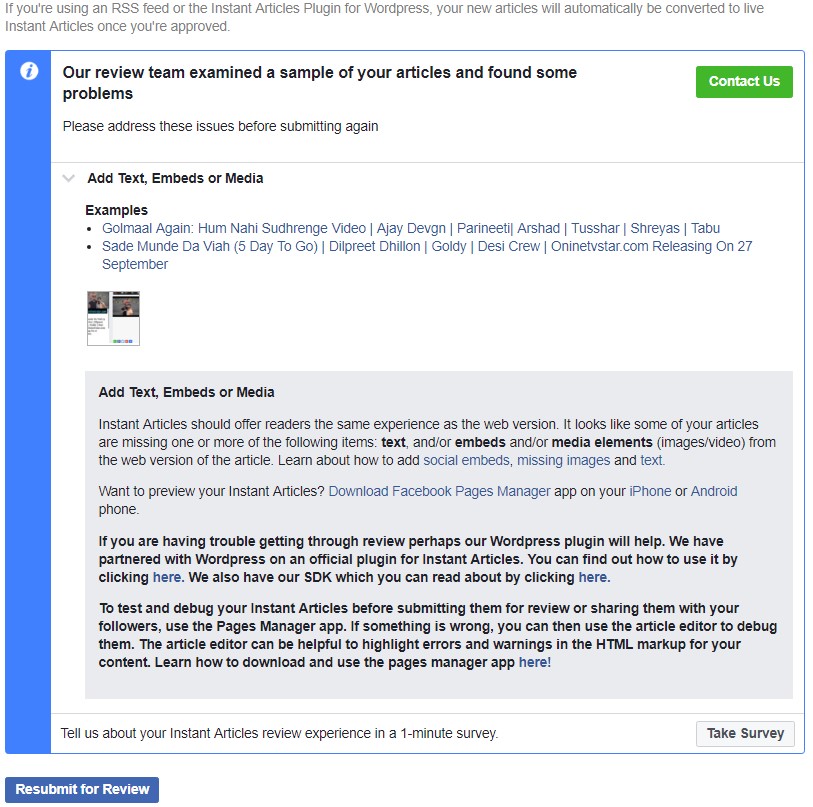
hello i embed youtube videos on my website www.onlinetvstar.com but when i submit request for Facebook Instant Article then its rejected and give issue. Please help me for this.
- Add Text or Images (Missing)
- Social Embeds
- Videos not shown on my Facebook Page Manager App. its Like the videos or images which are uploaded by the help of Plugin its not shown on this. Like Plugin not worked on Fb Instant Article.
Expected Result
- Let me Know the solution and want to connect my website.
Actual Result
--- check Attachment
Version Info
-
Plugin version:
-
WordPress version: 4.4.6
-
PHP version:

Hi @Sukhwinder500, please share:
- The version of the plugin you are using
- The URLs of the articles you submitted to the reviewers
- The Source Markup and Transformed Markup for some of the articles the reviewers mention. which you can find them the Instant Article plugin section when you edit a post (click on [Toggle debug information])

Hello @pestevez
-
Facebook Instant Plugin Version - 4.0.5
-
Url - http://onlinetvstar.com/hes-not-stopping-throwback-fails-november-2017/ or more on www.onlinetvstar.com
-
Source markup -

-
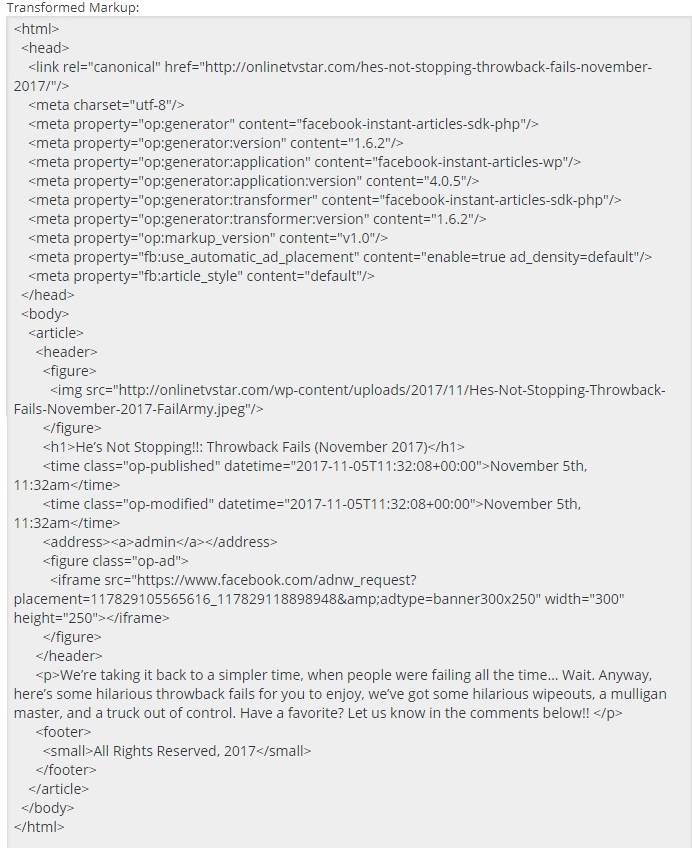
Transformed Markup -
Please help me to solve this issue thanks for ur Reply..
How are you embedding the YouTube video? Is it through a third-party plugin? I don't see the YouTube embed code in your Sorce Markup.
Since the YouTube embed code is not available to the plugin, then it does not get added to the Instant Article. That's the reason you are getting rejected in the review process because you are missing elements.
Hi @pestevez - It means though we embed Youtube video in our WordPress site FB Instant Articles do not add and display, right? What else could be the work around to display?

The part I am missing is how are you adding the YouTube video to your posts? Is it through a third party plugin? The Instant Articles plugin uses the source markup available, so if the YouTube video tags are not there, we will miss it. An option will be looking at other places beyond the source markup, that's why I want to understand your publishing flow.
hi @pestevez m using " Viduze Wordpress Theme " and its default please check the images
-
how i copied a youtube video link
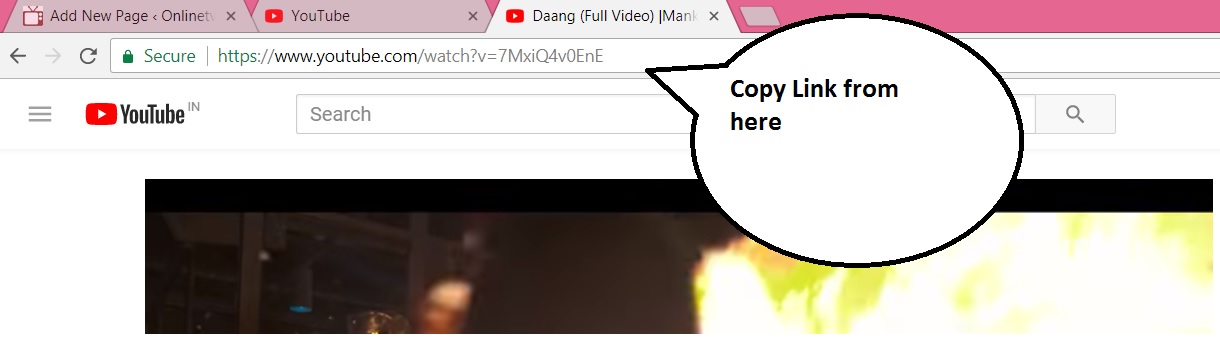
-
Paste 1st in Box for thumbnail for the post " using FEATURED VIDEO PLUS " Plugin.
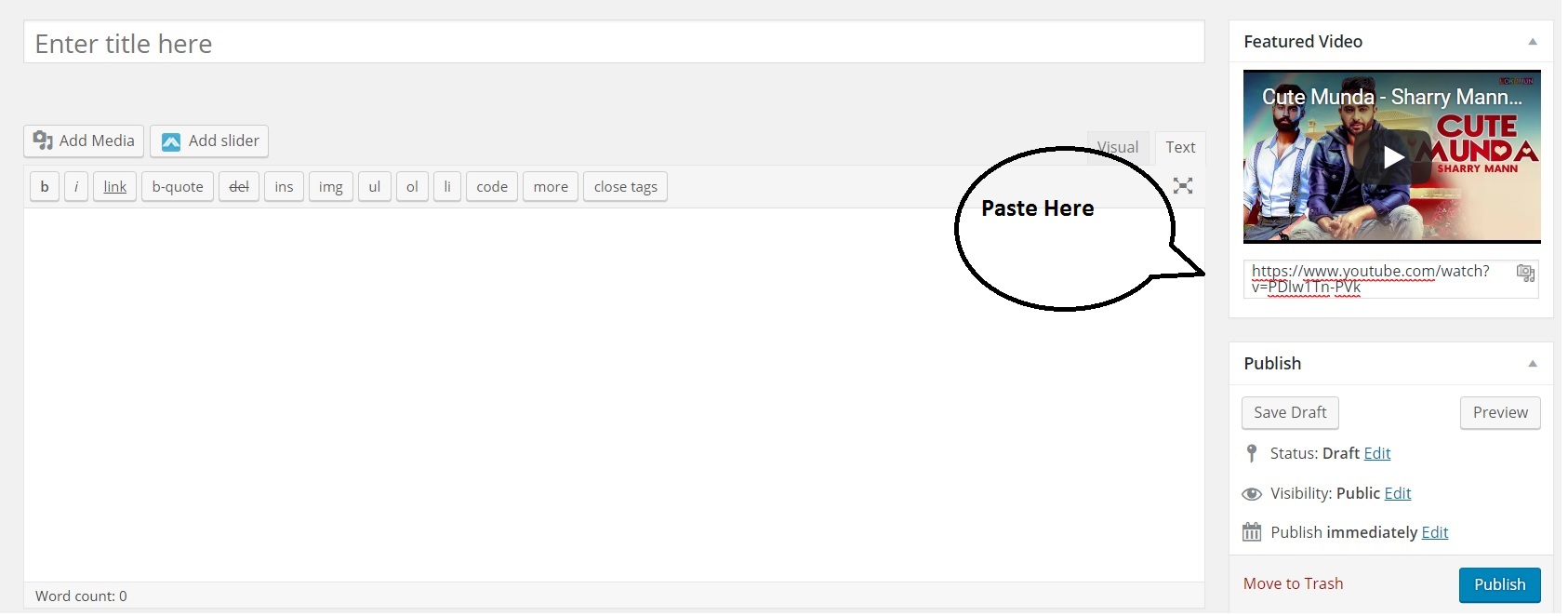
-
2nd Paste in this box for Video Player
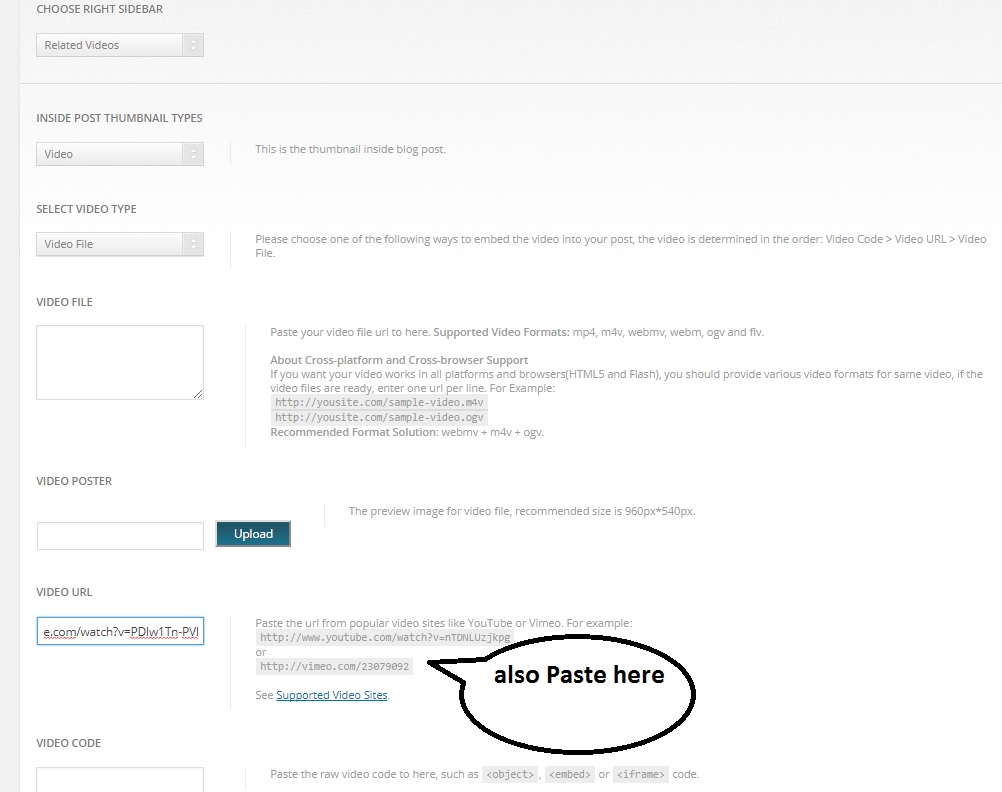
Website :- www.onlinetvstar.com wordpress version :- 4.4.6
Regards
Thanks for the information, @Sukhwinder500. Our team will prioritize your feature request.
@pestevez - my case is little different than @Sukhwinder500 I simple copy the Youtube video link like above and paste it to post without any embed code as WordPress render the responsive video. Am I missing anything here?
@humgurung - please check #697, #556 and #761 to see if it is any of the existing issues. If not, can you please create a separate issue so we can better track it?
Hi @pestevez are there any update about @Sukhwinder500 feature request ? I got the same need =)

Sorry, no updates, however, I believe we will tackle bug fixes first.
Also, in this particular case, I am not even sure if this will be a third-party integration that we will support. While the Instant Articles format supports videos in the header, they have to be a Video element; and YouTube (and other third-party video players) are supported using Embeds, which cannot appear in the article Header.
In any case, please feel free to submit a PR and our team will take a look at it.

i dont understant what they mean by saying this error, it says embed from acctual article is not showing in facebook instant article, but in facebook page app i can see it. and about that img shodnt be enclosed with p

This issue has been marked stale because it has been open for 30 days with no activity. If there is no activity within 7 days, it will be closed. This is an automation to keep issues manageable and actionable and is not a comment on the quality of this issue nor on the work done so far. Closed issues are still valuable to the project and are available to be searched.
![github-actions[bot] avatar](https://avatars.githubusercontent.com/in/15368?v=4 "Published by a pub.dev verified publisher")