

 AutomaApp
Having the same element in a same page leads to not write successfully. PLS help,thanks.
Describe the bug Having the same element in a same page leads to not be written successfully. PLS help,thanks. Step 8 does not take effect.
Screenshots
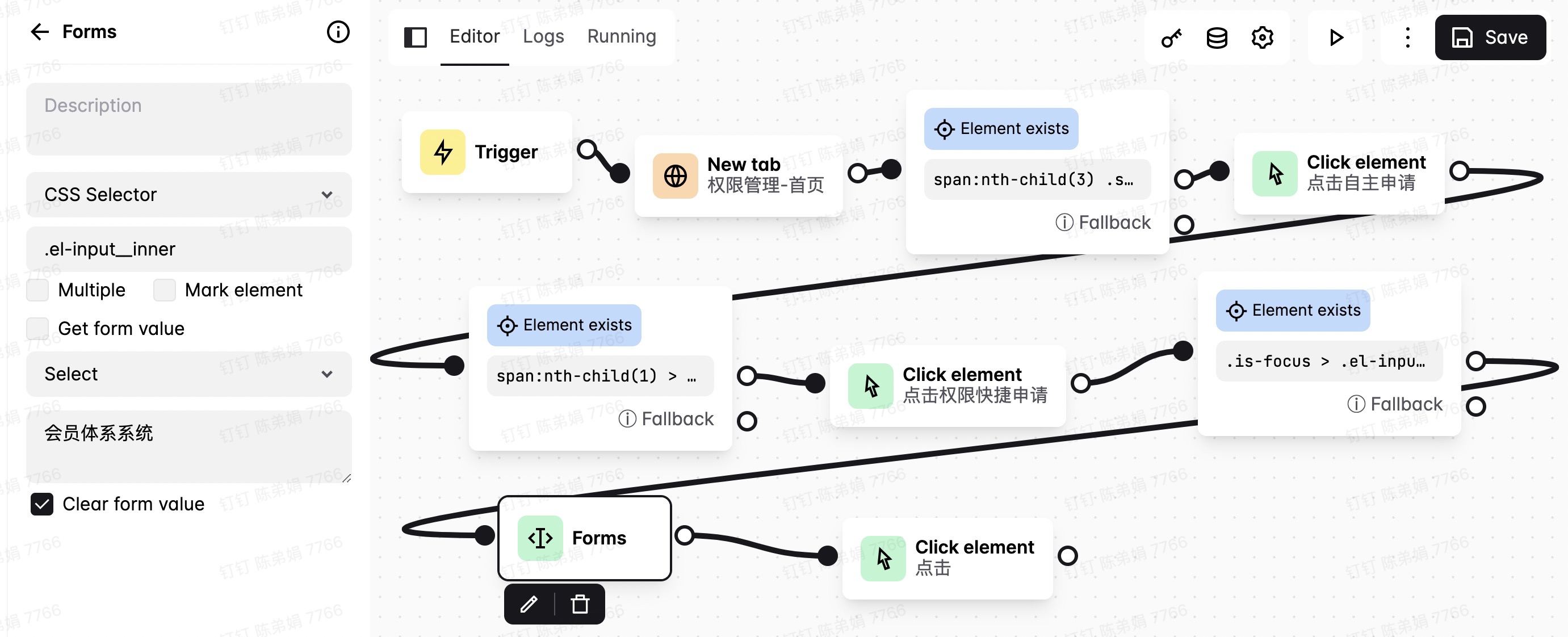
The same element(.is-focus > .el-input__inner) in a same page :
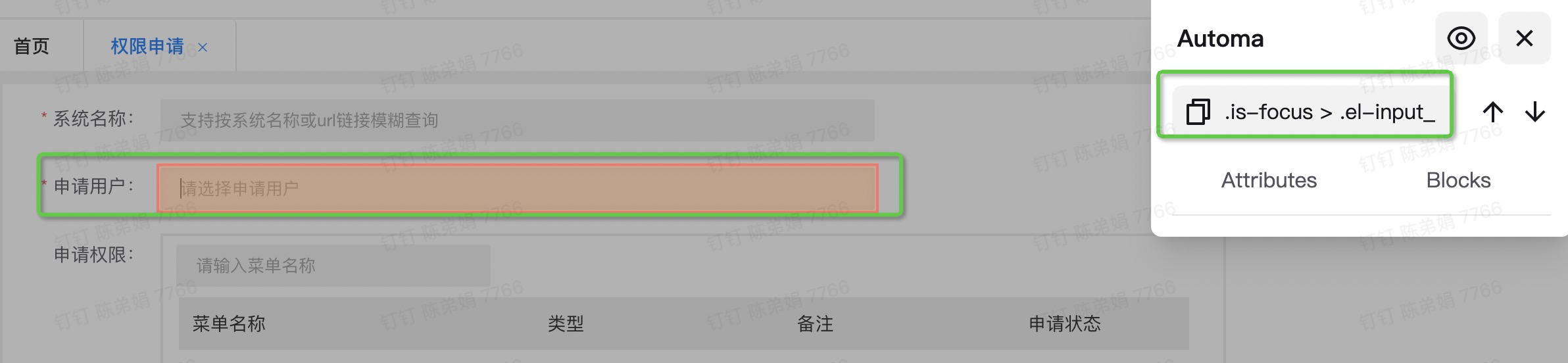
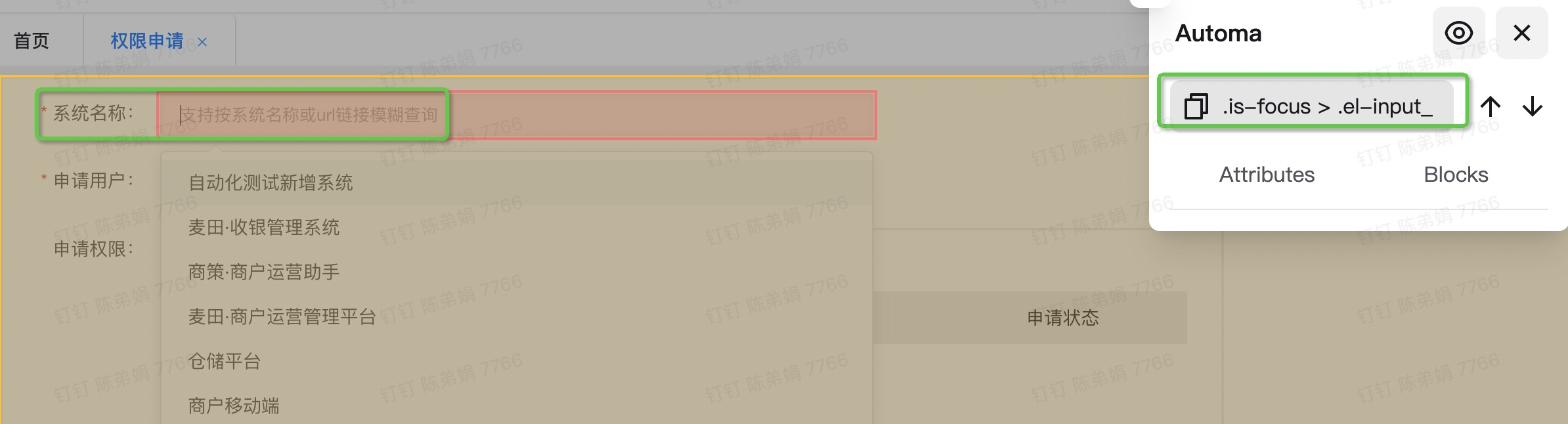
Step 8 was not performed,Logs without step 8.


Try this https://github.com/Kholid060/automa/issues/341#issuecomment-1038911044

It doesnot work after i increase the "Try for" and the "Timeout" value.
The same elements(different place) in a same page ,does automa not know which one should be assigned to?
The steps (Forms) doesnot work.
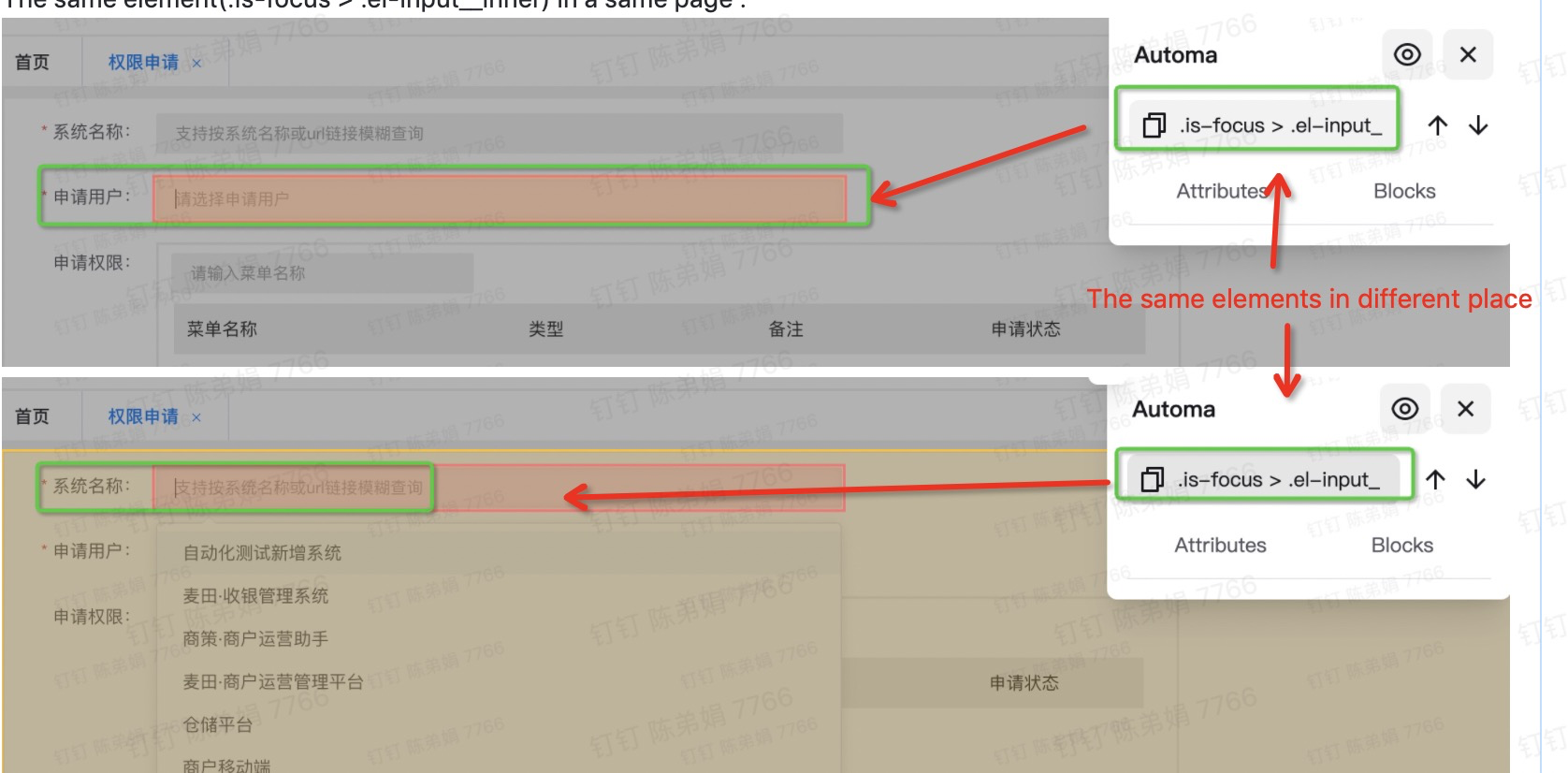
Try .el-input__inner as the element selector, and if it still doesn't work can you right-click at the input, click the inspect option, take a screenshot and send it here, so I can help you to get the selector of the input.
Thank you very much for your patience.
I tried .el-input__inner as the element selector, also tried input.el-input__inner as the element selector,but they still don't work.
The screenshot as follows:
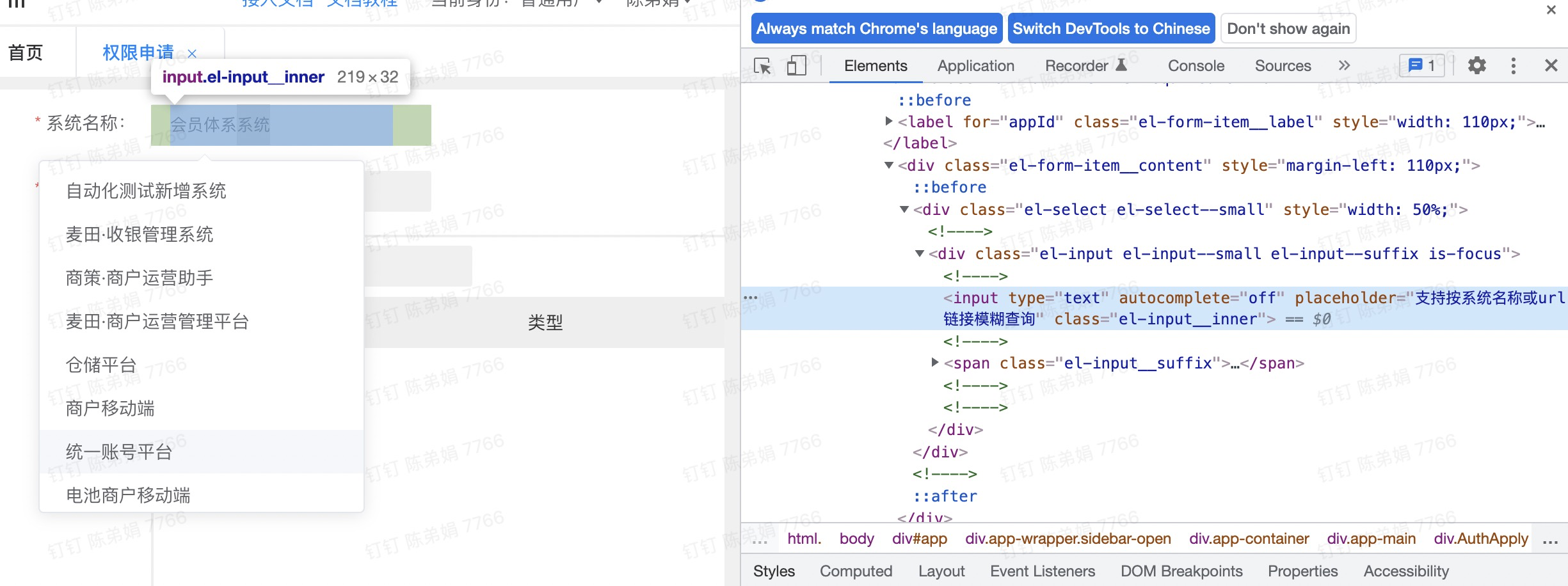
Try one of these selectors:
input[placeholder="textHere"]label[for="appId"] + .el-form-item__content input.el-input__inner
Replace the textHere with the highlighted text in the image below.
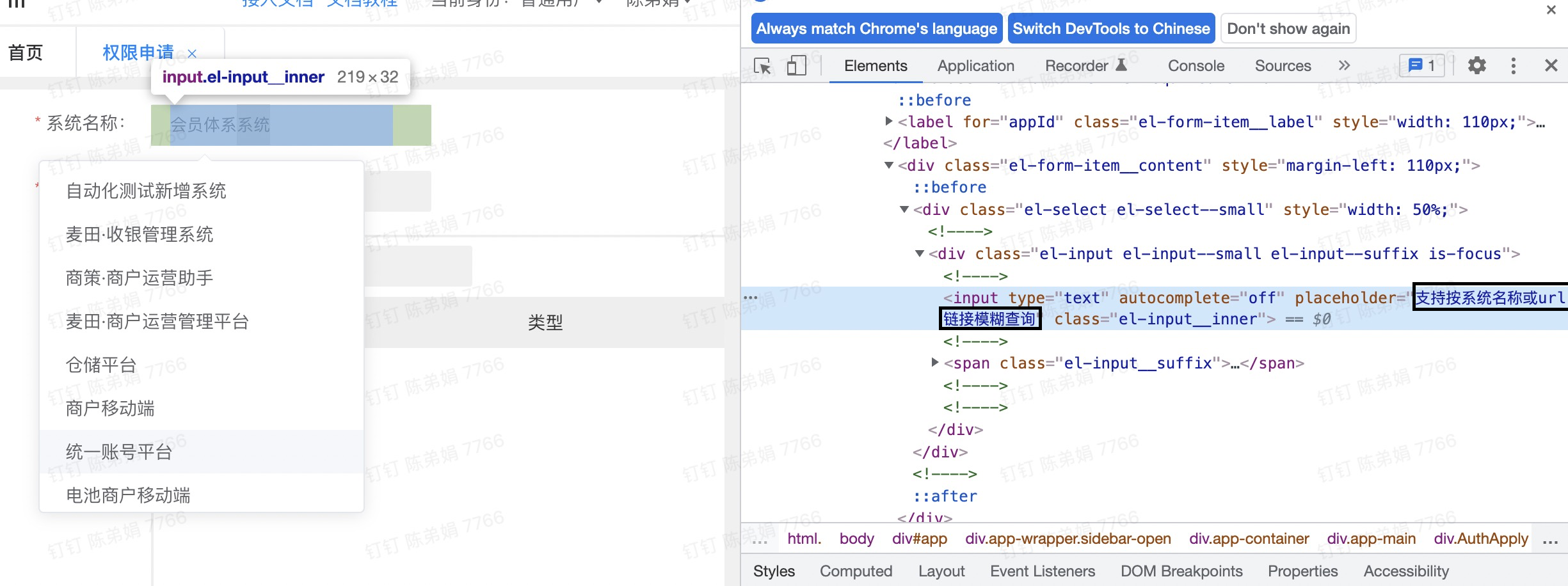
It is hard to generate a unique selector for the input element because it has a generic class name and also doesn't have an id attribute to identify it.
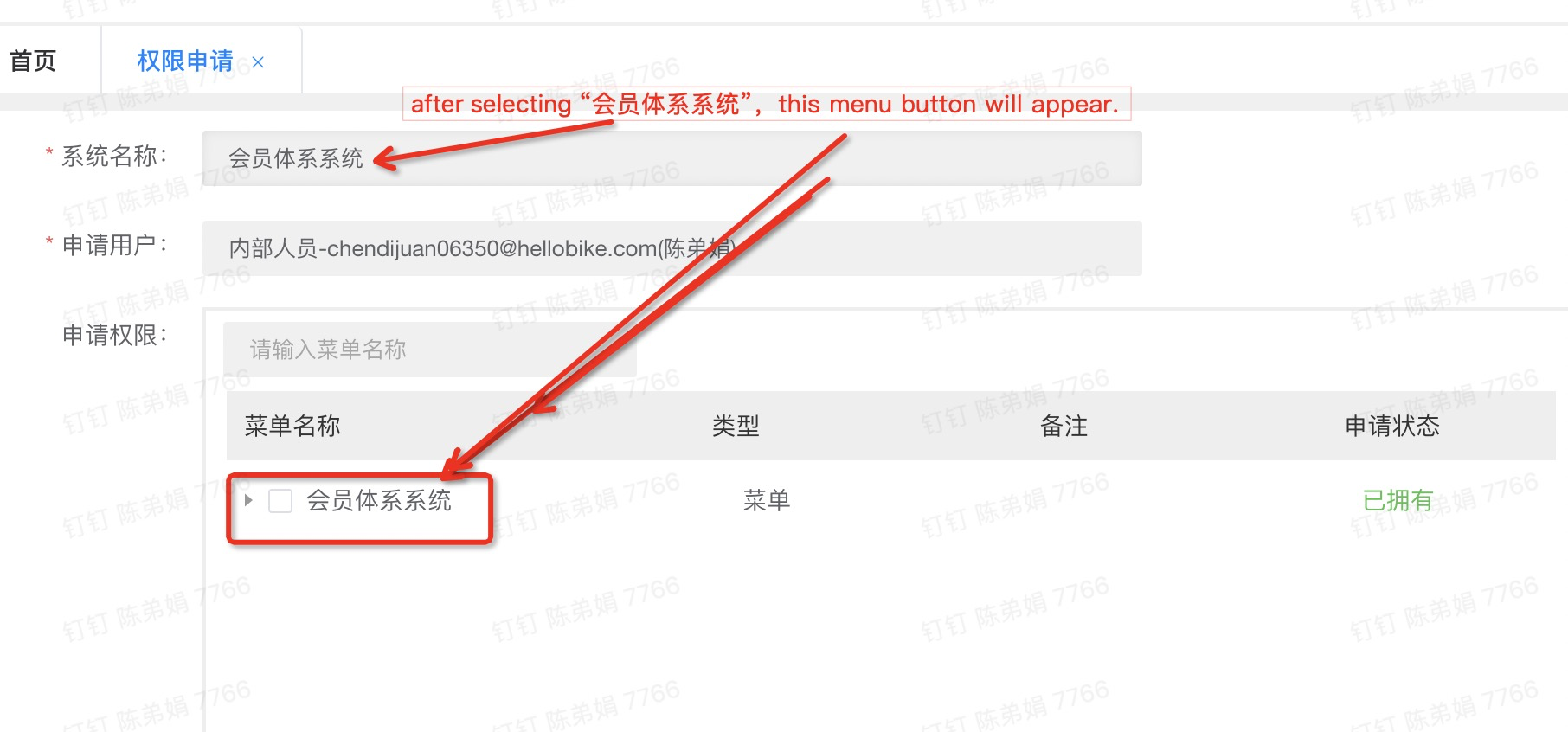
The input can be realized through the method you provide. Thank you very much. But other problem has arisen. In fact, after selecting “会员体系系统”, we need to click "Member system system" to bring up the following menu items, the current way does not show the "会员体系系统" dropdown option, so we can not click, we can not select the menu.
I made a video to understand it better.
The effect of need:
https://user-images.githubusercontent.com/98003000/155092448-151727fb-872d-4207-b39f-4d3fc1bcc300.mp4
The actual effect:
https://user-images.githubusercontent.com/98003000/155092406-a99cef43-cb23-4c1f-8a54-44f52d1c99d1.mp4
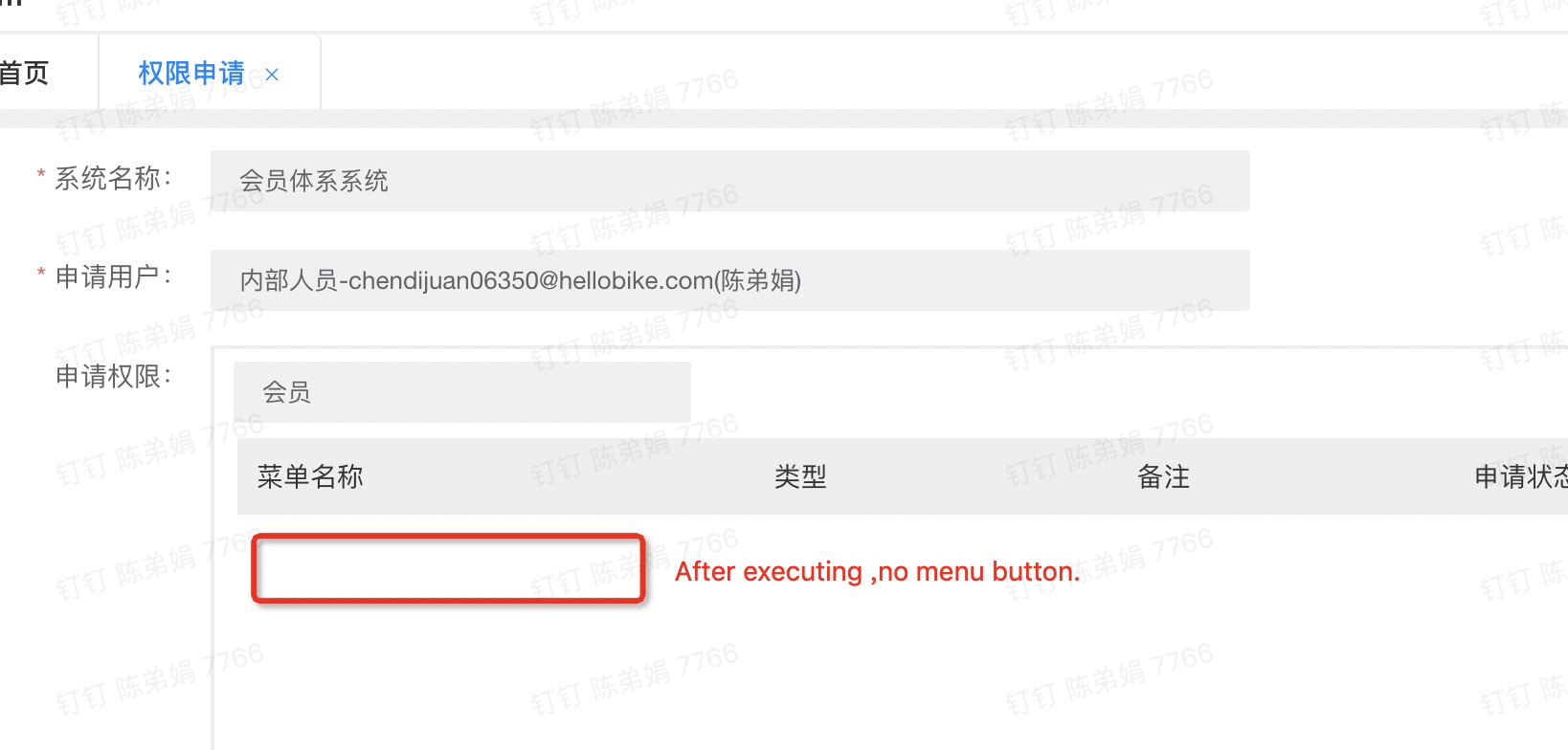
I also use “click” “会员体系系统”,but it doesn‘t work with no this element.
First, try using the record workflow feature to get the selector of the element and try to execute the workflow to see whether it's working or not. If it doesn't work, can you send me the screenshot of the dev tools (Right-click the element -> click Inspect) of the page, because I can't do anything if I don't know the structure of the page.
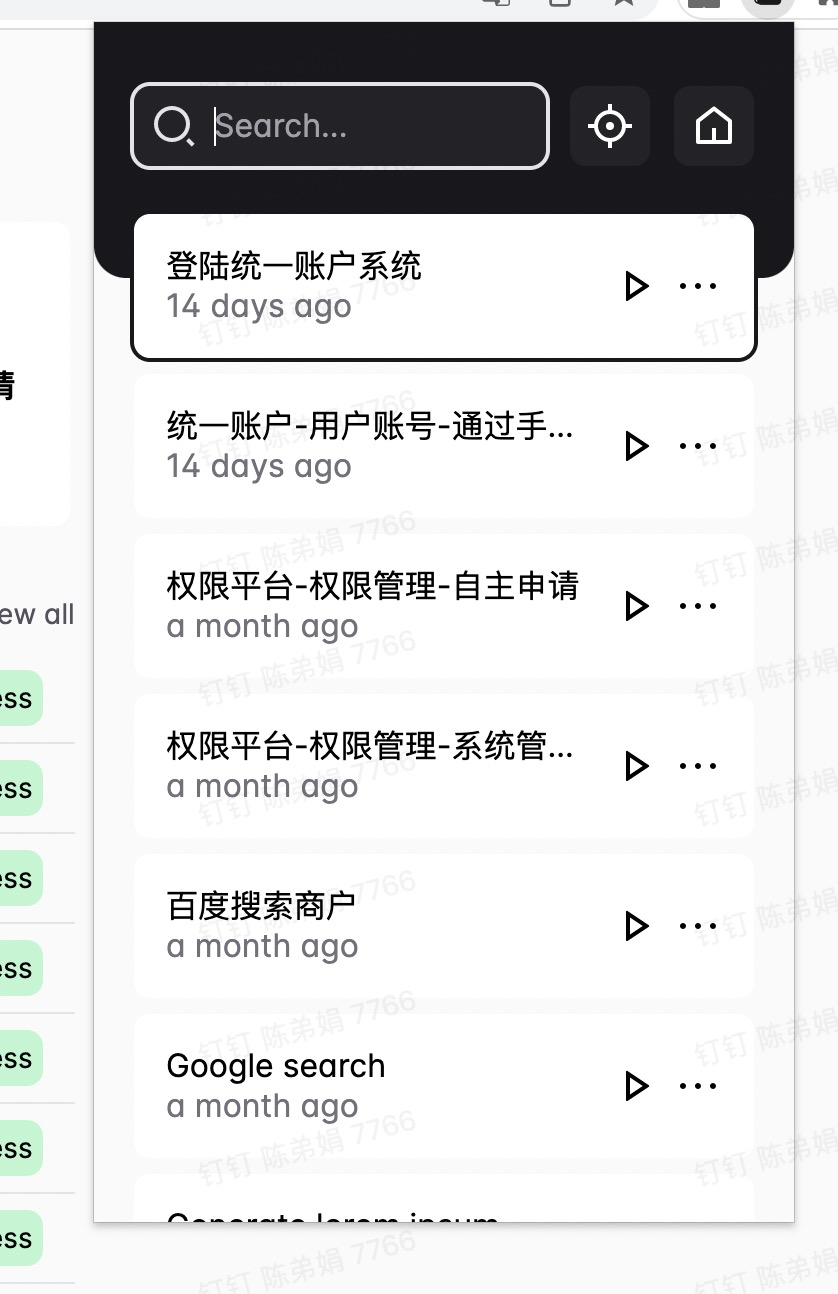
I guess you haven't updated the extension, are you installing Automa from the Chrome Web Store?
If you're installing Automa from the webstore, you can update the extension by opening chrome://extensions/ and then click the update button.
