

 AutomaApp
When using "webhook", how can I transfer all data of "datacolumns" to "content body"?
Thank you for your work! I have a question about 'webhook' When using "webhook", how can I transfer all data of "datacolumns" to "content body"? Only the first row of data is transferred by "{{datacolumns}}"

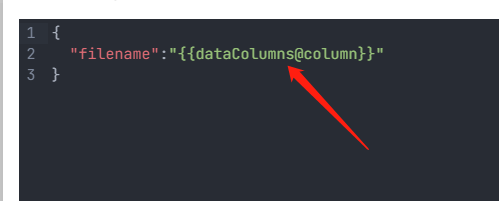 format:
if length of dataColumns is equal 1 use "{{dataColumns@key}}"
if length of dataColumns is bigger than one use "{{[email protected]}}" "{{[email protected]}}" ......

Thank you very much for your answer, but I mean to directly obtain the entire JSON array of datacolumns. The workflow first dynamically crawls the web page data into datacolumns. I don't know how many rows of data there are in datacolumns
When using "webhook", how can I transfer all data of "datacolumns" to "content body"?
To transfer all data of the data columns to content body, write {{ dataColumns }}
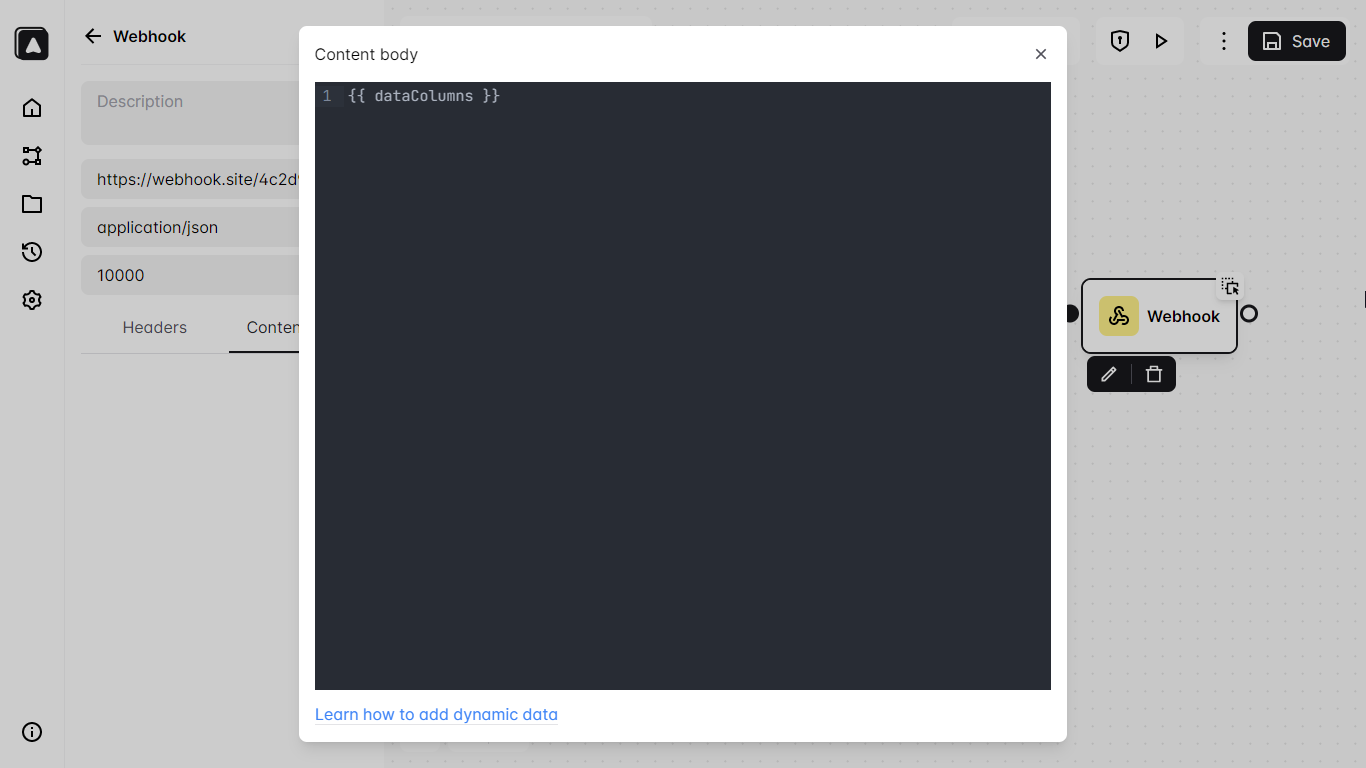
Only the first row of data is transferred by "{{datacolumns}}"
Try to check how many rows the data columns have
I don't know how many rows of data there are in data columns
You can check how many rows the data columns have by opening the workflow log
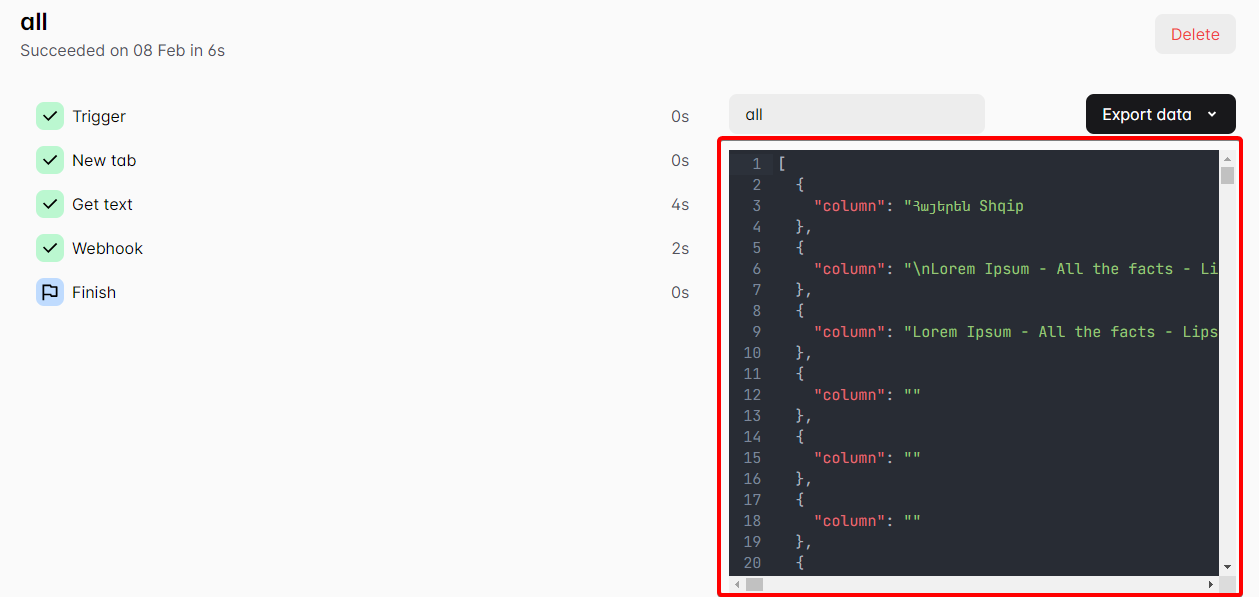

Thank you very much for your answer. The website data I want to crawl is dynamic and updated all the time, so I made a timing trigger. The trigger dynamically obtains all data through "loop data" and places it in “datacolumns”. Finally, all data of datacolumns is automatically submitted to my server through webhook.
I used {{datacolumns}} in the content body of webhook, But the server only got the first row of data. The workflow log shows that there are multiple rows of data in datacolumns.
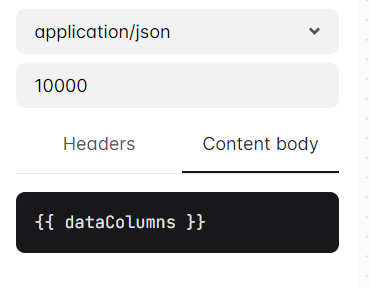
I copy the data directly from the workflow log to the contentbody, but the server can receive all the data. I don't know what went wrong?
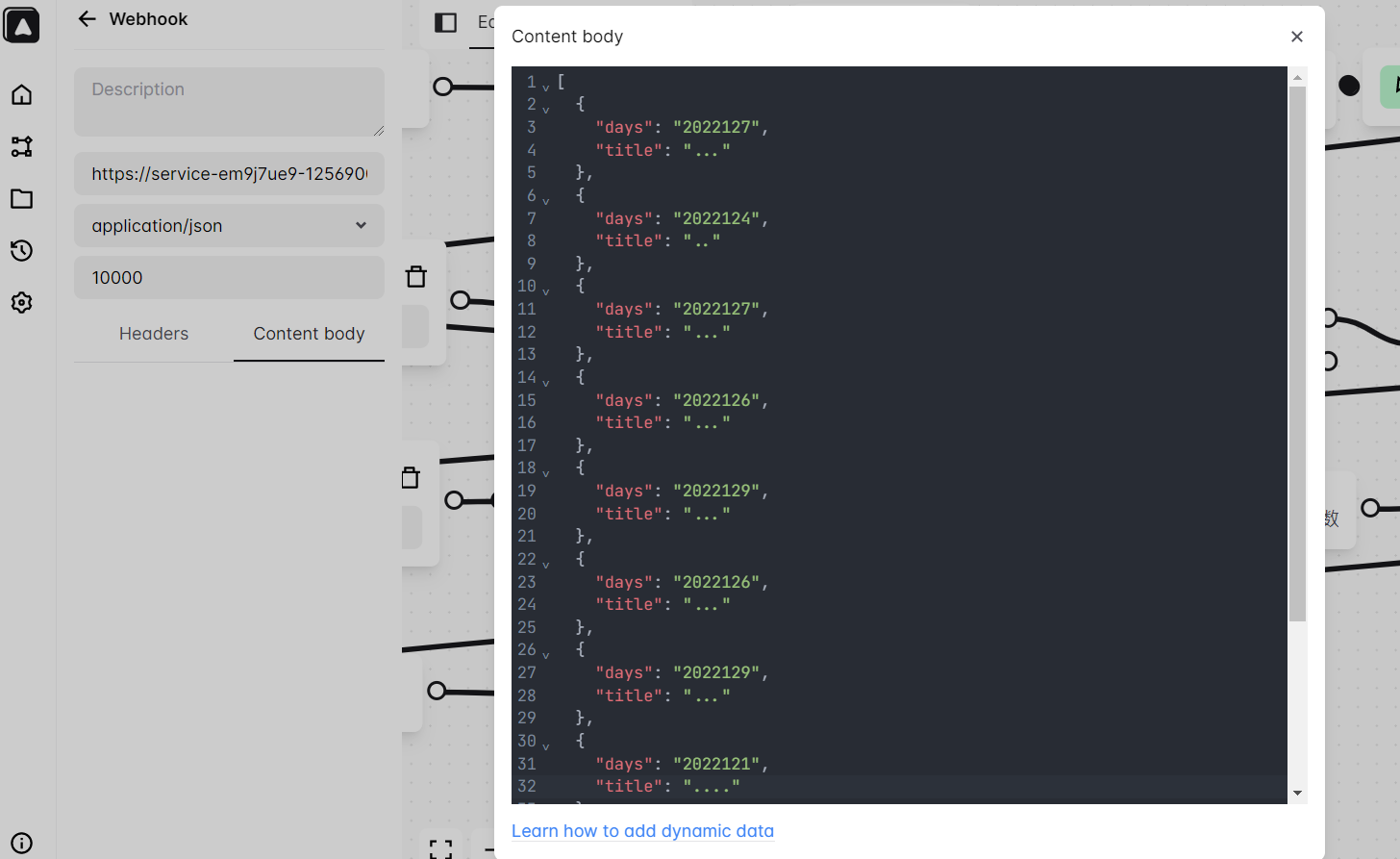
my workflow:
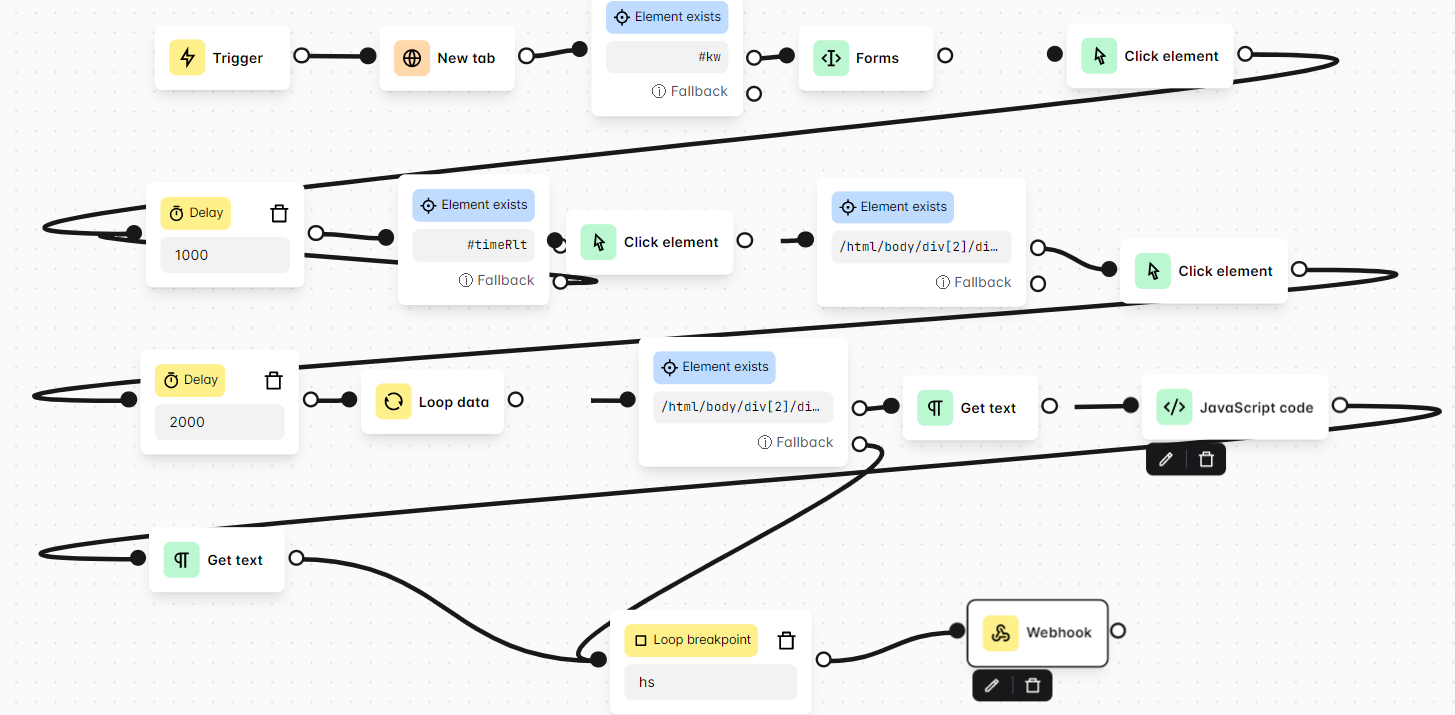
Thank you very much for your answer. The website data I want to crawl is dynamic and updated all the time, so I made a timing trigger. The trigger dynamically obtains all data through "loop data" and places it in “datacolumns”. Finally, all data of datacolumns is automatically submitted to my server through webhook.
I used {{datacolumns}} in the content body of webhook, But the server only got the first row of data. The workflow log shows that there are multiple rows of data in datacolumns.
I copy the data directly from the workflow log to the contentbody, but the server can receive all the data. I don't know what went wrong?
my workflow:
That's kinda weird, I'll look into this if there's a bug in the app