

 Autodesk
IFC Wall Profile error
Hi!
When export concrete wall from Revit 2019.3 with a wall profile it is not right in the IFC:
I have the latest IFC-exporter. 2019.3.
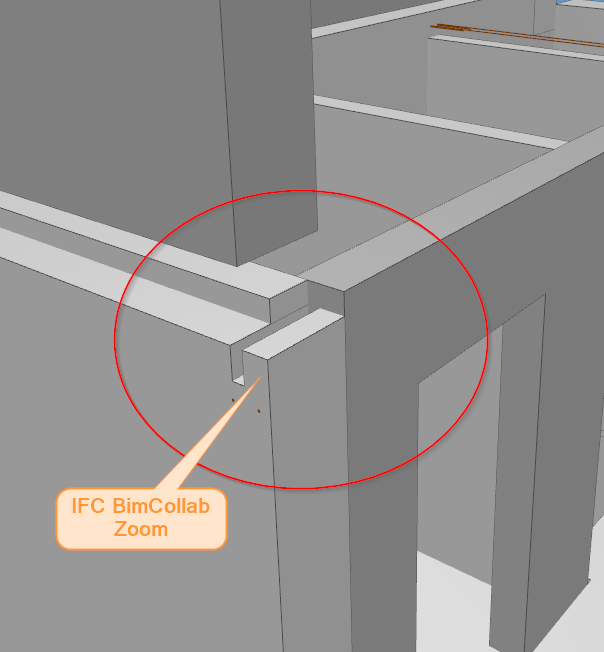
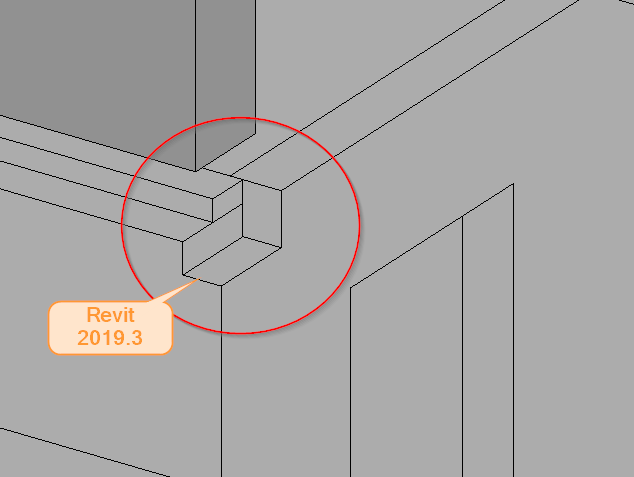
Download revitfile here, 2019: https://tinyurl.com/y4tgl22r Element ID: 2453

I have seen the same problem. Here are steps to reproduce in Revit 2020 and ifc exporter v20.1.0.1:
- Create two walls perpendicular to each other, one lower than the other
- On the talles wall edit profile like the image below
- Export to ifc and compare the result

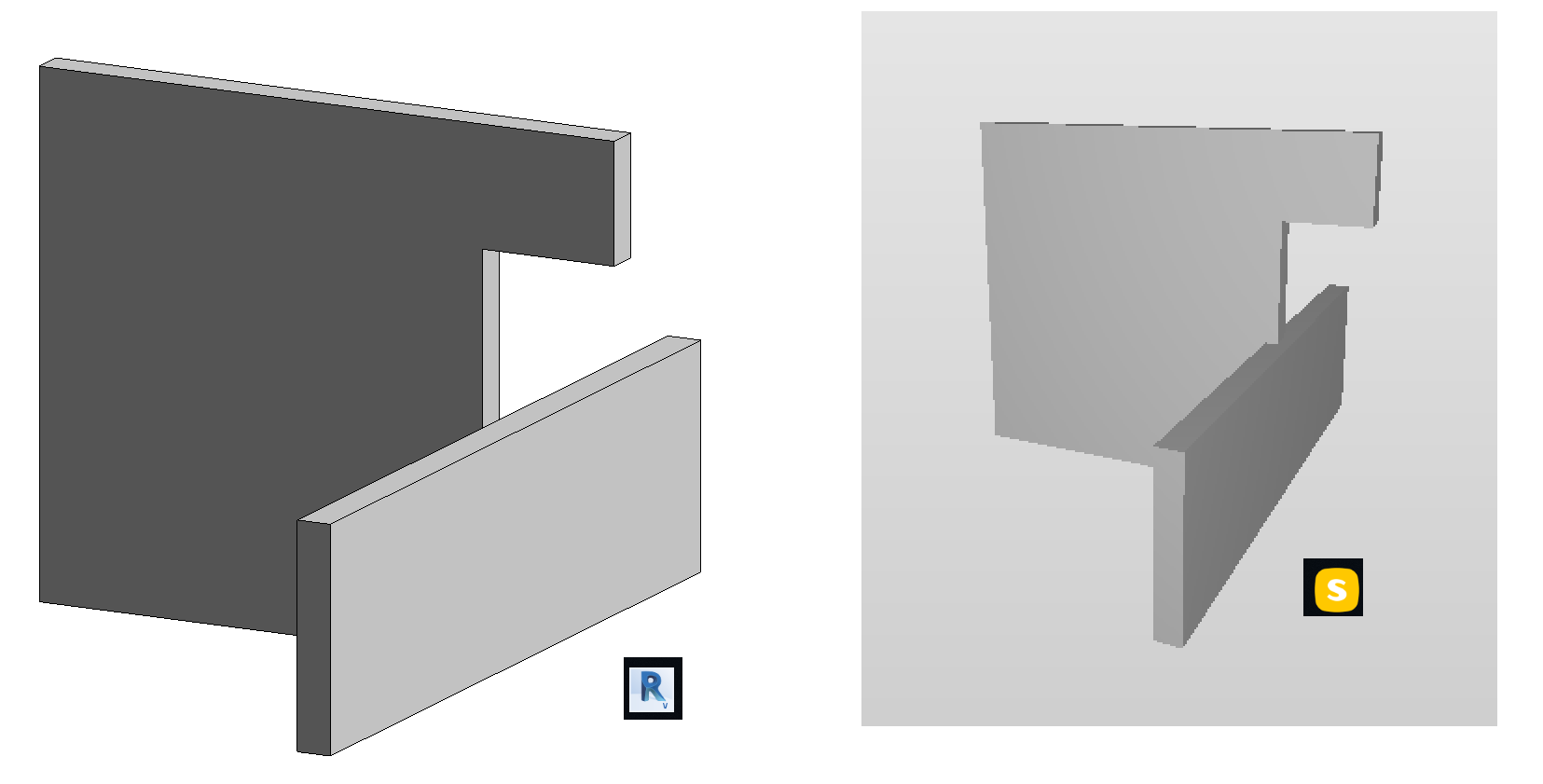

Reported to the support aswell. They are investigating and has created an article: https://knowledge.autodesk.com/support/revit-products/troubleshooting/caas/sfdcarticles/sfdcarticles/Wrong-geometry-exported-to-IFC-file-from-Revit.html
This issue is also reported in Jira as "REVIT-232193" and is currently in the "Open" status.

We experience on 25.4 that a profile of a wall in Revit will be adjusted to the centerline of the perpendicular wall that is meets. Then the IFC export will respect that line, instead of the actual wall edge. As you can see under the front wall gets exported with an edge aligned with the centerline of the 90 degree walls it meets. The result is an incorrect IFC that will cause issues with coordination and building site. Can this be addressed?
IFC Export:
Revit model:
