
Windows-Auto-Night-Mode
 Windows-Auto-Night-Mode copied to clipboard
 AutoDarkMode
Notification/alert on mode transition
There is a slight delay between logging in and my autonightmode switching to the current light/dark mode. It would be great if there was a notification of when the mode change occurred, so I can wait for this then open my office apps. Currently, when I log in in the mornings, I wait for a minute, then open outlook. Then see it is still in dark mode, close it, wait again, open it again... until it is in the proper mode.
Might be related to /solved by this one: https://github.com/Armin2208/Windows-Auto-Night-Mode/issues/26


May I add that buttons like Postpone for 1 hour (similar to the postpone options on a calendar event with a time dropdown), and Skip for today/Do not switch would be helpful additions to such a notification.

As I started working on this, I noticed that Microsof thas a hard limit on 5 list items in the notification dropdown list. That is quite... peculiar :D
That means we will only have 5 in total, but it should still be enough.

I noticed that Microsoft has a hard limit on 5 list items in the notification dropdown list.
5 values should be fine. In the calender they use 5min / 15min / 1h / 4h / 1d.
Maybe 5min / 15min / 1h / 2h / 1d (aka skip for today) works well for this use case? Even just 5min (or 15) / 1h / skip for today is probably enough.
I've opted for 15m, 30m, 1h, 3h and next (1d) because there's always a configurable (default 5 minutes) grace period that auto-postpones such that people have time to deal with the notification and it doesn't just switch immediately if someone misses it.
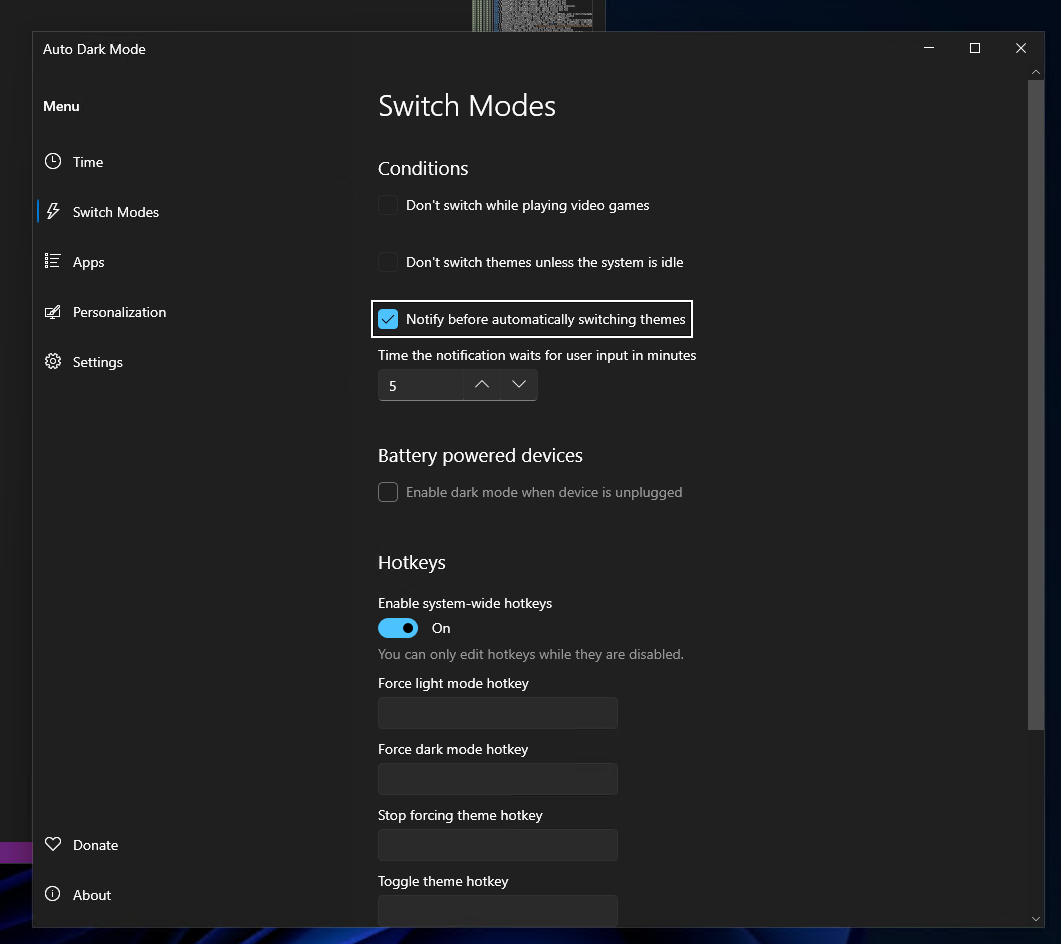
I don't get this to work with 10.3.0.34.
I enabled the checkbox and set it to only 1min. But when the time for the switch to e.g. dark is reached, there is no notification. I even realize that the switch to dark is delayed by quite some time in this release, also when the new notification setting is disabled. I don't have any of the other switch conditions enabled.
I can't not get this to work, so not sure what's wrong on your end. There are also no code changes if you disable it, so again I have no clue what could be different.
I played around with a lot of settings and the night light one with offset did also not work... Maybe it needs a simple restart. :)
Nope, still not working here on Windows 10 with custom switch times set. Did also try changing the time value and disabling/enabling the new setting. No notification is shown on switch. The theme switch was now no more delayed after a restart though.
What exactly are you doing where you observe it not working. Could you upload a video showing the following scenario:
- Have the app open on the time page
- Select custom times
- Set Light switch time to 7:30
- Set Dark switch time to at least 2 minutes ahead of your current time
- record the notification area where things pop up AND the app
- post logs and config
Also OS makes no difference here and I develop on Win10, can't reproduce your issue no matter how hard I try to break it, even with multiple different delay/postpone modules enabled.
Note that if you already have a different auto pause enabled, it won't show a notification because theme switching is already paused.