
Windows-Auto-Night-Mode
 Windows-Auto-Night-Mode copied to clipboard
 AutoDarkMode
Windows 10 2004 Delete Custom.theme prompt
Since upgrading to Windows 10 2004, AutoNightMode periodically prompts me to confirm moving the automatically generated Custom.theme file to the recycle bin. Ideally, this file should be permanently deleted without any interaction with the shell.
App build: b3.0.19


Could very well be that something on changed on the Windows side that exposed a bug in your code.
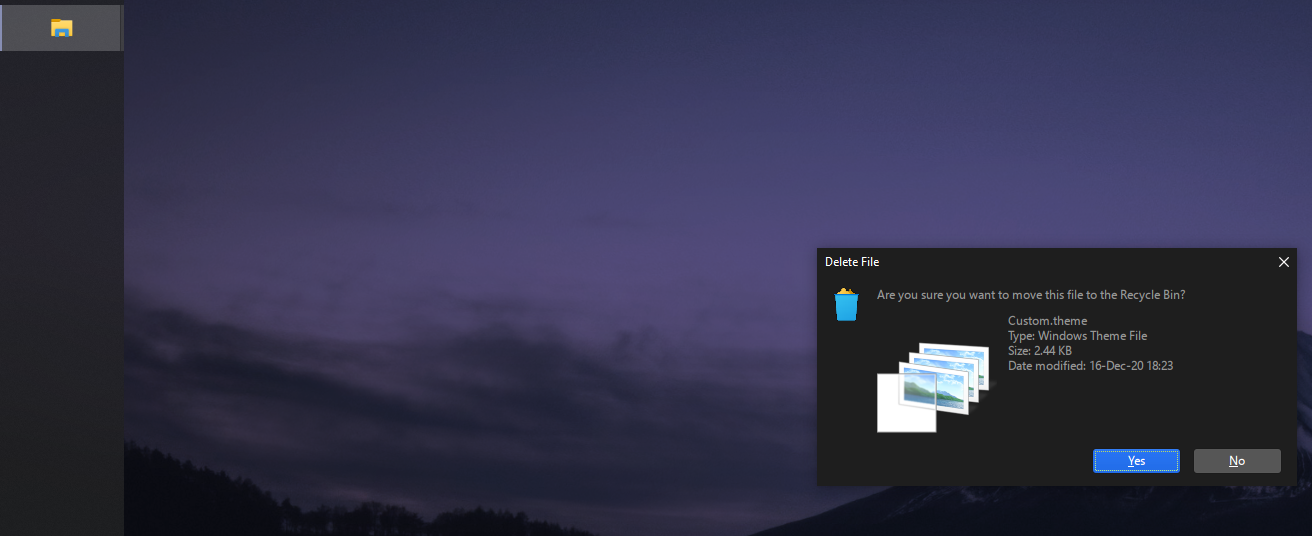
Yeah, it looks like a normal prompt like the one above but the icon in the taskbar is that of AutoNightMode.
I have a suspicion that this occurs when the screens are turned off. This still needs more investigation. We can't really fix the underlying issue as this seems to be an effect of using the private API that has been discovered to switch themes.
However it might be possible to work around it to not invoke the theme switch during the conditions that cause this to occur. @shadeMe Were you able to observe any specific situations the prompt is showing up under?

None as such. The screen was never off when it happened. It hasn't been occurring regularly for a while now (might have something to with a specific Windows update that got installed in the meantime), but it did pop-up a couple of days ago as soon as the theme automatically switched according to the configured time setting.
Hmm yes. That's unfortunate. I had this happen on my laptop a while ago, and once on my desktop a few days ago.
Thanks for the update!
I now know why it's happening. This occurs when a theme file has it's GUID changed but retains the same name. There have been some changes to the ThemeManager class and how themes are applied in ADM starting with 10.3.
Please try this one out and let us know if it's still an issue for you.