
augur
 augur copied to clipboard
 AugurProject
Product switcher - Desktop
https://www.figma.com/file/bZh7tOiLm6Ls9Hl4RL6qMC5X/Augur-Redesign?node-id=15828%3A805
After separating out the products we need a way to navigate between them

States
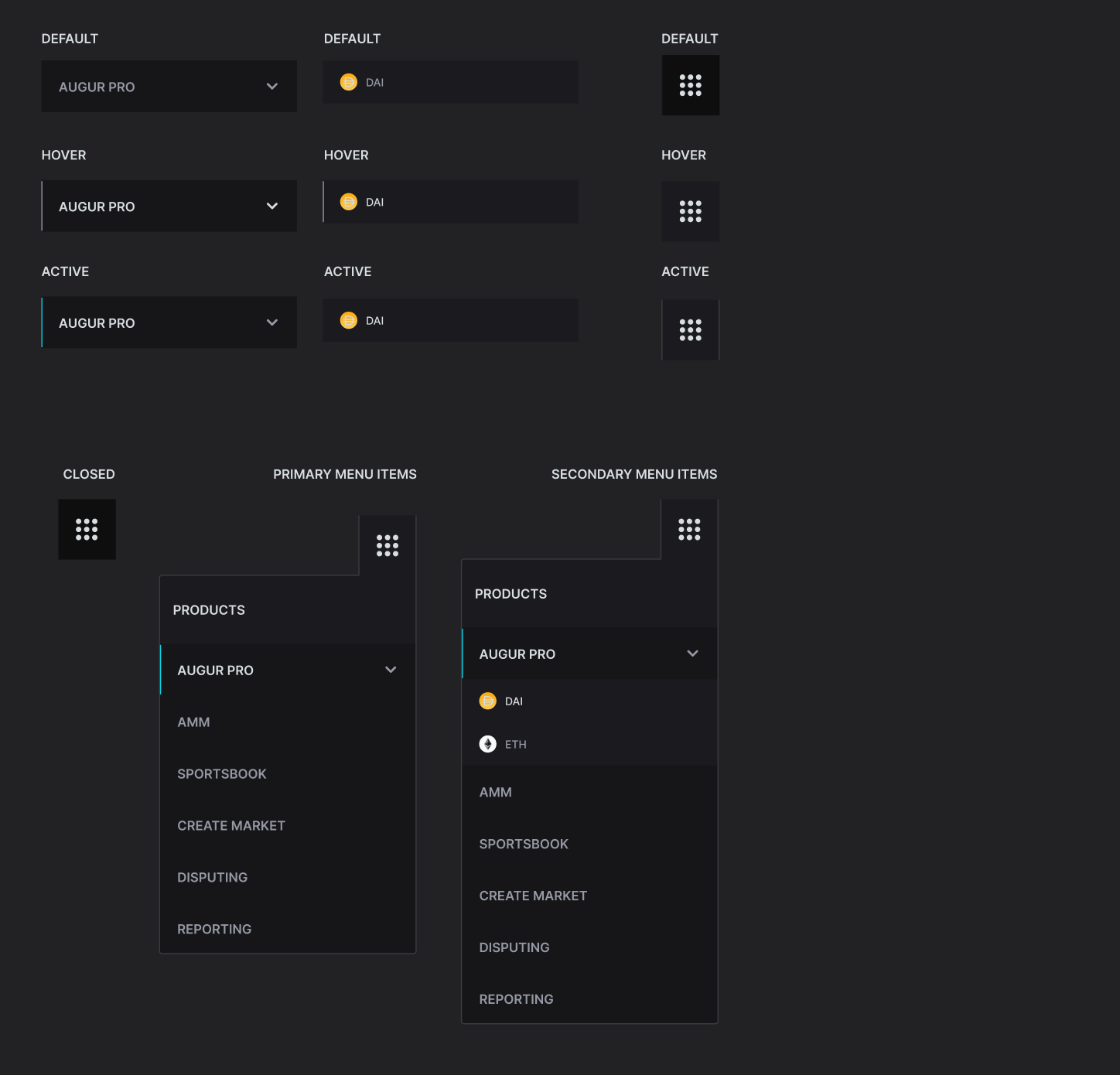

Can you adjust the placement of it. Below is where it should sit in the top bar order




Couple of small details:
Can you make the dai icon in the orange circle pure white

When you close the switcher with the augur pro section still expanded can you make sure this is also closed so the menu is reset for when yo next open it. Currently the augur pro section remains open
In the image below you'll see the top part of the right side outline is a slightly darker grey. Can you make this the same as the rest of the outline

The is 1px dark top-border should not be there:

Also, other dropdown menu on the header area (Such as help or settings) includes a shadow, like this:
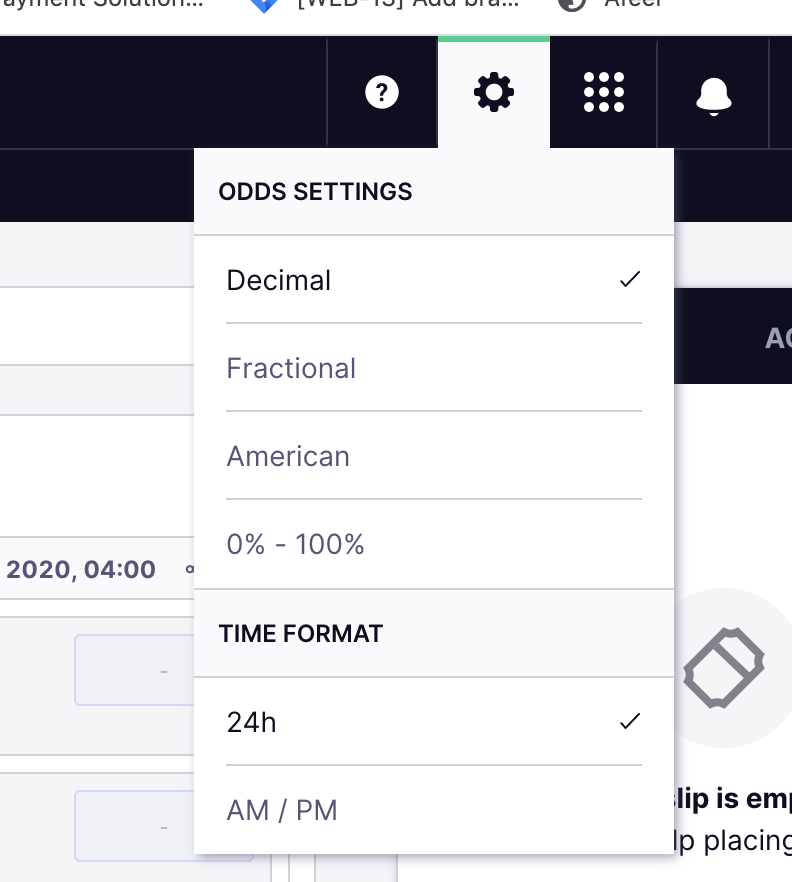
Can we include the same shadow to the product switcher? Thanks!
