

 Audiveris
Audiveris not opening
Why is my audiveris not opening? Audiveris_Setup-5.2.5-windows-x86_64 Windows 10, 64bit. jre-8u341-windows-x64 is my java
do I need Java 17 or 19 versions (from here https://www.oracle.com/java/technologies/downloads/#jdk19-windows ) which is very different and I dont know what it is, coz the audiveris download site directed me to the latest regular Java page.
PS: I installed audiveris in another drive to save space in C://

You need Java 17. (Java 19 may be OK as well, but has not yet been tested with Audiveris

thanks, I installed 19, and it's working, though first shows the dos window and then the audiveris music software opens. The dos window has to remain open during using it.
help: Plugins not loading. I made the plugins.xml using notepad+ but it's showing error in loading that file. The content of the plugin file is from here https://audiveris.github.io/audiveris/_pages/advanced/plugins/
Error loading C:\Users\CORSAIR\AppData\Roaming\AudiverisLtd\audiveris\config\plugins.xml Classifier loaded XML norms. Classifier data loaded from default uri jar:file:/F:/Prog%20Files/lib/audiveris.jar!/res/basic-classifier.zip Versions. Poll frequency: Weekly, next poll on: 30-Sep-2022
It's hardly able to view it, it's not worth trying, i cant manually edit each thing. It's better I can manually transcribe on musescore.
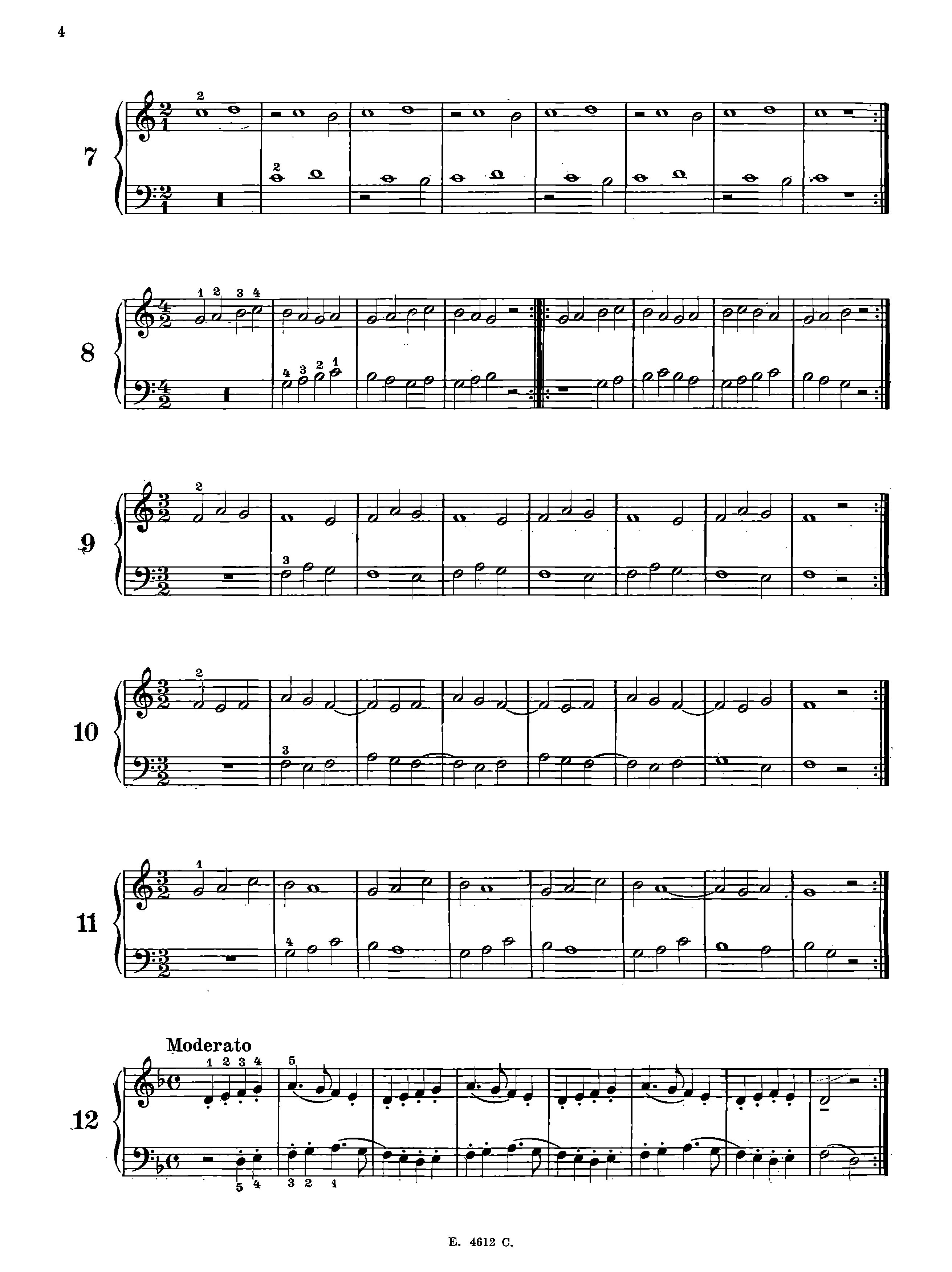
help: Plugins not loading. I made the plugins.xml using notepad+ but it's showing error in loading that file. The content of the plugin file is from here https://audiveris.github.io/audiveris/_pages/advanced/plugins/
Error loading C:\Users\CORSAIR\AppData\Roaming\AudiverisLtd\audiveris\config\plugins.xml
The plugins.xml file presented in documentation is just an example. Could you post your own version so that we can help you.
It's hardly able to view it, it's not worth trying, i cant manually edit each thing. It's better I can manually transcribe on musescore.
I suspect a poor quality input. Try to feed Audiveris with a better image of the score.
Its my plugin file, earlier I put it in a wrong folder so it was showing NO file found in the plugins/xml.
<!-- MuseScore -->
<plugin id="MuseScore" tip="Invoke MuseScore on score XML">
    <arg>C:\Program Files\MuseScore 3\bin\MuseScore3.exe</arg>
    <arg>{}</arg>
</plugin>

<!-- Finale -->
<plugin id="Finale" tip="Export to Finale">
    <arg>C:\Program Files (x86)\Finale 2014\Finale.exe</arg>
    <arg>{}</arg>
</plugin>

<!-- Finale Notepad -->
<plugin id="Finale Notepad" tip="Export to notepad of Finale">
    <arg>C:\Program Files (x86)\Finale NotePad 2012\Finale NotePad.exe</arg>
    <arg>{}</arg>
</plugin>

<!-- PriMus -->
<plugin id="PriMus" tip="Use of PriMus">
    <arg>C:\Program Files (x86)\PriMus Demo\PriMus.exe</arg>
    <arg>{}</arg>
</plugin>

<!-- EasyABC -->
<plugin id="EasyABC" tip="Export to EasyABC">
    <arg>C:\Program Files (x86)\EasyABC\easy_abc.exe</arg>
    <arg>{}</arg>
</plugin>

<!-- Forte -->
<plugin id="Forte" tip="Forte 9 Free">
    <arg>C:\Program Files (x86)\FORTE\FORTE 9 Free\FORTE.exe</arg>
    <arg>{}</arg>
</plugin>