

 Audiveris
OCR issues
Let's try to improve recognition of textual items in Audiveris.
Text recognition is performed in the TEXT step. Audiveris erases all music staves recognized so far and hands off the cleaned image to the Tesseract OCR. Because Audiveris operates on binary images the images sent to Tesseract are bi-level TIFFs. Text recognition is performed by the legacy OCR engine with page segmentation mode set to PSM_AUTO. That's Tesseract's default mode.
Here the original score image:
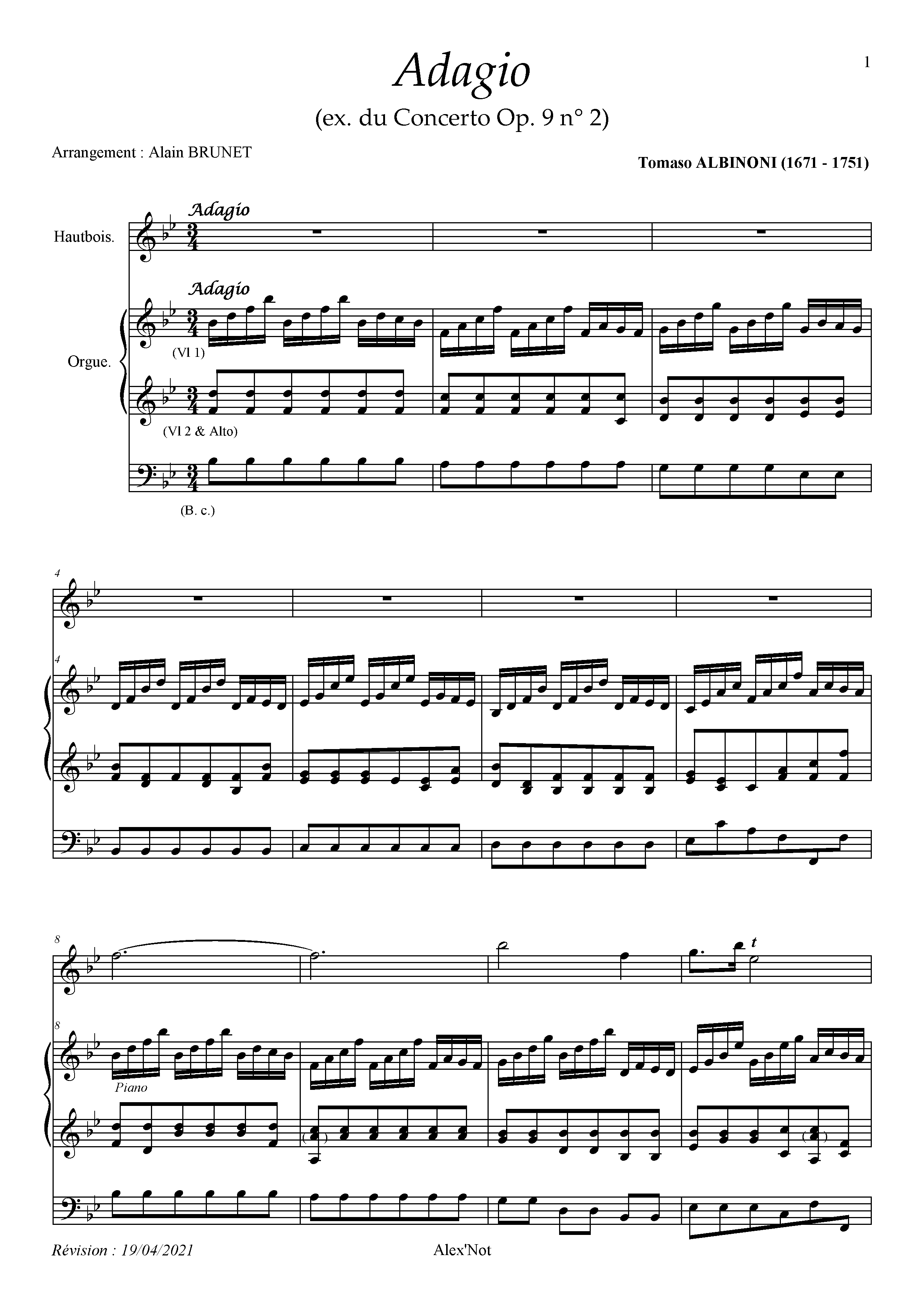
This image is sent to Tesseract for text recognition: 001-tessimg.tif.zip
Its cropped preview:
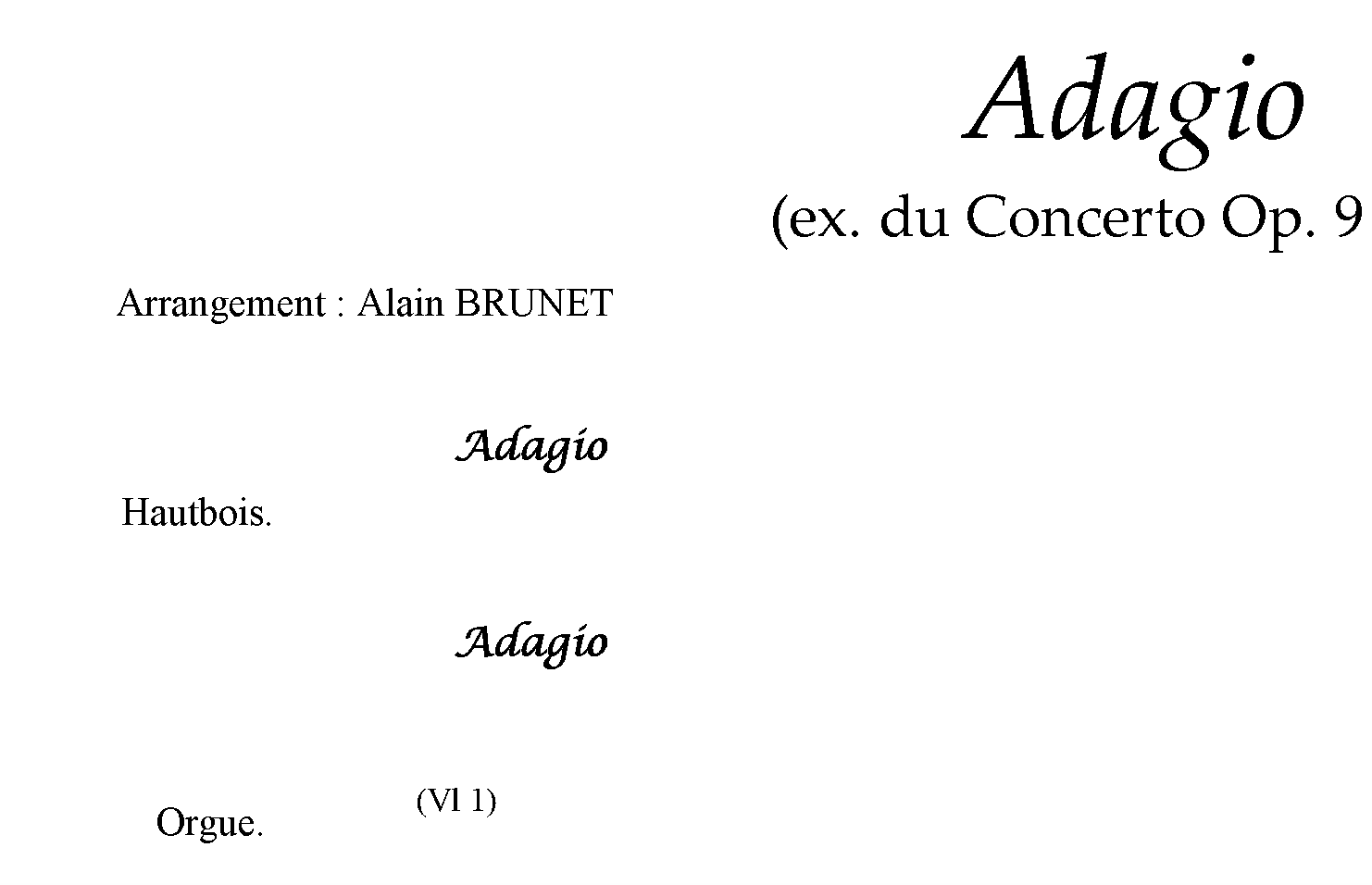
Tesseract seems to perform rather poor for the above image with the above mentioned settings.
The text line Arrangement: Alain BRUNET has been split into several words (see string_9...string_13 and string_14...string_15 below):
<TextLine ID="line_2" HPOS="149" VPOS="402" WIDTH="536" HEIGHT="31">
<String ID="string_9" HPOS="149" VPOS="402" WIDTH="44" HEIGHT="30" WC="0.88" CONTENT="Ar"/><SP WIDTH="170" VPOS="402" HPOS="193"/>
<String ID="string_10" HPOS="363" VPOS="407" WIDTH="30" HEIGHT="26" WC="0.87" CONTENT="t:"/><SP WIDTH="16" VPOS="407" HPOS="393"/>
<String ID="string_11" HPOS="409" VPOS="402" WIDTH="41" HEIGHT="30" WC="0.89" CONTENT="A1"/><SP WIDTH="24" VPOS="402" HPOS="450"/>
<String ID="string_12" HPOS="474" VPOS="402" WIDTH="4" HEIGHT="4" WC="0.80" CONTENT="'"/><SP WIDTH="37" VPOS="402" HPOS="478"/>
<String ID="string_13" HPOS="515" VPOS="403" WIDTH="170" HEIGHT="30" WC="0.90" CONTENT="BRUNET"/>
</TextLine>
<TextLine ID="line_3" HPOS="194" VPOS="412" WIDTH="2146" HEIGHT="57">
<String ID="string_14" HPOS="194" VPOS="412" WIDTH="168" HEIGHT="29" WC="0.63" CONTENT="rangemen"/><SP WIDTH="90" VPOS="412" HPOS="362"/>
<String ID="string_15" HPOS="452" VPOS="412" WIDTH="51" HEIGHT="21" WC="0.65" CONTENT="am"/><SP WIDTH="1220" VPOS="412" HPOS="503"/>
<String ID="string_16" HPOS="1723" VPOS="431" WIDTH="142" HEIGHT="30" WC="0.86" CONTENT="Tomaso"/><SP WIDTH="12" VPOS="431" HPOS="1865"/>
<String ID="string_17" HPOS="1877" VPOS="430" WIDTH="217" HEIGHT="31" WC="0.94" CONTENT="ALBINONI"/><SP WIDTH="13" VPOS="430" HPOS="2094"/>
<String ID="string_18" HPOS="2107" VPOS="430" WIDTH="94" HEIGHT="39" WC="0.90" CONTENT="(1671"/><SP WIDTH="16" VPOS="430" HPOS="2201"/>
<String ID="string_19" HPOS="2217" VPOS="448" WIDTH="11" HEIGHT="4" WC="0.92" CONTENT="-"/><SP WIDTH="16" VPOS="448" HPOS="2228"/>
<String ID="string_20" HPOS="2244" VPOS="430" WIDTH="96" HEIGHT="39" WC="0.90" CONTENT="1751)"/>
</TextLine>
Audiveris discards string_14 because the reported word confidence of 0.63 is below the minimum threshold = 0.65.
The final (erroneous) recognition result looks like that:
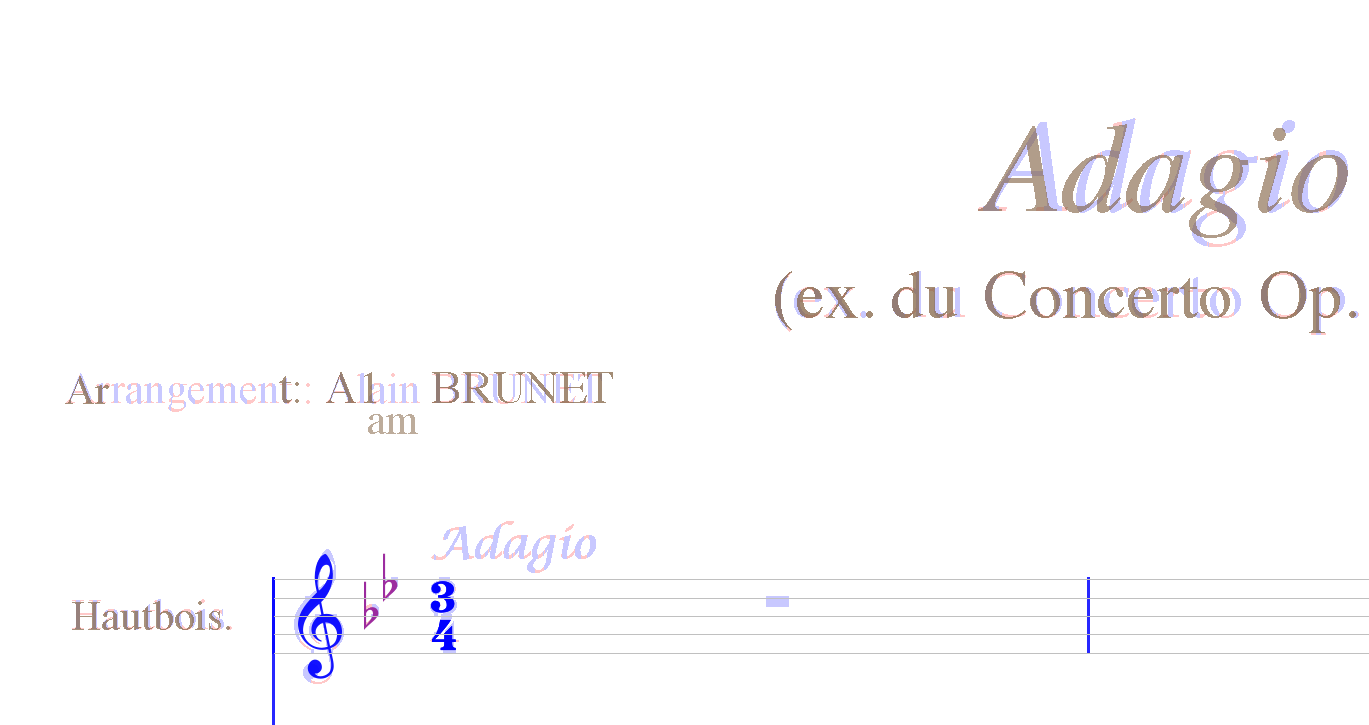
Please note that the musical term Adagio has been grayed out - it was recognized by Tesseract but discarded by Audiveris due to too low confidence (0.61).
I played with the settings a bit and figured out that Tesseract performs better for this score when running in PSM_SPARSE_TEXT mode. Moreover, I changed the minConfidence constant to 0.6 to get both Adagio terms recognized.
The overall recognition result looks much better now:
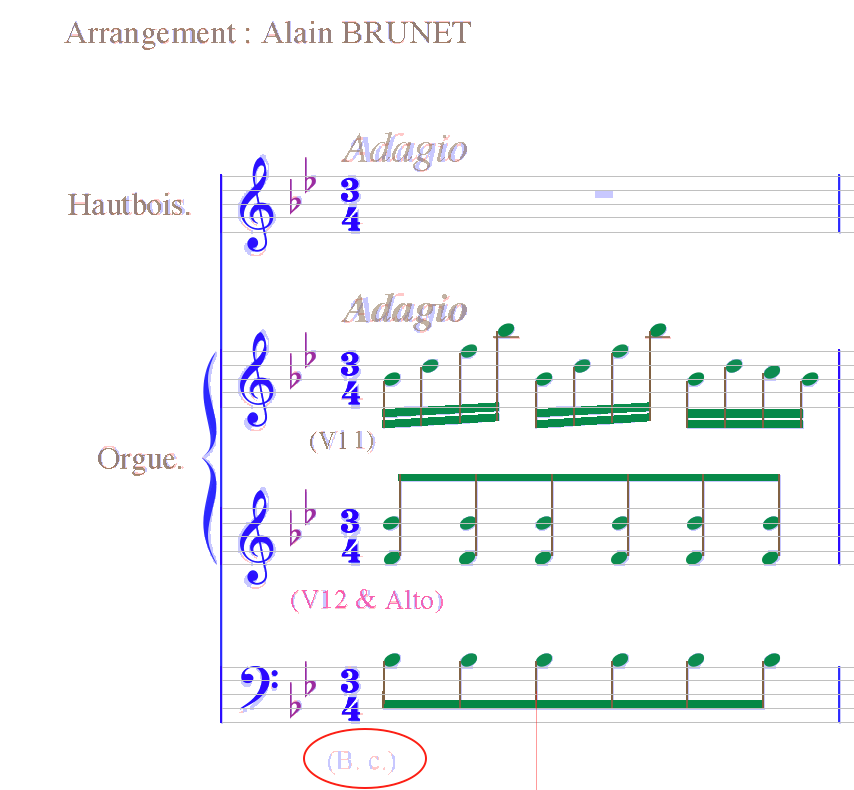
The part indication (B.C.) that stands for Basso Continuo is grayed out. That means that that text line has been discarded by Audiveris. Unfortunately, Audiveris seems to exclude all pixels that belong to unrecognized or discarded textual items from the following processing so it's impossible to select them manually and run the OCR on them.
I don't know how to improve confidence for musical terms (that are of Italian origin). Running Tesseract with ita language data doesn't seem to make any difference.
The same is valid for all kind of abbreviations as well.
I am looking forward to reading your comments.

Audiveris currently uses Tesseract's legacy OCR engine. The recognition and the confidence values are significantly improved by combining legacy and neural network OCR engines:
  <span class='ocrx_word' id='word_1_9' title='bbox 139 392 365 431; x_wconf 80'>Arrangement</span>
  <span class='ocrx_word' id='word_1_10' title='bbox 379 402 383 423; x_wconf 70'>:</span>
  <span class='ocrx_word' id='word_1_11' title='bbox 399 392 493 423; x_wconf 76'>Alain</span>
  <span class='ocrx_word' id='word_1_12' title='bbox 505 393 675 423; x_wconf 93'>BRUNET</span>
  <span class='ocrx_word' id='word_1_13' title='bbox 1713 421 1855 451; x_wconf 92'>Tomaso</span>
  <span class='ocrx_word' id='word_1_14' title='bbox 1867 420 2084 451; x_wconf 91'>ALBINONI</span>
  <span class='ocrx_word' id='word_1_15' title='bbox 2097 420 2191 459; x_wconf 92'>(1671</span>
  <span class='ocrx_word' id='word_1_16' title='bbox 2207 438 2218 442; x_wconf 92'>-</span>
  <span class='ocrx_word' id='word_1_17' title='bbox 2234 420 2330 459; x_wconf 92'>1751)</span>

The recognition and the confidence values are significantly improved by combining legacy and neural network OCR engines:
At the first sight, yes. But Audiveris requires font information to be able to paint recognized characters over raw pixels.
It seems like the LSTM engine doesn't provide us with any reliable font information - I'm getting a galore of No font info on tessing indicating that WordFontAttributes() API call returns null.
While font size can be computed from bounding boxes, it's impossible to determine font style outside the OCR engine.
That was one of the reasons for stucking to the legacy engine. The other reason was imprecise bounding boxes reported by the LSTM engine but that might be mitigated by combining results from both engines.
@stweil That's what I got from the combined engine:
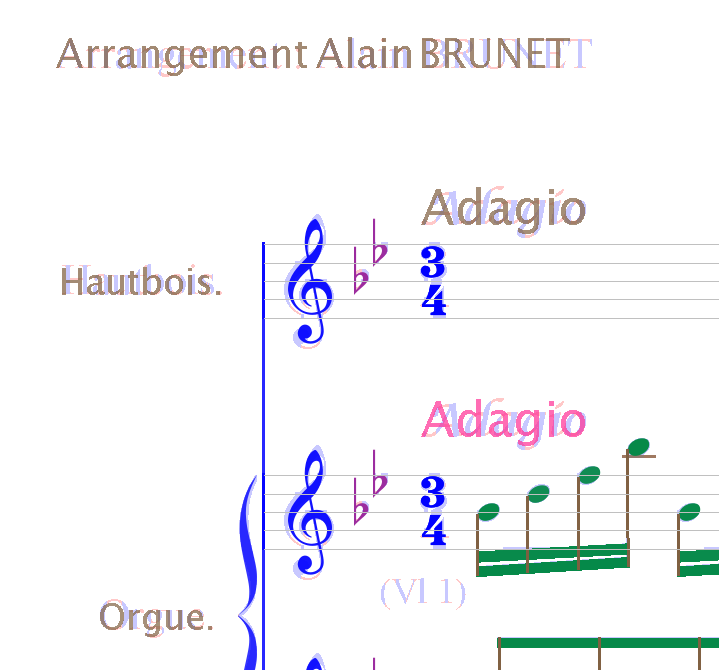
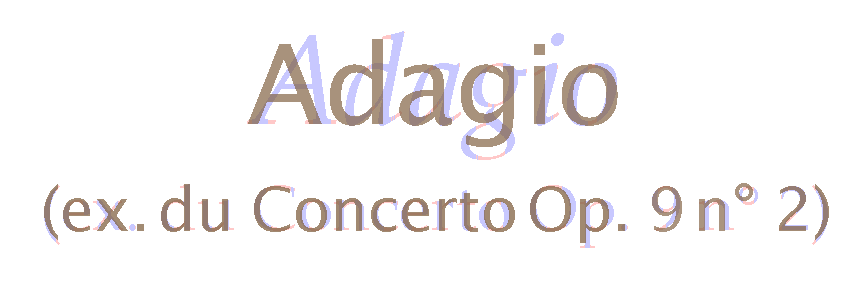
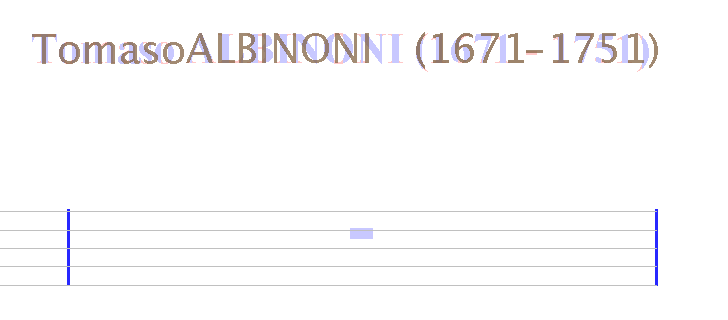

Symbol positions are definitely worse compared to the legacy engine alone. This result must be treated with caution - Audiveris include some code from the Tesseract 3 era for refining font size and symbol positions: https://github.com/Audiveris/audiveris/blob/c09447621a7dbe71b218194d2decf9472106746d/src/main/org/audiveris/omr/text/TextWord.java#L140-L141 https://github.com/Audiveris/audiveris/blob/c09447621a7dbe71b218194d2decf9472106746d/src/main/org/audiveris/omr/text/TextWord.java#L180-L189 https://github.com/Audiveris/audiveris/blob/c09447621a7dbe71b218194d2decf9472106746d/src/main/org/audiveris/omr/text/TextWord.java#L511-L512 I need to verify that the above workarounds are still valid for Tesseract 4.
Maybe you can use both engines sequentially: use the neural network engine to detect the words with bounding boxes, and use the legacy engine on the detected word boxes to get the text attributes.