

 Arthur151
Animation data and trans3d
Hey Arthur151, here is a question to ask about the extraction of animation data and trans3d.
By following the Simple_ROMP guide, the code works amazingly well: romp --mode=webcam --show I would like to extract the location of bones/poses and the translation info like the webcam.py part: trans = np.array([convert_cam_to_3d_trans(cam) for cam in cams]) poses = np.array([result['poses'] for result in results[frame_id]]) How to print the trans and poses, and which file to edit? (After installation: python setup.py install, the romp command is in the virtual environment /romp/bin/romp, should I edit something and reinstall romp or directly edit the file to print the trans and poses)


Hey @Arthur151, to further explain this, have you ever had the issue concerning the axis angle rotation, by using romp, it works straight away in Blender, and in Unity, it is differently allocated, not sure how to fix this:
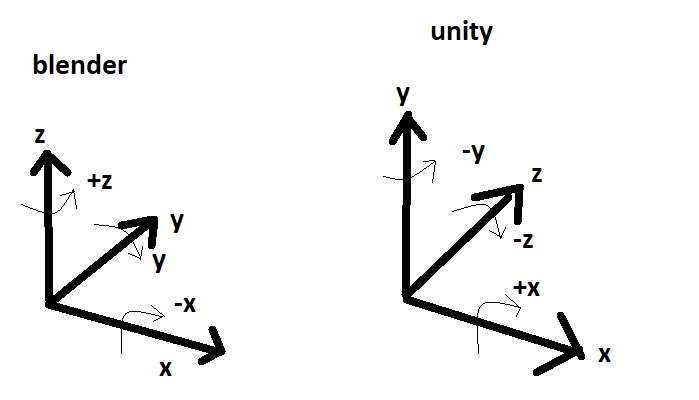
@zhangby2085 Sorry, really not familar with Unity.
If you want to perform transformation between two coordinate system, maybe this would be helpful: https://github.com/Arthur151/ROMP/blob/b108da9e9fe96282d8235a1051a7030d335d9869/simple_romp/tools/convert2fbx.py#L192 You can simply define and apply any transformation you want in this way.
